

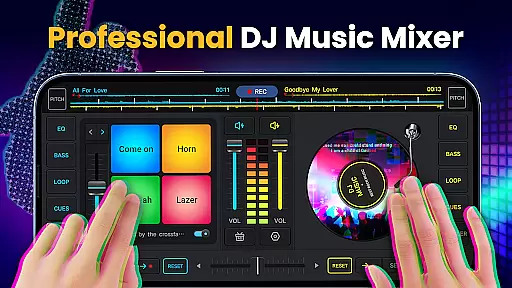
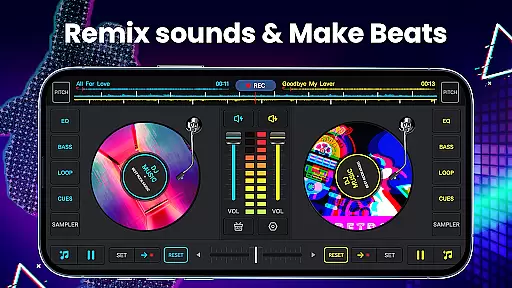
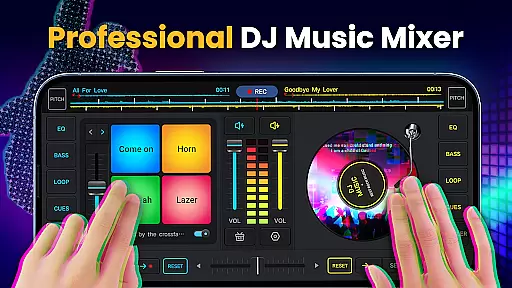
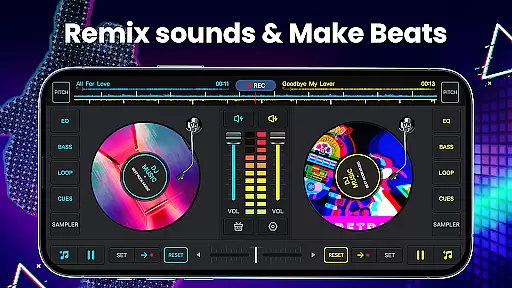
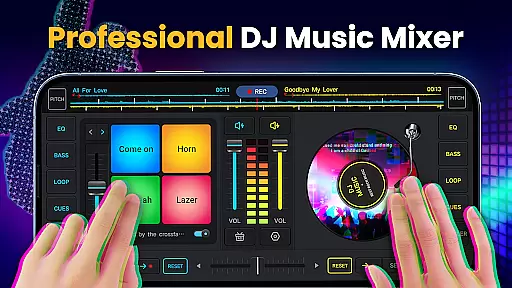
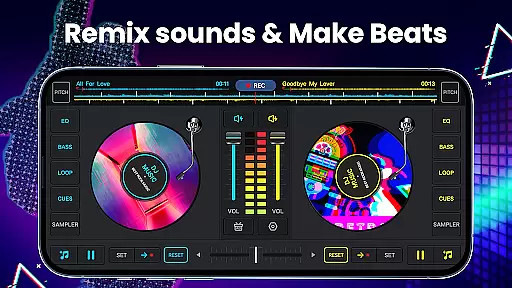
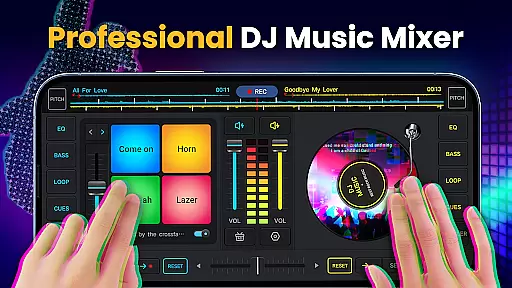
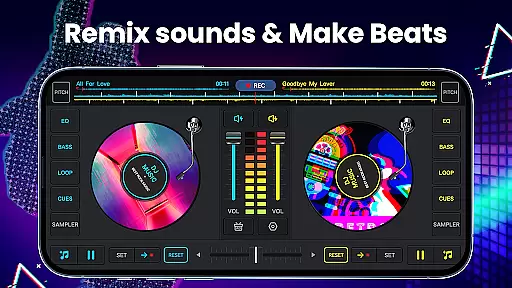
DJ Music Mixer - DJ Mix Studio is a feature-rich music production app that allows users to create professional-quality mixes using their mobile devices. The app provides a complete suite of DJ tools, including a virtual mixer with two turntables, a five-band equalizer, and bass booster functionality.
With its intuitive interface and advanced features, the app caters to both novice and experienced DJs. Users can access all music stored on their device, create custom playlists, and apply various sound effects to craft unique audio experiences. The built-in recording feature lets users save their mixes in high-quality MP3 format.
This application is particularly useful for live performances, allowing DJs to seamlessly mix tracks and add creative effects in real-time. Its comprehensive feature set makes it suitable for both casual music enthusiasts and professional DJs looking to create engaging audio content on the go.
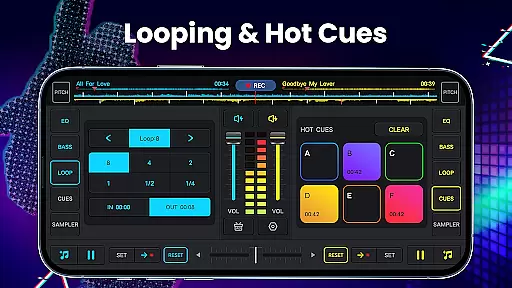
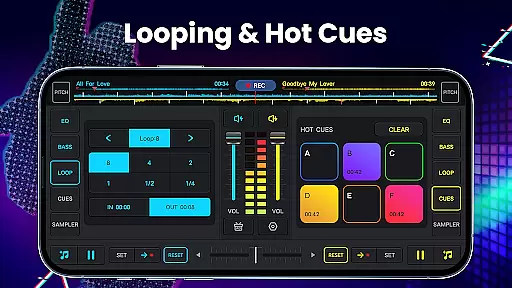
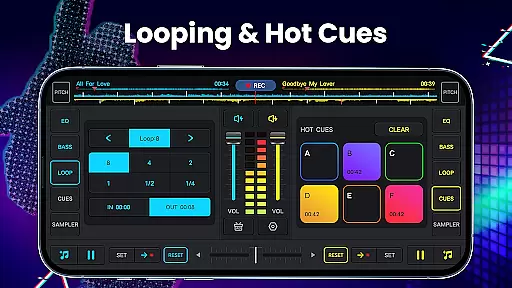
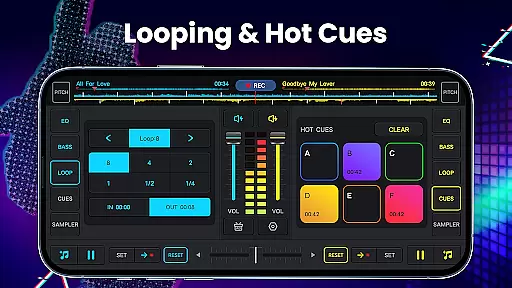
The app offers an impressive array of features designed to enhance the music mixing experience. Its core functionality includes a professional-grade mixer with real crossfader controls, supporting up to six hot cues per deck and offering loop options ranging from 1/64 to 128 beats.
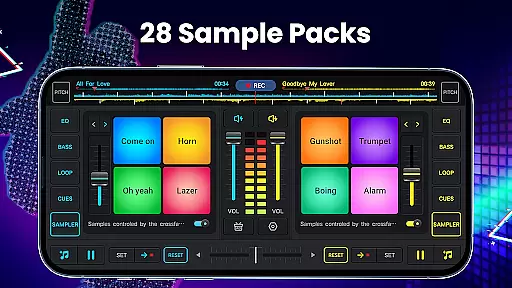
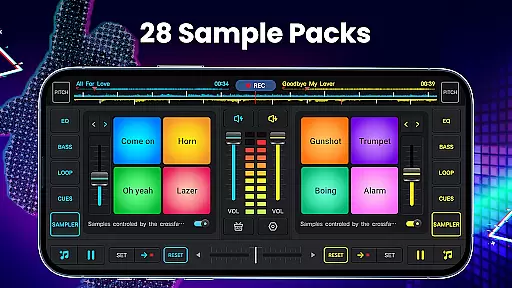
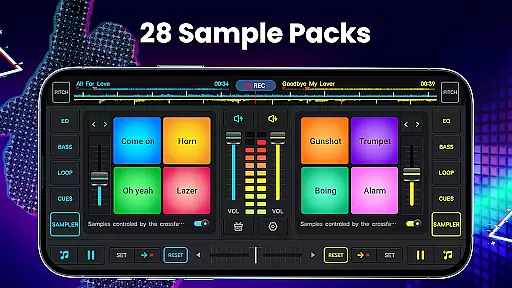
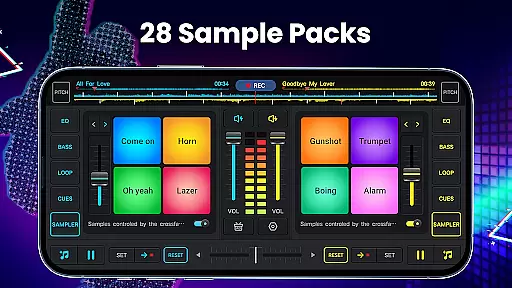
Users can explore 28 free sample packs containing various sound effects, including gunshots, booms, and scratches. The app's advanced equalization capabilities allow precise control over audio frequencies, while the pitch adjustment feature enables accurate beat matching. Additionally, the app supports wide audio spectrum analysis for optimized beat detection.
Other notable features include forward and backward track rotation, microphone recording support, and direct access to device-stored music through multiple organizational views. These comprehensive tools make it easy to create sophisticated music mixes and experiment with different audio effects.
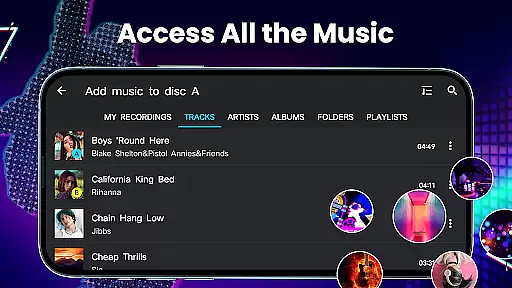
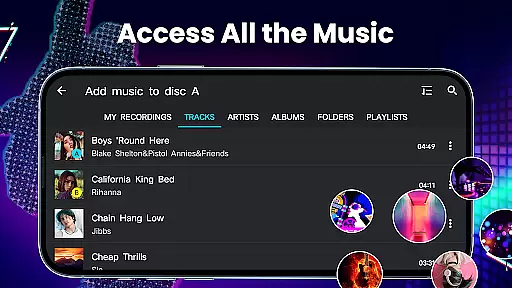
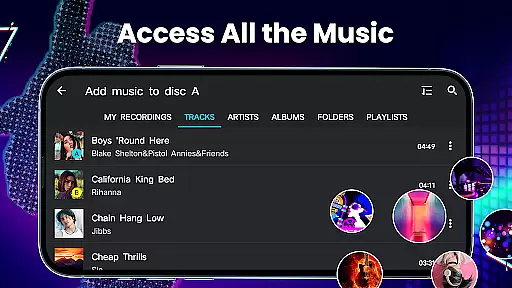
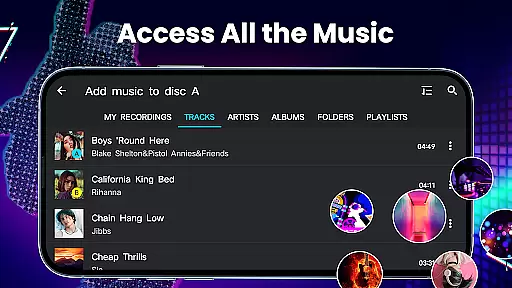
In the realm of digital music creation, having access to an extensive music library is crucial for any DJ or music producer. DJ Music Mixer - DJ Mix Studio offers a vast array of tracks, artists, albums, and folders directly from your device, ensuring that you have all the resources needed to create unique mixes. This app allows users to easily import music into a playlist library, making track selection seamless and efficient.
Copyright authenticity is another significant aspect of DJ Music Mixer - DJ Mix Studio. The app provides 28 free sample packs filled with authentic sounds such as DJing effects, gunshots, booms, claps, and scratches. These samples are essential for crafting original content without infringing on existing copyrights. By using these verified sound clips, creators can confidently produce remixes and beats knowing they stand on solid legal ground.
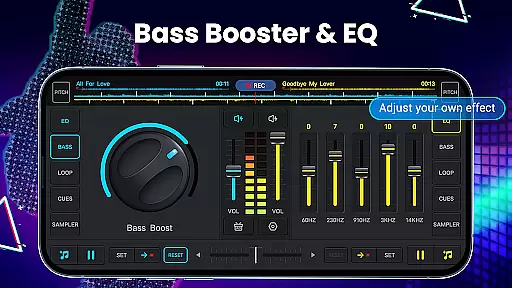
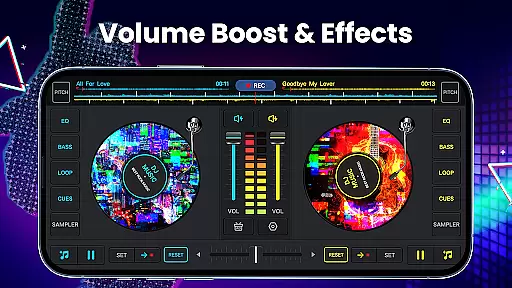
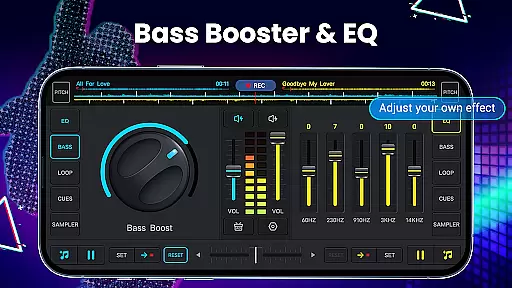
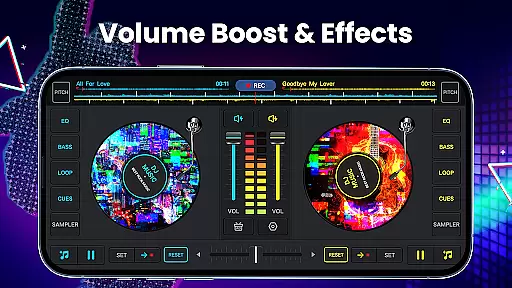
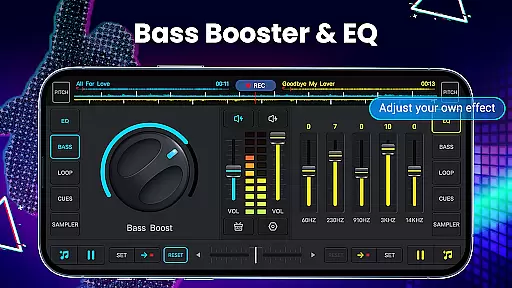
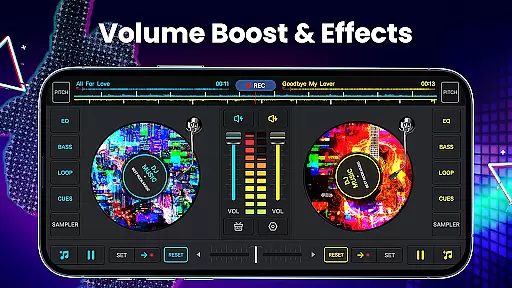
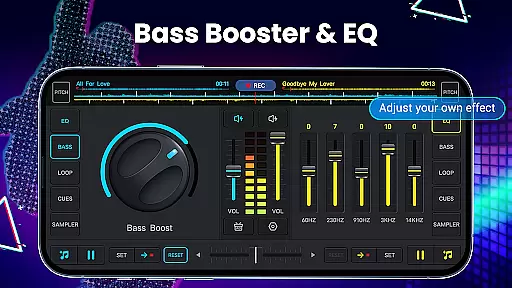
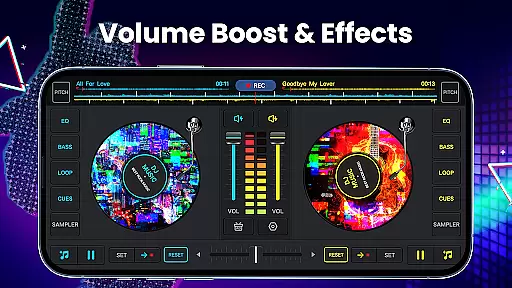
The integration of high-quality audio features within DJ Music Mixer enhances the overall user experience. With five-band equalizers and bass boost capabilities, users can fine-tune their mixes to perfection. Additionally, adjustable mix volume and pitch controls offer further customization options, allowing DJs to craft their signature sound while maintaining the integrity of the original compositions.
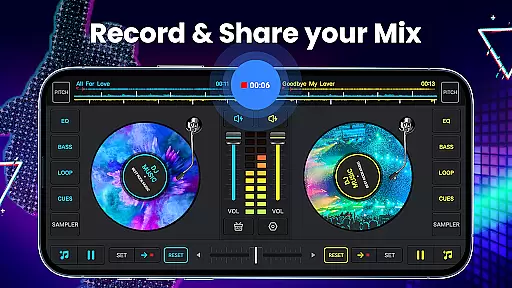
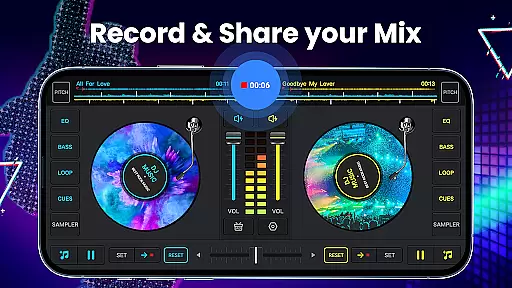
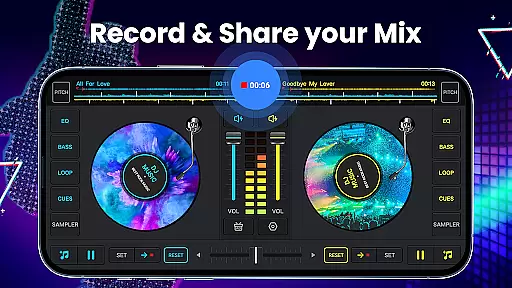
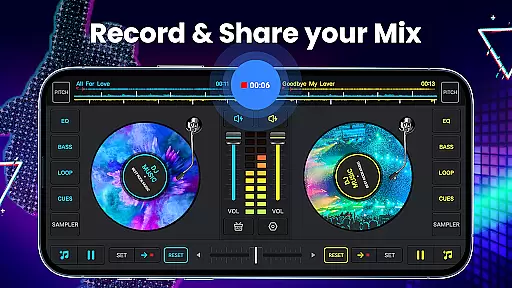
For professional DJs and music enthusiasts alike, audio quality is paramount when mixing tracks. DJ Music Mixer - DJ Mix Studio excels in this area by offering HD recording capabilities in .mp3 format. This feature ensures that every mix and scratch routine is captured with pristine clarity, preserving the nuances of each performance. Whether recording via microphone or internal audio on Android 10 devices, users can expect uninterrupted, high-fidelity sound output.
Beyond just recording, DJ Music Mixer provides advanced audio manipulation tools. Users can rotate discs and play remixes either backward or forward, experimenting with different audio effects. A simple yet effective equalizer allows precise control over turntable effects, enabling detailed adjustments to achieve the desired auditory impact. Such flexibility empowers creators to push creative boundaries while maintaining exceptional sound fidelity.
Moreover, DJ Music Mixer supports wide audio spectrum detection for optimized beat identification. This capability ensures accurate tempo matching and synchronization between tracks, which is vital for smooth transitions during live performances. Coupled with real crossfader functionality and two virtual mixer turntables, the app delivers a comprehensive suite of tools designed to elevate audio quality and enhance the overall DJing experience.
User-friendly interface
Wide range of effects
High-quality recording
Comprehensive DJ tools
Free to download
Contains ads
Advanced features locked
Occasional bugs
Steep learning curve
Interface cluttered

Turn your phone into a musical instrument from the future!
 3.90
3.90
Powerful beat maker & DJ mixer to remix tracks, make music, & perform DJ mix
3.70
Learn to play the piano using falling notes!
3.80
A sleek, no-frills player designed for true music lovers.
4.20
Listen radio AM / FM Stations. Live AM / FM Radio App Station. Radio Com.
4.70
PowerAudio is a powerful offline music player.
4.20
Responsive piano with great sounds, graphics, and songs
4.80
Full featured mp3 and audio player with Chromecast and Android Auto support.
4.40
Get alarms that fit your lifestyle and wake up to the sounds you love.
4.80
Simple & Intuitive Metronome
4.70
A complete sound package for the sound engineer or enthusiast
4.60
Save hundreds of dollars for a physical strobe tuner and instead use this app.
4.50
The Music Journey in Your Hands
4.30
Bass Booster Pro takes auto-equalizing to the next level!
4.30
VB-AUDIO Software / VBAN-Receptor allows listening to any VBAN Streams
4.10
Offline Tunes, Unlimited Vibes
3.90
Background pads for your band
3.80
Control your MIDI USB or Bluetooth devices in app and avoid some trampling
3.30
The Minimalistic Premium Music Player. Handmade with passion for music
2.20

User Reviews