

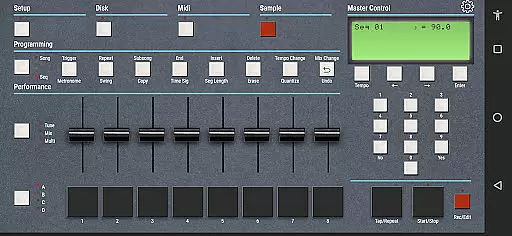
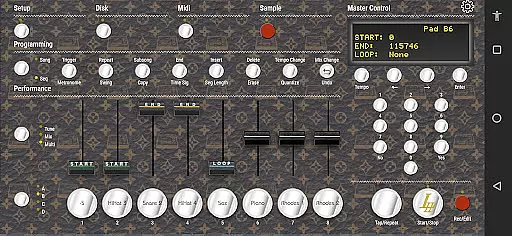
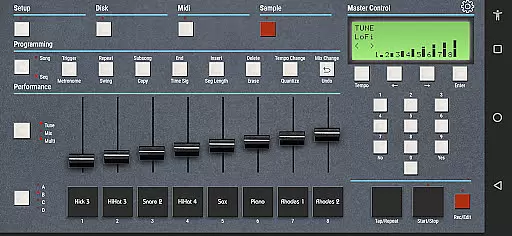
eSPi is a powerful music production app that brings the iconic SP-1200 beatmaking experience to your fingertips. Designed for both iOS and desktop platforms, this application allows users to create authentic 90s-style sampled beats with ease.
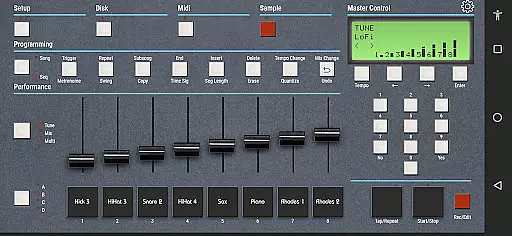
The app features an intuitive workflow where you can import or record samples directly, chop them up, apply pitch adjustments, and sequence them seamlessly. With multiple filters, effects, and a compressor included, eSPi delivers the gritty signature sound that made the original SP-1200 legendary among hip-hop and house music producers.
Whether you're producing tracks on your iPad or computer, eSPi provides a versatile toolset for crafting professional-quality beats while maintaining the simplicity of classic hardware samplers.
eSPi stands out with its comprehensive set of features tailored for music creators who value authenticity in their sound design process. The app includes advanced audio manipulation tools such as sample chopping, pitch shifting, and sequencing capabilities.
One of the key highlights is its ability to emulate the gritty signature sound characteristic of the SP-1200 when pitching samples up & down. This feature ensures that users can achieve the same raw texture found in many iconic 90s tracks.
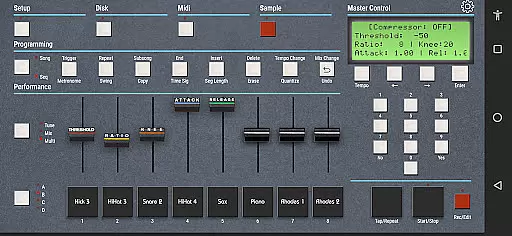
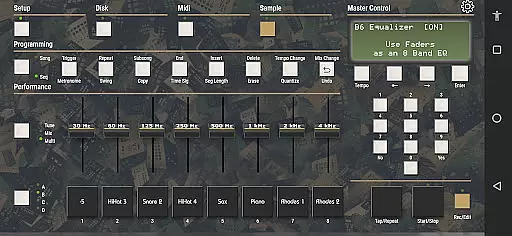
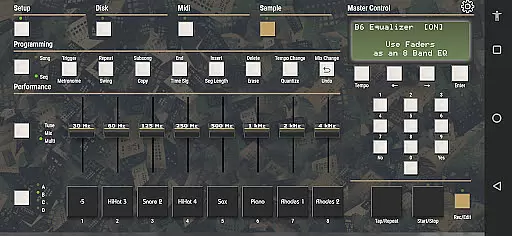
In addition to its core functionalities, eSPi offers various filters, effects, and a built-in compressor to refine your beats further. These tools provide flexibility and control over your sound, making it suitable for both beginners and seasoned producers looking to recreate vintage vibes digitally.
When it comes to music production applications like eSPi, the size and variety of the music library play a crucial role in providing users with ample resources for creativity. eSPi offers an extensive library that allows users to import samples or record them directly within the app.
The application ensures that all included samples are properly licensed, giving users peace of mind when creating beats. This commitment to copyright authenticity means producers can focus on their art without legal concerns.
Furthermore, eSPi's compatibility across multiple platforms including iPad, Mac, Linux, and PC ensures that musicians have consistent access to this rich library regardless of their preferred device.
Audio quality is paramount in music production, and eSPi excels in delivering high-grade audio processing capabilities. The app provides multiple filters, effects, and a compressor, which are essential for shaping and refining sound.
One standout feature is its emulation of the gritty signature sound associated with the legendary SP-1200. This capability allows users to pitch samples up and down while maintaining the characteristic texture that has defined hip-hop and house music for decades.
By offering these sophisticated audio quality options, eSPi empowers producers to craft professional-sounding tracks that stay true to the authentic sound of 90s beatmaking.
User-friendly interface
Authentic SP-1200 emulation
Cross-platform compatibility
Comprehensive effects suite
Intuitive sample editing
Limited modern features
No cloud sync option
Basic UI design
Occasional glitches
High system requirements

Offline and always ad-free - stream in the highest quality available.
 4.10
4.10
The Music Journey in Your Hands
4.30
Record, Mix & Master with all n-Track effects, 64-bit audio and Stem Separation.
4.70
AI Music Maker: Generate And Compose AI Tunes & AI Songs & AI Music & AI Melody!
4.60
Enjoy singing any song, no matter how high or low it is
4.30
Play your hearts out on TouchTunes jukeboxes & connect with fellow music lovers.
4.80
Turn your Android phone into a professional audio analyser with up to 120 bands.
4.00
PowerAudio is a powerful offline music player.
4.20
MilkDrop for Android TV
3.00
Listen radio AM / FM Stations. Live AM / FM Radio App Station. Radio Com.
4.70
Performance-Synthesizer & Multi-Track-Sequencer, polyphonic + multi timbral!
4.70
Pay Once, no monthly payment
4.60
Super Sound Editor, Song Maker & Mixer, Vocal Remover, Voice Recorder & Changer!
4.60
Manage your Sonos system directly from your home-screen!
4.40
No wifi music app. Mp3 offline. Tuner radio, young radio music. Music downloader
4.20
Sing, record, and create music together — enhanced by smart voice tools.
4.00
Control your MIDI USB or Bluetooth devices in app and avoid some trampling
3.30
The Skullcandy App Experience
3.20
Make music anywhere. Turn your device into an instrument.
4.5


User Reviews