

Midi Chief is a versatile MIDI controller app designed for musicians who need centralized control over their MIDI devices. The app supports both USB and Bluetooth MIDI connections, making it an ideal solution for guitarists, keyboardists, and other musicians who rely on multiple MIDI devices during performances or practice sessions.
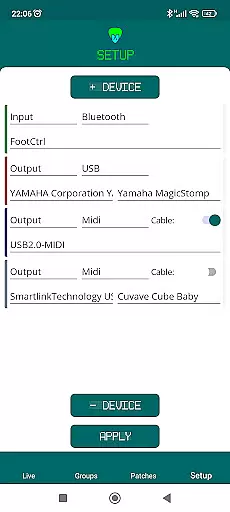
One of the standout features of Midi Chief is its ability to manage multiple MIDI devices simultaneously. By using an OTG cable or OTG HUB connected to your smartphone's USB port, you can seamlessly integrate and control various MIDI instruments from a single device. This functionality streamlines the process of sending MIDI control messages, enhancing both convenience and efficiency for musicians.
Whether you're performing live or practicing in your studio, Midi Chief offers a practical solution for managing your MIDI setup. Its intuitive interface and robust connectivity options make it an invaluable tool for musicians looking to simplify their workflow and focus on their music.
Midi Chief stands out with its comprehensive feature set tailored specifically for musicians. The app provides robust support for both USB and Bluetooth MIDI devices, allowing users to connect and control multiple instruments without any hassle. This dual connectivity ensures that musicians can choose the most convenient method for their specific setup.
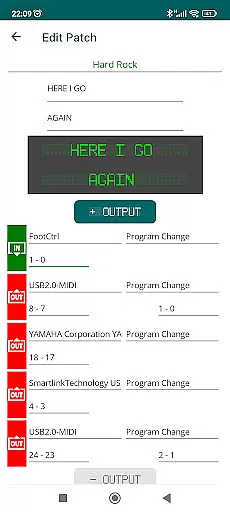
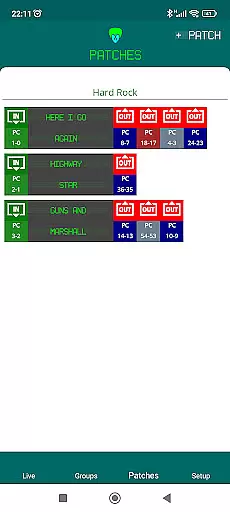
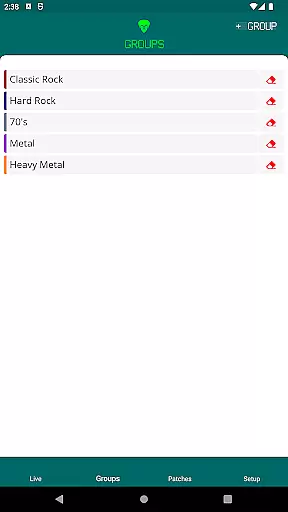
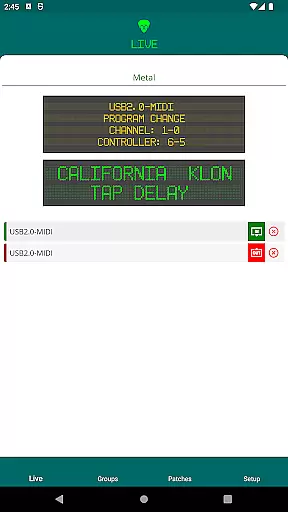
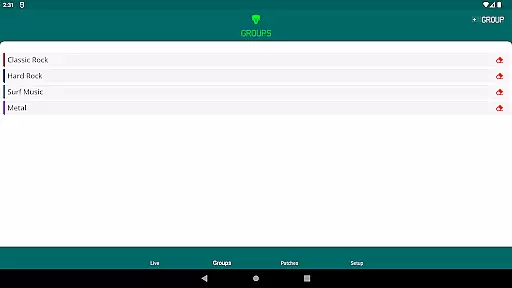
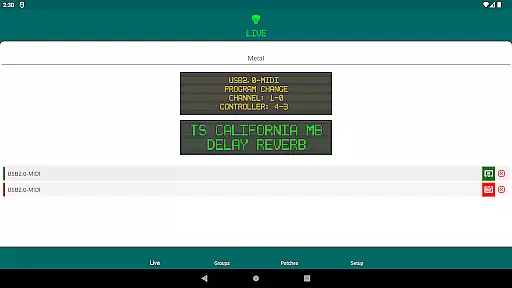
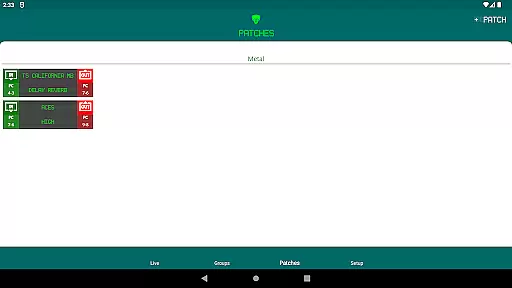
Another key feature is the app's ability to centralize MIDI control messages. Instead of managing each device individually, Midi Chief allows users to send control messages to all connected devices from a single interface. This centralized approach not only saves time but also reduces the complexity of managing multiple MIDI devices during performances.
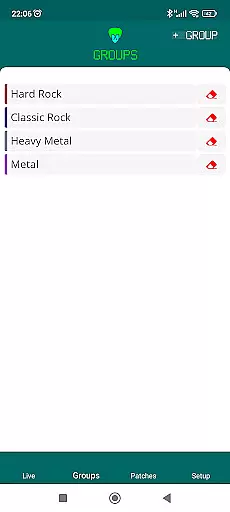
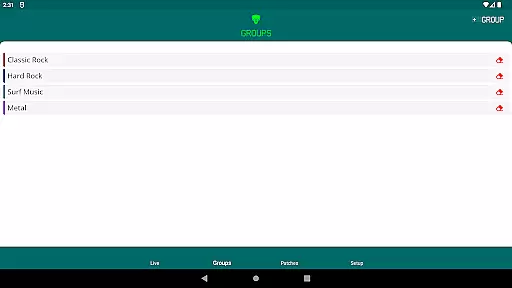
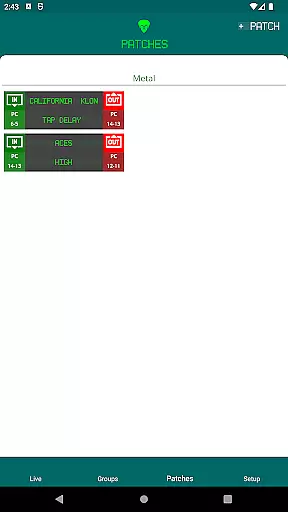
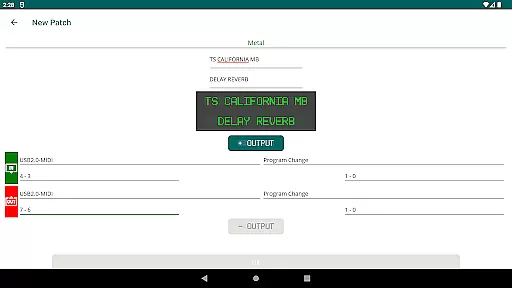
In addition to its core functionalities, Midi Chief offers an intuitive user interface that makes it easy for musicians to configure and customize their MIDI settings. Whether you're a guitarist looking to control effects pedals or a keyboardist managing multiple synthesizers, Midi Chief provides the tools you need to streamline your MIDI workflow and enhance your musical experience.
When it comes to music production and control applications like Midi Chief, the size and authenticity of the music library are crucial factors. A comprehensive library ensures that musicians have access to a wide range of sounds and samples needed for their creative process.
Midi Chief offers an extensive collection of MIDI controls and supports multiple devices, which means users can tap into a vast array of sounds. This is particularly beneficial for guitarists, keyboardists, and other musicians who rely on diverse soundscapes to enhance their performances or compositions.
The app's support for both USB and Bluetooth MIDI devices guarantees that users can connect various instruments without worrying about compatibility issues. By using an OTG cable or hub, musicians can centralize all their MIDI equipment through this single application, streamlining their setup and workflow.
Moreover, ensuring copyright authenticity within its library means that Midi Chief provides legally safe content for professional use. Musicians can confidently utilize these resources in commercial projects, knowing they are protected from potential legal issues related to unauthorized samples or sounds.
Audio quality is paramount when dealing with MIDI devices and music applications. For apps like Midi Chief, providing high-quality audio options ensures that musicians can achieve the best possible sound output from their connected instruments.
Midi Chief excels in delivering superior audio quality by supporting multiple MIDI devices simultaneously. Whether you're a guitarist looking to experiment with different effects or a keyboardist needing precise control over your sound modules, this app facilitates high-fidelity audio transmission across all connected devices.
In addition to supporting numerous MIDI controllers, Midi Chief also allows users to manage how audio signals are processed and transmitted. This level of control helps maintain the integrity of the original sound, reducing latency and minimizing distortion during live performances or studio recordings.
Furthermore, the ability to adjust audio settings according to specific needs enhances user experience. Musicians can fine-tune parameters such as bit depth and sample rate to match their project requirements, ensuring optimal sound reproduction every time they use the app.
User-friendly interface
Supports multiple devices
Centralized MIDI control
Robust connectivity options
Ideal for live performances
Requires OTG cable
Limited to Android
No iOS support
Advanced features may overwhelm beginners
Bluetooth connectivity issues reported

Your HD audio recorder on the go for music, meetings, ambience, animal sounds…
 4.30
4.30
Make music anywhere. Turn your device into an instrument.
4.2
The Skullcandy App Experience
3.20
Offline and always ad-free - stream in the highest quality available.
4.10
The Music Journey in Your Hands
4.30
DJ Music Mixer Pro is a real DJ controllers and DJ Music Studio to remix DJ.
4.40
No wifi music app. Mp3 offline. Tuner radio, young radio music. Music downloader
4.20
Responsive piano with great sounds, graphics, and songs
4.80
Offline Tunes, Unlimited Vibes
3.90
Your song collections with lyrics and chords on Android smartphones and tablets.
4.80
Performance-Synthesizer & Multi-Track-Sequencer, polyphonic + multi timbral!
4.70
Enhance the sound quality of your devices, listen to what you want
4.50
Help you quickly get started with Shokz headphones
4.40
A High-Precision Audio Spectrum Analysis App
4.20
A sleek, no-frills player designed for true music lovers.
4.20
Smart piano keyboard, Classical to Pop, Real-time multiplayer connection!
4.20
Next generation modular control surface
4.10
The Cubase remote control app
3.60
Music Streaming suite for Ampache, Nextcloud Music and compatible backends.
4.0

User Reviews