

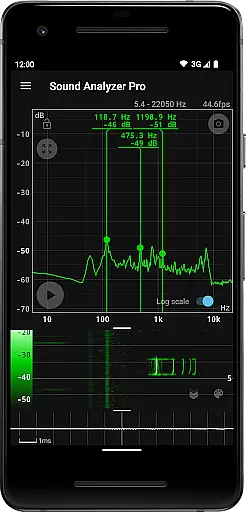
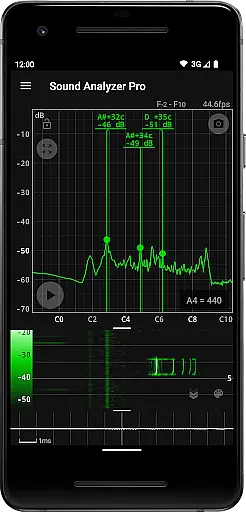
Sound Analyzer is a powerful audio analysis tool designed for both professionals and enthusiasts in the music and audio field. The app's core functionality lies in its ability to display real-time frequency (Hz) and amplitude (dB) spectra directly on your mobile device, eliminating the need for specialized equipment. Its high measurement accuracy, with errors typically within 0.1 Hz in low-noise environments, makes it an ideal choice for precise audio analysis.
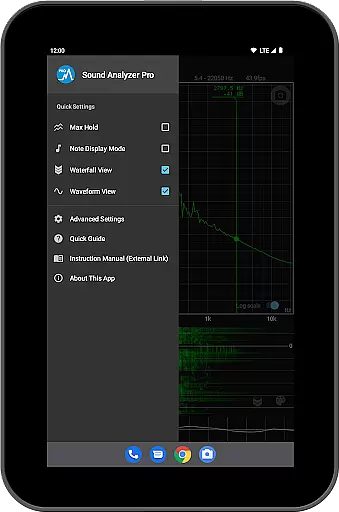
In addition to real-time spectrum analysis, Sound Analyzer offers advanced features such as waterfall view for tracking spectral changes over time, waveform view for visualizing sound waveforms, and note display mode that translates frequencies into musical notes. These capabilities make it suitable for various applications including sound engineering, music production, and acoustic research. Whether you're tuning instruments or analyzing complex audio signals, this app provides the tools you need in a portable format.
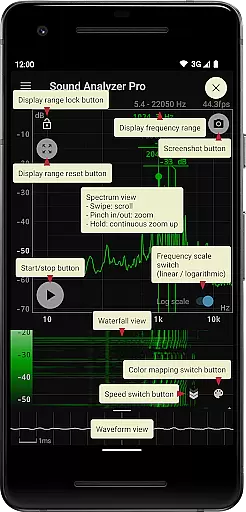
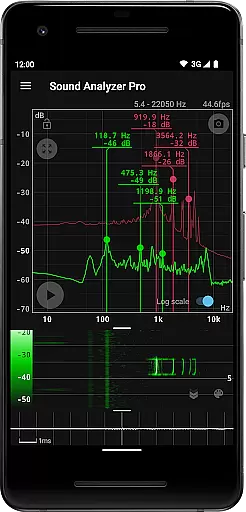
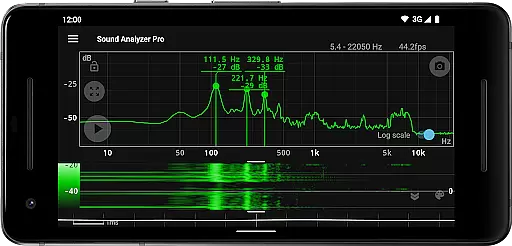
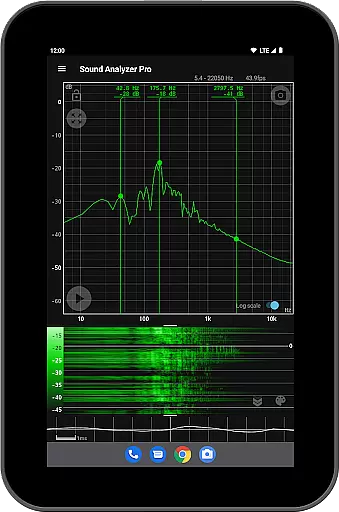
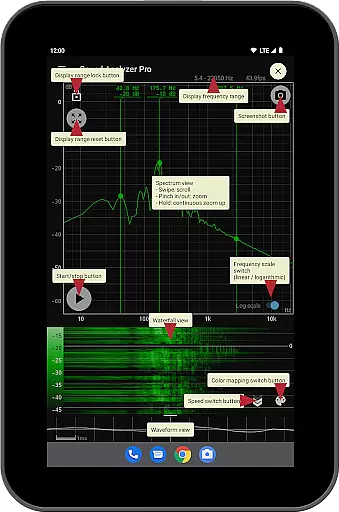
Sound Analyzer distinguishes itself through a comprehensive set of audio analysis features. The app's peak frequency display function provides real-time information about prominent spectral components, while its innovative touch-based interface allows users to easily adjust display ranges. Users can choose between logarithmic and linear frequency scales, catering to different analysis requirements and preferences.
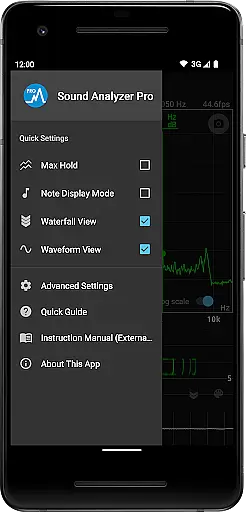
The application's versatility extends to its multiple viewing modes. The waterfall view enables users to observe how audio spectra evolve over time, while the waveform view offers a traditional oscilloscope-like display. Additional features include a max hold function for capturing peak values, a note display mode that translates frequencies into musical notation with cent accuracy, and a screenshot function with timer capability. Notably, the app operates without advertisements, ensuring an uninterrupted analysis experience across all devices.
Sound Analyzer does not focus on providing a vast music library but rather emphasizes real-time audio signal analysis. The app allows users to analyze audio signals directly through their mobile devices, offering functionalities like displaying frequency and amplitude spectra in real time.
While it doesn't provide a traditional music library, its ability to display changes in spectra over time and show waveforms adds a unique dimension to audio analysis. This feature is particularly useful for those interested in understanding the technical aspects of sound without worrying about copyright issues.
The app ensures that all analyzed data remains authentic and unaltered, maintaining the integrity of the original audio signal. This commitment to accuracy and authenticity makes Sound Analyzer a reliable tool for both casual users and professionals in the music industry.
Sound Analyzer excels in providing high-quality audio analysis options. With a frequency measurement accuracy that generally keeps errors within 0.1 Hz in low-noise environments, the app offers precise and reliable data for users.
The app supports various advanced features such as a peak frequency display function, switchable frequency axis scales, and max hold functions. These options allow users to customize their audio analysis experience according to their specific needs and preferences.
Additionally, Sound Analyzer provides waveform and waterfall views, giving users comprehensive insights into their audio signals. By ensuring high audio quality options, the app caters to audiophiles and professionals who require detailed and accurate sound analysis.
High-precision frequency measurement
Real-time spectrum analysis
No advertisements
Multiple viewing modes
Comprehensive feature set
Complex for beginners
Requires technical knowledge
Limited high-frequency support
Interface may feel crowded
Steep learning curve

 4.70
4.70
Simply convert wav to mp3. Clear. Reliable. Safe.
4.5
Performance-Synthesizer & Multi-Track-Sequencer, polyphonic + multi timbral!
4.70
DJ Music Mixer - DJ Remix: remix songs, make beat music & record mix of DJ.
4.40
Brian Eno and Peter Chilvers’ acclaimed music app Bloom, radically reinvented.
4.80
24,000 free audio books and no ads!
4.90
Play your hearts out on TouchTunes jukeboxes & connect with fellow music lovers.
4.80
Ringtone Maker is free app create ringtone from music files or your recording.
4.40
Responsive piano with great sounds, graphics, and songs
4.80
The best music and audio player, with beautiful UI, music search and equalizer.
4.60
Fun & Easy Voice Changer – Record, Edit & Add Hilarious Effects!
4.50
Guzheng Master supports many playing techniques as an acoustic Guzheng
4.50
Bass Booster Pro takes auto-equalizing to the next level!
4.30
The alternative folder based music player.
4.20
Turn your phone into a musical instrument from the future!
3.90
The ultimate media player for Android devices
3.90
USB audio recording and playback finally possible on Android 3.1 or higher!
3.90
Sheet music reader, piano & music note player. Play music score & learn to read.
3.90
MilkDrop for Android TV
3.00

User Reviews