

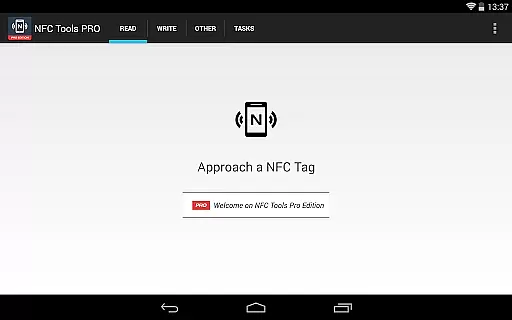
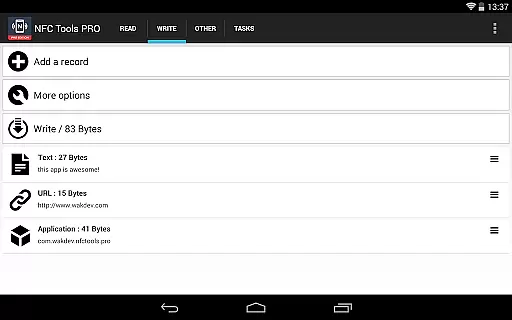
NFC Tools - Pro Edition is a powerful application designed to unlock the full potential of NFC technology. This tool allows users to read, write, and program tasks on NFC tags and compatible chips through an intuitive interface. It offers unlimited access to all available tasks within NFC Tools, enabling users to create imaginative routines without restrictions.
With exclusive features like profile management, importing from existing NFC tags, executing tasks without physical tags, and emulating NFC tags using your device, this app caters to both casual users and tech enthusiasts. The inclusion of conditional blocks and over 200 tasks ensures that users can design complex actions tailored to their needs.
Ideal for automating daily tasks or creating interactive experiences, NFC Tools - Pro Edition transforms how users interact with NFC-enabled devices, making it an essential tool for anyone looking to maximize their NFC capabilities.
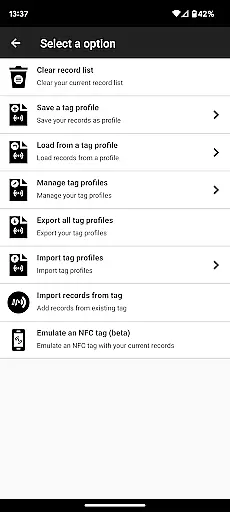
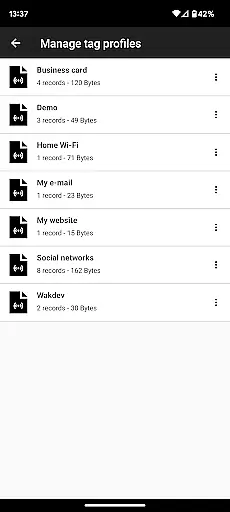
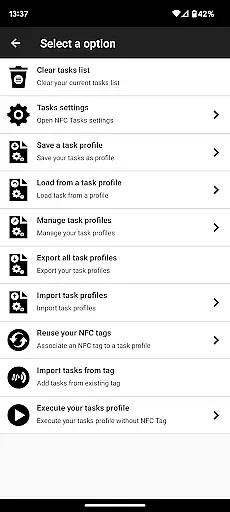
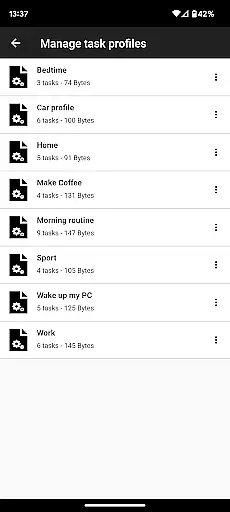
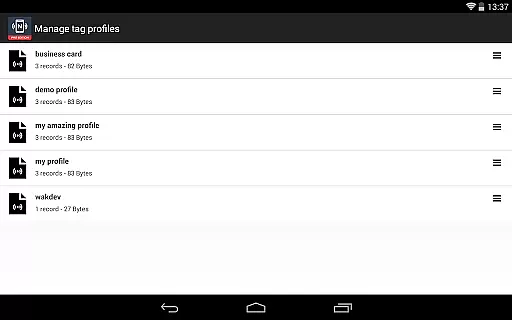
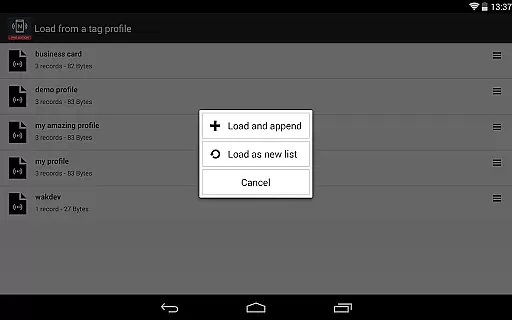
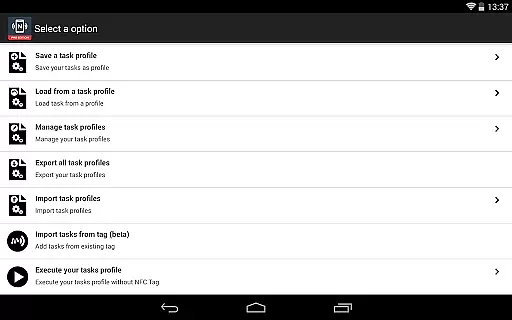
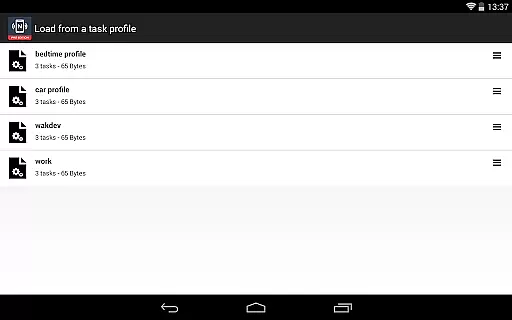
NFC Tools - Pro Edition stands out with its comprehensive suite of features tailored for advanced NFC usage. One of its key highlights is the profile management system, which allows users to save and reuse profiles containing records and tasks. This feature streamlines workflows by enabling quick modifications and reapplications of previously created setups.
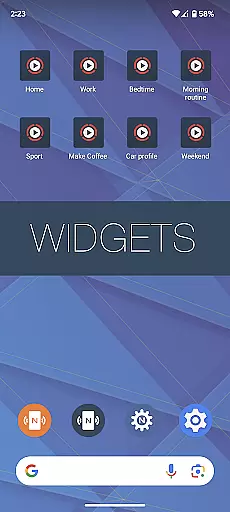
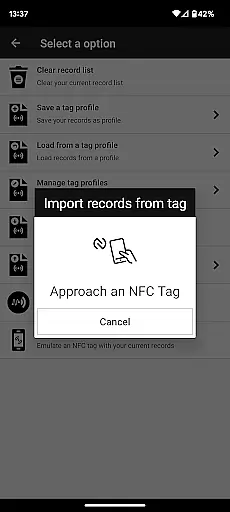
The app also supports importing data from existing NFC tags, allowing for swift editing of records or tasks. Users can execute tasks directly from their home screen without needing physical NFC tags, thanks to customizable shortcuts. Additionally, the ability to emulate NFC tags with NDEF records using the device itself adds another layer of versatility.
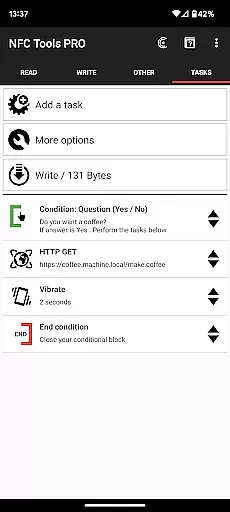
Conditional blocks further enhance functionality by letting users create intricate routines based on specific criteria. With more than 200 tasks at their disposal, users have endless possibilities for combining these elements into innovative solutions, making NFC Tools - Pro Edition a standout choice for maximizing NFC technology.
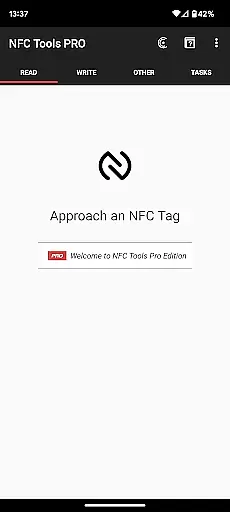
NFC Tools - Pro Edition is designed to provide users with an accurate and effective way to interact with NFC tags. The app allows for reading, writing, and programming tasks on NFC tags through a simple and lightweight user interface. This ensures that users can easily manage their NFC tags without any hassle or confusion.
The app offers more than 200 tasks for infinite combinations, allowing users to create complex actions with conditions using conditional blocks. This level of customization and control makes it possible to automate routines and processes in both personal and professional settings, greatly enhancing productivity and convenience.
With the Pro Edition, users gain access to exclusive features such as profile management, importing from existing NFC tags, executing tasks without NFC tags via home screen shortcuts, and emulating NFC tags with their device. These features ensure that the app remains versatile and powerful, catering to a wide range of use cases and requirements.
The user interface of NFC Tools - Pro Edition is crafted to be simple and intuitive, ensuring that users can navigate and utilize its features with ease. Despite the advanced functionality, the app maintains a clean and straightforward design that minimizes the learning curve and maximizes usability.
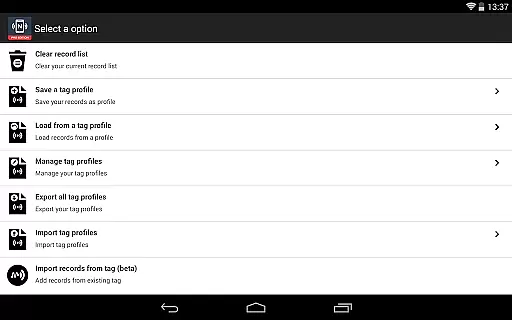
One of the key aspects of the app's interface is the ability to save profiles (records and tasks) and reuse them later through a profile management system. This feature simplifies the process of managing multiple NFC tags and tasks, making it efficient and user-friendly even for those who are not tech-savvy.
In addition to its intuitive layout, the app provides clear instructions and feedback during the execution of tasks. Whether you're reading, writing, or programming NFC tags, the app guides you through each step, ensuring that the tasks are performed accurately and effectively. This focus on clarity and guidance enhances the overall user experience, making NFC Tools - Pro Edition a reliable choice for managing NFC technology.
Unlimited task access
User-friendly interface
Advanced automation options
Profile management system
Wide range of supported tasks
Requires NFC-compatible device
Paid version necessary
Dependent on external app for execution
Complex features may overwhelm beginners
Limited use without proper knowledge

Easily install aab(Android App Bundle) files on your Android device with our app
 4.80
4.80
HD Video player and downloader for all formats, fast & smooth 4K video playback.
4.60
Forza Tuning Calculator App for Forza Horizon 5, Motorsport and Earlier Titles
4.40
MS-DOS in your pocket. Play old DOS games anywhere you are ;)
4.10
A non-root local ADB shell client. READ BELOW!
3.40
View detailed information about your Nissan Leaf the dealer never shows you.
4.10
Making emulation easy for everyone!
4.30
Pro Emulator is an easy to use game console emulator for a range of consoles.
4.40
The ideal app to be the digital eye of your family
3.40
Enjoy smooth gameplay with Game Booster
4.90
Unit and currency converter with easy and simple UI.
4.80
Connect instantly to a fast, encrypted VPN with one tap
4.60 4.50
4.50 4.50
4.50
eXtended Permission Manager - a small app to manage permissions and AppOps
4.50
Quickly check the frequency of the Earth
4.30
Family Locator, Share location, StayConnect with your family in real time
3.90
Create your own live wallpaper or check out thousands already made presets
3.90
A powerful, easy-to-use flight computer on your phone or tablet!
3.80

User Reviews