

Tasker is a powerful automation tool for Android devices, enabling users to automate repetitive tasks and customize their smartphone experience. With over 350 actions available, it allows you to control settings, send messages, manipulate files, and more based on various triggers like location, time, or received messages.
The app supports automatic file backups to local storage or cloud services like Google Drive, ensuring data safety. It also features remote triggering capabilities through Join, scene creation for custom UIs, and even app development via Tasker App Factory. Its flexibility extends to integration with third-party apps and web APIs, making it an indispensable tool for power users.
Tasker's true strength lies in its ability to combine different contexts and tasks, allowing for complex automations that adapt to your daily routine. Whether you want to optimize battery usage, manage notifications, or create custom shortcuts, Tasker provides the tools to make your Android device truly smart and efficient.
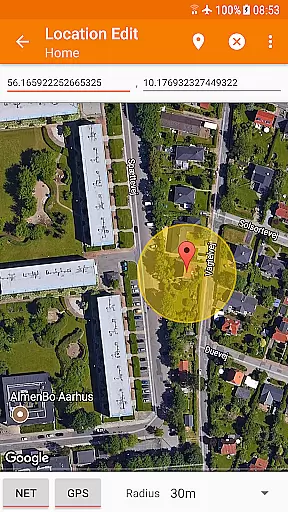
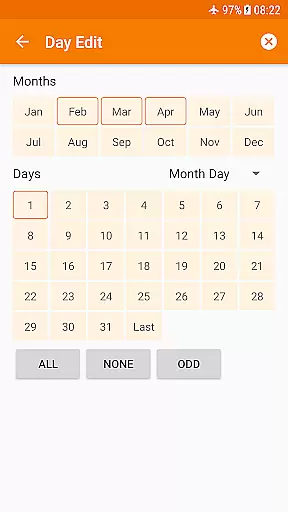
Tasker stands out with its extensive range of features designed for total device automation. The app can trigger actions based on a wide array of contexts including time, location, Wi-Fi network, received SMS or calls, and many other device states. This flexibility enables users to create highly personalized automations that suit their specific needs.
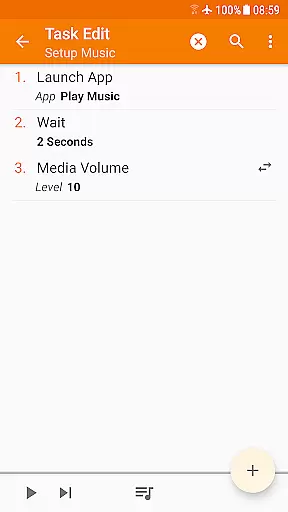
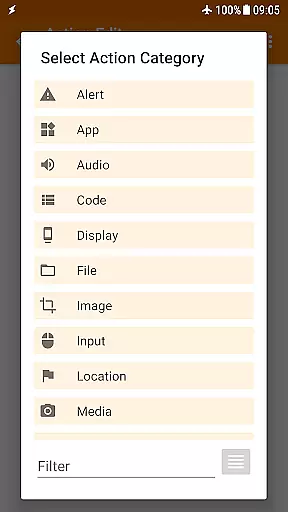
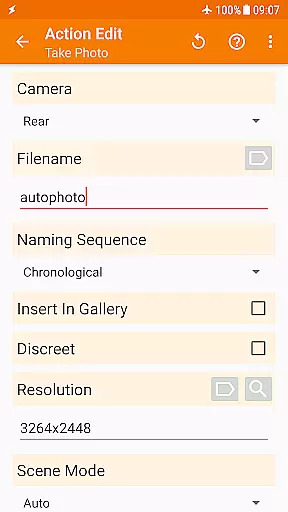
One of Tasker's key strengths is its action library, which includes over 350 built-in actions. These actions allow users to change system settings, control music playback, send messages, manipulate files, and even integrate with third-party applications. The app also supports root functionality for advanced users, though most features work without it.
Additional notable features include automatic file backups, APK installation from websites, scene creation for custom interfaces, and remote task triggering through Join. Tasker also offers developer-friendly options like HTTP request actions and plugin support, making it an essential tool for both casual users and tech enthusiasts looking to maximize their device's potential.
Tasker excels in delivering precise and effective core functionalities that automate a wide range of tasks on Android devices. The app supports over 350 actions, enabling users to customize their experience extensively.
From toggling settings like Wi-Fi and Bluetooth to sending SMS and managing files, Tasker ensures each action is executed accurately. Its ability to integrate with third-party apps and web APIs further enhances its operational effectiveness.
Users benefit from reliable automation that saves time and reduces manual intervention. Whether it's adjusting the phone volume based on location or backing up files automatically, Tasker performs these tasks seamlessly.
The app's compatibility with various triggers such as time, location, and system events guarantees that all automated processes are both timely and relevant. This reliability makes Tasker an indispensable tool for power users seeking to optimize their device usage.
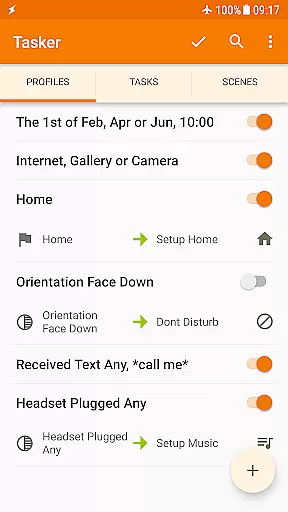
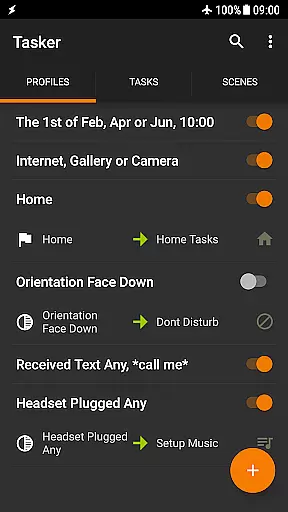
Despite its powerful capabilities, Tasker maintains a straightforward and intuitive interface that simplifies complex automation tasks. Users can easily navigate through different sections to create and manage their automations without any hassle.
The design includes helpful guides and starter projects that assist new users in understanding how to utilize the app's features effectively. These resources ensure that even those unfamiliar with automation can quickly get up to speed.
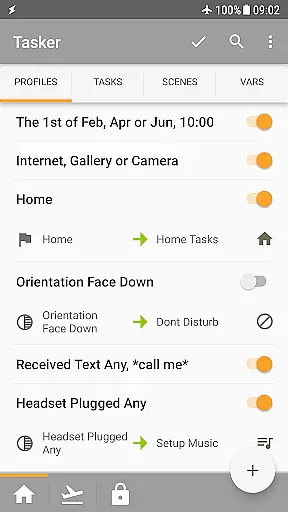
Taskeru2019s layout logically organizes contexts, tasks, and scenes, making it easy for users to find what they need. This organization reduces the learning curve typically associated with sophisticated tools.
Additionally, the inclusion of widgets, quick setting tiles, and other manual triggers offers convenient access to frequently used functions. Such accessibility enhances user interaction, allowing for swift execution of desired actions without navigating deep into menus.
Highly customizable
Extensive automation options
Wide range of triggers
Powerful action library
Developer friendly
Steep learning curve
Requires initial setup
Paid application
Some features need root
Complex interface

A convenient photo, video, and file recovery tool.
 4.00
4.00
Use your phone as a webcam on your computer over WiFi or USB.
4.40
Save any video in HD - paste the link, download fast and watch offline.
4.0
Safely recover deleted photos, videos, and files with a single easy tap.
3.70
Signal Strength, Mobile, Wifi, Speed Test, Bad Signals, Cellular, 5G, LTE, 4G
4.20
With videos, electrical calculators, and built-in ebook, Ugly’s has your answer.
4.50
Create your own custom widget with endless possibilities
3.90
Creation, Learning, Entertainment & More — The All-in-One AI Search Engine
4.70
Enjoy a smooth mobile reading experience!
3.60
Change your GPS location instantly. Simulate routes anywhere in the world.
4.90 4.50
4.50
Just swipe the edge to do something!
4.40
Mirror your screen to Fire TV - Super fast and simple
4.40
Pro Emulator is an easy to use game console emulator for a range of consoles.
4.40
App that Recover your pictures, videos or files after you delete them.
4.20
An open-source APK explorer for Android!
4.10
A non-root local ADB shell client. READ BELOW!
3.40
Undelete and recover your lost or deleted files with DiskDigger!
3.40
Unlock your Essential Key. Create custom shortcuts to your favorite apps!
4.4

User Reviews