

Franco Kernel Manager is a comprehensive toolbox designed for Android users who want to optimize their device performance. This app provides an extensive range of features that cater to both beginners and advanced users, allowing them to manage and enhance their kernel with ease.
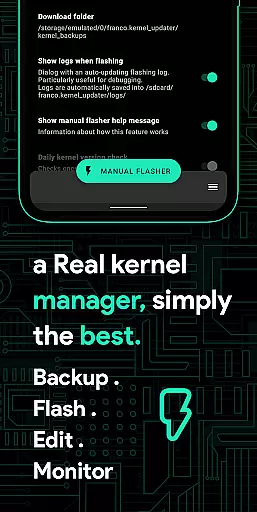
With Franco Kernel Manager, you can improve your device's performance and battery life while also having the ability to flash mods without using a custom recovery. The app offers detailed battery monitoring, build.prop editing, auto-flashing of kernels and Magisk modules, and much more.
This tool is particularly useful for rooted Android devices, although some features like Battery Monitor work without root access. Whether you're looking to tweak CPU frequencies, manage GPU settings, or create per-app profiles, Franco Kernel Manager empowers you to customize your device to suit your needs.
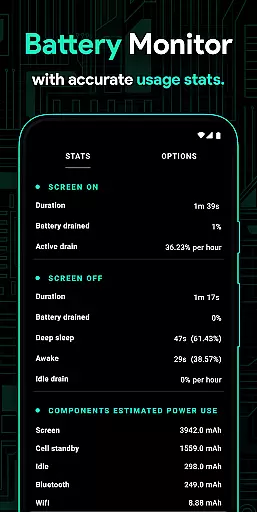
Franco Kernel Manager stands out with its rich feature set tailored for device optimization. One notable feature is the Battery Monitor notification, which provides detailed insights into power consumption, charging time estimates, and charging speeds.
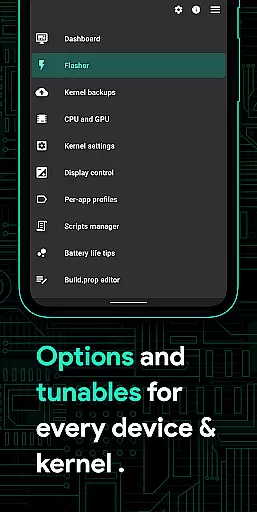
The app allows for advanced customization options such as build.prop editing, auto-flashing various zips without a custom recovery, and managing CPU/GPU frequencies. It supports creating per-app profiles, enabling different settings based on usage scenarios, from gaming to reading e-books.
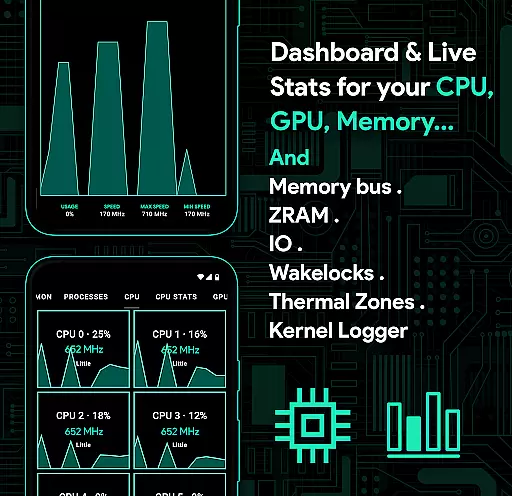
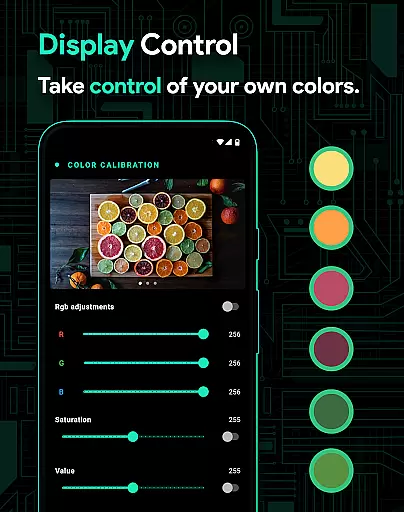
Additionally, it offers system health monitoring with real-time stats, display and sound controls, automatic Night Shift for eye comfort at night, and even a Scripts Manager for personalized shell scripts. These capabilities ensure that users have powerful tools at their fingertips to fine-tune every aspect of their device's performance.
Franco Kernel Manager is designed to provide users with a comprehensive toolbox for managing and optimizing their device's kernel. The app ensures core function accuracy by offering detailed control over various system parameters, including CPU frequencies, GPU settings, and battery management. Each feature is implemented with precision, ensuring that users can fine-tune their devices without causing instability or performance issues.
The effectiveness of Franco Kernel Manager lies in its ability to cater to both novice and expert users. For beginners, the app offers straightforward options like battery-saving tips and automatic night shift modes. Advanced users can delve into deeper customization, such as editing build.prop files, creating per-app profiles, and tweaking low-level system settings. This dual approach ensures that all users can optimize their devices according to their specific needs.
One significant advantage of using Franco Kernel Manager is the seamless integration of powerful features like auto-flashing kernels and Magisk modules without requiring a custom recovery. This not only simplifies the process but also reduces the risk of errors during flashing. Additionally, the app provides real-time monitoring and detailed statistics, empowering users to make informed decisions about their device's performance and battery usage.
The interface of Franco Kernel Manager strikes a balance between functionality and ease of use, making it accessible even to those who may not be familiar with kernel management. Upon opening the app, users are greeted with a clean and organized layout that categorizes features into intuitive sections. This logical arrangement ensures that users can quickly locate and adjust settings related to CPU, GPU, battery, and more without feeling overwhelmed.
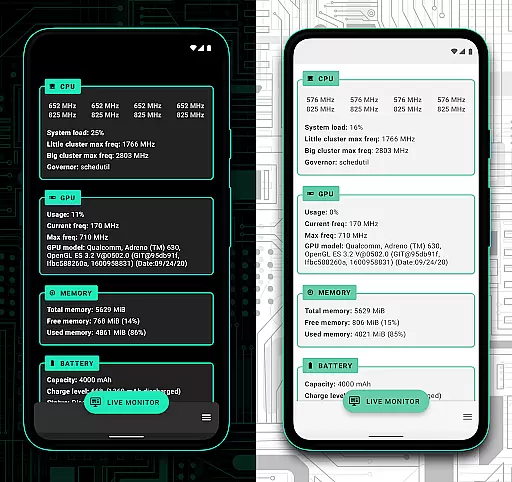
Despite the complexity of the features offered, the app maintains an intuitive design that minimizes the learning curve. Tools such as the battery monitor and system health displays present information in a visually appealing and easy-to-understand manner. Graphs and charts provide real-time insights into power consumption, CPU/GPU usage, and thermal zones, allowing users to grasp complex data at a glance.
Moreover, Franco Kernel Manager supports light and dark themes, enhancing user comfort and readability across different environments. The inclusion of quick tiles and customizable profiles further streamlines the user experience, enabling swift access to frequently used settings. Overall, the app's commitment to simplicity and intuitiveness ensures that users can harness the full potential of their devices without unnecessary complications.
Comprehensive feature set
User-friendly interface
Advanced customization options
Supports rooted devices
Regular updates and support
Requires root for full functionality
Complex for beginners
Some features may void warranty
Occasional bugs reported
Limited use on non-rooted devices

Just one-tap to easy translate in any language after calls within seconds.
 4.20
4.20
Family Locator, Share location, StayConnect with your family in real time
3.90
Carry a FTP server in your pocket and avoid USB cables for file transfer
4.20
App to pay for FUTO Keyboard
4.60
Mirror your screen to Fire TV - Super fast and simple
4.40
Connect wirelessly to your computer to watch movies, browse the web, play games
5.00
Download any file easily and quickly with Downloader
4.2
Screen recorder with audio to record high-quality videos and take screenshots.
4.40
The ideal app to be the digital eye of your family
3.40
Enjoy smooth gameplay with Game Booster
4.90
Monitor car performance in real time and troubleshoot malfunctions.
4.80
The Ultimate Flex Drivers Utility App - Convenient Tapping & Block Filters
4.70 4.50
4.50
Making emulation easy for everyone!
4.30
VESC Tool can monitor and configure VESC-compatible devices over BLE and Wifi
4.20
Screen Mirroring with sound for Samsung TV, LG TV, Sony TV, Smart TV and Browser
4.20
Create your own custom widget with endless possibilities
3.90
A recovery soft,it features photo recovery, video recovery, file recovery.
3.40
Save any video in HD - paste the link, download fast and watch offline.
4.4

User Reviews