

Recovery Photo is a professional file recovery tool designed to help users retrieve lost or deleted files. The app specializes in recovering photos, videos, and other document types, ensuring that precious memories and important data are not permanently lost. Its powerful scanning technology searches your device's storage for recoverable files, even identifying cached content from other apps.
In addition to its core recovery functions, the app provides practical tools for managing restored files. Users can conveniently organize and view recovered items directly within the app interface. It also includes a storage monitoring feature, allowing users to keep track of their device's storage status while managing recovered content. Whether it's accidental deletion or system errors, Recovery Photo offers a reliable solution for file restoration.
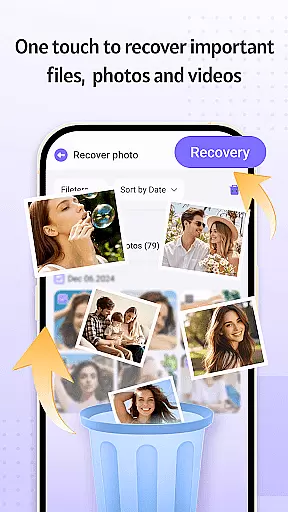
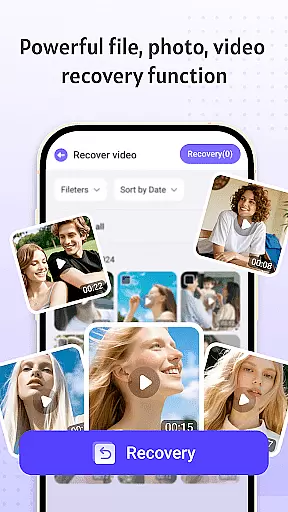
Recovery Photo stands out with its comprehensive recovery capabilities tailored for different file types. The photo recovery function scans your device to retrieve lost images, reviving cherished memories with ease. Similarly, the video recovery feature helps restore accidentally deleted video files, ensuring no significant moments are lost forever.
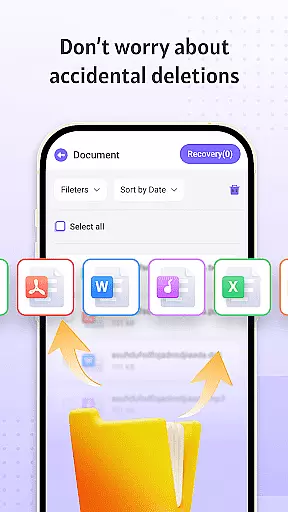
Beyond multimedia recovery, the app supports retrieval of various document formats, making it an essential tool for recovering work-related files or personal documents. Once files are restored, users can take advantage of the built-in management system to organize and categorize their recovered content efficiently. Additionally, the app provides insights into device storage usage, helping users maintain optimal performance while handling recovered files.
Recovery Photo is designed to provide users with a reliable solution for recovering lost files, including photos, videos, and other important documents. The core functions of this application are engineered to ensure maximum accuracy and effectiveness in retrieving data that may have been accidentally deleted or lost due to unforeseen circumstances.
The software employs advanced scanning algorithms to meticulously search through the device's storage. By analyzing file system patterns and metadata, it can locate traces of deleted files and reconstruct them, allowing users to recover their valuable data with precision.
Users benefit from the app's comprehensive recovery options, which cater to different types of files. Whether it's cherished memories captured in photos, critical video footage, or essential documents, Recovery Photo offers dedicated recovery features that address various data loss scenarios, ensuring that users can retrieve their files with confidence.
Moreover, the effectiveness of Recovery Photo extends beyond mere file retrieval. It also provides tools for managing recovered files, enabling users to organize and view their restored data efficiently. This holistic approach to file recovery underscores the app's commitment to delivering a seamless and dependable user experience.
A user-friendly interface is crucial for an effective tool like Recovery Photo, which aims to simplify the complex process of file recovery. The design philosophy behind the app emphasizes ease of use, ensuring that even those with limited technical expertise can navigate its features effortlessly.
Upon launching Recovery Photo, users are greeted with a clean and organized layout that categorizes recovery options into distinct sections. This logical arrangement allows users to quickly identify the type of file they wish to recover, whether it be images, videos, or other documents, streamlining the entire recovery process.
In addition to its straightforward navigation, the app incorporates intuitive controls that guide users through each step of the recovery procedure. Clear instructions and progress indicators help demystify the technical aspects of data retrieval, making the experience less daunting for novices while still offering advanced options for more experienced users.
Overall, Recovery Photo's commitment to interface simplicity not only enhances usability but also empowers users to take control of their data recovery needs without feeling overwhelmed by unnecessary complexity.
User-friendly interface
Effective recovery algorithms
Supports multiple file types
Convenient file management
Secure local processing
Recovery success varies
No cloud backup option
Limited after factory reset
Performance depends on device
Requires sufficient storage



pdf merge, word to pdf, jpg to pdf, edit pdf, convert to pdf and much more!
 4.20
4.20
Easily install aab(Android App Bundle) files on your Android device with our app
4.80
A powerful, easy-to-use flight computer on your phone or tablet!
3.80
Just swipe the edge to do something!
4.40
1-Click close all background apps on Android TV
3.90
Quickly & easily calculate the spacing of handrail balusters
4.20
eXtended Permission Manager - a small app to manage permissions and AppOps
4.50
card-reader app
2.20
Enhance your Beats
3.70
Best leveling tool for your Android device. Hang paintings like a pro.
4.90
Learn the vast amount of system information about device and monitor it's state
4.70
Creation, Learning, Entertainment & More — The All-in-One AI Search Engine
4.70
App to pay for FUTO Keyboard
4.60
Mirror your screen to Chromecast and Android TV - Super fast and simple
4.60
With videos, electrical calculators, and built-in ebook, Ugly’s has your answer.
4.50
Create your own custom widget with endless possibilities
3.90
A non-root local ADB shell client. READ BELOW!
3.40
Undelete and recover your lost or deleted files with DiskDigger!
3.40
Download any file easily and quickly with Downloader
4.4

User Reviews