

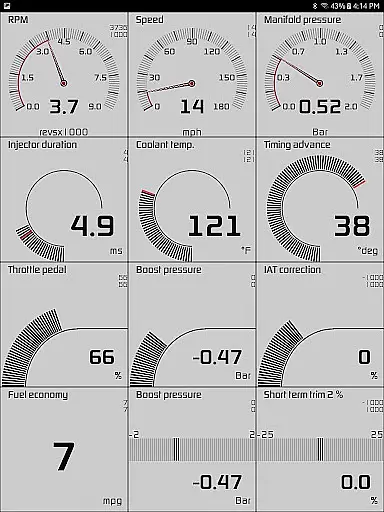
Hondata is a powerful automotive tool designed for Honda vehicle owners who want to monitor and optimize their car's performance. The app transforms your Android device into an advanced diagnostic system, providing real-time tracking of up to 80 sensors through customizable gauges and interactive graphs. With features like fuel economy tracking, trouble code reading, and even drag race timing, Hondata offers both casual drivers and automotive enthusiasts a comprehensive solution for vehicle management.
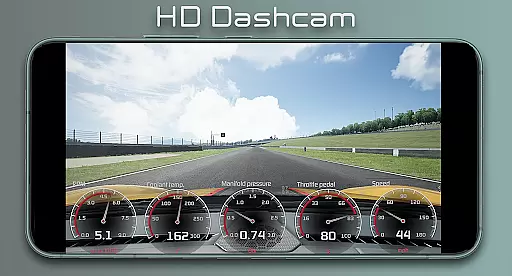
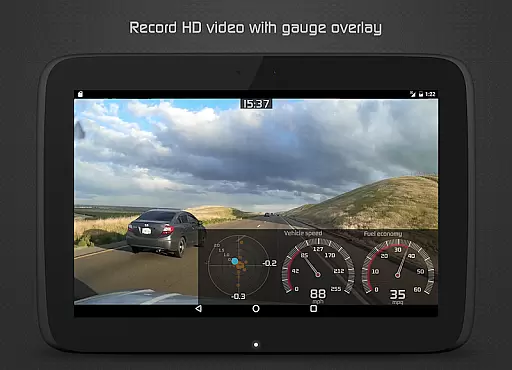
One of the standout capabilities of Hondata is its ability to provide detailed diagnostics directly from the vehicle's ECU (Engine Control Unit). Users can troubleshoot issues before visiting a mechanic, track fuel consumption in multiple units, and receive visual or auditory alerts when specific sensor thresholds are reached. Additionally, the app supports advanced functionalities such as recording HD videos with superimposed gauges and long-term fuel economy tracking through interactive graphs. These features make it especially valuable for those looking to enhance their vehicle’s performance while saving on fuel costs.
Whether you're monitoring engine health, optimizing fuel efficiency, or analyzing race track performance, Hondata delivers actionable insights that help users make informed decisions about their vehicles. Its compatibility with devices like Flashpro and Kpro4 ensures reliable connectivity, although it does not support Android Auto or guarantee integration with all car head units.
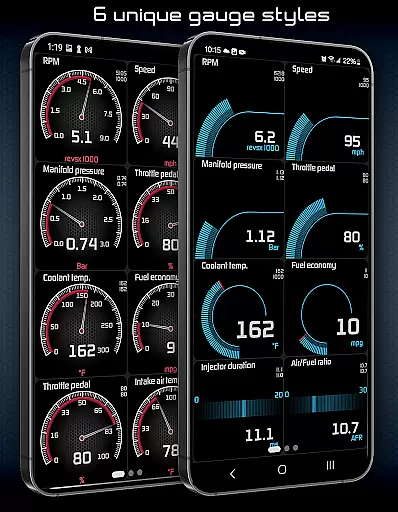
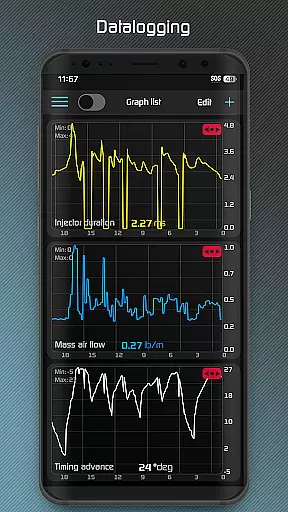
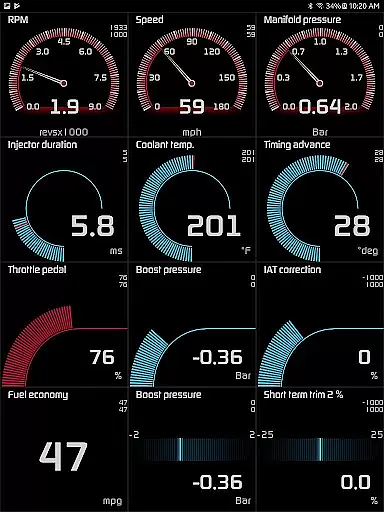
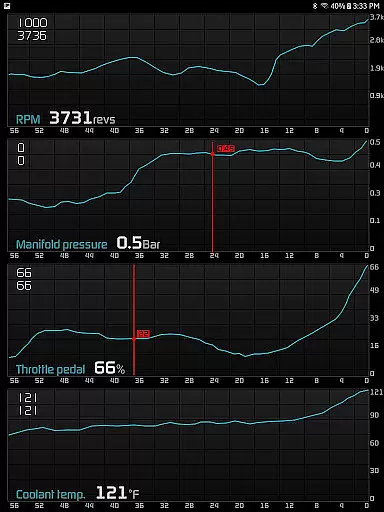
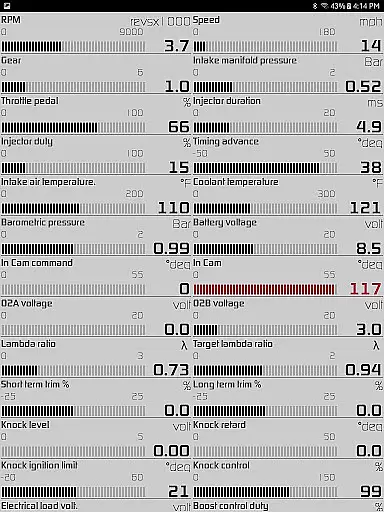
Hondata stands out due to its extensive range of specialized features tailored for Honda owners. One of the key highlights is the customizable gauge system, which allows users to monitor over 80 real-time sensors, including critical metrics like boost pressure, battery voltage, G-force, and fuel economy. This level of detail empowers users to keep a close eye on their vehicle's performance at any given moment. Furthermore, the interactive graphing feature lets users plot data from up to four sensors simultaneously, offering deeper analytical capabilities by exporting recorded information in CSV format for further evaluation.
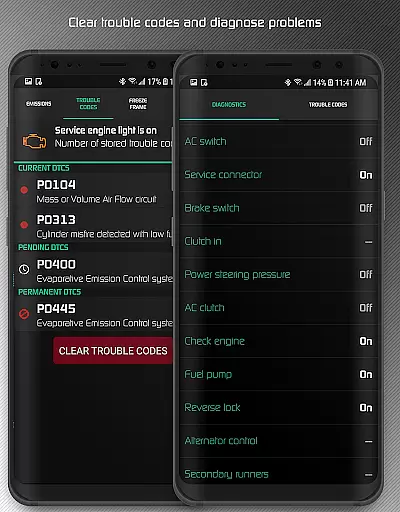
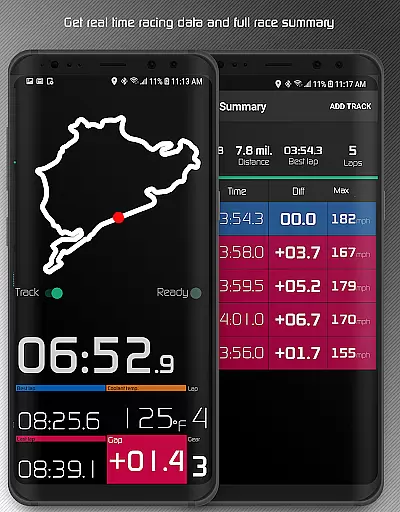
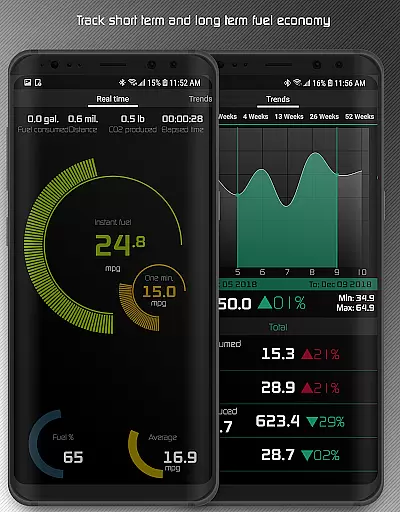
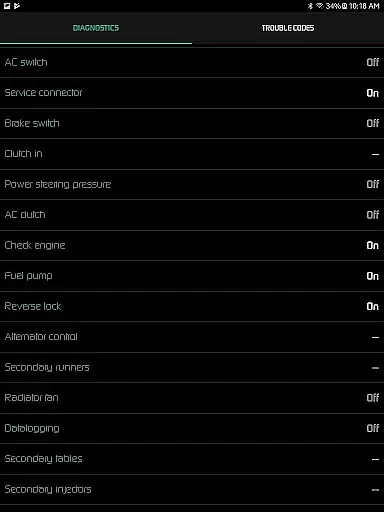
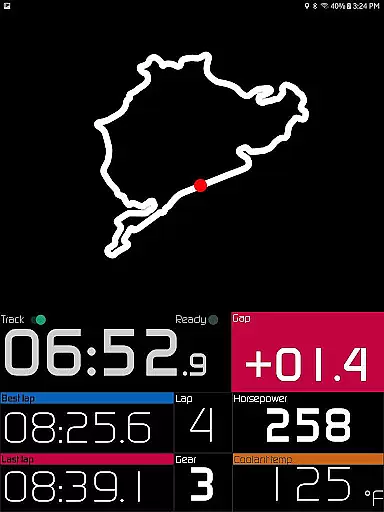
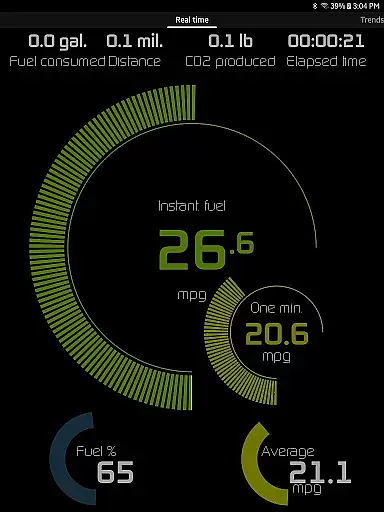
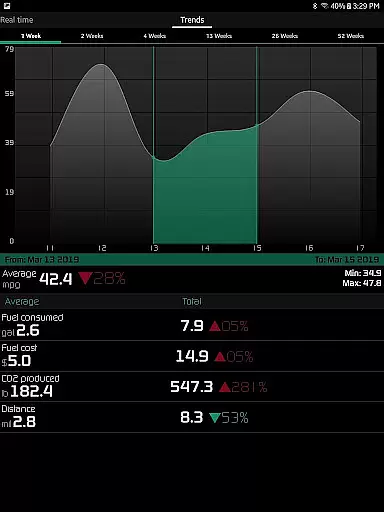
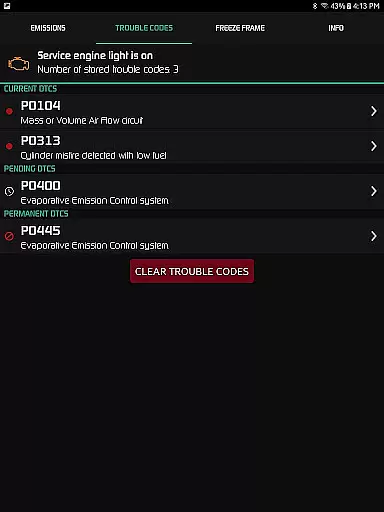
Another significant aspect of Hondata is its diagnostic functionality. The app enables users to read and clear trouble codes, reset service engine lights, and access more than 40 diagnostic parameters such as VTEC pressure and engine knock counts. For those interested in fuel optimization, the app provides five different methods for calculating fuel economy, displayed across various units (mpg, km/l, etc.), along with long-term tracking via interactive graphs segmented into weekly intervals. Additional innovative tools include drag racing timers, lap time trackers, and GPS-based circuit mapping for racetrack enthusiasts.
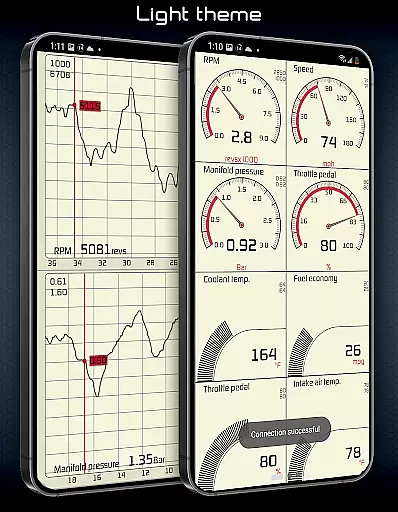
The app also incorporates user-friendly enhancements like night-driving HUD modes, speed limit warnings, and two selectable themes. Video recording with superimposed gauges adds another layer of utility for performance analysis during driving sessions. While these features cater primarily to tech-savvy car owners, they collectively position Hondata as one of the most versatile automotive tools available for Honda vehicles today.
The Hondata app offers exceptional core function accuracy and effectiveness by providing real-time monitoring of up to 80 sensors in your Honda vehicle. This includes crucial data such as fuel economy, boost pressure, battery voltage, and even G force measurements.
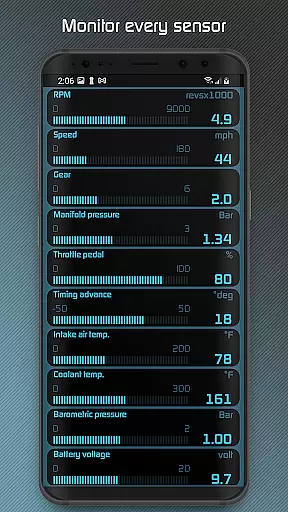
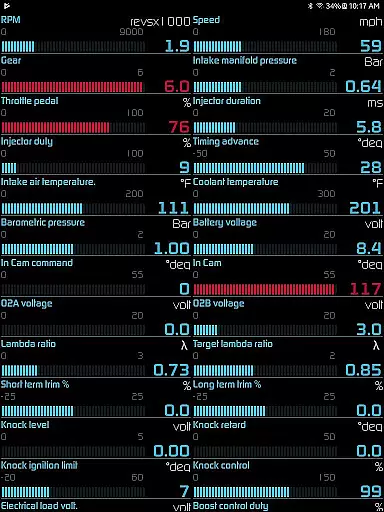
With the ability to plot sensor data onto interactive graphs, users can record and analyze information from up to four sensors simultaneously. The app supports both metric and imperial units, ensuring precision and relevance for a global audience. Additionally, the gauge list feature allows comprehensive tracking of all available sensors at once, enhancing the diagnostic capabilities.
One of the standout features is the ability to read and clear vehicle trouble codes, effectively resetting the service engine light. This empowers users with preliminary diagnostics before visiting a mechanic, saving both time and money.
Furthermore, the app's functionality extends to performance metrics like drag race times, lap times, and real-time GPS track positioning. These features provide accurate feedback on vehicle performance, making it an indispensable tool for automotive enthusiasts who demand precision and reliability.
Hondata app excels in interface simplicity and intuitiveness, offering customizable gauges that allow users to tailor their monitoring experience according to personal preferences. With two themes to choose from, users can select an appearance that best suits their style while maintaining ease of use.
The app provides an intuitive interface for tracking fuel economy over three time intervals, presenting data in multiple units such as mpg, km/l, l/100 km, and Imperial mpg. This flexibility ensures that users can easily understand and manage their vehicle's fuel consumption without hassle.
Additional user-friendly features include visual and sound notifications when sensor readings reach user-defined limits, speed limit warnings, and a HUD gauge designed for night driving. These elements contribute to a seamless interaction with critical vehicle data, enhancing driver awareness and safety.
Moreover, the Hondata app supports landscape mode across all views, optimizing screen real estate for better data visibility. By prioritizing an accessible and straightforward design, the app ensures that drivers can focus on what matters mostu2014their vehicle's performanceu2014without being bogged down by complex navigation.
User-friendly interface
Real-time performance tracking
Comprehensive diagnostics
Fuel economy optimization
Racetrack analytics
No Android Auto support
Limited device compatibility
Requires specific sensors
Potential connectivity issues
Steep learning curve

This app unlocks the Pro features of the Central for DayZ app
 3.60
3.60
HD Video player and downloader for all formats, fast & smooth 4K video playback.
4.60
App to pay for FUTO Keyboard
4.60
Smart and comfortable browsing experience.
3.80
Detect hidden spy camera with advanced scanning {{ Premium version }}
4.00
The one-and-only remote control for PC, Mac, and Linux
4.70
Planner and Tracker for Stardew Valley
4.60
Pro Emulator is an easy to use game console emulator for a range of consoles.
4.40
Mobile Security with Scam Protection | Malware & Virus Cleaner | Safe Browser
4.70
Creation, Learning, Entertainment & More — The All-in-One AI Search Engine
4.70
Play your X-Box games remotely in 1080p with any controller and zero latency
4.60
Use your phone as a webcam on your computer over WiFi or USB.
4.40
Mirror your screen to Fire TV - Super fast and simple
4.40
Just one-tap to easy translate in any language after calls within seconds.
4.20
Carry a FTP server in your pocket and avoid USB cables for file transfer
4.20
Automate everything from settings to photos, SMS to speech. ADC2 prize winner.
4.10
Introducing Smart Printer, your ultimate destination for printing solutions!
4.00
Unleash gamepad precision for ultimate mobile gaming dominance.
3.90
Create your own custom widget with endless possibilities
3.90


User Reviews