

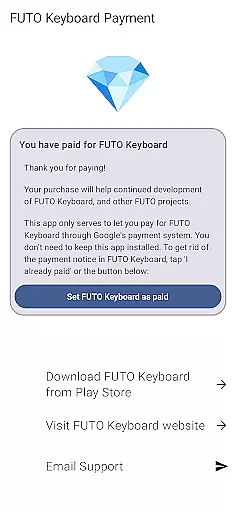
Payment for FUTO Keyboard is a specialized tool app designed to facilitate payment for the main FUTO Keyboard application. This app does not include any keyboard functionality itself but serves as a payment gateway for users who wish to unlock premium features in the base app.
The primary purpose of this app is to allow users to make payments through Google Play, which then removes the payment notice from the core FUTO Keyboard app. It ensures that users who have already paid for the keyboard elsewhere or via other methods can verify their payment status easily.
This app is particularly useful for those who prefer using Google Play for all their app-related transactions and want a streamlined way to manage payments without dealing with multiple platforms.
One key feature of Payment for FUTO Keyboard is its seamless integration with the main FUTO Keyboard app. Once you purchase this app, it automatically communicates with the base app to remove any payment reminders, ensuring an uninterrupted user experience.
Another notable feature is the straightforward payment process. Users simply need to install this app after setting up FUTO Keyboard, making it easy to authenticate their payment through Google Play. This method simplifies the overall transaction process and provides peace of mind regarding payment verification.
Additionally, the app offers clear instructions and links to the actual keyboard app, helping users navigate between the payment and functionality aspects effortlessly. This ensures that users fully understand the purpose and utility of each component within the FUTO ecosystem.
Payment for FUTO Keyboard serves a unique role in enhancing the functionality of the main app FUTO Keyboard. This app is specifically designed to remove payment notices from the base application through a one-time purchase. The core function ensures that users who have already paid for the keyboard can seamlessly continue using it without interruptions.
The app achieves its purpose by integrating directly with the main keyboard application. Once purchased, it communicates with the base app to verify the transaction and removes any payment-related notifications. This process is both accurate and effective as it guarantees that paying users receive the intended benefit immediately after purchase.
For users, this means an uninterrupted typing experience without unnecessary reminders about payments. It provides peace of mind knowing that their investment in the keyboard is recognized and respected across all platforms where they use it.
This approach demonstrates a commitment to user satisfaction by ensuring those who support the development of FUTO Keyboard are rewarded with a cleaner, more focused interface.
Despite lacking direct keyboard functionality itself, Payment for FUTO Keyboard maintains a simple and intuitive interface that complements the primary app. Its design philosophy centers around minimalism, focusing solely on facilitating the removal of payment notices within FUTO Keyboard efficiently.
Users will find no complex settings or confusing menus here; instead, the app operates quietly in the background once installed. After purchasing, there's nothing else required from the user u2013 the payment notice disappears automatically from the main appu2019s interface.
This straightforward interaction underscores the importance of reducing cognitive load on users while maintaining clarity about what the app does. By concentrating exclusively on eliminating payment alerts, it avoids feature bloat and keeps the user experience streamlined.
Such simplicity not only enhances usability but also reinforces trust between developers and users, showing that even auxiliary apps prioritize ease-of-use alongside functional objectives.
User-friendly payment process
Seamless integration with FUTO Keyboard
Clear instructions provided
Google Play transaction support
Removes payment notices effectively
No standalone functionality
Requires separate keyboard app
Limited to Google Play payments
Potential confusion for new users
Additional installation step needed

A powerful, easy-to-use flight computer on your phone or tablet!
 3.80
3.80
A recovery soft,it features photo recovery, video recovery, file recovery.
3.40
Complete kernel toolbox with features to manage and tweak your rooted device
4.30
Quickly & easily calculate the spacing of handrail balusters
4.20
Effortlessly run ADB commands directly on your device without a PC.
4.20
Monitor car performance in real time and troubleshoot malfunctions.
4.80
Fast Video Downloader, Movie Downloader, Torrent Downloader & Adblock Browser
4.70
Automate everything from settings to photos, SMS to speech. ADC2 prize winner.
4.10
fast and easy mp3 music downloader
4.80
Support Fossify apps with a warm thank you!
5.00
Optimize your WiFi network, turn your phone into Wifi Analyzer
4.70
The Ultimate Flex Drivers Utility App - Convenient Tapping & Block Filters
4.70
Quickly switch to an encrypted DNS server on Android TV
4.50
Mirror your screen to Fire TV - Super fast and simple
4.40
Making emulation easy for everyone!
4.30
VESC Tool can monitor and configure VESC-compatible devices over BLE and Wifi
4.20
View detailed information about your Nissan Leaf the dealer never shows you.
4.10
Introducing Smart Printer, your ultimate destination for printing solutions!
4.00
Family Locator, Share location, StayConnect with your family in real time
3.90

User Reviews