

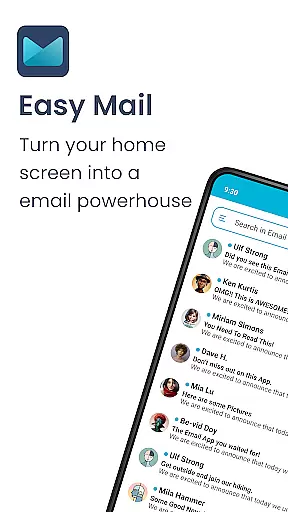
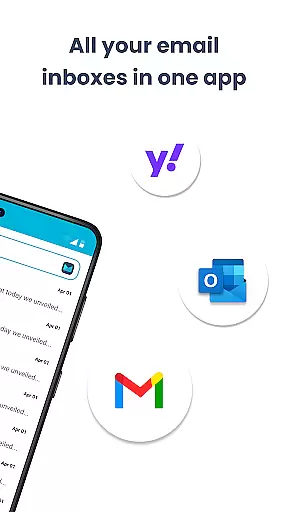
Easy Mail is a personalized email launcher designed to simplify and streamline your daily email management. With its clutter-free homescreen, the app brings your emails front and center, reducing the time spent navigating through multiple apps. The average person spends over two hours managing their mail; Easy Mail optimizes this process by offering a unified inbox for all your accounts, whether it's Gmail, Outlook, or Yahoo.
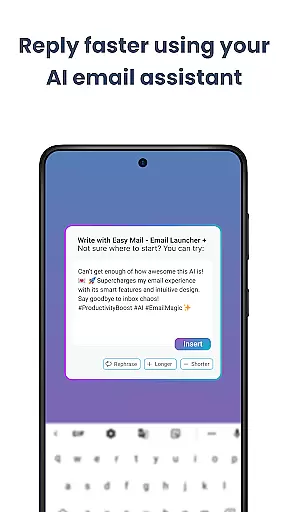
The app stands out with its AI Email Assistance feature, which helps users write emails more efficiently by rephrasing, shortening, or polishing text while maintaining a natural tone. Additionally, Easy Mail offers privacy assurance, ensuring that your email data remains local and secure. Its integration with web search capabilities powered by Yahoo Search makes finding information effortless while you manage your inbox. This combination of productivity tools makes Easy Mail an essential personalization tool for anyone looking to enhance their mobile email experience.
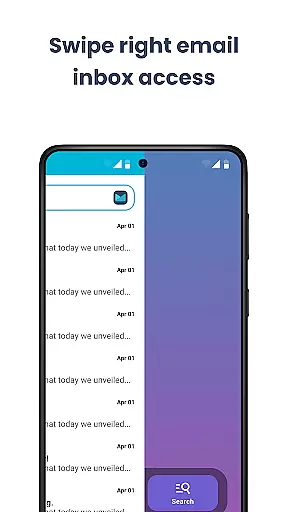
Easy Mail boasts several features that cater to both productivity and user customization. One of its core functionalities is the Easy Homescreen, which provides a clean interface focused solely on mail management, eliminating unnecessary distractions. Users can add unlimited email accounts and toggle between a unified inbox or separate views for different providers, streamlining the way they handle multiple accounts.
Another standout feature is the AI Email Assistance, which uses artificial intelligence to help users craft emails more effectively. Whether you need to rephrase a sentence or polish your writing, the AI ensures your communication remains professional and concise. Privacy is also a priority, as the app guarantees that no one reads your emails—everything stays local on your device. Furthermore, the Launcher Essentials provide an organized homescreen with quick access to widgets, trending content, and an app drawer, making navigation seamless and efficient.
Customization is at the heart of Easy Mail, offering users a versatile way to tailor their email experience. The app provides a clean homescreen built around mail and productivity, ensuring that your workspace remains clutter-free and focused on what truly matters.
With support for unlimited email accounts from providers like Gmail, Outlook, and Yahoo, users can easily manage all their emails in one unified inbox or choose to separate them with a simple tap. This flexibility allows for a personalized workflow that adapts to individual preferences and needs.
Easy Mail also includes AI Email Assistance, which helps refine your writing by rephrasing, shortening, or polishing emails while maintaining your natural tone. This feature not only enhances personal expression but streamlines communication, making it easier than ever to craft the perfect message.
In addition to its core functionalities, Easy Mail offers Launcher Essentials such as an organized homescreen, quick email access, app drawer, widget support, and trending content. These elements combine to create a highly customizable environment where managing emails becomes an intuitive and seamless part of daily life.
Theme compatibility in Easy Mail ensures that users can enjoy a visually cohesive experience across their devices. By prioritizing design consistency, the app allows for a harmonious integration with various themes, enhancing both aesthetics and usability.
The application's Privacy First approach guarantees that your data remains secure and local, never read by the app itself. This commitment to privacy extends to its theme compatibility, ensuring that any visual customizations do not compromise user security or data integrity.
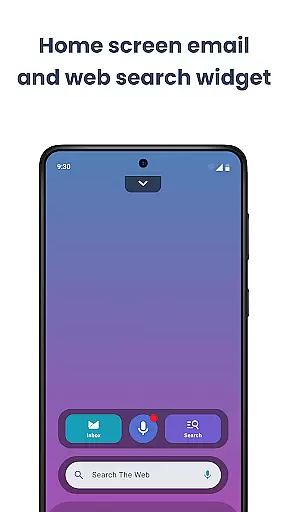
Easy Web Search, powered by Yahoo Search, integrates smoothly into the homescreen, providing autocomplete and trending suggestions without disrupting the chosen theme. This seamless blend of functionality and design ensures that users can search the web effortlessly while maintaining their preferred look and feel.
Furthermore, Easy Mail's FAQ section includes video tutorials and answers to common questions, helping users make the most of its theme compatibility features. Whether you're looking to simplify your email management or seeking a clutter-free homescreen, Easy Mail delivers a personalized and visually consistent solution tailored to your lifestyle.
User-friendly interface
Unified inbox for all accounts
AI-powered email assistance
Privacy-focused design
Integrated web search functionality
Limited customization options
No advanced email filters
Occasional syncing issues
Requires frequent updates
Higher learning curve for beginners

Transform your phone with Launcher iOS 26 - Smooth & elegant iOS experience
 4.50
4.50
Unique Android Launcher
4.60
The definitive Icon pack maker and editor
4.30
Zip lock screen with magic wallpaper to decorate your phone with fun zipper lock
4.60
Embrace the Night. Unleash the power of darkness with Raven Dark Icon Pack
4.60
Your home screen, just the way you like it.
4.30
350+ widgets with a premium glass-style finish, perfect for home & lock screens.
4.70
Create unique, fun emojis with Funny Emoji Maker! Unlimited creativity!
4.00
Create stunning widgets with Widget 2026: Aesthetic Widgets for Android!
4.60
Sparkle your screen with Glitter Wallpapers For Girls and Cute Backgrounds!
4.80
300+ Stunning and well-designed widgets inspired by NOTHING.
4.70
A retro cartoon style watch face and a punch right in the face of the copyright
4.60
Bring adorable pets to life on your screen. Playful, interactive and full of fun
4.60
Choose your keyboard with RGB colors effect, themes, fonts, emojis.
4.60
Ninja Turtles Cowabunga SE watch face for Wear OS
4.50 4.50
4.50
App Icon Changer & Shortcut Creator. Customize your icons without any watermarks
4.30
Adaptive Dot Style IconPack with Light & Dark Theme.
3.70
Modern Glass Icon Pack with glossy icons, clean minimal theme & aesthetic style
4.4

User Reviews