
AudioTool is a comprehensive audio measurement and analysis tool designed for audio engineers, acousticians, and enthusiasts. The app transforms your Android device into a professional-grade audio analyzer with features like SPL metering, RT60 measurements, Leq calculations, and spectrum analysis.
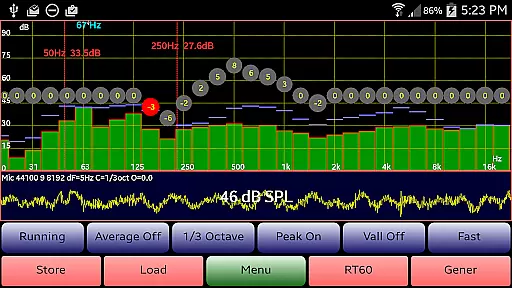
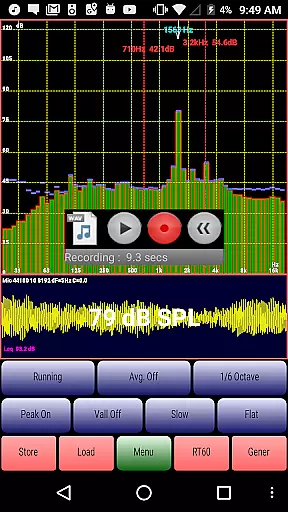
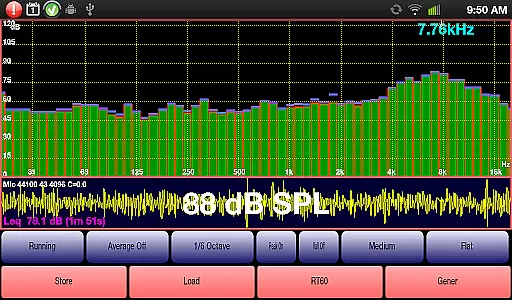
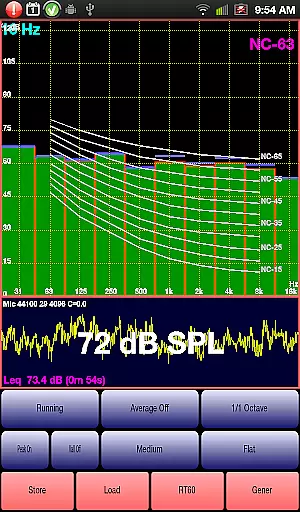
The application supports multiple octave band RTA modes (1/1, 1/3, 1/6, and 1/12), various filters (Impulse, Fast, Medium, Slow), and different weighting options (Flat, A/C, X Curve). It also includes advanced functionalities such as signal generation, polarity checking, microphone calibration, and noise criteria evaluation.
AudioTool is particularly useful for live sound engineers who need to measure and optimize audio environments quickly. Whether you're setting up a gig, calibrating a home theater system, or conducting acoustic research, AudioTool provides the necessary tools to ensure accurate and reliable audio measurements.
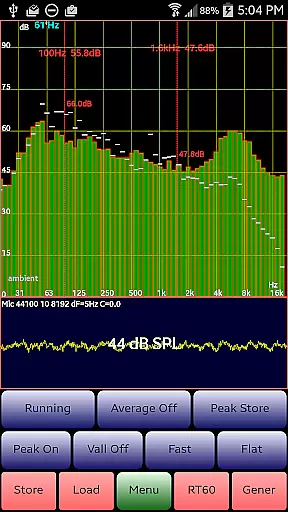
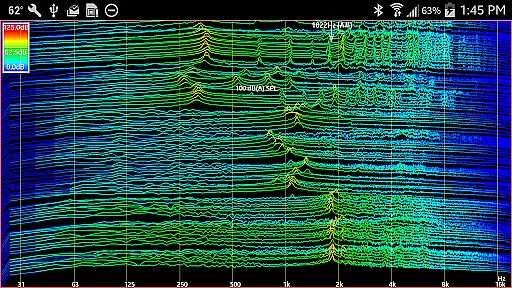
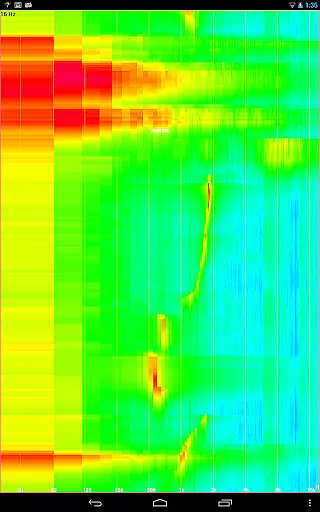
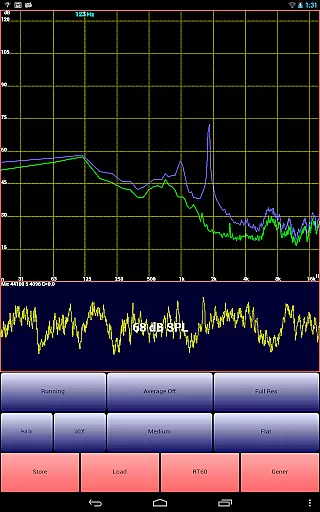
AudioTool stands out with its extensive range of professional audio analysis features. The app offers real-time spectrum analysis through its RTA functionality, allowing users to visualize audio frequencies across different octave bands. With options for 1/1, 1/3, 1/6, and 1/12 octave RTA modes, users can achieve precise frequency resolution tailored to their specific needs.
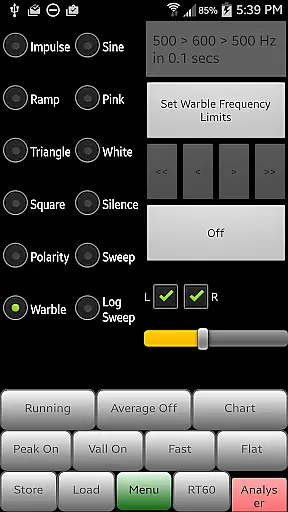
The integrated signal generator supports various waveforms including White/Pink Noise, Sine, Square, Triangle, Sweep, Log Sweep, Warble, Ramp, and Impulse signals. This versatility enables users to test audio systems thoroughly and identify potential issues effectively. Additionally, the loudspeaker polarity checker helps verify correct wiring and phase alignment.
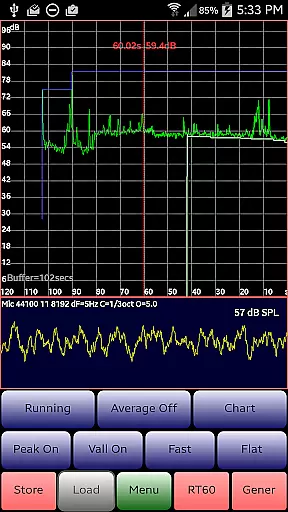
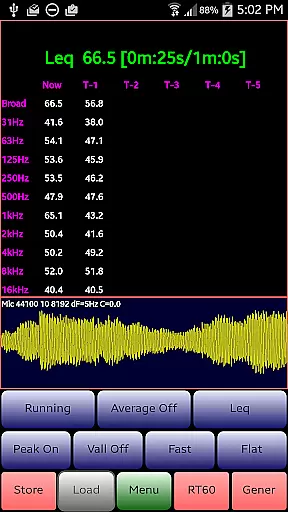
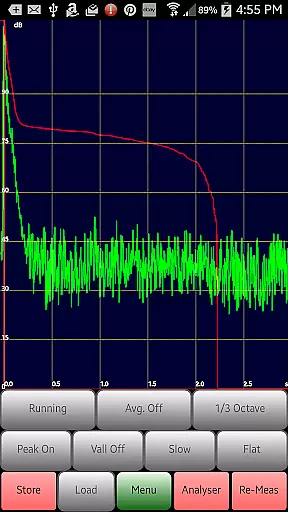
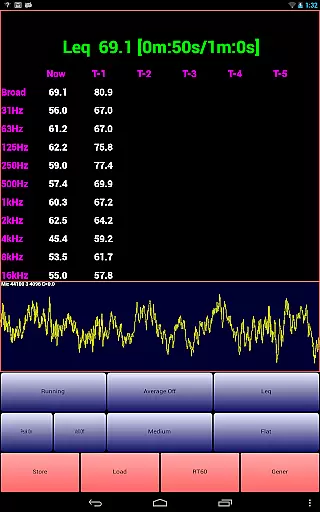
Advanced features like Leq calculations, RT60 measurements, and Noise Criteria evaluations provide valuable insights into acoustic environments. The app's ability to save and load spectrum data, along with its exclusive ISO 1/3 Octave Calibration feature, ensures consistent and accurate measurements across different devices and sessions.
AudioTool offers a comprehensive suite of audio measurement and generation tools, which can be considered as a unique music library in the context of audio engineering. The application provides various signal generation options including White and Pink Noise, Sine, Square, Triangle, and Ramp waves, along with sweeps and warbles. This extensive selection ensures that users have access to a wide array of audio signals for testing and calibration purposes.
The credibility of AudioTool's offerings is backed by its adherence to industry standards and practices. It features exclusive ISO 1/3 Octave Calibration, allowing corrections for microphone response, which is crucial for accurate sound level measurements. Popular calibration discs such as Dayton Audio iMM-6 and MicW i436 are supported, ensuring that the generated sounds maintain high fidelity and authenticity.
Users benefit from the ability to save and load calibration files, which means they can rely on consistent and precise audio outputs tailored to their specific equipment. This feature not only enhances the accuracy of measurements but also simplifies the process of maintaining standards across different devices and sessions.
By providing these robust functionalities, AudioTool establishes itself as an indispensable tool for audio professionals who require reliable and versatile audio signals for their work. Its depth in both the variety and authenticity of its audio library makes it a trusted choice among audio engineers worldwide.
AudioTool stands out in the realm of audio applications due to its sophisticated handling of audio quality options. The app supports multiple sample lengths, which can be set via the 'Set Resolution' menu option to values like 4096, 8192, or 16384 samples. This flexibility allows users to fine-tune the resolution of their audio analysis, catering to both detailed scrutiny and broader overviews depending on the task at hand.
In addition to customizable sample lengths, AudioTool incorporates advanced filtering techniques such as Flat & A/C Weighting and film industry X Curve. These filters ensure that audio measurements are not only precise but also relevant to specific contexts, whether it's for general sound checks or specialized applications within the film industry.
The app further enhances audio quality through its use of Hann windowing to reduce aliasing effects during FFT processing. This technical approach results in cleaner spectral data, enabling more accurate interpretations of audio characteristics. Users can thus trust that the insights derived from AudioTool are reflective of true audio conditions.
Overall, AudioTool's commitment to delivering high-quality audio options empowers users to achieve professional-grade results. Whether conducting gig measurements, home theater setups, or acoustical analyses, the app's meticulous attention to audio detail ensures that every measurement is reliable and every output is pristine.
Comprehensive audio analysis
Real-time spectrum visualization
Multiple octave band options
Professional signal generation
Exclusive calibration feature
Complex for beginners
Hardware-dependent accuracy
No iOS version available
Occasional interface lag
Advanced features require learning

SqueezePlayer turns your Android phone or tablet into a SqueezeBox on its own!
 4.60
4.60
Most Advanced AI Song Generator and Music Creator. Rap, Pop, Rock, Gospel & more
4.70
Powerful beat maker & DJ mixer to remix tracks, make music, & perform DJ mix
3.70
Enhance the sound quality of your devices, listen to what you want
4.50
Your song collections with lyrics and chords on Android smartphones and tablets.
4.80
Super Sound Editor, Song Maker & Mixer, Vocal Remover, Voice Recorder & Changer!
4.60
No wifi music app. Mp3 offline. Tuner radio, young radio music. Music downloader
4.20
Learn the notes on the guitar fretboard fast with this easy and fun app
4.60
The iconic iOS metronome app is now on Android.
3.70
Responsive piano with great sounds, graphics, and songs
4.80
Unleash your creativity! Turn simple prompts into full fledged songs.
4.70
Pay Once, no monthly payment
4.60
Taal player that lets you sing any Indian & Western song with Tabla & Tanpura
4.60
A complete sound package for the sound engineer or enthusiast
4.60
Visualize the guitar fretboard, master scales & play through changes like a pro!
4.50
Let your Android device with the sound effects you want
4.50
Help you quickly get started with Shokz headphones
4.40
A High-Precision Audio Spectrum Analysis App
4.20
Versatile MP3 recorder with auto-backup to Dropbox and Google Drive
4.10

User Reviews