

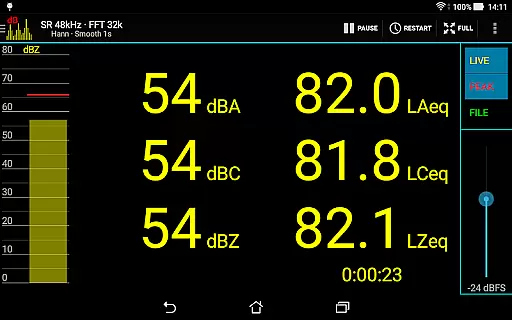
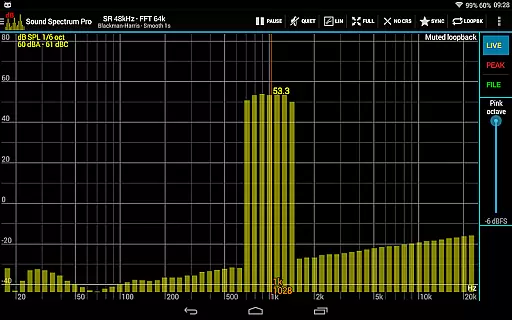
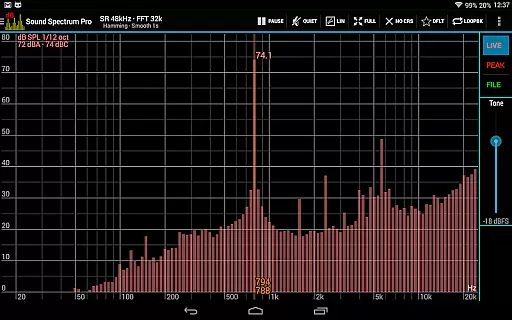
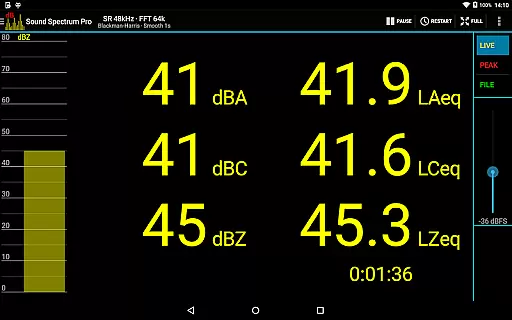
Sound Spectrum Pro is a comprehensive audio analysis tool designed for both professionals and enthusiasts in the music and audio industry. This application offers advanced features such as Real-Time Analyzer (RTA), Fast Fourier Transform (FFT) amplitude display, and sound pressure level measurements in dBA, dBC, and dBZ. With its user-friendly interface, users can easily navigate through numerous on-screen controls while enjoying a smooth real-time display of their audio data.
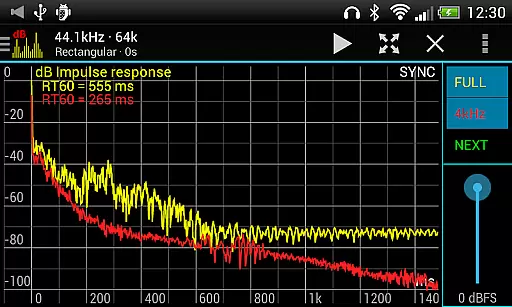
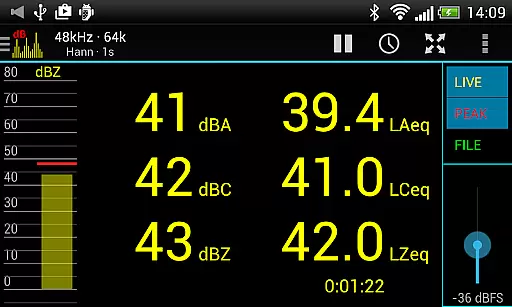
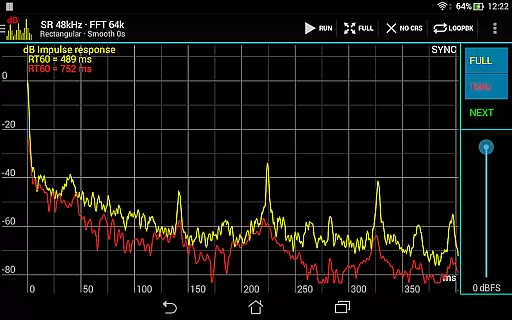
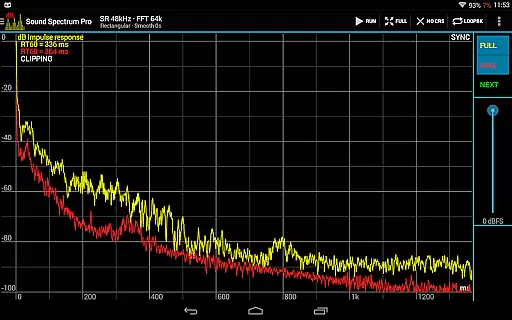
In addition to its core functionalities, Sound Spectrum Pro provides specialized tools like Noise Criterion and Noise Rating measurements, equivalent continuous sound level calculations (LAeq, LCeq, LZeq), and impulse response analysis with RT60 measurement. Whether you're calibrating audio equipment or conducting detailed acoustic analyses, this app delivers the precision and reliability required for professional-grade work.
The app's versatility makes it suitable for various scenarios, from live sound engineering to studio production. By offering high-resolution FFT analysis, adjustable smoothing, and peak/valley hold functions, Sound Spectrum Pro empowers users to achieve accurate and insightful audio evaluations. Its comprehensive feature set ensures that audio professionals have all the necessary tools at their fingertips, enhancing both productivity and audio quality.
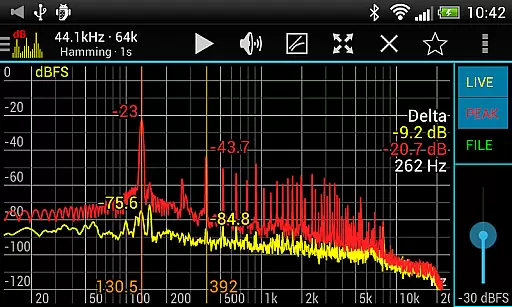
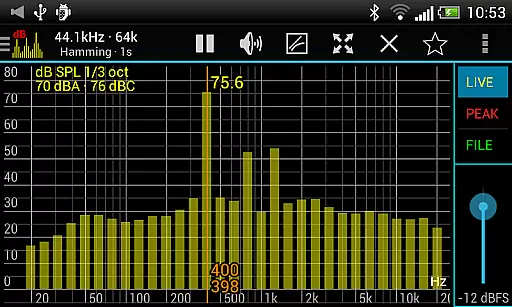
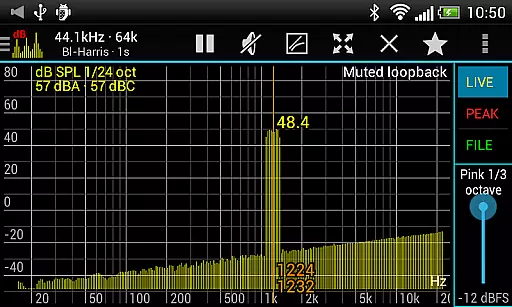
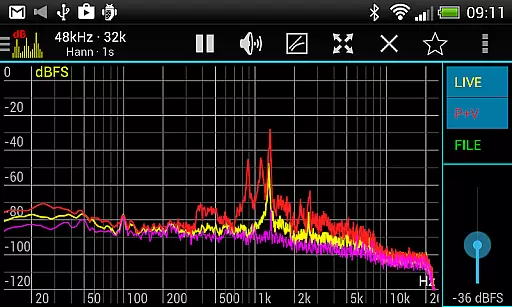
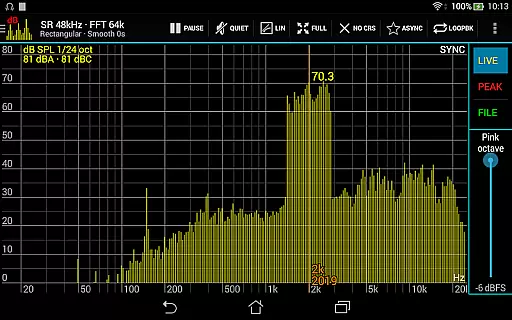
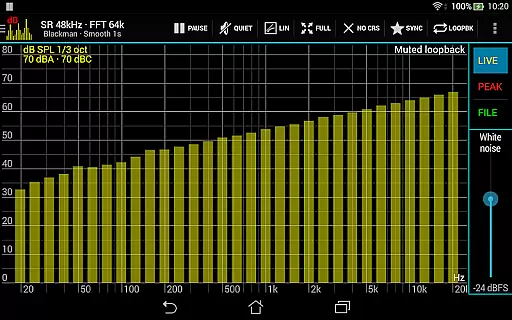
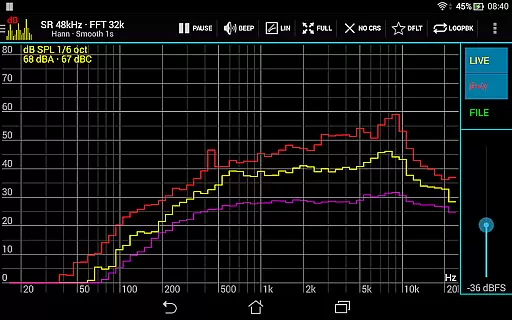
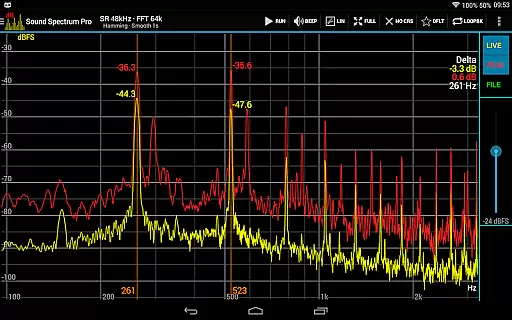
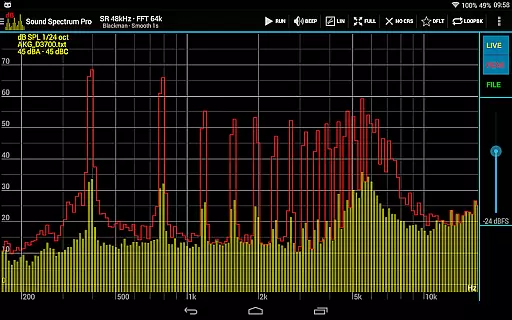
Sound Spectrum Pro stands out with its extensive array of features tailored for in-depth audio analysis. The app includes both FFT (amplitude) and RTA (octave, 1/3 octave down to 1/24 octave) functionalities, providing users with versatile options for examining audio signals. Additionally, it supports sound pressure level measurements in dBA, dBC, and dBZ, along with Noise Criterion and Noise Rating assessments within octave RTA.
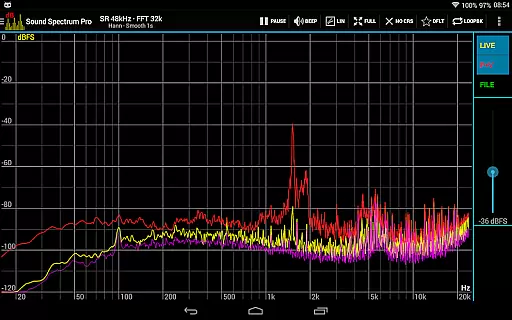
One of the app's notable capabilities is its lightning-fast FFT processing, which handles sizes from 16k to 1M and offers frequency resolutions as precise as 0.01Hz with downsampling. Users can choose from multiple window functions, switch between logarithmic or linear frequency axes, and utilize peak/valley hold with adjustable decay. These features ensure that even the most intricate audio details are captured and analyzed accurately.
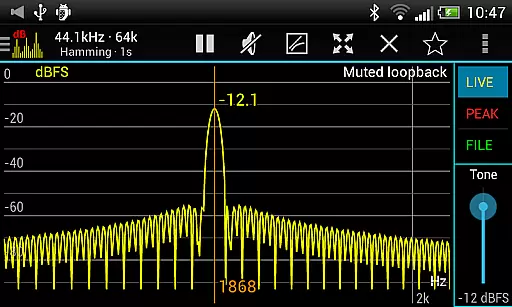
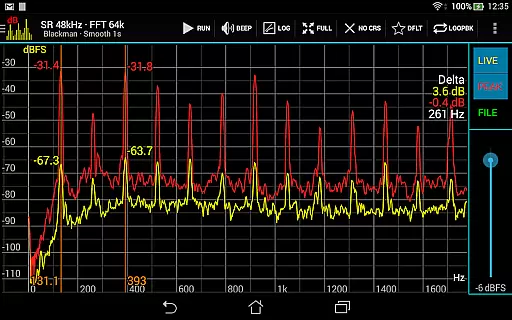
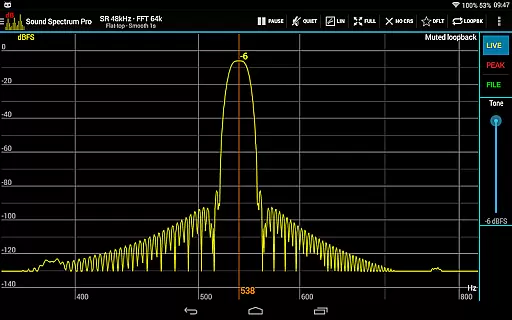
Furthermore, Sound Spectrum Pro facilitates seamless interaction through intuitive controls like easy pan (drag) and zoom (pinch), measurement cursors for signal generator frequency settings, and comprehensive file load/save and calibration options. With built-in signal generators—including tone, white noise, pink noise, and more—users can perform synchronous measurements and loopback tests effortlessly. Sharing and printing screenshots add convenience, making this app an indispensable tool for anyone serious about audio quality.
Sound Spectrum Pro offers an extensive array of audio analysis features that cater to both casual listeners and audio professionals. With its comprehensive suite of tools, the app provides a rich library of sound metrics and functionalities.
The application includes numerous signal generators such as tone, white noise, pink noise, and more, allowing users to explore a vast spectrum of audio types. This diversity not only enriches the user's library but also ensures that all generated content is royalty-free and safe to use without copyright concerns.
Furthermore, Sound Spectrum Pro supports file load/save capabilities and full calibration for accurate sound pressure level readings. Users can save their unique sound profiles and access them later without any legal or copyright issues, making it an invaluable tool for consistent and lawful audio exploration.
Delivering pristine audio quality is at the core of Sound Spectrum Pro's design. The app leverages advanced algorithms like FFT with sizes from 16k to 1M, providing unparalleled frequency resolution down to 0.01Hz with downsampling.
Users can select from various window functions and choose between logarithmic or linear frequency axes, ensuring that audio representation matches their specific needs. These options allow for detailed customization of how sound is processed and displayed, catering to audiophiles who demand the highest standards in audio fidelity.
In addition, the app supports a sample rate of up to 48kHz if the device allows, maintaining top-tier audio clarity. Such robust features make Sound Spectrum Pro an essential tool for anyone requiring precise control over their audio quality settings.
User-friendly interface
Comprehensive calibration tools
High-resolution FFT analysis
Versatile signal generators
No ads
Complex for beginners
Requires technical knowledge
Device compatibility issues
Advanced features may be overwhelming
Premium pricing

The Skullcandy App Experience
 3.20
3.20
Gorgeous UI, Powerful music Search and Equalizer, the great choice for you!
4.70
Listen to live FM radio stations, sports, music and news on global radios online
4.70
Super Sound Editor, Song Maker & Mixer, Vocal Remover, Voice Recorder & Changer!
4.60
Learn to play the piano using falling notes!
3.80
Offline Music Player&MP3 Player with themes, equalizer, lyrics, music play mode
4.60
Reverse your voice & songs instantly! Fun singing challenge with cool effects.
4.60
Sing, record, and create music together — enhanced by smart voice tools.
4.00
Uninterrupted Tunes, Unmatched Vibes
3.90
Unleash your creativity! Turn simple prompts into full fledged songs.
4.70
The best music and audio player, with beautiful UI, music search and equalizer.
4.60
Visualize the guitar fretboard, master scales & play through changes like a pro!
4.50
Guzheng Master supports many playing techniques as an acoustic Guzheng
4.50
Equalizer, Bass Booster and Volume Booster (Eq & Bass) improve sound quality
4.30
Bass Booster Pro takes auto-equalizing to the next level!
4.30
Time Trainer: accurate metronome w tools to help you develop your internal time!
4.20
PowerAudio is a powerful offline music player.
4.20
VB-AUDIO Software / VBAN-Receptor allows listening to any VBAN Streams
4.10
Sheet music reader, piano & music note player. Play music score & learn to read.
3.90


User Reviews