

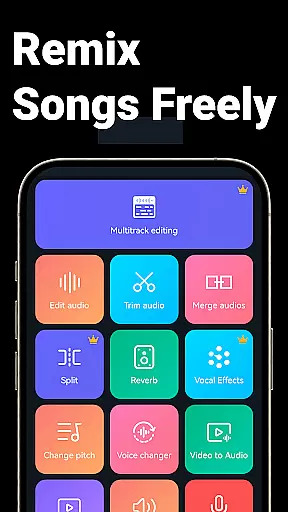
Music Audio Editor, MP3 Cutter is a comprehensive audio editing tool designed for both casual users and professionals. This app allows you to cut, splice, mix, and convert audio files with precision and ease. With functionalities ranging from vocal removal to changing pitch and tempo, it caters to a wide array of audio editing needs.
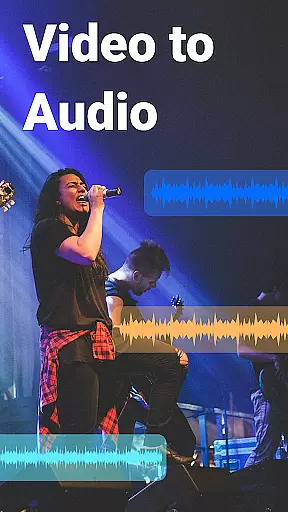
The app also supports video-to-audio conversion, multitrack editing, and provides various sound effects such as fade in/out. Whether you're looking to create custom ringtones or produce complex audio projects, this app offers the tools necessary to bring your ideas to life.
Accessible on Android devices, Music Audio Editor, MP3 Cutter is perfect for anyone who wishes to edit music on-the-go. Its intuitive interface ensures that even beginners can achieve professional results, making it an invaluable tool for unleashing creativity in your audio projects.
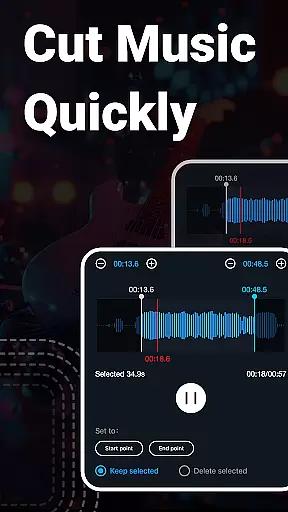
One of the standout features of Music Audio Editor, MP3 Cutter is its powerful cutting tool, which allows users to trim audio files down to milliseconds. The ability to save different parts of the audio separately adds flexibility to how users manage their edits. Additionally, the app's support for file renaming streamlines organization.
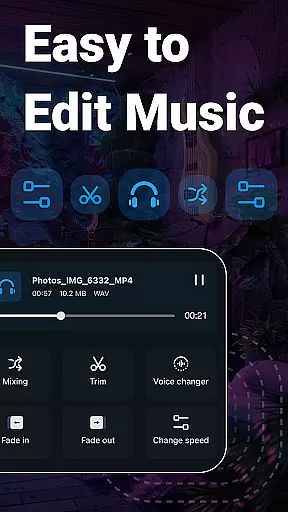
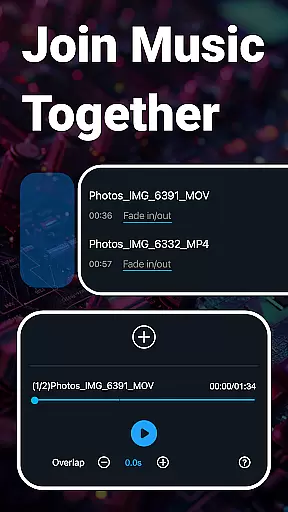
Beyond basic cutting, the app offers rich functionalities like audio mixing, volume adjustment, and tempo changes. Users can experiment with sound effects such as fade in/out and enjoy creative options like voice changing and pitch adjustments. These features ensure that your audio projects are not only precise but also unique.
For those interested in multitrack editing, the app provides capabilities to split audio into multiple tracks and add background music. It also includes practical tools like audio compression and format conversion, ensuring compatibility across devices. With these robust features, Music Audio Editor, MP3 Cutter stands out as a versatile tool for all your audio editing needs.
When it comes to music editing applications, the size and authenticity of the music library are crucial factors. Music Audio Editor, MP3 Cutter offers an extensive library with over 2000 royalty-free tracks available for download and use. This vast collection ensures that users have access to a wide variety of music genres and styles, catering to different project needs.
The app guarantees copyright authenticity by providing only legally permissible tracks. Users can be confident that the music they use in their projects is free from copyright infringement issues. This feature is particularly beneficial for content creators who need background scores for videos or podcasts without worrying about legal repercussions.
Moreover, the application supports multiple audio formats such as mp3, aac, wav, flac, m4a, and amr. This versatility allows users to work with their preferred file types and ensures compatibility across various devices and platforms. The ability to convert between these formats further enhances the user experience by providing flexibility in audio management.
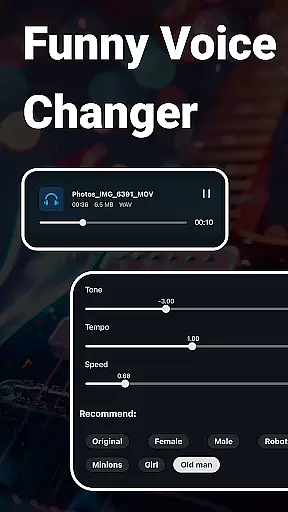
Audio quality is paramount when editing and producing music, and Music Audio Editor, MP3 Cutter excels in offering diverse audio quality options. The app provides advanced features like changing sound volume, adjusting music tone and tempo, and modifying playback speed. These tools enable users to fine-tune their audio files to meet specific requirements and achieve professional-grade results.
In addition to basic editing functions, the app includes a music equalizer with various preset parameters. Users can freely adjust the equalizer settings to enhance the auditory experience and create a personalized sound profile. Whether you're looking to boost bass frequencies or highlight treble notes, this feature caters to all your audio enhancement needs.
Another standout option is the voice changer, which allows users to transform their audio into different voices such as male, female, old man, or robot. This creative tool adds an element of fun and experimentation to audio projects, making it ideal for generating unique content. With these comprehensive audio quality options, Music Audio Editor, MP3 Cutter empowers users to produce high-quality, customized audio outputs efficiently.
User-friendly interface
Extensive editing tools
High precision cutting
Versatile format support
Creative sound effects
Occasional bugs reported
Advanced features may overwhelm beginners
Advertisements in free version
Export quality could be limited
Interface design feels dated

Your HD audio recorder on the go for music, meetings, ambience, animal sounds…
 4.30
4.30
Over 100 million tracks available for high quality streaming and download
4.60
Taal player that lets you sing any Indian & Western song with Tabla & Tanpura
4.60
Your song collections with lyrics and chords on Android smartphones and tablets.
4.80
Bass Booster & Volume Equalizer Pro improves your music and video sound quality
4.60
The alternative folder based music player.
4.20
Help you quickly get started with Shokz headphones
4.40
Offline Music Player & MP3 Player.Powerful equalizer, Lyrics, Themes, Tag Editor
4.80
Customize Your Favorite Songs and Videos with booster.
4.70
24,000 free audio books and no ads!
4.90
Listen radio AM / FM Stations. Live AM / FM Radio App Station. Radio Com.
4.70
AI Music Maker: Generate And Compose AI Tunes & AI Songs & AI Music & AI Melody!
4.60
A complete sound package for the sound engineer or enthusiast
4.60
Ringtone Maker is free app create ringtone from music files or your recording.
4.40
Enjoy singing any song, no matter how high or low it is
4.30
A High-Precision Audio Spectrum Analysis App
4.20
Offline and always ad-free - stream in the highest quality available.
4.10
Permanently backup Now Playing. Maps, filters & listening stats.
4.00
Background pads for your band
3.80


User Reviews