

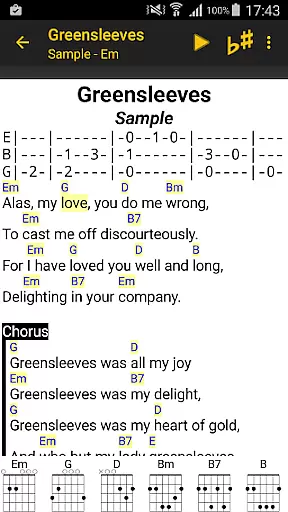
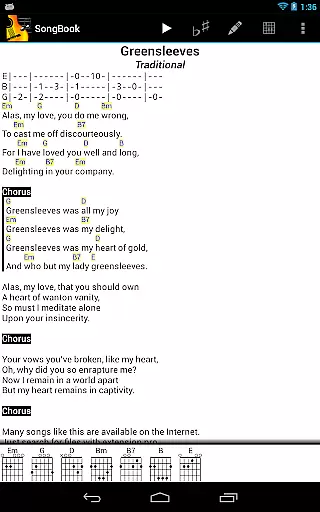
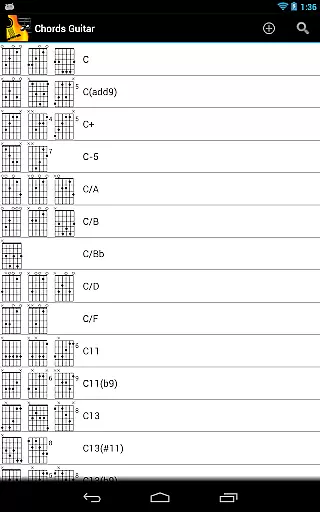
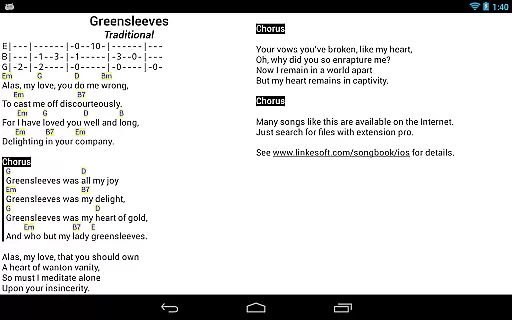
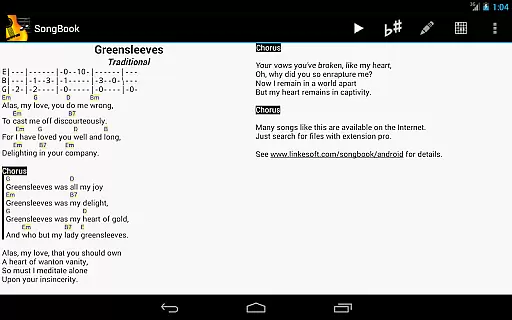
SongBook is a versatile music management app designed for Android tablets and phones. It allows musicians to efficiently organize their song collections, complete with lyrics and chords. The app features comprehensive chord libraries for various instruments including guitar, ukulele, banjo, and piano, which are extensible to fit the user's needs.
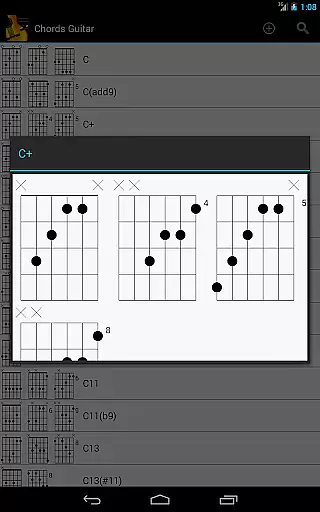
One of SongBook's core functionalities is its ability to display chord definitions with a simple tap, making it an invaluable tool for practice and performance. Users can also transpose songs on the fly, use auto-scroll for hands-free reading, and pinch-to-zoom for better visibility. These features make it ideal for musicians who need quick and easy access to their music sheets during live performances or practice sessions.
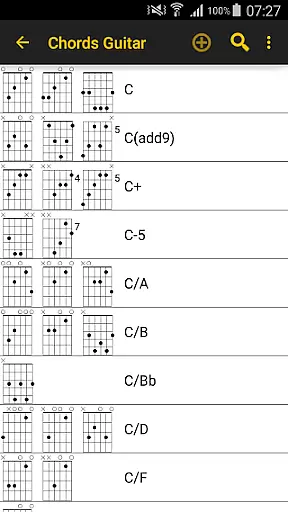
SongBook offers a rich set of features tailored for musicians. One notable feature is the extensive chord library that supports multiple instruments such as guitar, ukulele, banjo, and piano. This library is not only comprehensive but also extensible, allowing users to add custom chords as needed.
The app provides practical tools like transposition, which enables musicians to change the key of a song instantly. Auto-scroll functionality ensures uninterrupted playing by automatically scrolling through the sheet music. Additionally, the pinch-to-zoom feature allows users to adjust the size of the lyrics and chords for optimal readability. These capabilities collectively enhance the user experience by providing convenience and flexibility.
When evaluating a music application like SongBook, the size and authenticity of its music library are crucial factors. SongBook offers an extensive collection of lyrics and chords, catering to various musical instruments such as guitar, ukulele, banjo, and piano. This vast library ensures that users have access to a wide array of songs, enhancing their musical experience.
The app not only boasts a large music library but also emphasizes copyright authenticity. Ensuring that all content is legally obtained and used is vital for user trust and legal compliance. SongBook's commitment to copyright authenticity means that users can confidently use the app without concerns about copyright infringement.
Moreover, SongBook's library is extensible, allowing for regular updates and additions. This feature ensures that users always have access to the latest songs and chords, keeping their music collections current. The ability to expand the library also reflects the app's dedication to providing comprehensive resources for musicians of all levels.
Audio quality is another significant aspect of any music application, and SongBook excels in this area. The app provides various audio quality options, ensuring that users can enjoy high-fidelity sound when playing back songs. Whether practicing chords or performing a piece, having clear and crisp audio enhances the overall experience.
SongBook supports multiple audio formats, giving users flexibility in how they consume music. This compatibility with different formats allows users to choose the best option for their devices and preferences, whether they prioritize file size or sound quality. Such versatility is essential for accommodating diverse user needs and technical setups.
In addition to supporting various audio formats, SongBook also includes features like transpose on the fly and auto-scroll, which contribute to a seamless audio experience. These functionalities enable users to customize their playback settings according to their performance requirements, making practice sessions more efficient and enjoyable. Overall, SongBook's focus on audio quality options sets it apart from other music applications.
User-friendly interface
Comprehensive chord library
Auto-scroll feature
Pinch-to-zoom capability
Extensible song collection
Limited to Android devices
No built-in metronome
Some features may require in-app purchases
Interface can be complex for beginners
Occasional bugs reported

Performance-Synthesizer & Multi-Track-Sequencer, polyphonic + multi timbral!
 4.70
4.70
Taal player that lets you sing any Indian & Western song with Tabla & Tanpura
4.60
Visualize the guitar fretboard, master scales & play through changes like a pro!
4.50
AI Music Maker: Generate And Compose AI Tunes & AI Songs & AI Music & AI Melody!
4.60
Play your hearts out on TouchTunes jukeboxes & connect with fellow music lovers.
4.80
Let your Android device with the sound effects you want
4.50
A complete sound package for the sound engineer or enthusiast
4.60
Turn your Android phone into a professional audio analyser with up to 120 bands.
4.00
Versatile MP3 recorder with auto-backup to Dropbox and Google Drive
4.10
Music, News & Sports Radio Tuner App. Tune in Live FM & AM Radio Stations.
4.80
Record, Mix & Master with all n-Track effects, 64-bit audio and Stem Separation.
4.70
SqueezePlayer turns your Android phone or tablet into a SqueezeBox on its own!
4.60
The best music and audio player, with beautiful UI, music search and equalizer.
4.60
Bass Booster & Volume Equalizer Pro improves your music and video sound quality
4.60
Manage your Sonos system directly from your home-screen!
4.40
Advanced 10-Band Audio Graphic Equalizer Sound Booster Pro
4.30
Sing, record, and create music together — enhanced by smart voice tools.
4.00
The ultimate media player for Android devices
3.90
USB audio recording and playback finally possible on Android 3.1 or higher!
3.90


User Reviews