

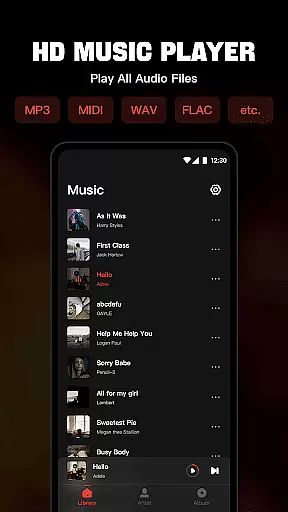
Mixtube is a versatile offline music player designed for uninterrupted audio enjoyment. This app allows users to import and play all their favorite songs in various formats including MP3 MIDI WAV FLAC AAC and APE with high-quality sound output.
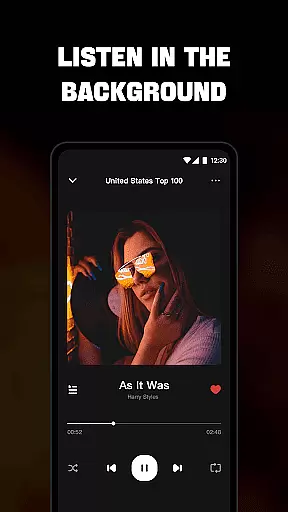
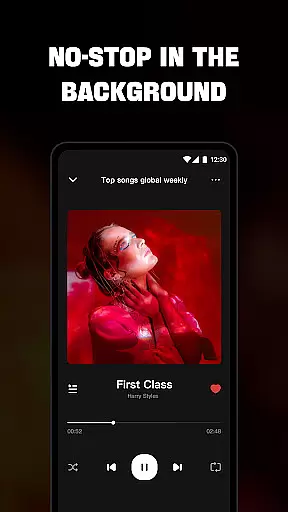
One of Mixtube's standout features is its ability to run in the background enabling multitasking while enjoying music. Whether you're working studying or doing housework your tunes keep playing seamlessly. The built-in equalizer enhances the listening experience making it ideal for audiophiles.
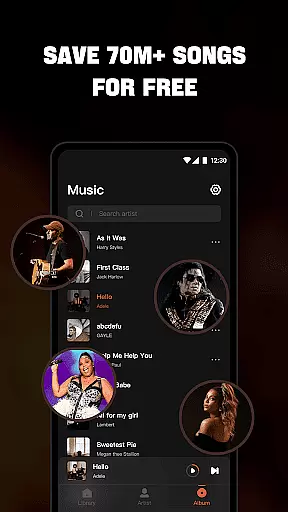
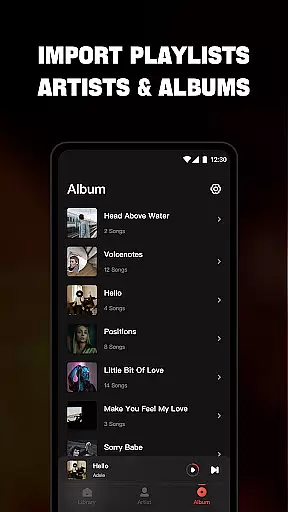
The app supports multiple viewing options such as by songs artists albums folders and playlists. With lock screen controls widgets and notification bar playback this music player offers convenience and customization for an enhanced user experience.
Mixtube stands out with its comprehensive format support covering all major audio file types. The integrated high-quality equalizer ensures superior sound quality adapting to different musical genres and listener preferences.
Users can enjoy advanced playback options including customizable playlists and favorites management. The app provides complete control through lock screen interfaces widgets and notification bar access allowing for seamless navigation and operation.
Additional features include background play functionality ensuring music continues uninterrupted while using other apps or performing various tasks. The premium version offers an ad-free experience with flexible subscription plans catering to different user needs and preferences.
When it comes to music applications like Offline Music Player, the size and authenticity of the music library are crucial factors. This app allows users to import all their personal music and audio files quickly, supporting a wide range of formats including MP3, MIDI, WAV, FLAC, AAC, and APE. The ability to manage an extensive variety of file types ensures that users can enjoy a vast array of music without limitations.
The app emphasizes its role as an offline music player, meaning it doesn't provide services for downloading songs or streaming music online. Instead, it focuses on delivering a high-quality playback experience for the music you already own. By doing so, it inherently respects copyright laws, as users are required to have legitimate copies of the music they wish to play.
Offline Music Player also offers features such as viewing songs by artists, albums, folders, and playlists, which enhances the management of large music libraries. Users can create custom playlists and mark favorite songs, ensuring personalized access to their most-loved tracks. This level of organization not only makes it easier to navigate through potentially thousands of songs but also enriches the overall user experience.
Ultimately, the app's commitment to providing a seamless, high-quality listening experience with full control over personal music collections underscores its value proposition. Whether commuting, working, or relaxing at home, users can enjoy uninterrupted playback with the assurance that their music library is both expansive and authentic.
Audio quality is a pivotal aspect of any music player application, and Offline Music Player excels in this domain by integrating a top-quality equalizer. This feature elevates the sound listening experience to the next level, allowing users to fine-tune their audio output according to their preferences. With support for high-quality playback of various formats such as MP3, MIDI, WAV, FLAC, AAC, and APE, the app ensures that every note and beat is delivered with precision.
The emphasis on high-quality audio playback is evident in the app's design, which caters to audiophiles who demand the best from their music players. By offering advanced equalizer settings, users can customize their listening experience to match different genres or moods. This flexibility in adjusting audio parameters means that whether you're listening to classical symphonies or modern electronic beats, the sound remains clear and vibrant.
In addition to superior audio quality, the app provides practical functionalities such as lock screen controls and notification bar playback. These features ensure that users can easily manage their music without interrupting their activities. Furthermore, widget support adds another layer of convenience, enabling quick access to frequently used functions directly from the home screen.
By combining robust audio quality options with user-friendly features, Offline Music Player delivers an exceptional listening experience. It allows users to immerse themselves in their favorite tunes, knowing that each track is played back with the highest fidelity possible. Whether you're using the app for work, study, or leisure, the premium sound quality ensures that your music always sounds its best.
User-friendly interface
High-quality equalizer
Background playback
Multiple format support
Customizable playlists
No online streaming
Premium subscription required
Limited free trial
iOS exclusive features
Subscription auto-renews


SqueezePlayer turns your Android phone or tablet into a SqueezeBox on its own!
 4.60
4.60
Full-featured, High-Quality Groovebox Workstation, perfect for Live Performance!
4.80
Save hundreds of dollars for a physical strobe tuner and instead use this app.
4.50
Brian Eno and Peter Chilvers’ acclaimed music app Bloom, radically reinvented.
4.80
Advanced 10-Band Audio Graphic Equalizer Sound Booster Pro
4.30
Offline Music Player & MP3 Player.Powerful equalizer, Lyrics, Themes, Tag Editor
4.80
Let your Android device with the sound effects you want
4.50
Simple mp3 and mp4 player with advanced features.
3.40
A complete sound package for the sound engineer or enthusiast
4.60
Tune in to the greatest hits on UK Radio | The home of Capital, Smooth & Heart.
4.90
More downloads than any other metronome. Includes drum machine & tempo trainer.
4.80
Over 100 million tracks available for high quality streaming and download
4.60
Fun & Easy Voice Changer – Record, Edit & Add Hilarious Effects!
4.50
Enhance the sound quality of your devices, listen to what you want
4.50
Manage your Sonos system directly from your home-screen!
4.40
Enjoy singing any song, no matter how high or low it is
4.30
Network/Cloud Streaming, Visualization, Graphic Equalizer and Sound Effects.
4.20
The alternative folder based music player.
4.20
Turn your phone into a musical instrument from the future!
3.90


User Reviews