

Guitar Fretboard Note Trainer is an innovative app designed to help guitarists master the notes on their instrument's fretboard. This essential skill is crucial for progressing musicians, and the app makes learning both fun and effective through a series of engaging games.
The app features four distinct training modes that cater to different learning styles and levels of proficiency. Whether you're naming notes, finding them across all six strings, or testing your memory with challenging quizzes, this tool provides a comprehensive approach to fretboard mastery. With customizable difficulty settings and audio feedback, it ensures a personalized and immersive learning experience.
Perfect for practicing anytime and anywhere, Guitar Fretboard Note Trainer is ideal for guitarists who want to elevate their playing by gaining a deeper understanding of their instrument.
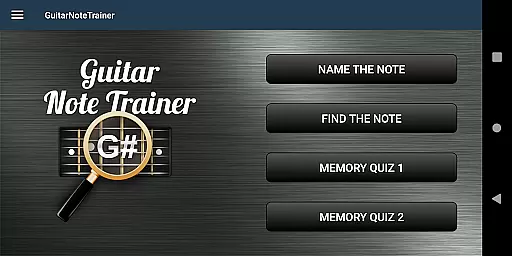
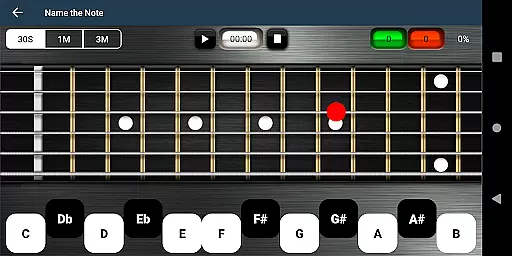
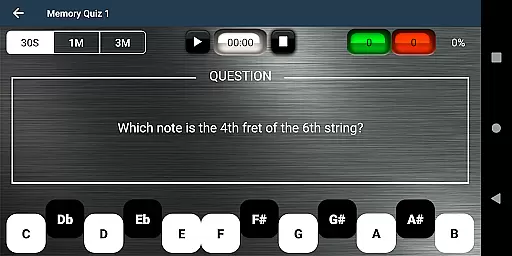
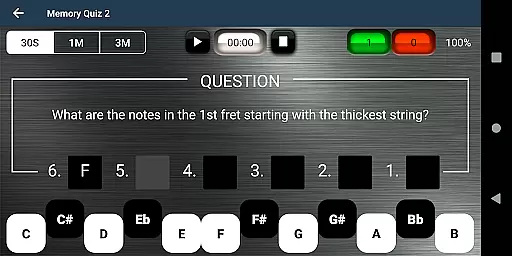
One of the standout features of Guitar Fretboard Note Trainer is its diverse range of training modes. Name The Note challenges users to identify displayed notes, while Find A Note requires locating specific notes across all positions. Memory Quiz 1 and 2 further enhance recall by testing note positions and entire fret memorization.
To accommodate beginners, the app offers 'Easy' options that limit the range of possible answers, gradually building confidence and competence. Additionally, an audio feature allows users to hear notes as they select them, reinforcing auditory learning.
For those moments when you're truly stuck, a unique cheat option reveals all notes temporarily by swiping diagonally across the fretboard. These thoughtful features create an interactive and supportive environment for mastering the guitar fretboard.
When it comes to music learning applications, the size and authenticity of the music library are crucial. Guitar Fretboard Note Trainer offers a comprehensive selection of notes and positions across the guitar neck, ensuring users have access to an extensive range of musical notes for practice.
The app includes four distinct training modes, each designed to progressively challenge the user's knowledge and skills. From basic note identification in 'Name The Note' mode to the more complex tasks in 'Memory Quiz 2', the depth of the music library supports varied learning styles and paces.
Furthermore, the app assures copyright authenticity by focusing on fundamental music theory and original content creation, which sidesteps potential legal issues associated with copyrighted material. This approach not only enriches the learning experience but also aligns with educational integrity standards.
Users can rest assured that the content they are engaging with is both vast and legitimate, providing a solid foundation for their musical journey without concerns over copyright infringement.
Audio quality is paramount when training one's ear to recognize and differentiate musical notes. The Justin Guitar Fretboard Note Trainer app addresses this need by offering an audio option that allows users to hear the notes as they select them on the virtual fretboard.
This feature enhances the learning process by connecting visual input with auditory feedback, reinforcing memory retention and improving overall musicianship. The clarity and fidelity of these audio outputs ensure that users develop an accurate understanding of pitch and tone.
In addition to standard playback, advanced settings may be available for those who require higher resolution sound or specific tuning options. This flexibility caters to beginners who might start with simpler sounds and gradually move towards more nuanced audio landscapes as their skills improve.
By integrating high-quality audio into its training modules, Guitar Fretboard Note Trainer elevates itself from mere visual aids to become a complete tool for immersive musical education, setting itself apart in the realm of music instructional apps.
User-friendly interface
Engaging game modes
Customizable difficulty
Audio feedback option
Ideal for all skill levels
Limited to guitar fretboard
No advanced theory lessons
Basic visual design
Occasional ads in free version
Requires consistent practice

Equalizer, Bass Booster and Volume Booster (Eq & Bass) improve sound quality
 4.30
4.30
Make music anywhere. Turn your device into an instrument.
4.1
The Skullcandy App Experience
3.20
Taal player that lets you sing any Indian & Western song with Tabla & Tanpura
4.60
A synth that really lets you shape your sounds!
4.50
Make songs with AI! Any genre, custom lyric, song generator for music creation!
4.80
The original SP-1200 experience on your iPad
4.20
Powerful 10-Band equalizer pro with sound booster improves Android audio quality
4.30
The iconic iOS metronome app is now on Android.
3.70
24,000 free audio books and no ads!
4.90
Unleash your creativity! Turn simple prompts into full fledged songs.
4.70
Fun & Easy Voice Changer – Record, Edit & Add Hilarious Effects!
4.50
Save hundreds of dollars for a physical strobe tuner and instead use this app.
4.50
Help you quickly get started with Shokz headphones
4.40
Play KORG’s revolutionary touch-based instrument on a variety of devices.
4.40
The Music Journey in Your Hands
4.30
No wifi music app. Mp3 offline. Tuner radio, young radio music. Music downloader
4.20
USB audio recording and playback finally possible on Android 3.1 or higher!
3.90
Learn to play the piano using falling notes!
3.80


User Reviews