

DJ Music Mixer - Beat Maker is a versatile mobile application designed for both amateur and professional DJs. This app provides an all-in-one solution for music mixing, beat making, and live DJ performances. With advanced features like sound effects, Equalizer, and Bass Booster, users can create high-quality mixes and remix songs with precision.
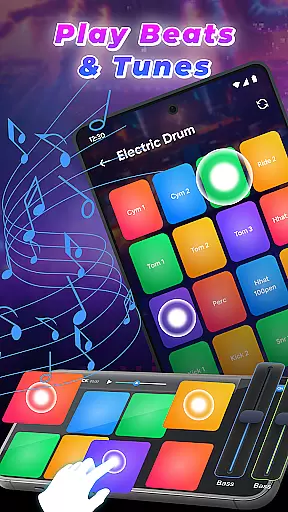
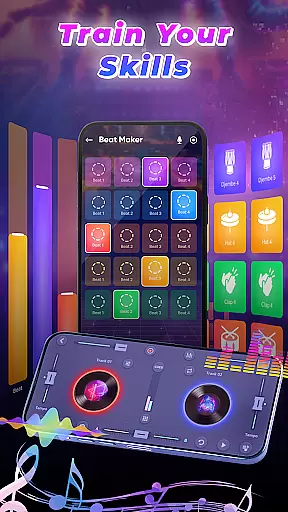
The app offers a comprehensive suite of tools including drum kits, launchpad samples, and beat-making systems. These features allow users to experiment with various musical styles and create unique tracks. Whether you're performing live or producing music in your studio, DJ Music Mixer - Beat Maker ensures a professional experience on your mobile device.
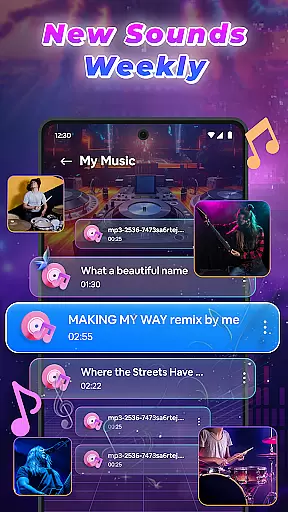
One notable use case is its ability to access the full music library from tracks, artists, albums, and folders. Users can apply real-time effects and enjoy optimized beat detection, making it ideal for creating smooth transitions during live events or parties.
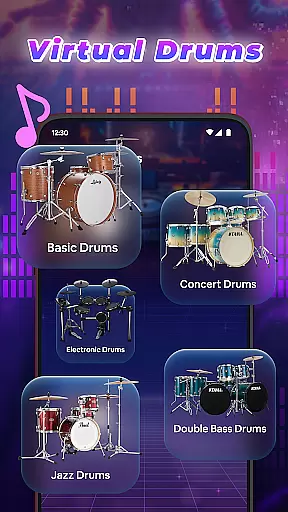
DJ Music Mixer - Beat Maker stands out with its robust set of features tailored for music enthusiasts. The app includes a professional beat maker with multiple drumming styles and kits such as Ludwig, Electronic, Jazz, and African drums. This allows users to explore diverse rhythms and beats.
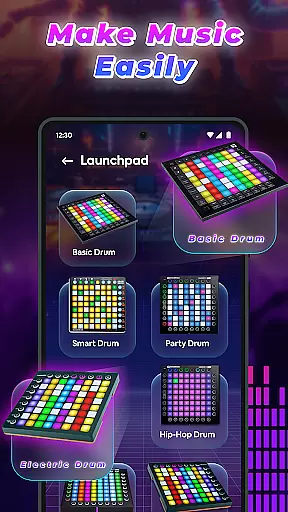
Another highlight is the Remix Launchpad, which offers built-in samples like Party Drum, Acoustic Drums, and Hip-hop Drum. The interface supports both horizontal and vertical orientations, enhancing user experience by allowing creative visualization through colorized vibrations.
Additionally, the app's advanced music mixer functionality lets users manage their entire music library efficiently. It supports playlists, real-time effects, and smooth mixing transitions, ensuring that every mix sounds polished and professional. These features collectively make DJ Music Mixer - Beat Maker an indispensable tool for modern DJs.
In the realm of digital music creation, having access to an extensive music library is crucial for unleashing creativity. DJ Music Mixer - Beat Maker offers a vast array of tracks, artists, albums, and folders at your fingertips, ensuring that your creative process is not hindered by limited resources. This extensive library allows you to explore different genres and styles, from classic to modern beats, providing endless possibilities for your mixes.
Copyright authenticity is another cornerstone of DJ Music Mixer - Beat Maker. The app ensures that all the music content available for mixing is properly licensed, giving you peace of mind when creating and sharing your work. By respecting intellectual property rights, the app fosters a trustworthy environment where users can confidently experiment with sounds, knowing they are using legitimate resources.
The integration of various drum kits such as Ludwig, Electronic, Jazz, and African adds another layer of depth to the music library. These kits are not only diverse but also authentic, allowing you to incorporate high-quality percussive elements into your mixes. Whether you're crafting a party anthem or an acoustic masterpiece, these drum kits provide the foundation for professional-sounding tracks.
Furthermore, the ability to save your creations in suitable formats ensures that your work remains compatible across different platforms and devices. This feature emphasizes the app's commitment to both quality and accessibility, making it easier for you to distribute and showcase your music without technical barriers.
Audio quality is paramount when producing music, and DJ Music Mixer - Beat Maker excels in delivering pristine sound across all its features. The app supports high-definition audio recording, enabling you to capture every nuance of your mix with exceptional clarity. This level of detail ensures that your final output meets professional standards, whether you're preparing tracks for live performances or personal enjoyment.
Beyond recording capabilities, the app provides advanced equalizer settings and bass boosters that enhance the overall audio experience. These tools allow you to fine-tune each track, adjusting frequencies to achieve the perfect balance between melody and rhythm. With real-time effects application, you can instantly hear how changes impact your mix, empowering you to make precise adjustments on the fly.
Optimized beat detection further elevates the audio quality by ensuring smooth transitions between tracks. This feature analyzes incoming audio signals to maintain consistent tempo and rhythm throughout your mix, preventing jarring interruptions that could detract from the listening experience. As a result, even complex mixes retain their cohesion and flow seamlessly from one segment to the next.
Lastly, the app's support for multiple audio formats guarantees flexibility in how you produce and share your music. Regardless of the destination platform or playback device, DJ Music Mixer - Beat Maker equips you with the necessary tools to deliver top-notch audio quality consistently. This versatility makes it an indispensable asset for any aspiring or seasoned DJ looking to elevate their craft.
User-friendly interface
Wide range of drum kits
Real-time sound effects
High-quality audio recording
Optimized beat detection
Limited free features
Occasional bugs
Heavy on resources
In-app purchases required
Learning curve for beginners

Formerly known as Spotistats! View your top tracks, artists, albums and more!
 4.40
4.40
Over 100 million tracks available for high quality streaming and download
4.60
Taal player that lets you sing any Indian & Western song with Tabla & Tanpura
4.60
Your song collections with lyrics and chords on Android smartphones and tablets.
4.80
The best music and audio player, with beautiful UI, music search and equalizer.
4.60
Learn the notes on the guitar fretboard fast with this easy and fun app
4.60
Manage your Sonos system directly from your home-screen!
4.40
Sing, record, and create music together — enhanced by smart voice tools.
4.00
Play your music offline without limits
4.80
Make songs with AI! Any genre, custom lyric, song generator for music creation!
4.80
Walkout Song DJ is the most intuitive app to manage your sports music.
4.70
Fun & Easy Voice Changer – Record, Edit & Add Hilarious Effects!
4.50
Advanced 10-Band Audio Graphic Equalizer Sound Booster Pro
4.30
A High-Precision Audio Spectrum Analysis App
4.20
PowerAudio is a powerful offline music player.
4.20
Versatile MP3 recorder with auto-backup to Dropbox and Google Drive
4.10
USB audio recording and playback finally possible on Android 3.1 or higher!
3.90
The Cubase remote control app
3.60
Simply convert wav to mp3. Clear. Reliable. Safe.
4.5

User Reviews