

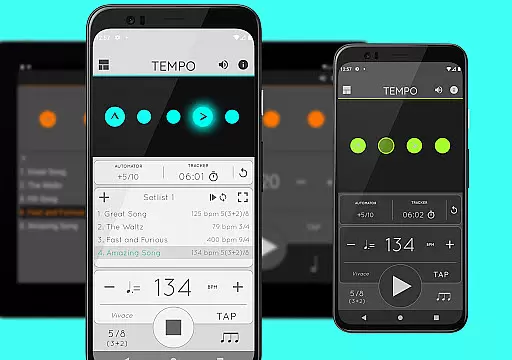
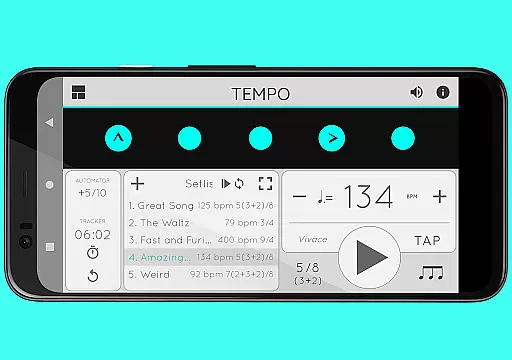
Tempo is a premier mobile metronome app designed for performing artists, teachers, students, and even athletes. It combines high accuracy and stability with an attractive, user-friendly interface. The app allows users to customize beats through an innovative LED button system, save configurations as songs in setlists, and share them with others. Its versatility makes it ideal for gigs, practice sessions, lessons, and training routines.
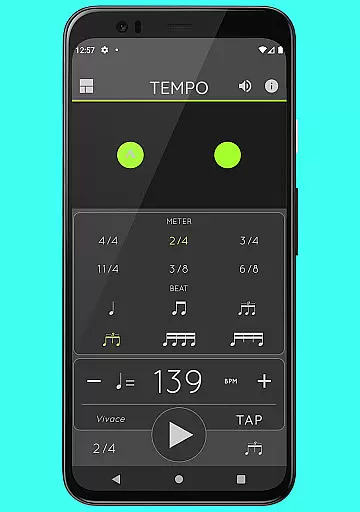
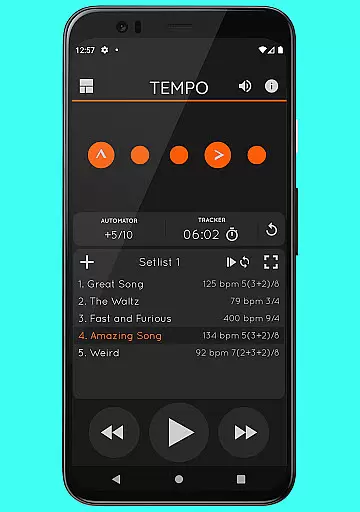
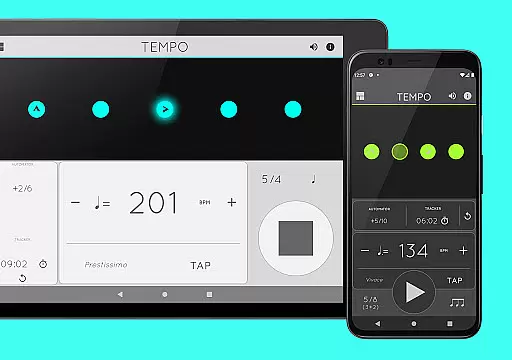
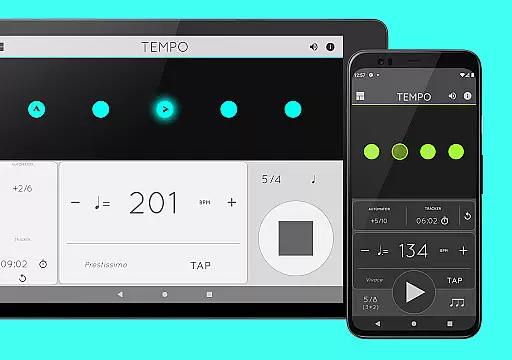
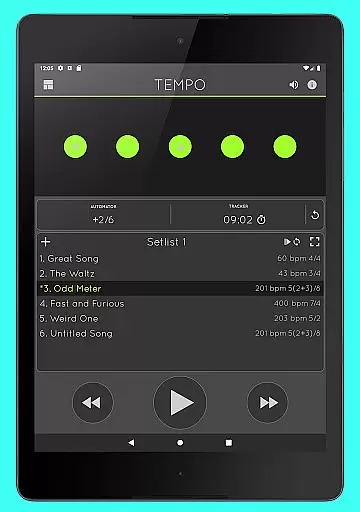
Tempo stands out with its five morphing interface modes—Basic, Preset, Setlist, Practice, and Gig—each optimized for specific tasks. Whether you're creating complex rhythms, timing practices, or adjusting tempos automatically, Tempo offers tools that cater to both beginners and professionals. With features like tap tempo, 30 time signatures, and 12 sound sets, this app ensures precision and adaptability for various musical needs.
Tempo provides a comprehensive suite of features tailored to musicians and performers. Users can choose from 30 different time signatures and six rhythm patterns for simple meters, along with three options for compound meters. The app allows customization of accents or muting beats to create intricate rhythms. A tap tempo function and tempo range of 10-400 ensure flexibility in timing.
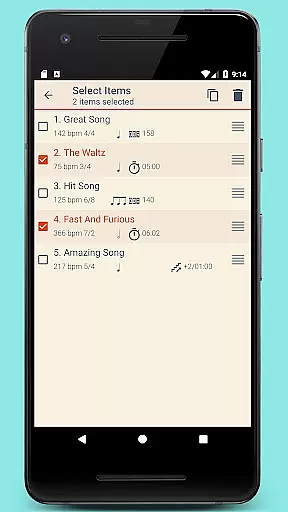
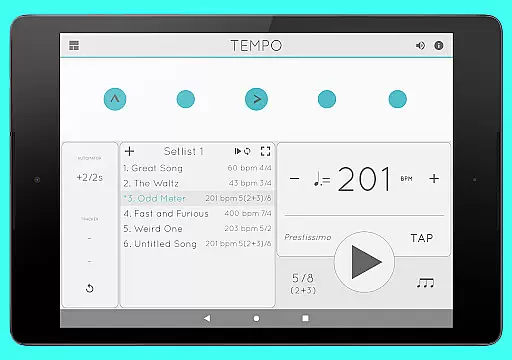
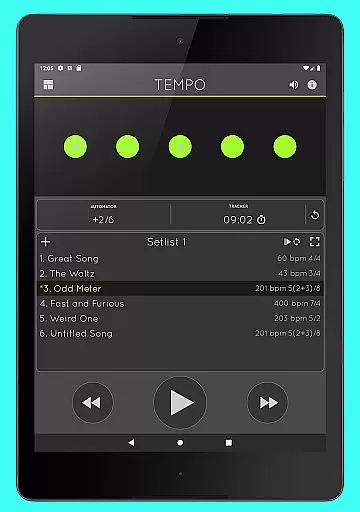
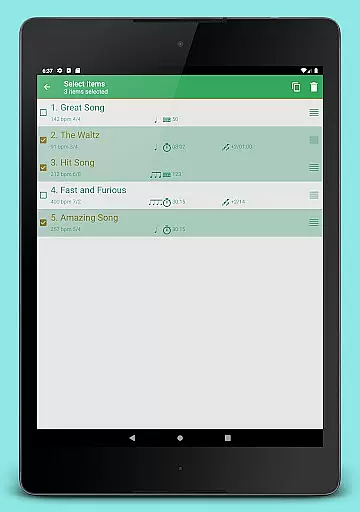
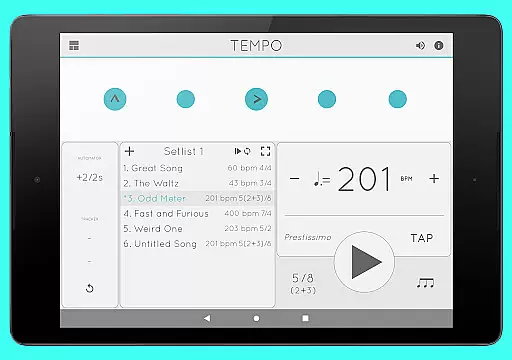
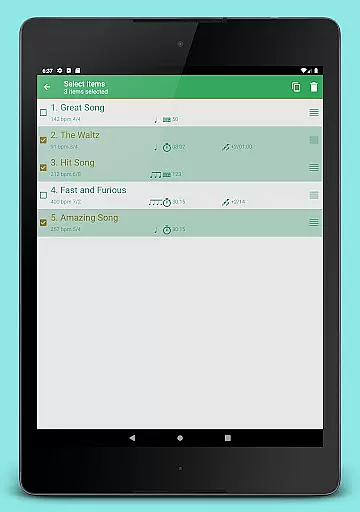
Setlist management is another highlight, enabling users to store presets across multiple setlists, perform advanced edits, and share data via email. Additional functionalities include tracking bars played, automating tempo adjustments, and Coach Mode for alternating muted and unmuted bars. With support for AirTurn Bluetooth controllers and multi-tasking playback, Tempo delivers a seamless experience for all users.
When it comes to music and audio applications, the size and authenticity of the music library are crucial factors. Tempo offers an extensive selection of sound sets, including 12 unique options optimized for various uses such as live drumming click tracks. This ensures that users have access to high-quality audio resources tailored to their specific needs.
The app's commitment to copyright authenticity is evident in its meticulous curation of sound sets. Each audio sample is carefully selected to ensure compliance with copyright laws, providing users peace of mind when using these resources for performances, practice sessions, or professional gigs. This dedication to legal compliance enhances the credibility of the application.
Furthermore, Tempo's diverse range of sound sets caters to a wide array of musical genres and preferences. Whether you're a classical musician seeking traditional metronome sounds or a modern artist looking for innovative audio cues, this app delivers a comprehensive library that supports creative exploration while maintaining strict adherence to copyright standards.
Audio quality is paramount in music applications, and Tempo excels in providing exceptional sound options. The app features advanced volume control capabilities, allowing users to fine-tune their listening experience according to their preferences and environment. This precise control over audio output ensures optimal performance during practice sessions, lessons, or live performances.
Tempo's multi-tasking support further enhances audio quality by enabling continuous playback even when the app runs in the background. This feature guarantees uninterrupted sound delivery, crucial for maintaining rhythm and timing during musical exercises or training routines. Users can seamlessly switch between apps without compromising their audio experience.
Additionally, the app offers various sound set options, each optimized for different scenarios. From live drumming click tracks to classical metronome sounds, Tempo provides a diverse range of high-fidelity audio choices. These options, combined with the app's robust audio engine, ensure that musicians receive accurate and stable sound reproduction across all devices and usage contexts.
Highly accurate timing
User-friendly interface
Customizable rhythm patterns
Versatile setlist management
Multi-platform sharing
Limited free features
Premium subscription required
Complex for beginners
No real-time collaboration
Occasional sync issues

Formerly known as Spotistats! View your top tracks, artists, albums and more!
 4.40
4.40
DJ Music Mixer Pro is a real DJ controllers and DJ Music Studio to remix DJ.
4.40
Background pads for your band
3.80
Permanently backup Now Playing. Maps, filters & listening stats.
4.00
Next generation modular control surface
4.10
Super Sound Editor, Song Maker & Mixer, Vocal Remover, Voice Recorder & Changer!
4.60
Recording studio w/ 10k beats, pro vocal FX and a network of 20M rappers & fans!
4.60
The original SP-1200 experience on your iPad
4.20
Master Salsa Rhythm quickly and with a lot of fun!
4.30
Music, News & Sports Radio Tuner App. Tune in Live FM & AM Radio Stations.
4.80
Your song collections with lyrics and chords on Android smartphones and tablets.
4.80
Most Advanced AI Song Generator and Music Creator. Rap, Pop, Rock, Gospel & more
4.70
SqueezePlayer turns your Android phone or tablet into a SqueezeBox on its own!
4.60
Offline Music Player&MP3 Player with themes, equalizer, lyrics, music play mode
4.60
The official Sonos app
4.10
Versatile MP3 recorder with auto-backup to Dropbox and Google Drive
4.10
Powerful beat maker & DJ mixer to remix tracks, make music, & perform DJ mix
3.70
The Cubase remote control app
3.60
Remove ads permanently from Music Visualizer
4.3


User Reviews