

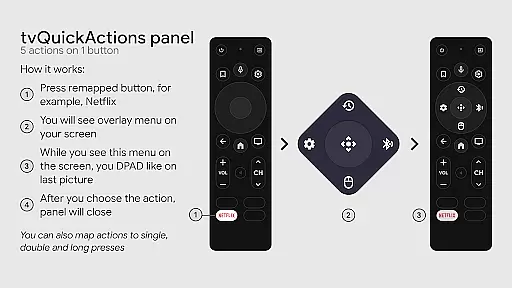
tvQuickActions Pro is an advanced button/key mapper specifically designed for TV devices, compatible with Android TV, Google TV, and AOSP on most devices. Its standout feature allows users to assign up to five actions per remote button, significantly enhancing device functionality.
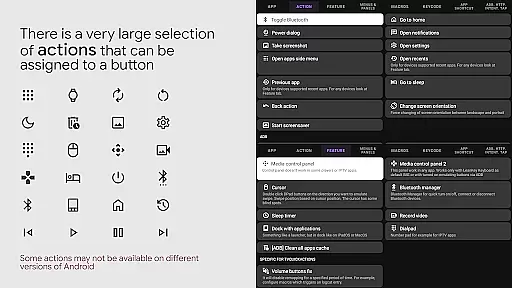
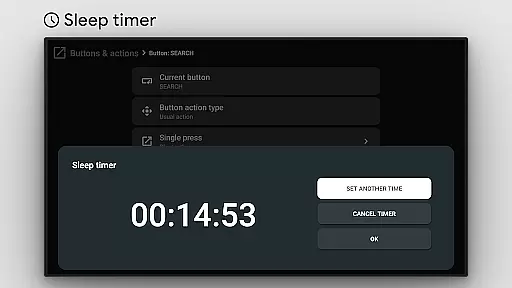
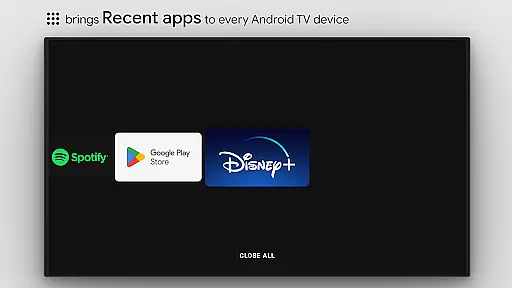
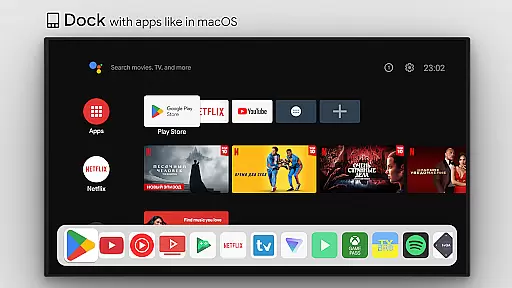
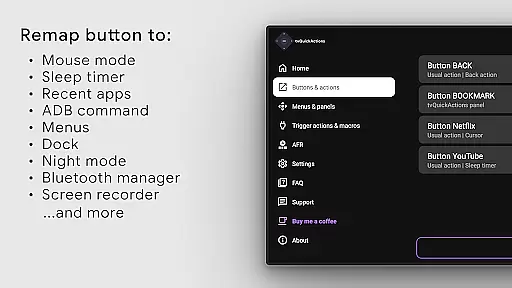
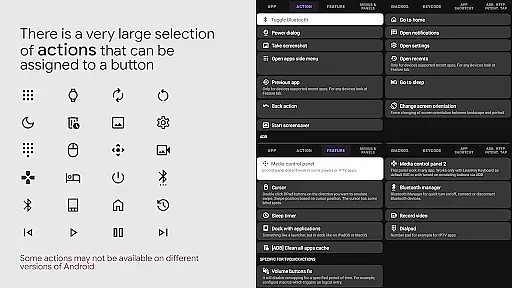
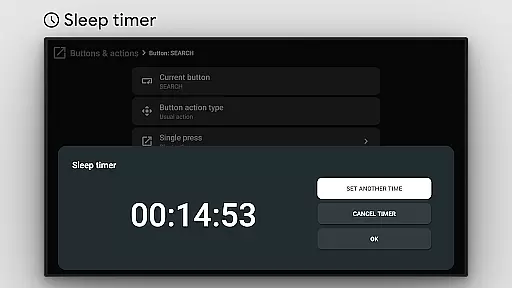
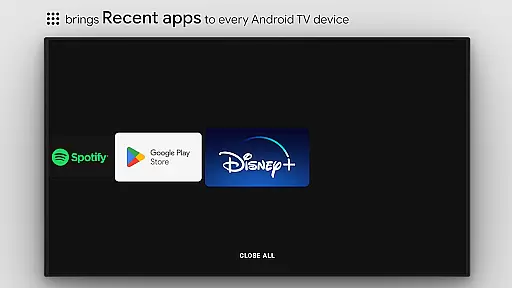
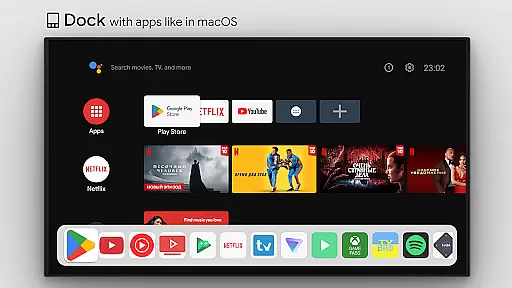
This tool transforms your TV experience by adding useful functions like app docks similar to macOS/iPadOS, recent apps management, custom action menus, and ADB command integration. It also supports innovative features such as mouse toggle, sleep timers, dialpads, screen recording, night mode, and Bluetooth management.
Designed for power users, tvQuickActions Pro offers unique capabilities including auto framerate adjustment for Amlogic devices and remapping of special buttons on Xiaomi and TiVo Stream 4K devices. The application's versatility makes it the most comprehensive mapper solution for TV devices currently available.
tvQuickActions Pro stands out with its extensive feature set tailored for TV device power users. The application supports creating dock-like app launchers, managing recent apps, and building custom action menus that can execute various commands.
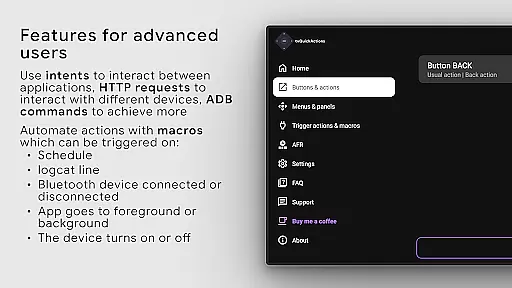
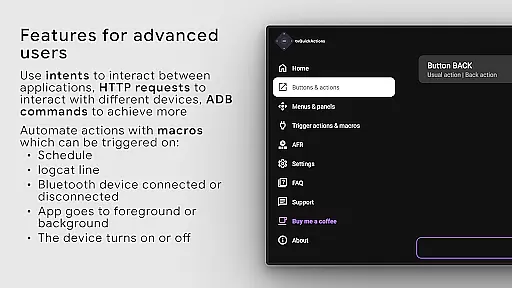
Advanced users will appreciate the ability to run ADB commands directly from the remote, toggle system settings like WiFi and Bluetooth, and control media playback through customized key mappings. The app also includes practical utilities such as sleep timers, night mode, and quick TV input switching.
The implementation of AccessibilityService API enables sophisticated button remapping functionality while supporting automated frame rate adjustments. These technical capabilities, combined with features like Netflix button remapping and custom channel creation for Android TV, demonstrate the app's commitment to providing innovative solutions for TV device customization.
tvQuickActions Pro stands out as a highly accurate and effective button/key mapper specifically designed for TV devices. The app supports Android TV, Google TV, and AOSP on most devices, ensuring broad compatibility and functionality across various platforms.
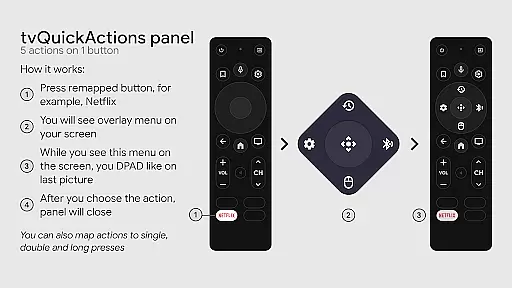
One of the main unique features is the ability to assign up to five actions to a single button on your remote control. This allows users to add a multitude of useful functions to their devices, enhancing usability and convenience. Whether it's opening apps, controlling media playback, toggling WiFi or Bluetooth, or even executing ADB commands, tvQuickActions Pro delivers precise and reliable performance.
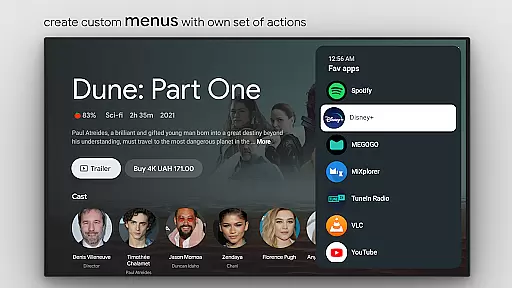
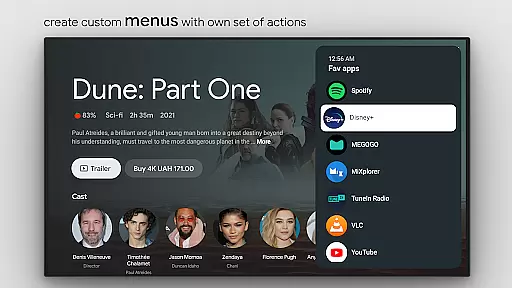
The app also offers advanced functionalities such as creating custom menus with any actions, setting actions on power-on or sleep modes, and locking apps. These features ensure that users can tailor their TV experience exactly to their needs, providing both flexibility and control.
By utilizing the AccessibilityService API, tvQuickActions Pro ensures that button remapping works seamlessly. Although some actions may vary in effectiveness depending on firmware and Android versions, the overall core functionality remains robust and dependable, making it an essential tool for enhancing your TV device's capabilities.
tvQuickActions Pro excels in offering a simple and intuitive interface that makes navigation and customization effortless. Despite the complexity of its features, the app maintains an accessible design that caters to both novice and advanced users.
The app includes a dock system similar to macOS/iPadOS, allowing quick access to frequently used applications. Additionally, users can manage recent apps, including the ability to kill all apps, through an easy-to-navigate interface. This ensures that even users unfamiliar with advanced settings can efficiently utilize the app's powerful features.
Customization options are abundant yet straightforward. Users can create custom channels for Android TV homes from menus, set up actions like opening URLs or taking screenshots, and toggle various device settings with minimal effort. Each action is clearly labeled and easy to configure, reducing the learning curve typically associated with feature-rich applications.
Overall, tvQuickActions Pro combines powerful functionality with an intuitive user interface, ensuring that users can maximize their TV device's potential without being overwhelmed by complex controls. Its thoughtful design prioritizes user experience, making it a top choice for anyone looking to enhance their TV interaction effortlessly.
Comprehensive feature set
Extensive customization options
Unique TV optimization tools
Cross-platform compatibility
Advanced automation capabilities
Complex setup process
Device compatibility issues
Requires technical knowledge
Some features may not work
Dependent on Accessibility Service


Change your GPS location instantly. Simulate routes anywhere in the world.
 4.90
4.90
Connect instantly to a fast, encrypted VPN with one tap
4.60
Universal TV remote control all TVs, Roku, LG, Samsung, Fire, Vizio, Sony, TCL.
4.40
Create your own live wallpaper or check out thousands already made presets
3.90
Unleash gamepad precision for ultimate mobile gaming dominance.
3.90
With videos, electrical calculators, and built-in ebook, Ugly’s has your answer.
4.50
Connect wirelessly to your computer to watch movies, browse the web, play games
5.00
Pro Emulator is an easy to use game console emulator for a range of consoles.
4.40
Your personal health butler
3.60
The one-and-only remote control for PC, Mac, and Linux
4.70
Small and simple app to Verify Root Access and BusyBox Install!
4.70
NFC Tools can read and write NFC tags.
4.70
App to pay for FUTO Keyboard
4.60 4.50
4.50
View detailed information about your Nissan Leaf the dealer never shows you.
4.10
A convenient photo, video, and file recovery tool.
4.00
A powerful, easy-to-use flight computer on your phone or tablet!
3.80
This app unlocks the Pro features of the Central for DayZ app
3.60
Transfer Files, APK from Phone to Watch & Install.
4.5

User Reviews