

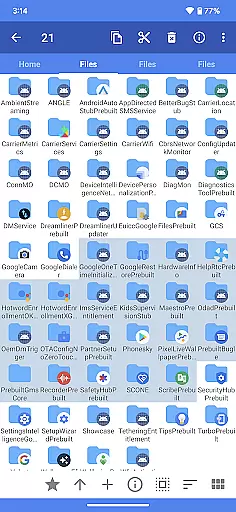
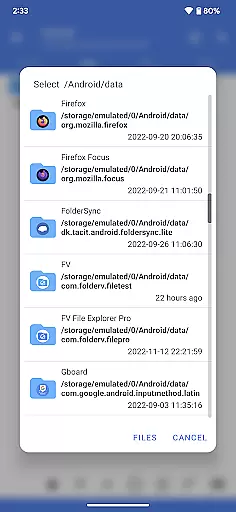
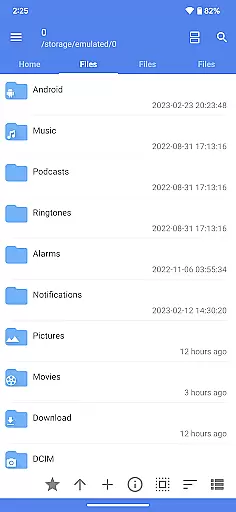
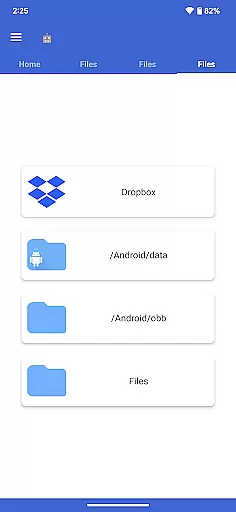
FV File Pro is a robust file management tool designed specifically for Android users. This application allows seamless access to critical directories such as /Android/data and /Android/obb on Android 13 without requiring root permissions, making it an essential utility for advanced users. The app features a Material Design UI that ensures ease of use while managing files.
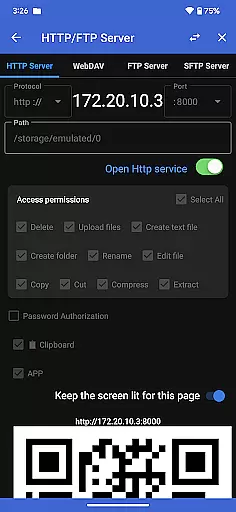
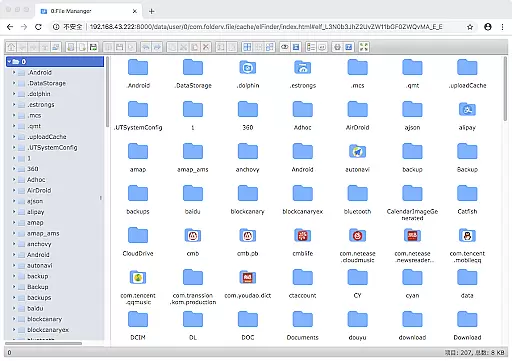
One of the standout functionalities of FV File Pro is its support for viewing multiple image formats including JPG, PNG, BMP, TIFF, WEBP, HEIF, AVIF, ICO, and APNG. Additionally, it offers powerful decompression capabilities for various compressed file types like ZIP, RAR, 7Z, ISO, and DMG. Users can also manage their files over a wireless network via HTTP, FTP, or SFTP within the LAN, eliminating the need for data cables and facilitating easy transfer of documents, pictures, and text files between devices.
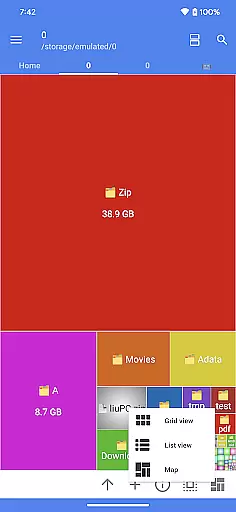
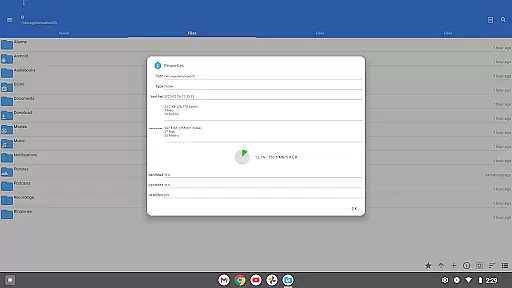
The inclusion of a WebDAV server further enhances its utility by allowing users to connect from their Mac using Finder. Moreover, the treemap visualization feature provides an intuitive way to understand storage usage, representing files as colored rectangles proportionate to their sizes. With additional features like QR code scanning, markdown file preview, and HTTP file download functionality, FV File Pro stands out as a comprehensive file management solution.
FV File Pro boasts an array of sophisticated features tailored to meet the needs of tech-savvy Android users. One of its primary attributes is the ability to access restricted directories such as /Android/data and /Android/obb on Android 13 without root access, which is particularly beneficial for developers and power users who require granular control over their device's file system.
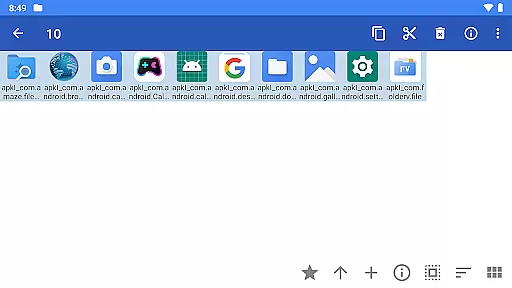
The app supports an extensive range of image formats including JPG, PNG, BMP, TIFF, WEBP, HEIF, AVIF, ICO, and APNG, ensuring compatibility with nearly any image file you may encounter. Furthermore, it excels in handling compressed files, offering decompression support for formats like ZIP, RAR, 7Z, ISO, and DMG. This makes it incredibly versatile for users who frequently deal with different types of archives.
Another remarkable feature is the ability to manage files over a wireless network using protocols such as HTTP, FTP, or SFTP within the local area network (LAN). This eliminates the hassle of using data cables and allows convenient sharing of documents, pictures, and text files between computers and mobile devices. Additionally, the integrated WebDAV server facilitates seamless connectivity from desktop environments like macOS Finder. Lastly, the treemap visualization tool offers an innovative way to analyze storage usage, presenting files as proportional rectangles to help users quickly identify large files or directories consuming significant space.
FV File Pro stands out as a fast and powerful file manager for Android, offering users the ability to access critical directories like /Android/data and /Android/obb on Android 13 without requiring root permissions. This ensures that users can manage their files effectively while maintaining system security and integrity.
The app supports viewing multiple image formats including JPG, PNG, BMP, TIFF, WebP, HEIF, AVIF, ICO, and APNG, making it versatile for various multimedia needs. Additionally, its capability to extract multiple compressed files such as ZIP, RAR, 7z, ISO, and DMG enhances its utility for users who frequently handle different types of archives.
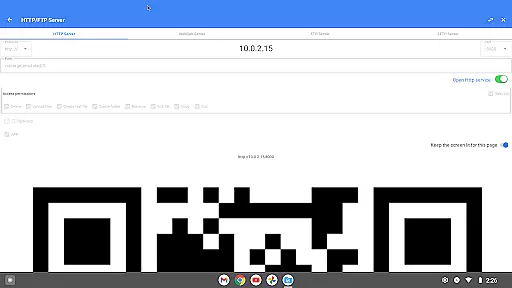
With features like managing files over wireless networks via HTTP, FTP, or SFTP within the LAN, FV File Pro eliminates the need for data cables, facilitating convenient transfers of documents, pictures, and text files between computers and mobile devices. This not only saves time but also spares users from unnecessary mobile data usage.
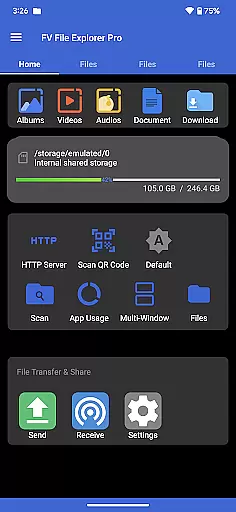
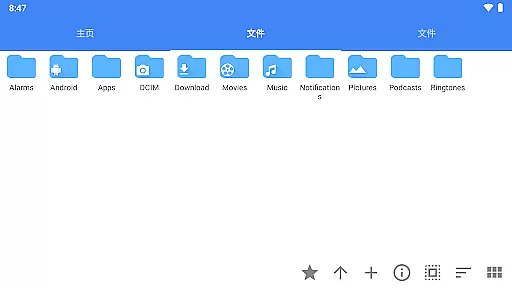
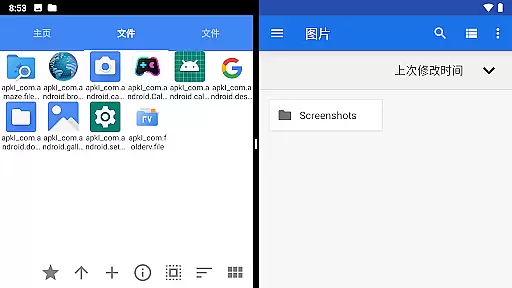
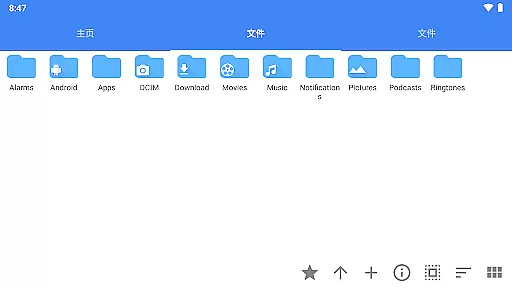
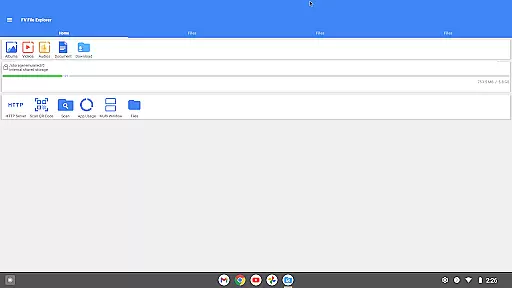
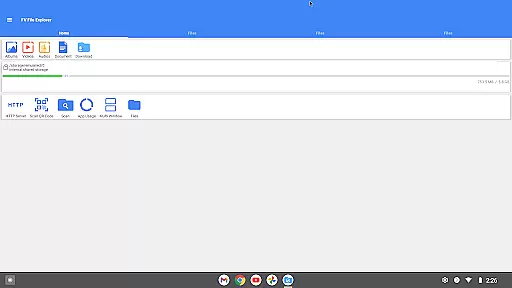
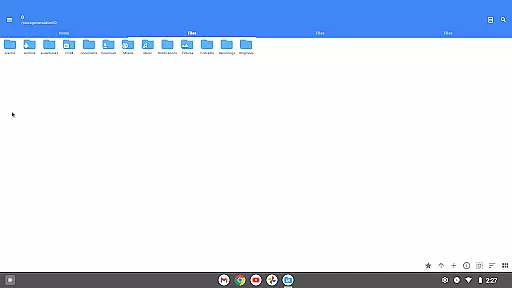
FV File Pro employs a Material Design UI, ensuring an intuitive and visually appealing interface that aligns with modern design standards. The clean layout and straightforward navigation make it easy for users to locate and manage their files without a steep learning curve.
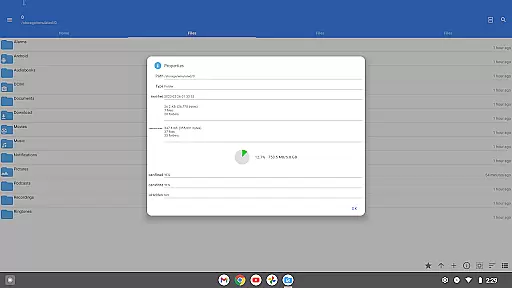
One of the standout features is the treemap visualization for storage, which represents each file as a colored rectangle. The size of these rectangles corresponds to the file's size, allowing users to quickly identify large files and manage their storage space efficiently. Directories are depicted as encompassing rectangles, providing a clear overview of file hierarchies.
In addition to its core functionalities, the app offers advanced features like WebDAV server support, enabling seamless integration with macOS Finder by simply entering the server address. This makes remote file management straightforward and efficient, enhancing productivity for users who require constant access to their files across different devices.
User-friendly interface
Extensive format support
Wireless file management
Advanced visualization tools
Comprehensive utility suite
No cloud integration
Limited iOS support
Advanced features require learning
Occasional performance lags
Interface not highly customizable

Transfer Files, APK from Phone to Watch & Install.
 4.5
4.5
Connect instantly to a fast, encrypted VPN with one tap
4.60
This app unlocks the Pro features of the Central for DayZ app
3.60
Family Locator, Share location, StayConnect with your family in real time
3.90
An open-source APK explorer for Android!
4.10
Play your X-Box games remotely in 1080p with any controller and zero latency
4.60
Introducing Smart Printer, your ultimate destination for printing solutions!
4.00
Fun lie-detection pranks for friends and parties.
3.80
Protect your device with antivirus, storage cleanup, and system monitoring
4.70
Connect wirelessly to your computer to watch movies, browse the web, play games
5.00
Change your GPS location instantly. Simulate routes anywhere in the world.
4.90
Extremely fast, secure, and protects your privacy
4.80 4.50
4.50
Button mapper, mouse toggle, sleep timer and a lot of another features
4.50
Universal TV remote control all TVs, Roku, LG, Samsung, Fire, Vizio, Sony, TCL.
4.40
Complete kernel toolbox with features to manage and tweak your rooted device
4.30
PC precision for mobile gaming: dominate with keyboard and mouse!
4.30
Effortlessly run ADB commands directly on your device without a PC.
4.20
Automate everything from settings to photos, SMS to speech. ADC2 prize winner.
4.10

User Reviews