

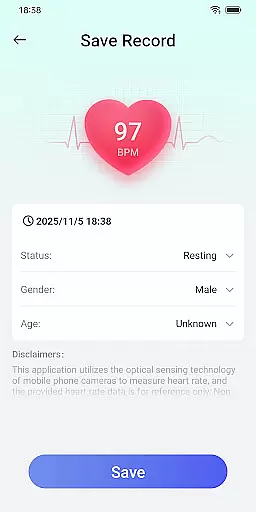
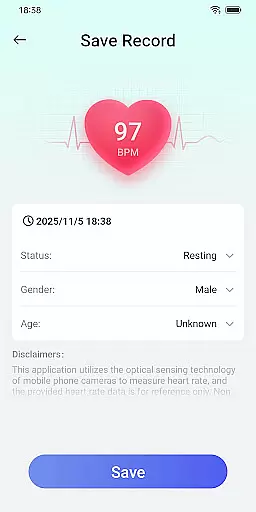
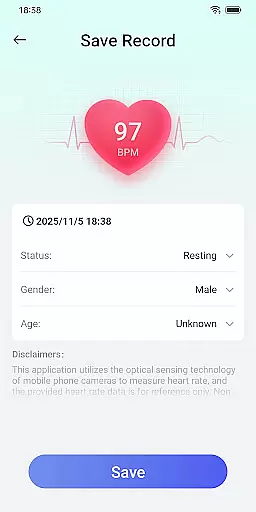
Daily HealthTracker is a comprehensive health monitoring tool that transforms your smartphone into a personal health assistant. The app utilizes the phone's camera to measure real-time heart rate by analyzing changes in fingertip blood flow, providing users with instant insights into their cardiovascular health. Additionally, it supports manual input and tracking of blood pressure data, making it easier for users to manage their overall well-being.
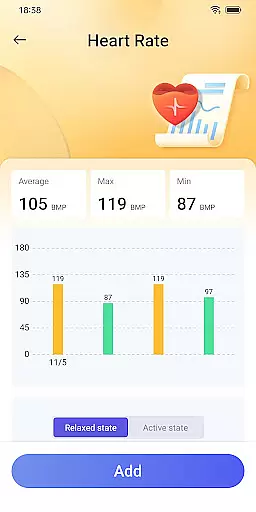
Designed for various user groups, Daily HealthTracker caters to sports enthusiasts monitoring training intensity, middle-aged and elderly individuals managing daily health, and office workers aiming to prevent sedentary-related cardiovascular issues. With features like reminder alarms for regular health checks, this app ensures you never miss an important health metric. While the heart rate data is for reference only and may vary based on external factors, it offers a convenient way to keep track of your health trends over time.
Daily HealthTracker stands out with its innovative use of smartphone technology for health monitoring. The app's core feature is its ability to measure heart rate through the phone's camera by detecting subtle changes in blood flow. This functionality provides users with immediate feedback on their heart rate, allowing them to make informed decisions about their physical activities.
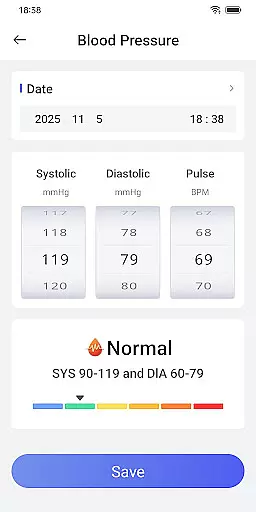
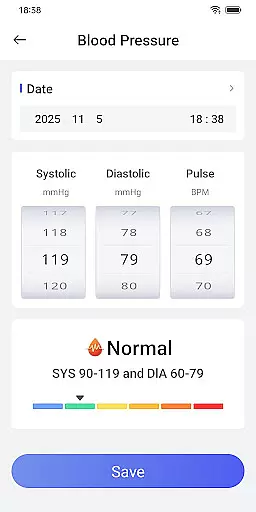
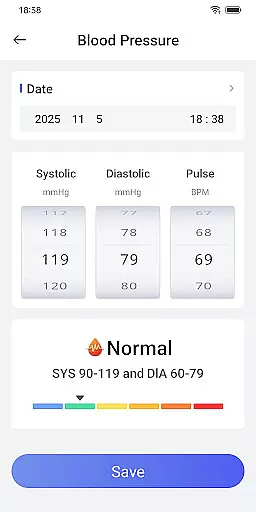
Beyond heart rate monitoring, the app includes tools for tracking blood pressure. Users can manually enter their blood pressure readings, and the app will help monitor fluctuations over time. It also features customizable reminder alarms that prompt users to take measurements or record data, ensuring consistent health tracking. These features collectively empower users to maintain better control over their health metrics and support long-term wellness goals.
When it comes to health tracking applications, the precision and efficacy of core functions are paramount. Daily HealthTracker excels in this area by utilizing the smartphone's camera to intelligently capture changes in fingertip blood flow, providing real-time heart rate measurements. This innovative approach ensures that users receive immediate feedback on their cardiovascular status without the need for additional devices.
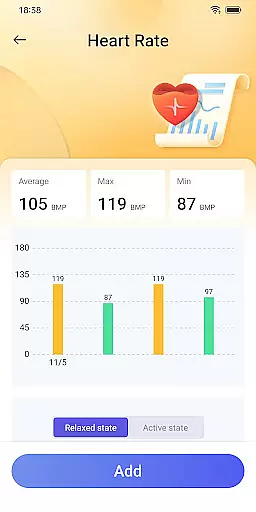
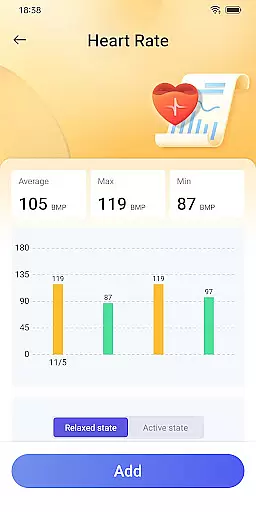
Beyond heart rate monitoring, the app supports the input and recording of blood pressure data. This feature allows for continuous tracking of one's blood pressure over time, which is crucial for identifying trends or anomalies that may indicate underlying health issues. By making health management simpler and more intelligent, Daily HealthTracker empowers users to take control of their well-being with reliable data at their fingertips.
The application also caters to various user groups, including sports enthusiasts monitoring training intensity, middle-aged and elderly individuals managing daily health, and office workers aiming to prevent cardiovascular diseases. While the heart rate data provided by the mobile phone camera serves as a reference and may be subject to external factors, the overall design prioritizes user accessibility and convenience without compromising on the essential aspects of health tracking.
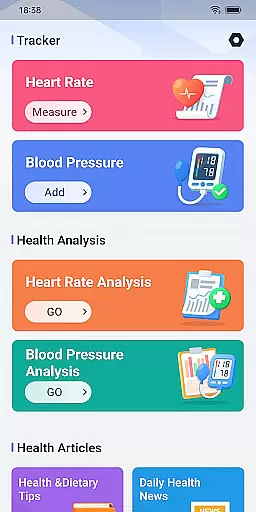
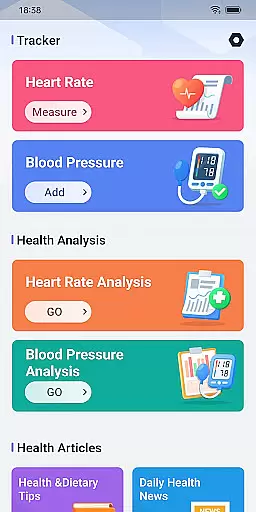
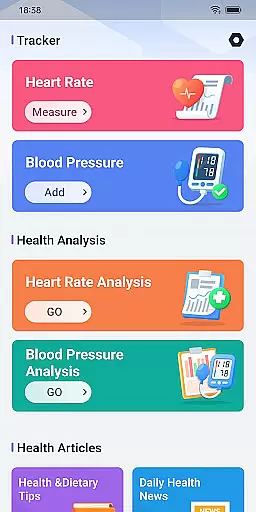
A user-friendly interface is critical for ensuring that all individuals, regardless of technical proficiency, can effectively utilize health tracking features. Daily HealthTracker boasts an intuitive design that simplifies navigation and promotes ease of use. Upon launching the app, users are greeted with a clean layout that emphasizes functionality, allowing them to quickly access heart rate and blood pressure monitoring tools without any learning curve.
To further enhance the user experience, the app supports setting reminder alarms for heart rate measurements and blood pressure recordings. These reminders help users maintain consistent monitoring habits, thus avoiding the risk of forgetting to check vital signs regularly. The straightforward alarm setup process underscores the app's commitment to removing barriers between users and their health data.
Daily HealthTracker also respects user privacy and adheres strictly to Google Play policies, ensuring that sensitive health information remains secure. With clear instructions available on their website and permission settings that allow quick access features, the app strikes a balance between offering advanced capabilities and maintaining an accessible interface. This thoughtful design ultimately leads to higher engagement and better health outcomes for its users.
User-friendly interface
Real-time heart rate monitoring
Blood pressure tracking
Customizable reminders
Multi-scenario applicability
Heart rate accuracy varies
Limited medical use
Manual data entry required
Dependent on device quality
No integration with wearables

A powerful, easy-to-use flight computer on your phone or tablet!
 3.80
3.80
Transfer Files, APK from Phone to Watch & Install.
4.3
Just one-tap to easy translate in any language after calls within seconds.
4.20
Enjoy smooth gameplay with Game Booster
4.90
Best leveling tool for your Android device. Hang paintings like a pro.
4.90
WiFi Signal Strength Meter help you detect WiFi Signal Strength in real time.
4.80
Support Fossify apps with a warm thank you!
5.00
Play your X-Box games remotely in 1080p with any controller and zero latency
4.60
The ultimate tool for network analysis, wifi scanning and problem detection.
4.90
Extremely fast, secure, and protects your privacy
4.80
ADB support Android 4.X-Android 13(Support wireless pair mode).No root required!
4.70
Keep track of your Palia friendships, tasks, and inventory with Palia Notebook
4.60
Mirror your screen to Chromecast and Android TV - Super fast and simple
4.60
Making emulation easy for everyone!
4.30
Quickly check the frequency of the Earth
4.30
Create your own live wallpaper or check out thousands already made presets
3.90
Unleash gamepad precision for ultimate mobile gaming dominance.
3.90
This app unlocks the Pro features of the Central for DayZ app
3.60
Clean the junk files on your device
3.40

User Reviews