

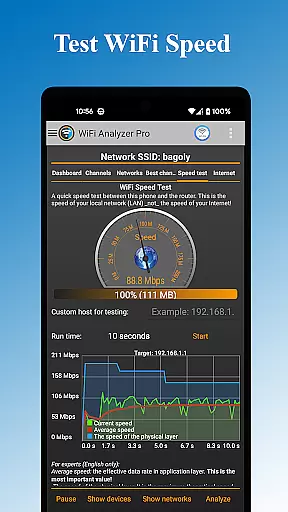
WiFi Analyzer Pro is a powerful network optimization tool designed to help users maximize their WiFi performance. The app provides detailed insights into your wireless network, including connected devices, signal strength, and channel analysis. With support for both 2.4 GHz and 5 GHz bands, it ensures comprehensive coverage for all your networking needs.
This professional-grade tool stands out with its advanced features such as customized device management, enhanced network scanning capabilities, and the ability to send logs directly to your Internet provider. Whether you're a networking expert or a beginner, WiFi Analyzer Pro offers intuitive charts and clear recommendations to help you find the optimal router placement and channel configuration.
The application's value extends beyond basic network monitoring by providing security checks, latency analysis, and detailed access point information. Users can optimize their network performance through precise analytics while enjoying the convenience of both dark and light themes. This makes WiFi Analyzer Pro an essential tool for anyone looking to improve their WiFi experience.
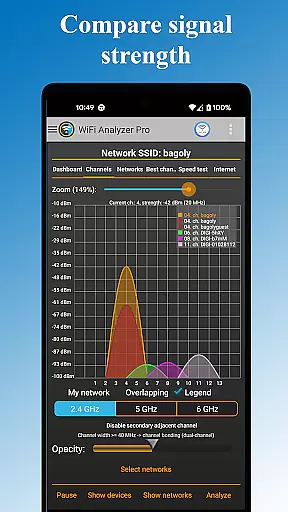
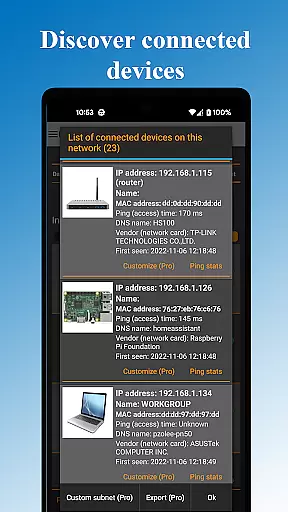
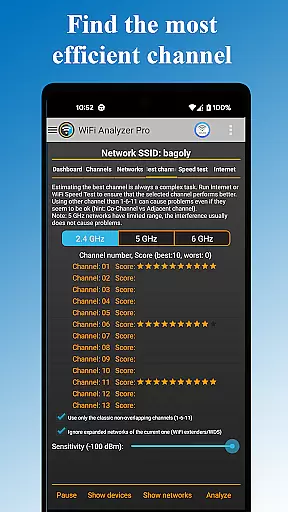
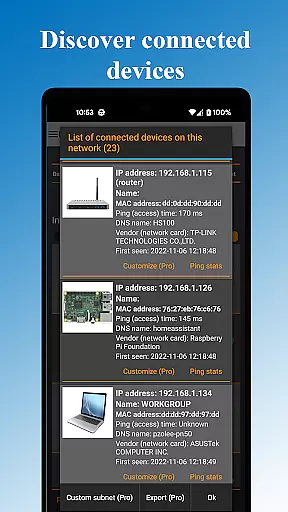
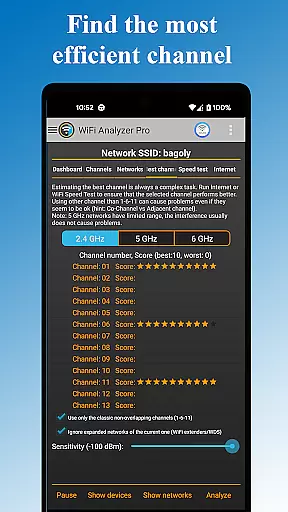
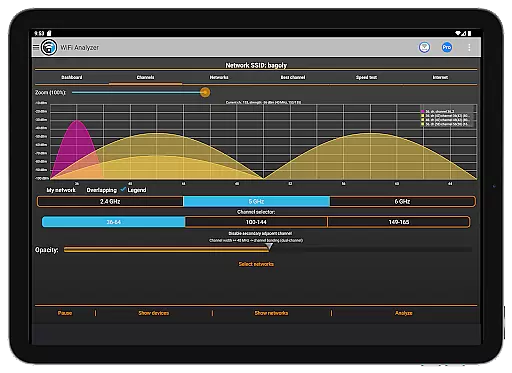
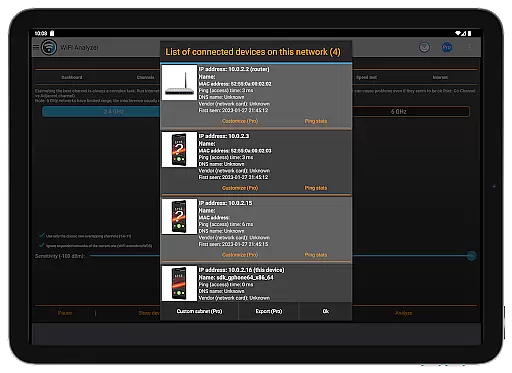
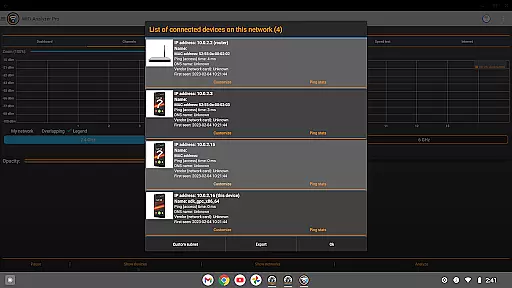
WiFi Analyzer Pro boasts an impressive array of features that cater to both casual users and networking professionals. The app's primary capability lies in its comprehensive network scanning function, which detects all connected devices and neighboring networks while analyzing their impact on your connection speed. Its unique channel recommendation system helps users identify the least congested channels for optimal performance.
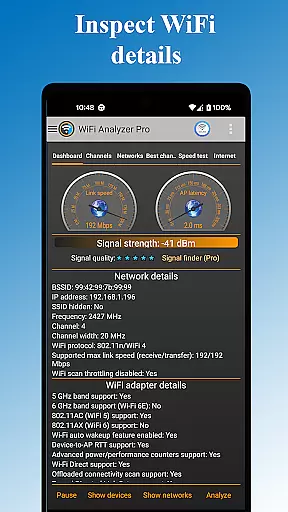
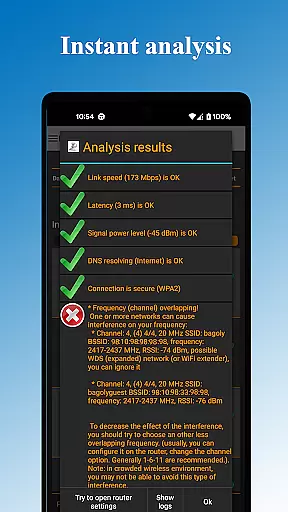
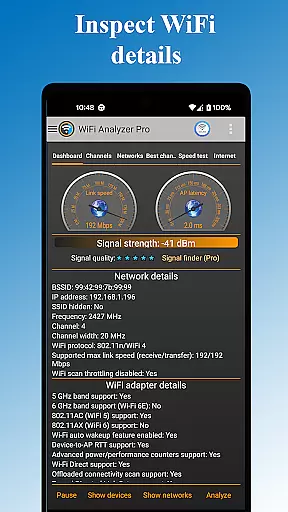
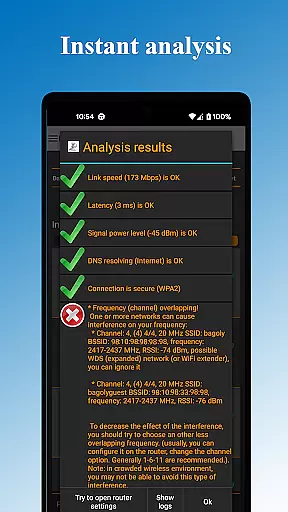
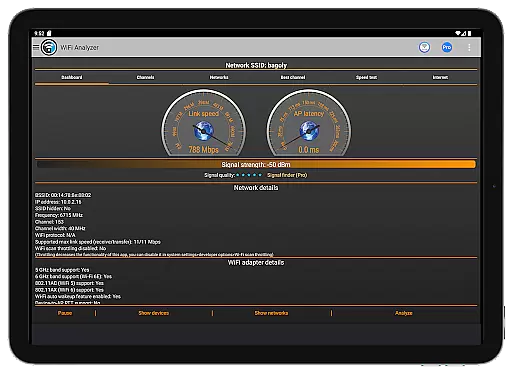
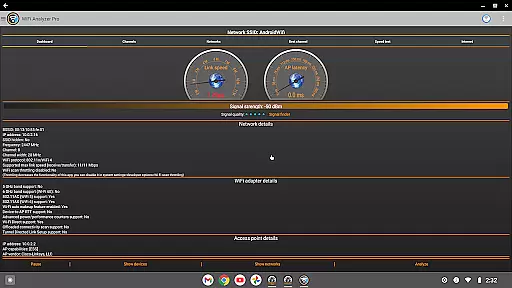
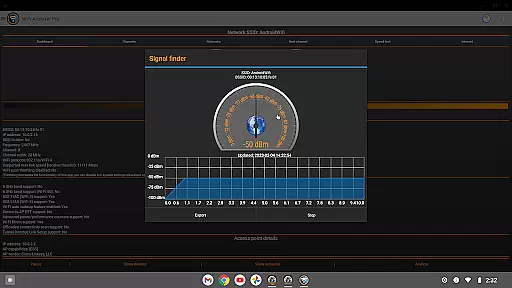
Among its standout features are the advanced security analysis tools that check for potential vulnerabilities in your network. The app provides detailed metrics including signal strength, latency measurements, and DNS verification. Users can explore comprehensive network information including vendor details, frequency bands, channel width, and security protocols. The export functionality allows users to save and share their analysis results for further examination.
Additional notable features include the ability to open router settings directly from the app, real-time monitoring through various chart views, and specialized filters for SSID and overlapping channels. The pro version removes all advertisements while offering enhanced capabilities such as faster feature updates and priority bug fixes. These features collectively make WiFi Analyzer Pro a complete solution for WiFi network optimization.
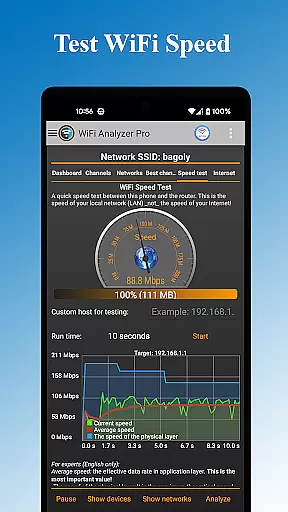
WiFi Analyzer Pro is designed to provide users with accurate and actionable insights into their WiFi networks. The app's core functionality revolves around analyzing network performance, identifying connected devices, and recommending optimal channel settings for improved speed and stability.
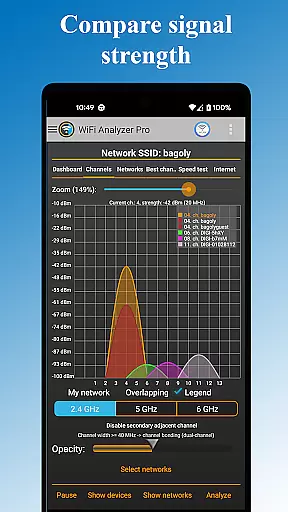
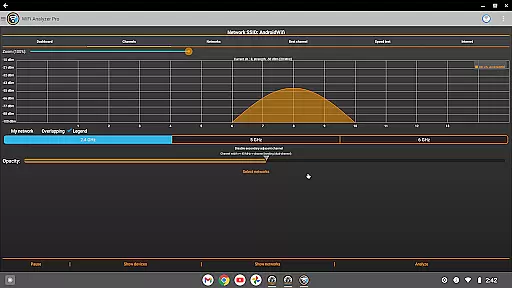
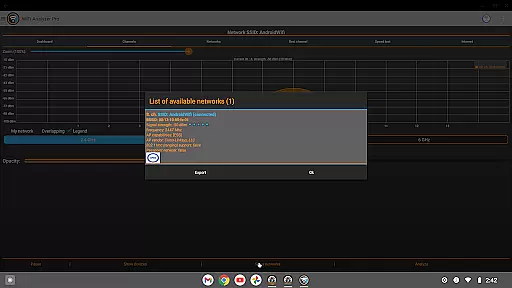
The application scans all available networks in the vicinity, presenting detailed information about each network's signal strength, latency, and security protocols. This data empowers users to make informed decisions regarding router placement and channel selection, ensuring minimal interference and maximum performance.
One of the standout features is its ability to detect crowded channels and verify DNS functionality, which directly contributes to a smoother online experience. Additionally, the app provides advanced analytics such as frequency bands, channel width, and access point vendors, making it an indispensable tool for both home users and IT professionals.
By delivering precise diagnostics and clear recommendations, WiFi Analyzer Pro ensures that even non-technical users can optimize their WiFi setup effectively, enhancing overall connectivity without requiring deep technical knowledge.
A user-friendly interface is crucial for any tool, and WiFi Analyzer Pro excels in this area by offering an intuitive design that caters to users of all skill levels. The app simplifies complex network data into easy-to-understand visuals and charts, allowing users to quickly grasp their WiFi environment without needing extensive technical expertise.
The main dashboard displays key metrics such as signal strength, connected devices, and network security issues at a glance. Users can effortlessly navigate through different sections, including device lists, network details, and performance charts, thanks to the well-organized layout and straightforward menu options.
For those who prefer customization, the app offers both dark and light themes along with adjustable filters for SSID, WiFi band, and overlapping channels. These features enhance usability while maintaining a clean and uncluttered interface, ensuring that users can focus on optimizing their network without distraction.
Overall, WiFi Analyzer Pro combines powerful functionality with an accessible design, enabling users to manage their WiFi networks efficiently and confidently, regardless of their technical background.
User-friendly interface
Comprehensive network analysis
Advanced channel optimization
Detailed device information
Regular feature updates
Paid pro version required
Location service dependency
Technical knowledge needed
Limited offline functionality
Occasional scanning delays

Use your phone as a webcam on your computer over WiFi or USB.
 4.40
4.40
Canon PRINT is a companion app for your Canon printer.
4.60
App that Recover your pictures, videos or files after you delete them.
4.20
Carry a FTP server in your pocket and avoid USB cables for file transfer
4.20
ADB support Android 4.X-Android 13(Support wireless pair mode).No root required!
4.70
Small and simple app to Verify Root Access and BusyBox Install!
4.70
With videos, electrical calculators, and built-in ebook, Ugly’s has your answer.
4.50
A simple app to back up and restore SMS & MMS messages and call logs.
4.10
Remote Play with FSR upscaling, low latency & full controller support
4.80
Support Fossify apps with a warm thank you!
5.00
Bedrock Together: Join any bedrock server on Xbox/PS
4.80
Learn the vast amount of system information about device and monitor it's state
4.70
HD Video player and downloader for all formats, fast & smooth 4K video playback.
4.60
Button mapper, mouse toggle, sleep timer and a lot of another features
4.50
Pro Emulator is an easy to use game console emulator for a range of consoles.
4.40
Quickly check the frequency of the Earth
4.30
Detect hidden spy camera with advanced scanning {{ Premium version }}
4.00
Family Locator, Share location, StayConnect with your family in real time
3.90
Transfer Files, APK from Phone to Watch & Install.
4.1

User Reviews