

Luminar: Photo Editor is a comprehensive mobile photo editing application designed for both Android and ChromeOS users. This app combines powerful AI-driven tools with an intuitive interface, allowing users to edit photos through simple gestures. The app features responsive sliders and dials that provide realistic feedback through motion and sound, making photo editing more engaging.
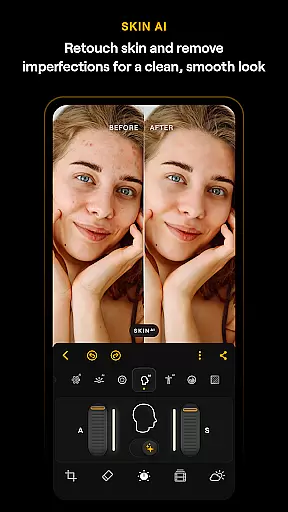
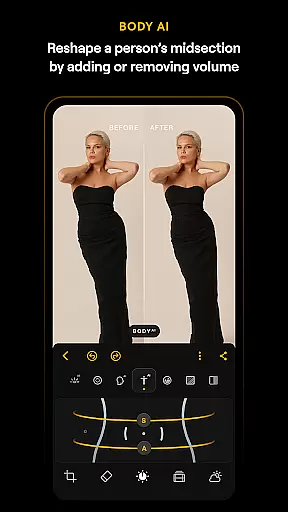
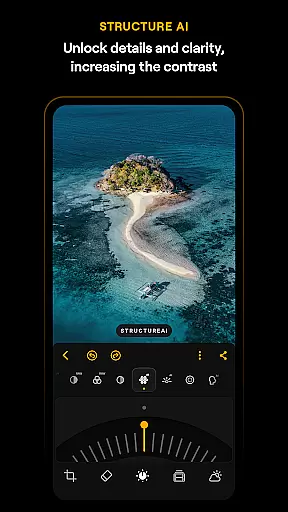
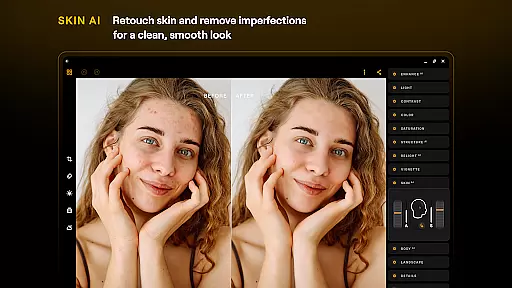
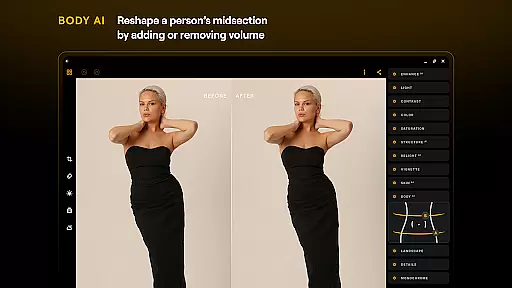
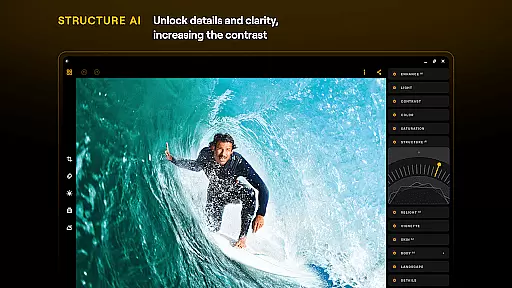
With its streamlined design, Luminar focuses on enhancing creativity without the complexity of traditional editing software. Users can take advantage of various AI-powered enhancements such as SkyAI, EnhanceAI, StructureAI, RelightAI, SkinAI, and BodyAI to achieve professional results quickly. These smart tools allow for everything from sky replacement to skin retouching, ensuring every photo looks its best.
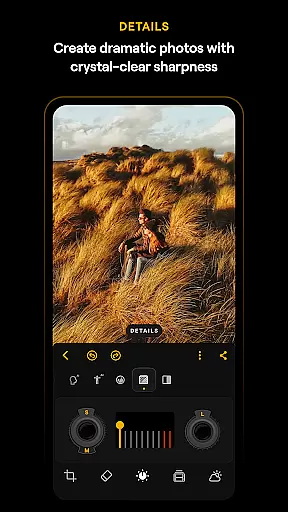
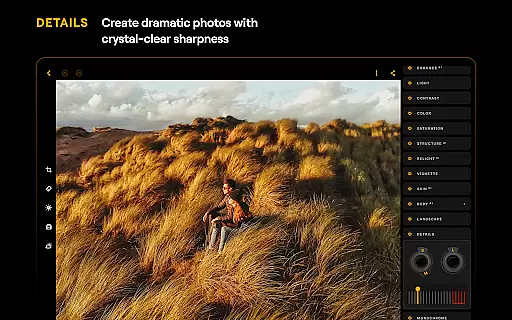
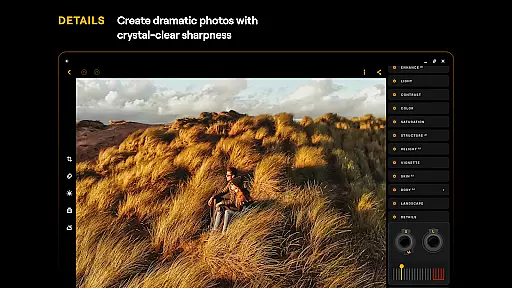
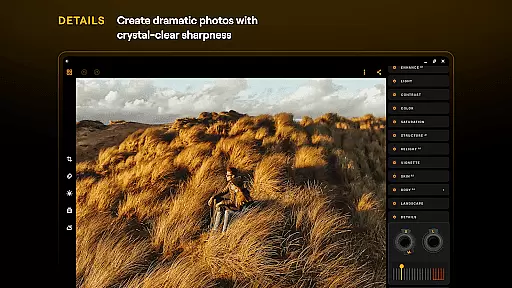
The app also includes advanced features like Curves for precise color adjustments, Details for clarity enhancement, and Crop for perfect composition. With support for RAW files and a variety of photo filters, Luminar offers a complete photo editing solution that caters to both beginners and professionals. Its seamless integration with Android devices ensures a smooth editing experience whether you're using a phone or a Chromebook.
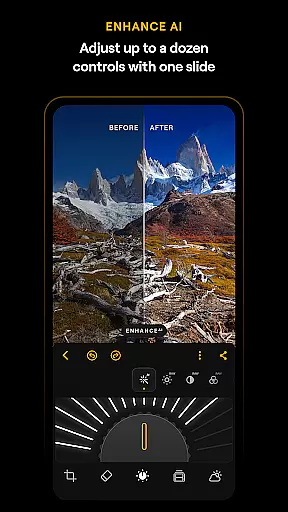
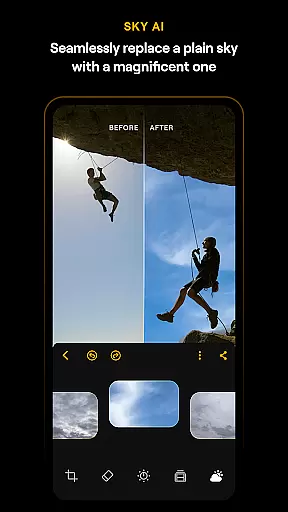
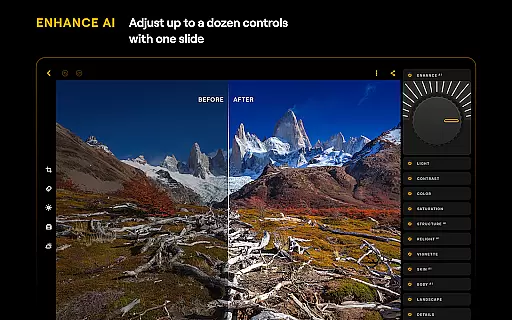
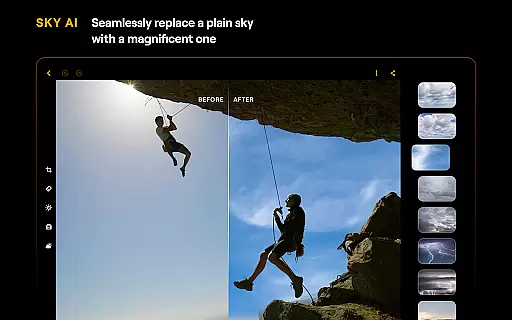
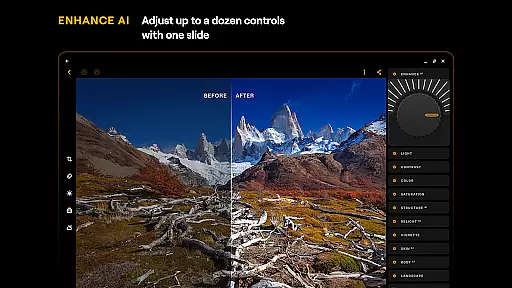
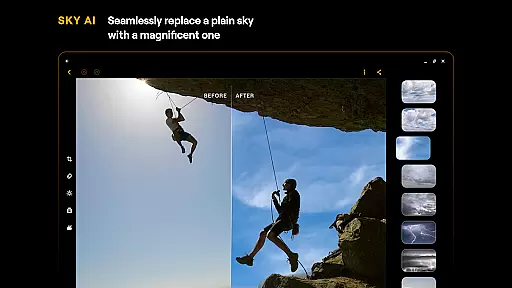
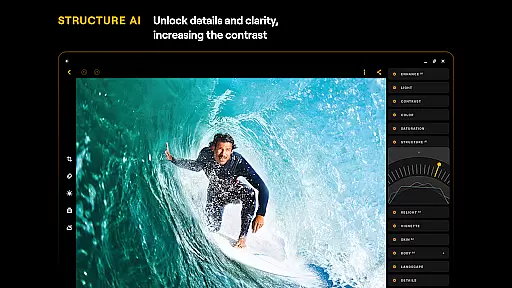
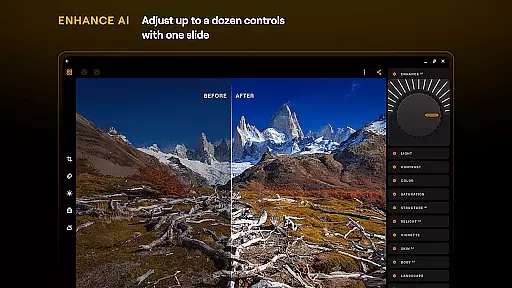
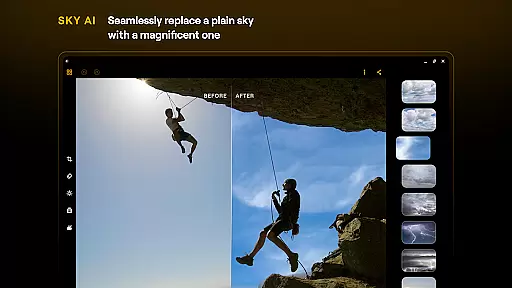
Luminar: Photo Editor stands out with its innovative AI-powered features that simplify complex photo editing tasks. One of the key highlights is the suite of AI tools, including SkyAI which allows users to replace skies in their photos effortlessly, creating dramatic backdrops. EnhanceAI provides a single-slider solution to adjust color, tone, and clarity, delivering professional-grade edits within seconds.
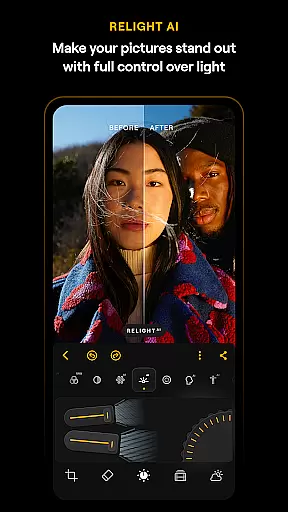
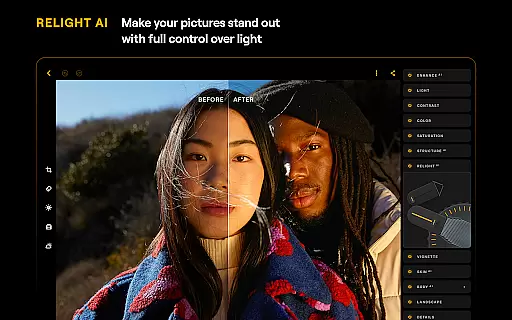
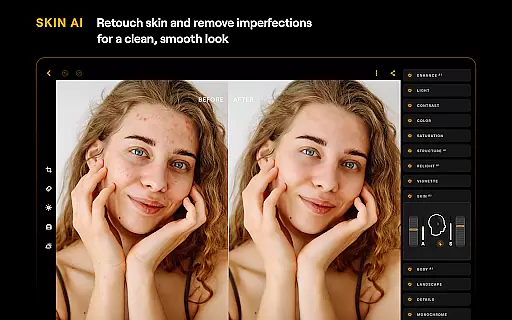
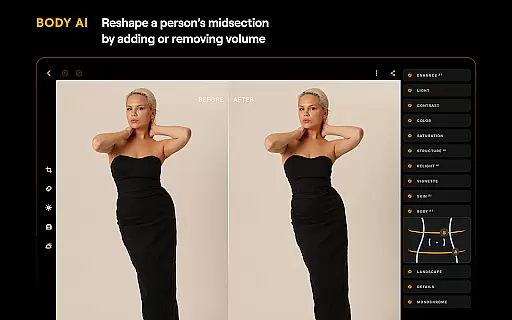
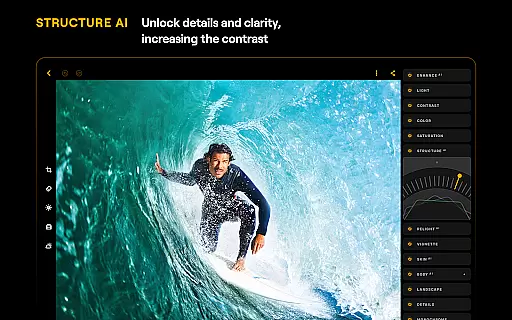
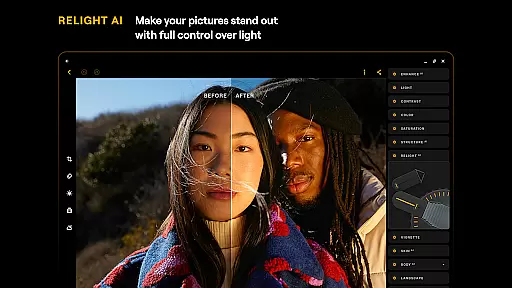
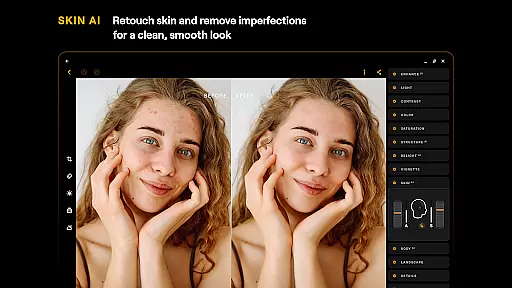
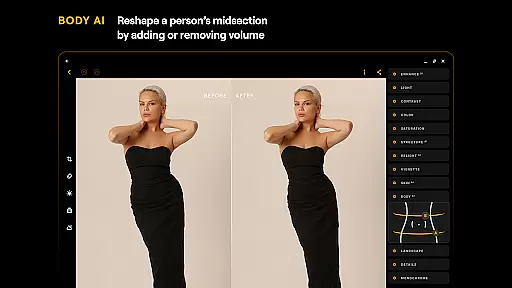
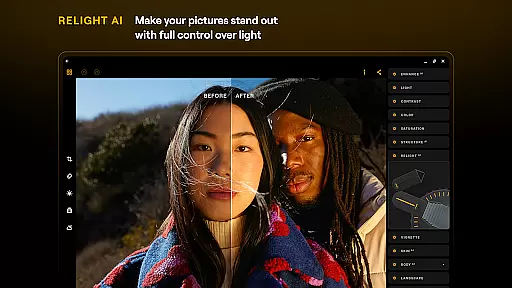
StructureAI and RelightAI further enhance image quality by unlocking hidden details and controlling exposure dynamically. For portrait photography, SkinAI and BodyAI offer advanced retouching capabilities, smoothing skin textures and adjusting body shapes realistically. These features ensure that users can achieve polished results without needing extensive editing knowledge.
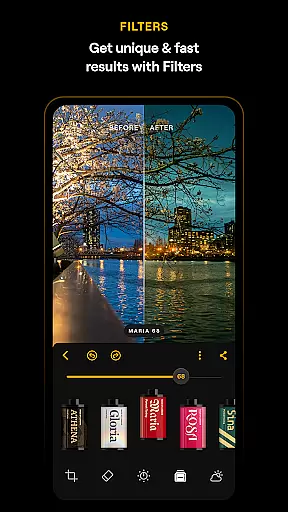
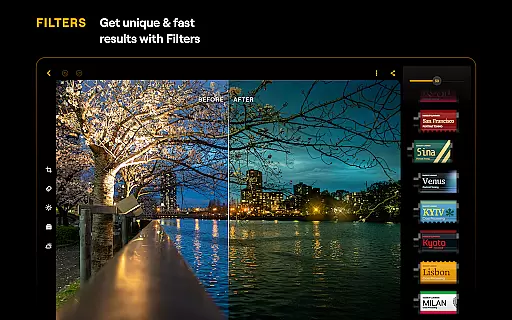
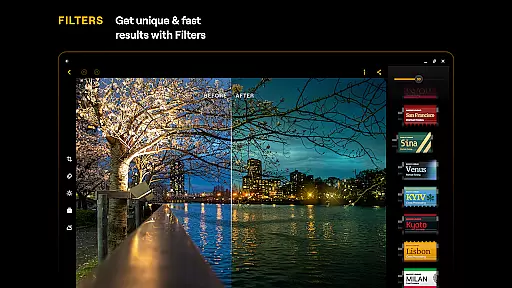
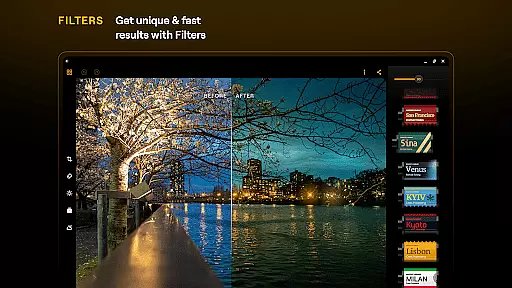
Beyond AI enhancements, Luminar includes essential tools like Curves for detailed color grading, Details for sharpening images, and Monochrome for converting photos into striking black-and-white compositions. The Erase tool helps remove unwanted objects, while Landscape mode enhances natural elements in outdoor shots. With RAW file support and a diverse set of photo filters, Luminar delivers a versatile editing experience tailored to meet various creative needs.
Real-time capture and preview functionality is essential for ensuring that every photo taken meets the user's expectations without delay. Luminar: Photo Editor offers a seamless experience by providing instant feedback on images captured through its interface.
The application leverages advanced processing capabilities to deliver high-quality previews, allowing users to adjust settings such as exposure, focus, and white balance before capturing the final shot. This immediate visual response empowers photographers to fine-tune their compositions with precision.
With Luminar's real-time features, users can experiment with different creative effects and see the results instantly, which enhances the overall photography workflow. The ability to preview changes in real time not only saves time but also elevates the quality of the final image.
This feature is particularly beneficial for those who need to make quick adjustments on the go, ensuring that no moment is missed due to lengthy post-processing. By offering an intuitive and responsive capture experience, Luminar supports both amateur and professional photographers in achieving their desired outcomes efficiently.
AI-driven beauty and enhancement tools are revolutionizing the way we approach photo editing, focusing on delivering natural-looking results. Luminar: Photo Editor incorporates sophisticated AI algorithms that intelligently retouch skin, remove imperfections, and enhance facial features while maintaining authenticity.
The SkinAI technology within Luminar automatically detects and smooths out blemishes, wrinkles, and other skin imperfections without creating an artificial appearance. This ensures that subjects look their best while retaining genuine characteristics that define their unique identity.
Additionally, BodyAI allows for realistic shaping of a subjectu2019s midsection, adding or removing volume in a way that complements the natural form. These enhancements are applied subtly, ensuring that edits remain undetectable to the untrained eye.
By prioritizing naturalness in its AI enhancements, Luminar provides users with powerful tools that respect the original essence of the photograph. Whether editing portraits or group photos, users can achieve polished yet authentic results that enhance the story told by the image.
User-friendly interface
Advanced AI tools
Realistic touch feedback
Comprehensive editing options
Cross-platform compatibility
Paid subscription model
Limited free features
High system requirements
Occasional performance lags
Learning curve for beginners

Long exposure camera with computational photography
 2.60
2.60
Create funny photos and videos with the popular Time Warp Scan filter.
4.90
Viewfinder, Light meter, Reciprocity failure time, DOF & Bellows Extension
4.60
Create AI Photos, Improve and restore quality of blurry, old or damaged pics.
4.20
Automatically backup your photos and videos to computer, NAS and Cloud services
4.60
Movie camera, supports pro recording settings for filming. Try it and be amazed!
4.50
Turn photos into cartoons & avatars! - Photo Editor, Cartoon Face!
3.90
Remote control the phone camera shutter from your smartwatch and take a picture
1.60
A unique animation app. Powerful, easy to use, and lots of fun.
4.30
Find time and duration of different sunlight phases at any location
4.90
Your personal guide to the sun and moon. Plan ahead, visualize and predict!
4.70
1M influencer's special filter
4.60
Discover & download millions of art for The Frame TV or Hisense CanvasTV
4.60
Search, tag and rate your way to an organized image gallery
4.40
Natural Beauty, Selfie Retouch
4.30
Virtual makeup, hair filters & body tuner—edit from face to full body!
4.20
AI-powered video creator by MiniMax - Where ideas meet cinema
4.20
What celebrity do you look like? Celebs will find your celebrity match!
4.10
Transform Photos: Edit, Beautify and Craft Memories & Make Collages!
4.10

User Reviews