

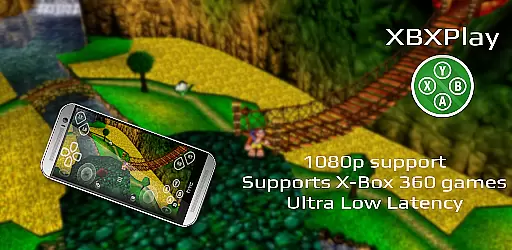
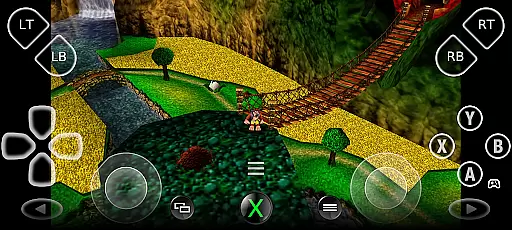
XBXPlay is a powerful remote control application that allows users to seamlessly control their X-Box Series X/S or X-Box One (X/S) consoles from their mobile devices. The app supports 1080p streaming, ensuring high-quality gameplay even when you're away from your console. It offers an optimized streaming experience with minimal latency, making it ideal for gamers who demand responsive controls and smooth visuals.
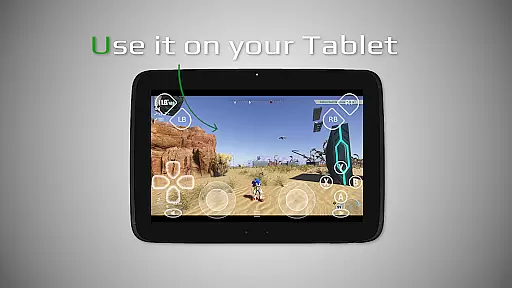
One of the standout features of XBXPlay is its support for third-party controllers and customizable onscreen gamepad layouts, which provide flexibility in how you interact with your games. Whether you're using a physical controller or relying on the touch-based interface, XBXPlay ensures a comfortable and intuitive gaming experience. Additionally, the app supports X-Box 360 games, expanding the range of titles you can enjoy remotely.
XBXPlay distinguishes itself through several advanced features not found in the official X-Box Remote Play app. First, it offers full 1080p support, allowing for crisp and clear video quality during remote play sessions. Users also benefit from manual bitrate adjustments, giving them control over the balance between video quality and network performance.
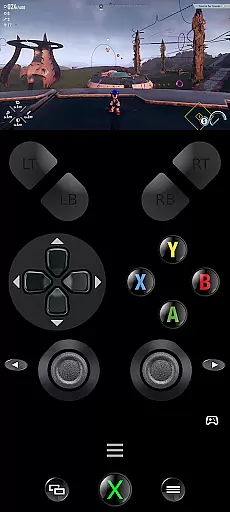
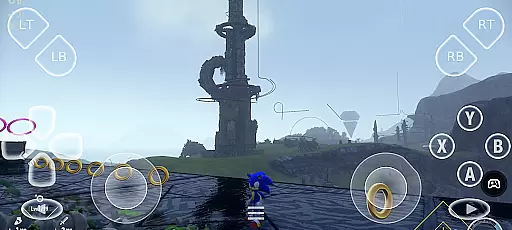
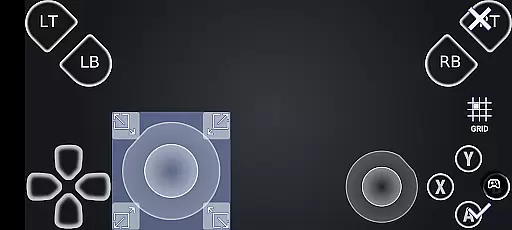
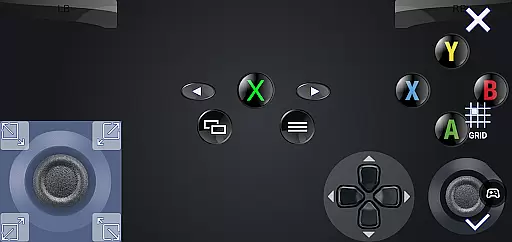
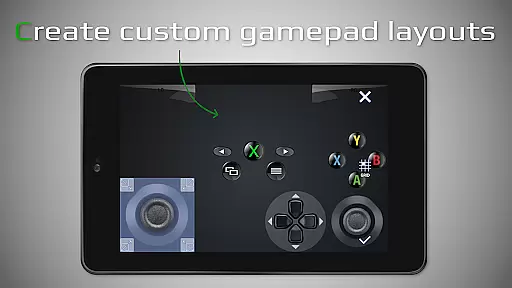
The app's customizable onscreen gamepad layout is another key feature, enabling players to tailor the interface to their specific needs. This flexibility extends to button mapping and native USB-OTG support, which enhances compatibility with various controllers. Additional conveniences include Picture-In-Picture mode and Multi-Window support, both of which require modern Android versions, as well as optimized low-latency streaming for competitive gaming scenarios.
XBXPlay delivers exceptional core functionality by enabling seamless remote control of X-Box consoles, including the X-Box Series X/S and X-Box One. The app supports 1080p streaming, ensuring high-quality visuals while playing remotely. This level of resolution is crucial for gamers who demand clarity and detail in their gameplay experience.
The app's support for third-party controllers and manual bitrate adjustments enhances its effectiveness. Gamers can customize their setups to match their preferences and hardware capabilities. Additionally, the inclusion of an onscreen gamepad layout allows users to play without a physical controller, offering flexibility and convenience that cater to various gaming scenarios.
Users benefit from XBXPlay's optimization for low-latency streaming, which ensures responsive and real-time interactions with their games. This feature is particularly important for competitive gaming, where milliseconds can make a difference. With support for features like Picture-In-Picture mode and Multi-Window functionality, XBXPlay provides a versatile and efficient gaming experience.
Overall, XBXPlay stands out by addressing key aspects of remote gamingu2014quality, customization, and performance. These elements combine to create a robust tool that meets the needs of modern gamers who require reliable and high-performing remote play solutions.
XBXPlay excels in providing an intuitive and straightforward interface that simplifies the remote gaming experience. The app's design emphasizes ease of use, allowing gamers to quickly connect to their consoles and start playing without a steep learning curve. This simplicity is vital for users who want to focus on their games rather than navigating complex settings.
One of the standout features is the customizable onscreen gamepad layout. Users can tailor the interface to fit their specific gaming needs, enhancing both comfort and efficiency during gameplay sessions. This level of personalization ensures that each user's experience is optimized according to their preferences and play style.
In addition to customization, XBXPlay offers full-screen support without black bars, maximizing the viewing area and providing an immersive experience. The app also includes gamepad button mapping, which further contributes to its intuitive nature by allowing users to configure controls that feel natural to them.
By focusing on these aspects, XBXPlay creates an environment where gamers can enjoy their favorite titles with minimal distractions and maximum enjoyment. Its blend of simplicity and powerful features makes it an ideal choice for anyone looking to enhance their remote gaming setup.
User-friendly interface
Low latency streaming
Customizable controls
Supports third-party controllers
Flexible connection options
No microphone support
Requires stable internet
Limited to compatible devices
Potential firmware issues
Dependent on X-Box Remote Play

1-Click close all background apps on Android TV
 3.90
3.90
Effortlessly run ADB commands directly on your device without a PC.
4.20
Monitor car performance in real time and troubleshoot malfunctions.
4.80
Making emulation easy for everyone!
4.30
Game Booster, GFX Tool is now compatible with newer game update
4.50
Screen recorder with audio to record high-quality videos and take screenshots.
4.40
Fast VPN USA for any country. Super secure VPN for calls, streaming, games, TV.
4.40
Your personal health butler
3.60
fast and easy mp3 music downloader
4.80
Best leveling tool for your Android device. Hang paintings like a pro.
4.90
Easily install aab(Android App Bundle) files on your Android device with our app
4.80
Head tracking for PC sim games such as MSFS 2024 or Elite:Dangerous. No headset!
4.50
Complete kernel toolbox with features to manage and tweak your rooted device
4.30
Fluid navigation gestures for all of us!
4.30
An easy-to-use calculator designed to save time calculating and bending conduit
4.30
Quickly check the frequency of the Earth
4.30
Screen Mirroring with sound for Samsung TV, LG TV, Sony TV, Smart TV and Browser
4.20
Create your own custom widget with endless possibilities
3.90
This app unlocks the Pro features of the Central for DayZ app
3.60

User Reviews