

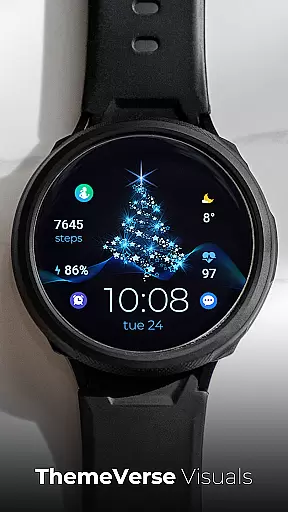
TVV Christmas 2 Watch Face is a festive-themed digital watch face designed for WEAR OS devices operating on API LEVEL 33 and above. This application brings the joy of Christmas to your smartwatch with its vibrant design and customizable features.
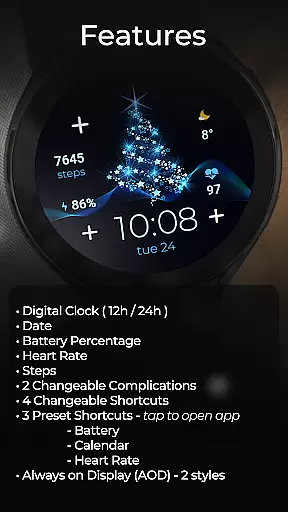
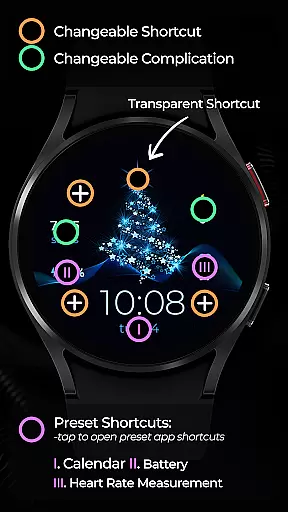
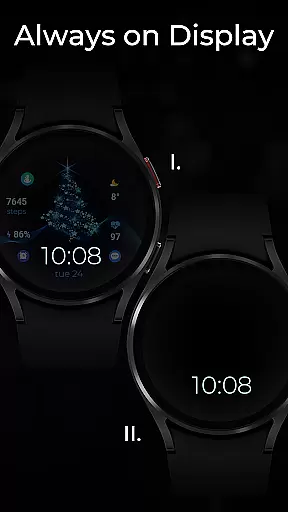
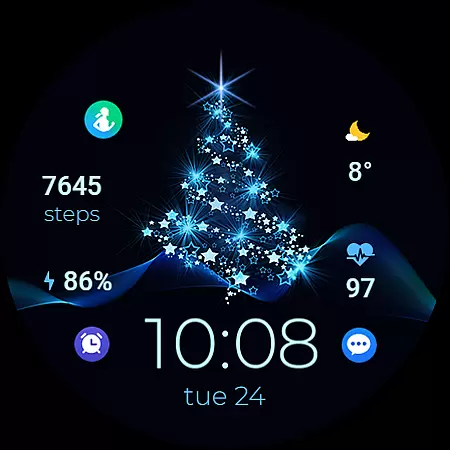
The watch face offers a comprehensive set of functionalities including a digital clock that supports both 12h and 24h formats based on your phone settings, date display, battery percentage indicator, heart rate monitor, step counter, two changeable complications, four changeable shortcuts, and three preset app-opening shortcuts for Battery, Calendar, and Heart Rate. Additionally, it provides Always on Display (AOD) in two distinct styles.
Designed for users who wish to enjoy the holiday spirit while staying connected and informed, TVV Christmas 2 Watch Face ensures you have quick access to essential information and apps right from your wrist.
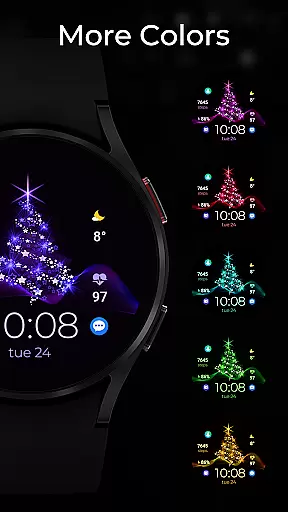
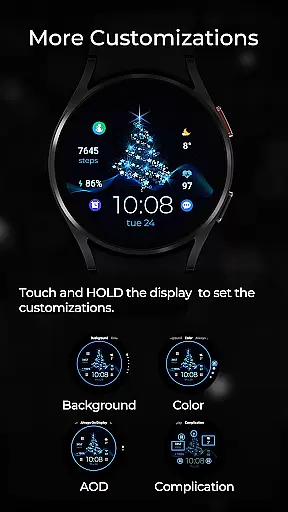
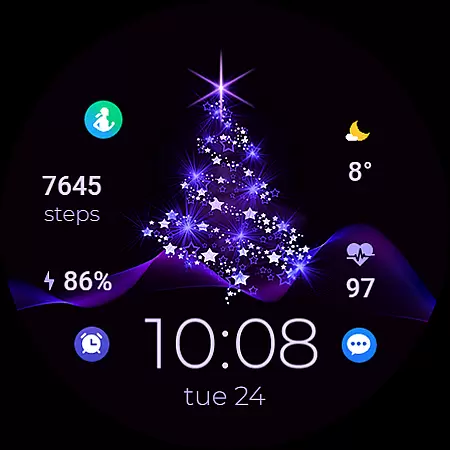
TVV Christmas 2 Watch Face stands out with its rich feature set tailored for WEAR OS users. The customization process is intuitive - simply touch and hold the display, then tap on the customize option to adjust colors and complications according to your preference.
This application includes practical features such as a digital clock that automatically adjusts to your phone's time settings, ensuring accurate timekeeping. It also displays vital health metrics like heart rate, which is measured every 10 minutes, and steps taken, promoting an active lifestyle. Users can further personalize their experience with two changeable complications and four changeable shortcuts, alongside three preset app shortcuts for Battery, Calendar, and Heart Rate.
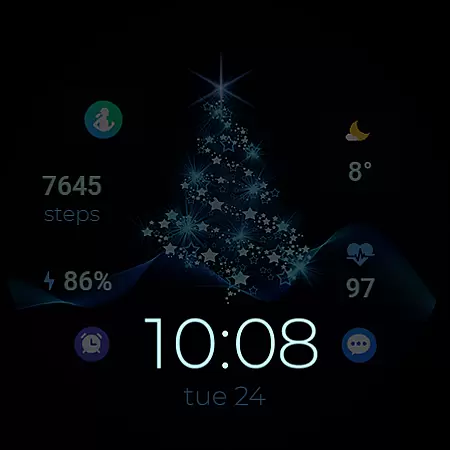
One of the highlights is the Always on Display (AOD) functionality, available in two styles, allowing users to view essential details at a glance without waking the device. Note that AOD styles are not previewed directly but can be modified through the same customization steps.
Companion app integration is essential for wearable devices to synchronize data and settings between the watch and a smartphone. TVV Christmas 2 Watch Face offers seamless companion app integration, allowing users to customize their watch face effortlessly.
By touching and holding the display then tapping on the customize option, users can access various customization features. This includes changing colors and complications, ensuring that your watch face matches personal preferences and styles.
The integration supports multiple functionalities such as digital clock settings based on phone settings, date, battery percentage, heart rate, steps, changeable complications, and shortcuts. This comprehensive feature set enhances user experience by providing both utility and personalization options directly from the companion app.
Ensuring compatibility with Wear OS and specific devices is crucial for a smooth user experience. TVV Christmas 2 Watch Face is designed to be compatible with WEAR OS devices with API LEVEL 33+, guaranteeing optimal performance on supported devices.
This compatibility extends to various features like Always on Display (AOD) with two styles, which can be customized following simple steps. However, it's important to note that certain features such as 'Open App' actions might not be supported on all devices due to hardware limitations.
Users can enjoy functionalities like heart rate monitoring, which measures the heart rate every 10 minutes automatically, and access up to three preset shortcuts for apps like Battery, Calendar, and Heart Rate. These features collectively ensure that the watch face is not only festive but also practical and reliable across different devices.
Customizable design
Comprehensive health tracking
User-friendly interface
Vibrant festive theme
Multiple shortcut options
Limited to WEAR OS
API LEVEL 33+ required
Some features device-dependent
No direct AOD preview
Preset shortcuts only
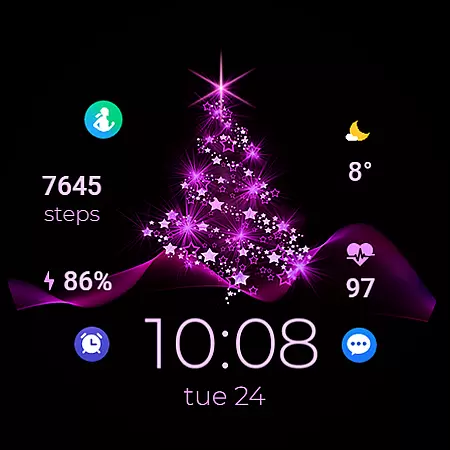
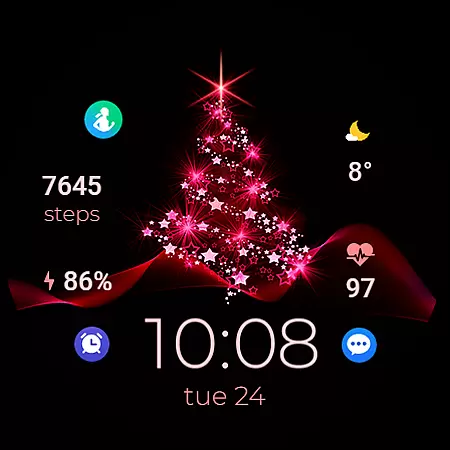
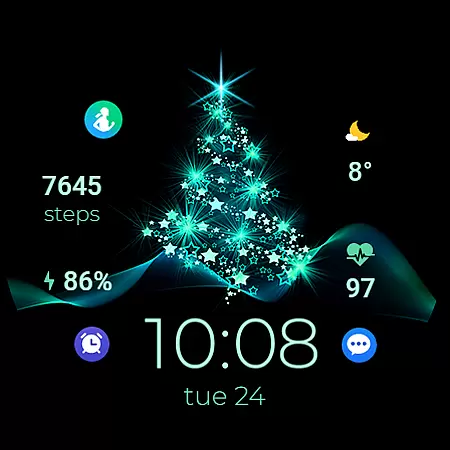
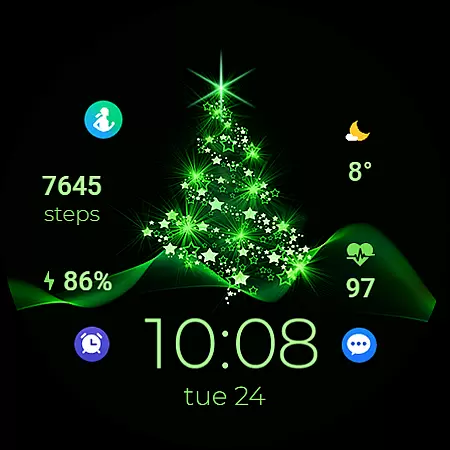
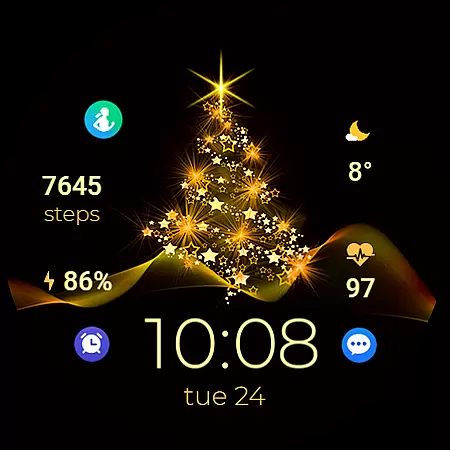

Christmas watch face. For Wear OS devices.
 4.30
4.30
Embrace the holiday spirit with this magical animated watch face!
4.40
an Analog Watch Face for winter season with freeze winter background for Wear OS
4.2
Wear Os Watch Face - Animated Snow - Sesonal for Christmas & Winter
4.1
Christmas is near, let's count together the days left until Santa comes
4.2
Kia Access makes getting your vehicle information easier than ever
4.60
Find EV charging stations
4.30
Locate your family members by GPS phone location tracker everywhere and anytime
4.30
Your local weather forecast, storm tracker, radar maps & live weather news
3.40
Digital, flexibly customizable watch face. For Wear OS 5.0, API 34+ and later.
5.00
Period, ovulation & pregnancy tracker. Fertility insights & menstrual calendar.
4.90
WTW M17 is a premium and luxurious hybrid watch face
4.70
Connect to your Bluelink equipped Hyundai vehicle from your smartphone.
4.50
A white realistic classic analog watch face with many customization options.
4.40
Your music, your playlists, and more—offline and unlimited.
4.20
Want to take charge of your health? Let Google Fit help you reach your goals.
3.50
A heartwarming Christmas scene featuring a cute image of Santa and Rudolf
4.3
A watch face that fuses motorsport precision with contemporary smartwatch design
4.4
Funny animated watch face for Thanksgiving
4.0

User Reviews