
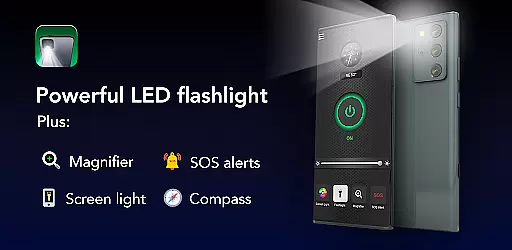
Brightest Flashlight Launcher is a versatile tool that transforms your smartphone into a multifunctional device, offering not only a super bright flashlight but also a magnifying glass and personal safety tools. The app revamps your home screen to provide instant access to essential utilities such as a compass, SOS alerts, and a screen light. Whether you're navigating the outdoors or facing a power outage, this app ensures you have a reliable light source at your fingertips.
As a launcher app, it changes the layout of your home screen after installation, but all your apps remain accessible, just in different locations. It provides added benefits like one-swipe access to tools, a home screen widget showing time and weather, personalized wallpapers, and multi-touchpoint search capabilities. These features make it an indispensable tool for everyday use and emergencies.
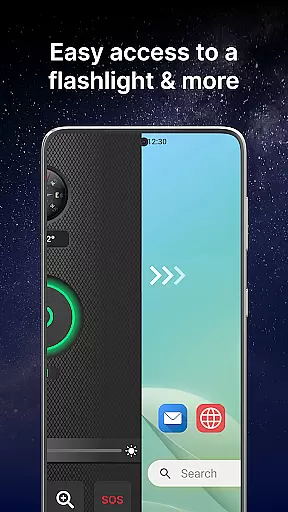
The Brightest Flashlight Launcher stands out with its comprehensive set of features designed for convenience and safety. With one swipe, users can access the flashlight, magnifier, and other safety essentials instantly. The home screen widget displays useful information like time and weather, while personalized wallpapers allow for aesthetic customization.
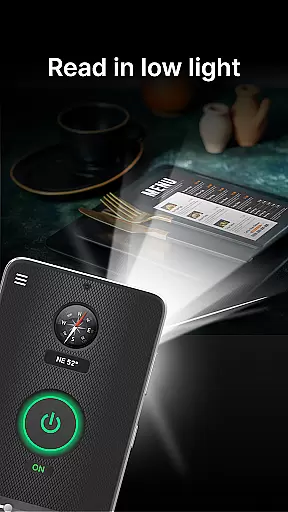
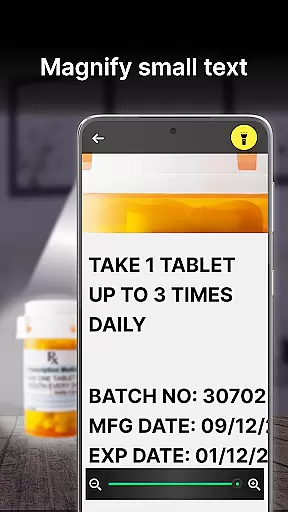
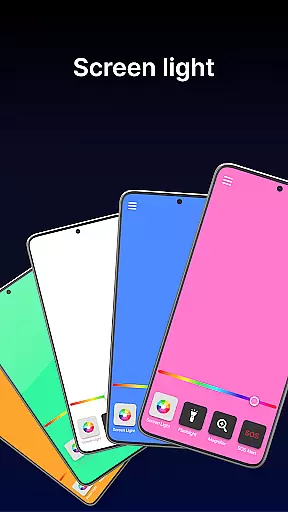
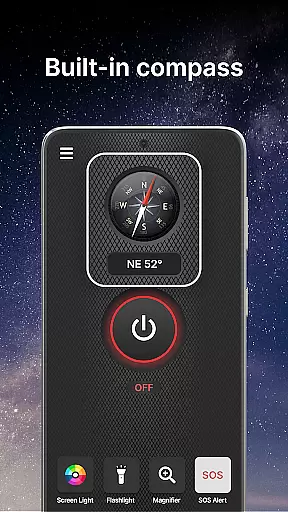
This app includes a powerful magnifier with light, perfect for reading small print or examining objects closely. The built-in compass ensures you never lose direction during outdoor activities. In emergencies, the SOS alerts can be activated to signal for help. Additionally, the screen light feature turns your smartphone display into a light source, enhancing visibility in low-light conditions.
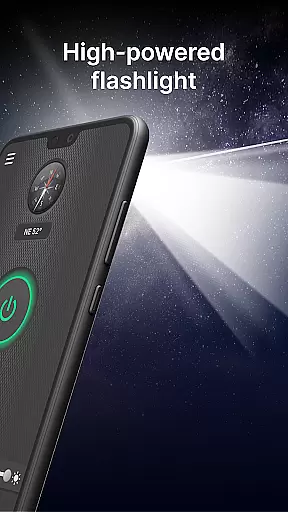
Flashlight Launcher stands out for its core functionality, which is designed to provide users with quick and reliable access to essential tools. The app's primary feature is its ability to transform a smartphone into a high-powered flashlight with just one tap. This ensures that whether you're navigating dark environments or searching for misplaced items, illumination is readily available.
In addition to the flashlight, the app includes a magnifier function that works in tandem with the phone's camera and lighting capabilities. This allows users to zoom in on small text or objects, making it invaluable for reading fine print or examining items closely. The inclusion of a built-in compass further enhances the utility of Flashlight Launcher, providing an element of navigation that is especially useful for outdoor activities.
The effectiveness of these features is evident in their execution. Users can activate SOS alerts in emergencies, which can be critical in situations where immediate attention is required. Moreover, the screen light feature turns the smartphone display into a source of light, offering visibility in low-light conditions without the need for additional hardware.
By focusing on accuracy and effectiveness, Flashlight Launcher delivers a robust set of tools that cater to both everyday needs and unexpected situations. Its intuitive design means that users can easily access these functions, ensuring they have the right tool at their fingertips when needed most.
A hallmark of Flashlight Launcher is its commitment to interface simplicity and user-friendly design. Upon installation, users will notice a streamlined home screen layout that prioritizes ease of access to key features. With a single swipe, the app provides instant access to a flashlight, magnifier, and other safety essentials, eliminating unnecessary complexity and ensuring that help is never more than a gesture away.
The app also offers a home screen widget that displays time, weather, and other relevant information, keeping users informed without cluttering their screens. Customization options such as wallpapers allow for personalization while maintaining an unobtrusive interface. These thoughtful touches enhance the overall user experience without overwhelming the senses.
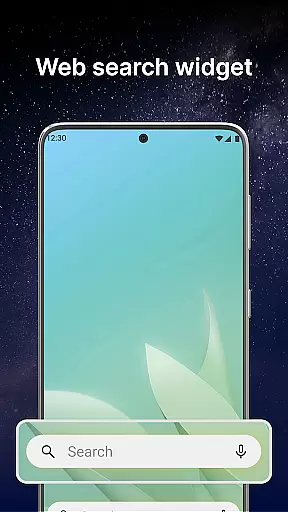
Moreover, Flashlight Launcher includes a multi-touchpoint search function that simplifies finding installed apps or performing web searches. Powered by Yahoo, this feature demonstrates the app's dedication to creating an intuitive environment where users can accomplish tasks efficiently. Shortcuts and easy navigation paths contribute to a seamless interaction model.
Overall, Flashlight Launcher excels in delivering an interface that is both simple and intuitive. By removing barriers between the user and the app's functionality, it ensures that even those who are less tech-savvy can enjoy the benefits of having a versatile toolset at their disposal. This focus on accessibility makes it a valuable addition to any smartphone.
User-friendly interface
Comprehensive safety tools
Instant access to utilities
Customizable home screen
Reliable in emergencies
Home screen layout changes
Requires storage space
May drain battery faster
Limited design options
Potential learning curve

A powerful, easy-to-use flight computer on your phone or tablet!
 3.80
3.80
Transfer Files, APK from Phone to Watch & Install.
4.3
Remote for Roku, Fire TV, Samsung TV, LG TV, Android TV, Chromecast and VIZIO TV
4.20
Safely recover deleted photos, videos, and files with a single easy tap.
3.70
With videos, electrical calculators, and built-in ebook, Ugly’s has your answer.
4.50
Powerful collection of electronics tools and reference.A must for any enthusiast
4.90
Remote Play with FSR upscaling, low latency & full controller support
4.80
Creation, Learning, Entertainment & More — The All-in-One AI Search Engine
4.70
Clean up your phone, find files, play media, and share files offline
4.50
WiFi Signal Strength Meter help you detect WiFi Signal Strength in real time.
4.80
Optimize your WiFi network, turn your phone into Wifi Analyzer
4.70
The Ultimate Flex Drivers Utility App - Convenient Tapping & Block Filters
4.70
Connect instantly to a fast, encrypted VPN with one tap
4.60
Play your X-Box games remotely in 1080p with any controller and zero latency
4.60
Universal TV remote control all TVs, Roku, LG, Samsung, Fire, Vizio, Sony, TCL.
4.40
Pro Emulator is an easy to use game console emulator for a range of consoles.
4.40
App that Recover your pictures, videos or files after you delete them.
4.20
VESC Tool can monitor and configure VESC-compatible devices over BLE and Wifi
4.20
Introducing Smart Printer, your ultimate destination for printing solutions!
4.00

User Reviews