

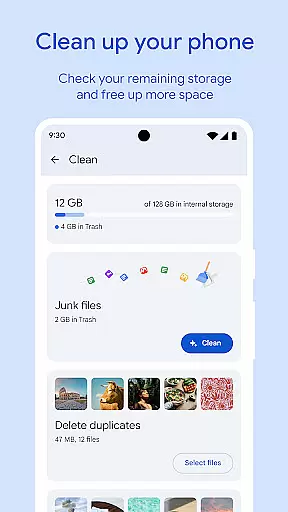
Files by Google is a powerful file management tool designed to help users efficiently organize, secure, and optimize their mobile device storage. The app provides cleaning recommendations to free up space, allowing users to locate and remove unnecessary files such as old photos, duplicate files, and cached data.
In addition to storage optimization, Files by Google offers fast file search and browsing capabilities, enabling users to quickly find photos, videos, and documents. It also supports offline file sharing through Quick Share, which allows for rapid transfers at speeds of up to 480 Mbps with end-to-end encryption. Furthermore, the app includes features like cloud backup, media playback controls, and smart recommendations that improve over time.
This app is particularly useful for Android users who need to manage large amounts of data while maintaining security and efficiency. Its intuitive interface and advanced functionalities make it an essential tool for anyone looking to streamline their digital life.
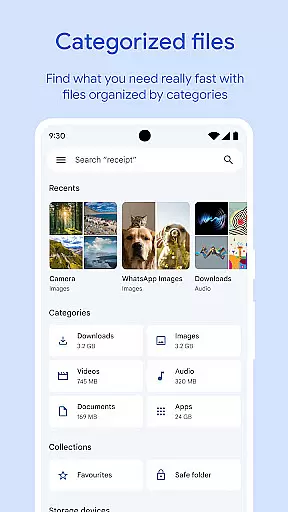
One of the standout features of Files by Google is its ability to provide detailed insights into device storage. Users can easily view available space on their device, SD card, and USB drives. The app's cleaning recommendations are highly effective, identifying redundant files from chat apps, duplicates, and cache data that can be safely removed.
Another key feature is the robust file-sharing capability. Quick Share enables users to transfer photos, videos, apps, and other file types between Android devices and Chromebooks without requiring an internet connection. With transfer speeds reaching up to 480 Mbps and end-to-end encryption, this functionality ensures both speed and security during file exchanges.
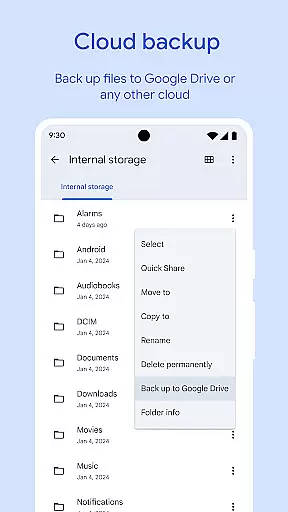
Files by Google also prioritizes user convenience with advanced media controls for offline playback, including options like shuffle and adjustable playback speed. Additionally, the app integrates seamlessly with Google Drive and other cloud storage services, offering flexible backup solutions. Smart recommendations further enhance usability by providing personalized tips based on individual usage patterns.
Files by Google excels in providing accurate and effective core functions that cater to users' file management needs. The app offers precise recommendations for freeing up space by identifying old photos, duplicate files, and cache data. This targeted approach ensures users can efficiently manage their device storage.
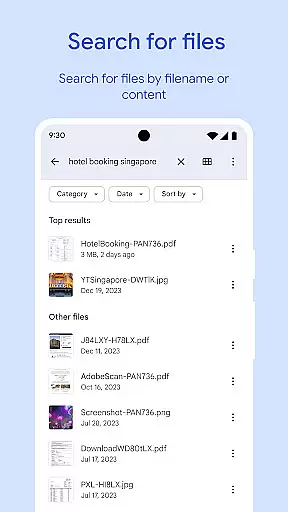
The search and browsing functionality is designed for speed and accuracy. Users can quickly locate specific files, sort them by size, and understand what's consuming their storage. This level of precision in file identification and categorization demonstrates the app's commitment to functional effectiveness.
When it comes to file sharing, the app maintains high standards of performance. With Quick Share, users can transfer files at speeds up to 480 Mbps, even without an internet connection. The end-to-end encryption ensures that these transfers are not only fast but also secure, enhancing the overall effectiveness of the app's sharing capabilities.
Simplicity and intuitiveness are at the heart of Files by Google's interface design. The app provides a straightforward view of available storage space on the device, SD card, and USB drive. This clear presentation allows users to easily comprehend their storage situation and make informed decisions.
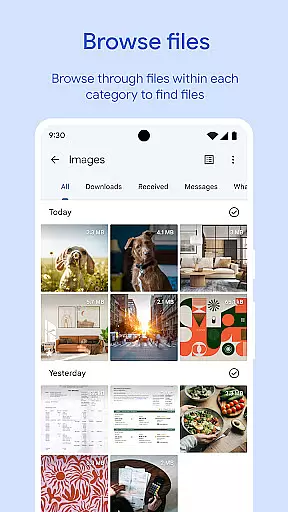
Navigating through different file types is made effortless with intuitive browsing features. Whether searching for photos, videos, or documents, users can access their desired files with minimal effort. The sorting options further enhance this ease of use by helping users understand which files occupy the most space.
Additional functionalities like playback controls for offline media and smart recommendations are seamlessly integrated into the interface. These features offer advanced capabilities without complicating the user experience. By maintaining a clean and ad-free environment, Files by Google ensures that its interface remains simple and intuitive for all users.
User-friendly interface
Efficient storage management
Fast offline sharing
Secure file encryption
Smart recommendations
Limited iOS support
Requires Google account
Occasional bugs
No advanced editing
Basic media tools

Extremely fast, secure, and protects your privacy
 4.80
4.80
1-Click close all background apps on Android TV
3.90
This app unlocks the Pro features of the Central for DayZ app
3.60
Safely recover deleted photos, videos, and files with a single easy tap.
3.70
Optimize your WiFi network, turn your phone into Wifi Analyzer
4.70
card-reader app
2.20
App to pay for FUTO Keyboard
4.60
Mirror your screen to Chromecast and Android TV - Super fast and simple
4.60
Remote Play with FSR upscaling, low latency & full controller support
4.80
Small and simple app to Verify Root Access and BusyBox Install!
4.70
Creation, Learning, Entertainment & More — The All-in-One AI Search Engine
4.70
Quickly switch to an encrypted DNS server on Android TV
4.50
An easy-to-use calculator designed to save time calculating and bending conduit
4.30
Making emulation easy for everyone!
4.30
pdf merge, word to pdf, jpg to pdf, edit pdf, convert to pdf and much more!
4.20
Effortlessly run ADB commands directly on your device without a PC.
4.20
An open-source APK explorer for Android!
4.10
MS-DOS in your pocket. Play old DOS games anywhere you are ;)
4.10
A convenient photo, video, and file recovery tool.
4.00

User Reviews