

Electrodoc Pro is a comprehensive electronics toolkit designed for professionals, hobbyists, and students alike. This application provides an extensive collection of tools and references essential for electronic circuit design, troubleshooting, and learning. With features ranging from resistor color code decoding to advanced NE555 timer calculations, Electrodoc Pro ensures that users have all the necessary resources at their fingertips.
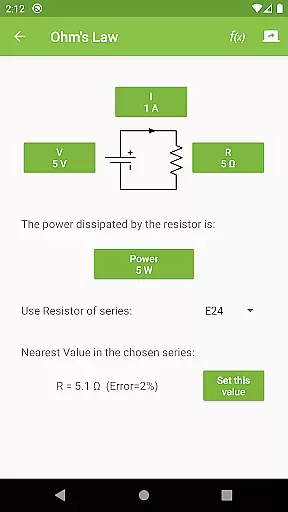
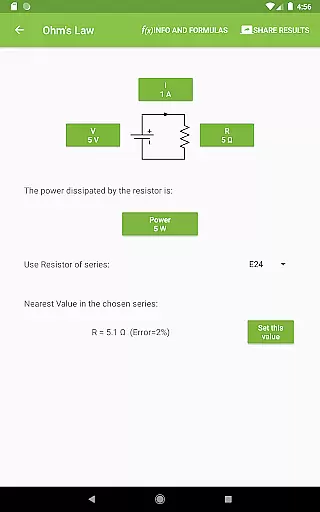
The app stands out with its user-friendly interface and powerful functionality, including Ohm's Law calculators, voltage dividers, capacitor charge computations, and much more. Whether you're designing a PCB or studying basic electronics, this tool simplifies complex calculations and provides quick access to vital information.
Available on Android devices, Electrodoc Pro offers a seamless experience without ads, making it ideal for both educational and professional environments. Its ability to streamline workflows and enhance productivity makes it an invaluable asset for anyone involved in electronics.
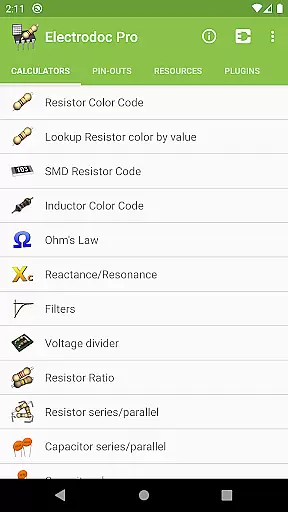
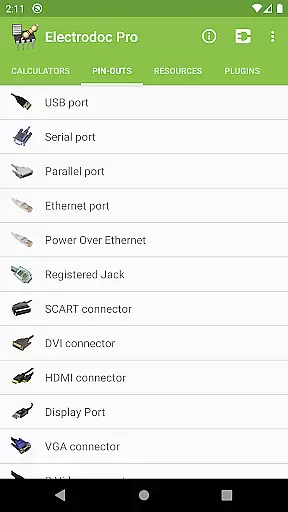
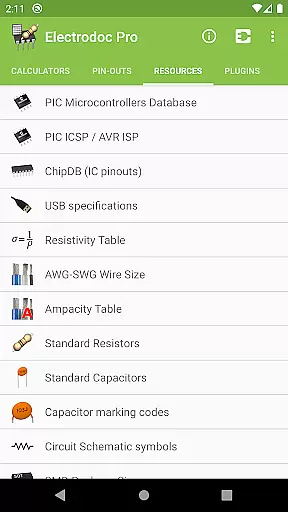
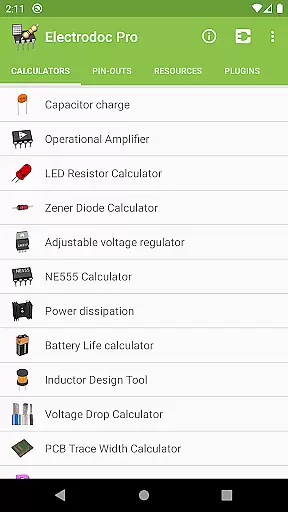
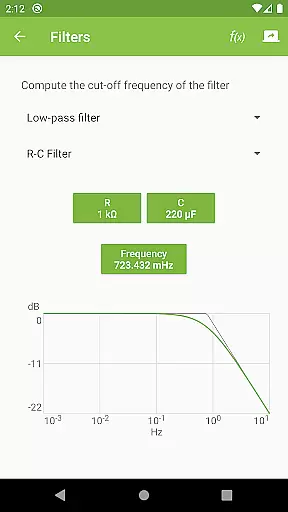
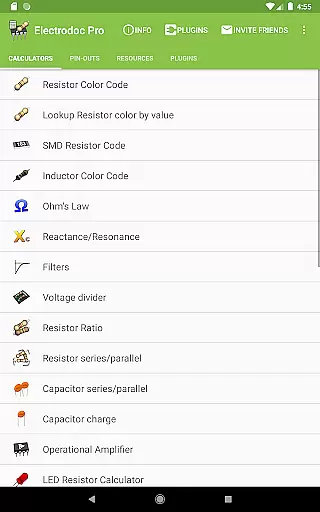
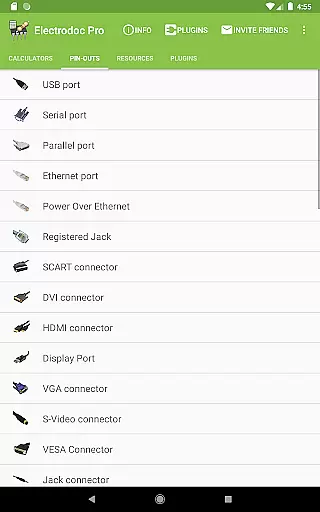
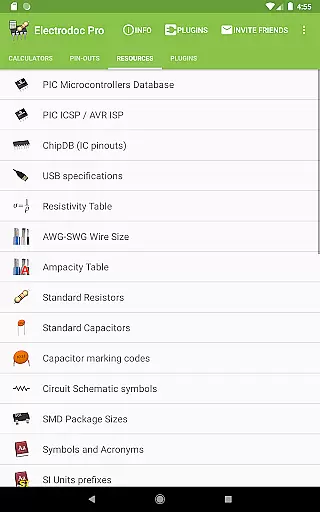
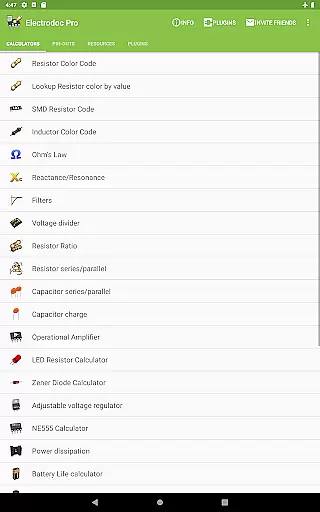
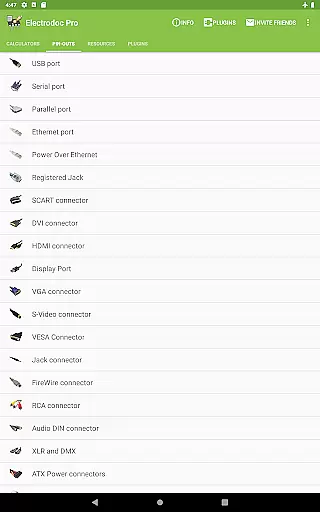
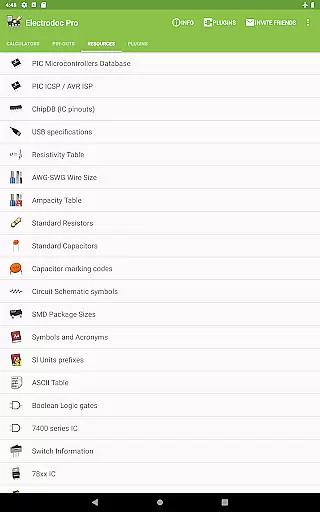
Electrodoc Pro boasts an impressive array of features tailored to meet the needs of electronics enthusiasts. The app includes specialized tools such as Resistor Color Code and SMD Resistor Code decoders, Inductor Design Tools, and Voltage Drop Calculators. These tools are complemented by a vast library of reference materials covering topics like Analog-Digital Converters, Decibel Converters, and Port Pin-outs for various connectors.
One of the standout features is the full support for EIA resistor series across all calculators, ensuring precision and compatibility with industry standards. Additionally, the app supports plugins that expand its functionality, allowing integration with microcontroller databases and simulators. This flexibility enables users to customize their experience based on specific project requirements.
With over 50 distinct tools and references, Electrodoc Pro covers everything from basic electronics principles to advanced circuit design techniques. Each feature is meticulously crafted to provide accurate results and intuitive usability, empowering users to tackle any electronics challenge with confidence.
Electrodoc Pro stands out as a comprehensive electronics toolkit, offering precise and reliable calculations for various electrical components. The app includes essential tools such as Resistor Color Code, Ohm's Law, Reactance/Resonance calculators, and more, ensuring accurate results for both novice and professional users.
The application's strength lies in its detailed implementation of industry-standard formulas and principles. For instance, the SMD Resistor Code and Inductor Design Tool provide exact values based on real-world specifications, while the Decibel Converter and Analog-Digital Converter assist in complex signal processing tasks with dependable outputs.
Users benefit from Electrodoc Pro's extensive range of calculators that cover everything from basic electronics to advanced circuit design needs. With features like the NE555 Calculator, Power Dissipation tool, and complete support for EIA resistor series, the app ensures that all computations are not only fast but also highly accurate.
This level of precision and breadth in functionality makes Electrodoc Pro an indispensable companion for anyone involved in electronics, providing them with the confidence that their calculations and designs are backed by solid engineering principles.
Despite its vast array of features, Electrodoc Pro maintains an intuitive and user-friendly interface. The design philosophy focuses on making complex calculations accessible without overwhelming the user, which is evident from the straightforward navigation and clear presentation of tools.
Each calculator or reference within the app follows a consistent layout, allowing users to quickly become familiar with the different functions. Whether it's the LED Resistor Calculator or the Voltage Drop Calculator, every tool is presented with easy-to-understand input fields and immediate results display.
Moreover, Electrodoc Pro enhances user experience by categorizing its extensive list of features logically. Users can effortlessly find what they need, whether it's under the 'Resources' section for industry standards or 'Port pin-out' for connector details, streamlining their workflow significantly.
This blend of powerful functionality wrapped in a simple, intuitive package ensures that Electrodoc Pro remains approachable for beginners while still being robust enough for seasoned professionals in the field of electronics.
User-friendly interface
Comprehensive toolset
Ad-free experience
Regular updates
Plugin support
Premium pricing
Steep learning curve
Limited iOS availability
No offline mode
Complex navigation

 4.50
4.50
Change your GPS location instantly. Simulate routes anywhere in the world.
4.90
Complete kernel toolbox with features to manage and tweak your rooted device
4.30
Unit and currency converter with easy and simple UI.
4.80
Remote for Roku, Fire TV, Samsung TV, LG TV, Android TV, Chromecast and VIZIO TV
4.20
App to pay for FUTO Keyboard
4.60
Create your own live wallpaper or check out thousands already made presets
3.90
View detailed information about your Nissan Leaf the dealer never shows you.
4.10
A clean app.
4.50
Remote Play with FSR upscaling, low latency & full controller support
4.80
Extremely fast, secure, and protects your privacy
4.80
Optimize your WiFi network, turn your phone into Wifi Analyzer
4.70
ADB support Android 4.X-Android 13(Support wireless pair mode).No root required!
4.70
Creation, Learning, Entertainment & More — The All-in-One AI Search Engine
4.70
Play your X-Box games remotely in 1080p with any controller and zero latency
4.60
Screen Mirroring for Roku Sticks, Roku TCL TV and Roku Hisense TV
4.50
An easy-to-use calculator designed to save time calculating and bending conduit
4.30
Making emulation easy for everyone!
4.30
Screen Mirroring with sound for Samsung TV, LG TV, Sony TV, Smart TV and Browser
4.20


User Reviews