

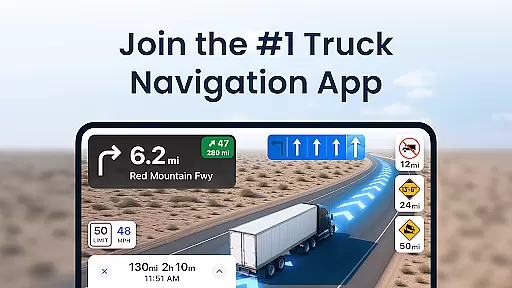
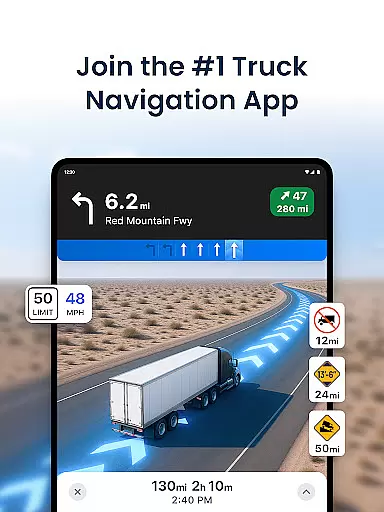
Trucker Path is the leading truck navigation app, trusted by millions of CDL truck drivers across the United States. This comprehensive trucker's tool provides specialized maps designed specifically for large vehicles, incorporating crucial locations such as truck stops, weigh stations, CAT scales, and parking areas optimized for commercial trucks.
The application stands out with its extensive database of over 40,000 trucking-specific points of interest including Pilot Flying J, Love's Travel Centers, and Petro TA locations. It offers real-time information about parking availability, fuel prices, and open/closed statuses of various facilities. The built-in GPS system surpasses traditional navigation devices like Garmin and Rand McNally by providing route planning specifically tailored for trucks and RVs.
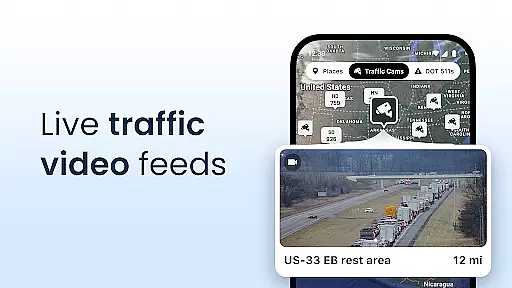
Designed for professional drivers, Trucker Path serves as a virtual co-pilot, delivering live updates on weather conditions, traffic patterns, and road restrictions. Its community-driven approach allows thousands of truckers to contribute real-time data, creating a dynamic network similar to CB radio but with enhanced digital capabilities.
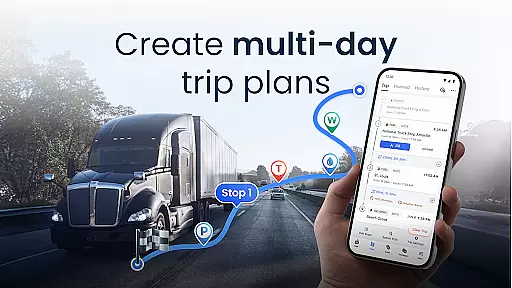
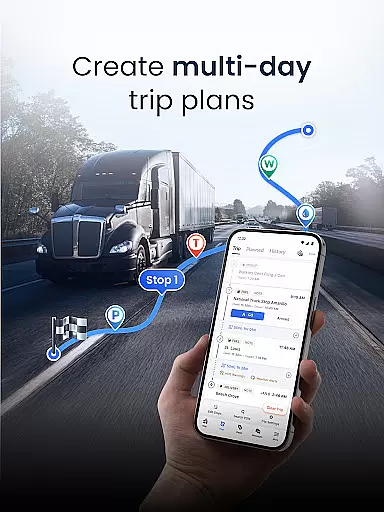
Trucker Path distinguishes itself through several key features that cater specifically to the needs of professional truck drivers. The application's core functionality revolves around its advanced truck GPS system, which provides multi-day trip planning capabilities while considering truck-specific restrictions and limitations.
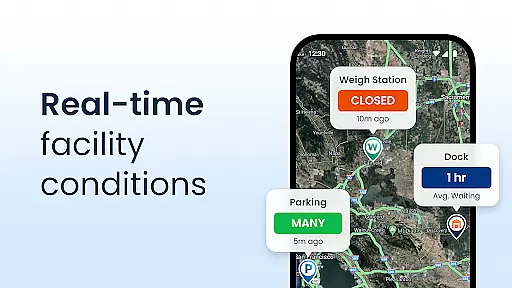
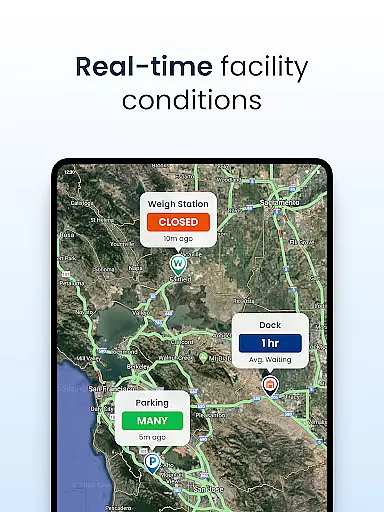
A standout feature is the app's comprehensive mapping system that includes detailed information about truck stops, rest areas, and parking availability. The parking status is updated in real-time by the user community, indicating whether lots are full, partially occupied, or empty. Additionally, the app maintains current data about weigh station operations, diesel fuel prices, and CAT scale locations.
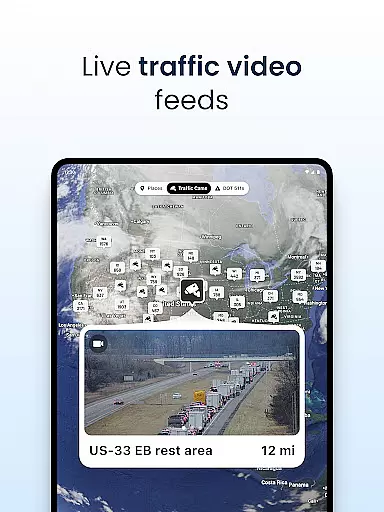
The application also incorporates live traffic updates, weather conditions, and road alerts, making it an essential tool for long-haul planning. Unlike traditional GPS devices, Trucker Path integrates all necessary trucker tools into one platform, offering advantages over competitors like Garmin GPS, Rand McNally GPS, and other trucking applications such as DAT and Trucker Tools.
Map accuracy is crucial for truck drivers who rely on precise navigation to reach their destinations safely and efficiently. Trucker Path excels in this area by offering detailed maps specifically designed for truckers. These maps include over 40,000 trucking-related locations such as truck stops, rest areas, and parking spots.
The app provides real-time updates on road conditions, weather, and traffic, ensuring that drivers have the most current information at their fingertips. This feature helps truckers avoid potential hazards and make informed decisions about their routes. Additionally, the integration of live updates from thousands of users enhances the reliability of the map data.
By focusing on the unique needs of commercial drivers, Trucker Path ensures that its maps are not only accurate but also comprehensive. The inclusion of essential facilities like CAT scales, weigh stations, and fuel prices further enriches the mapping experience. As a result, users can trust Trucker Path to deliver precise and actionable information every time they hit the road.
Effective route planning is vital for truck drivers to optimize their trips and save both time and fuel. Trucker Path offers advanced route planning capabilities that allow drivers to plan multi-day trips with ease. Unlike traditional GPS systems like Garmin or Rand McNally, Trucker Path's navigation system is tailored specifically for trucks, providing more accurate and efficient routes.
The app takes into account various factors such as truck size, weight restrictions, and road conditions when suggesting routes. This ensures that drivers can avoid low bridges, narrow roads, and other obstacles that might pose challenges for large vehicles. Furthermore, the ability to see which weigh stations are open or closed adds another layer of convenience to the route planning process.
Trucker Path stands out by offering real-time updates and community-driven information, making it a reliable co-pilot for any journey. With features like live traffic updates and parking availability, drivers can make timely adjustments to their plans. This comprehensive approach to route planning not only enhances safety but also improves overall efficiency for truckers across the country.
User-friendly interface
Real-time updates
Comprehensive POI database
Free to download
Active trucker community
Occasional data inaccuracies
Limited international coverage
Requires constant updates
Some features need premium
Dependent on user reports

Start your next adventure confidently using our Accurate Compass App
 3.70
3.70
Offline maps & GPS for hiking, travel, fieldwork & outdoor adventures
4.70
This app is military GPS coordinate systems helper. (MGRS, UTM & DMS Maps)
4.80
Find trails, organize your locations and navigate with offline maps.
4.60
Play in the outdoors with Android as your Handheld GPS and offline topo maps!
3.50
Route tracker, Speedometer, Odometer, Fuel, HUD mode, save route as .GPX
4.40
Explore with GPS Navigation with GPS offline, voice GPS, speed camera radar
4.60
Park in Chicago, NYC, Boston, SF, Houston & more!
4.70
Neshan: map & navigation app with 20M+ monthly active users
4.50
Find shortest way and save energy . Distance and area calculator.
4.70
Rideshare, taxi cabs, and more for your airport travels and everyday trips.
4.50
Get matched with a nearby driver — you’ll be on your way in minutes.
4.30
Lets explore the world's famous places by using Live Cams, GPS & Satellite View.
4.20
TACNAV-X: Precision MGRS navigation, built specifically for the military.
4.00
Get real-time bus and train schedules for easy, hassle-free city transportation.
3.90
Gas Station & Fuel Rewards Points
3.70
Off-Roading Navigation App With Trails, Public Lands, & Private Property Info
3.30
Explore the world with Live Satellite View, 3D Maps, GPS Navigation & Earth Map.
2.90
Turn your tablet or Android powered unit into a full blow Android Auto headunit.
2.30

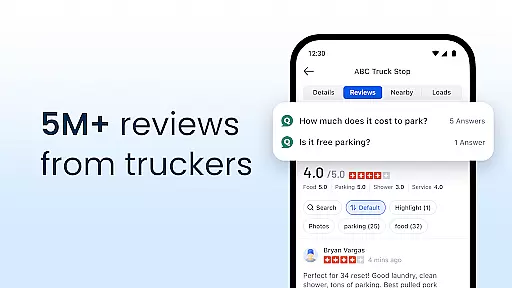
User Reviews