

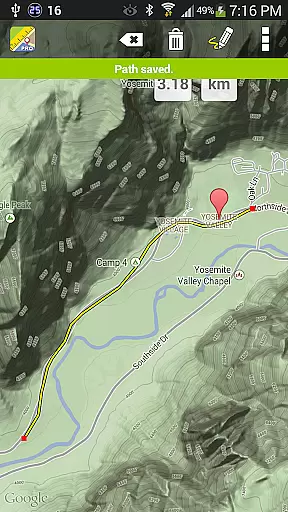
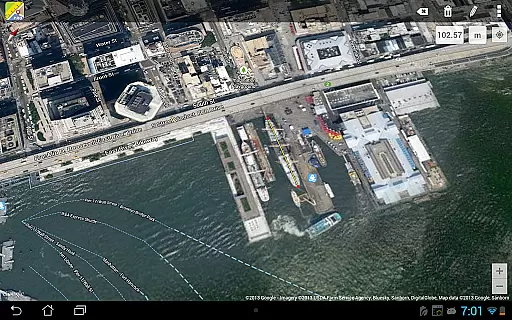
Maps Ruler Pro is a versatile mapping tool designed for users who need precise distance and area calculations on the go. The app allows you to measure distances between multiple points on a map, making it ideal for activities like hiking, golfing, or urban planning.
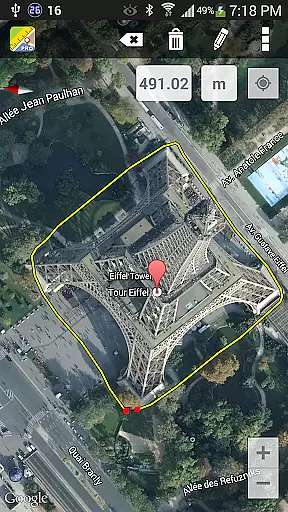
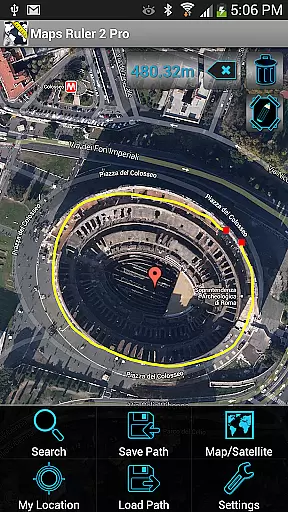
One of its standout features is the continuous path calculation mode, which lets users draw paths freely while providing real-time measurements. Additionally, Maps Ruler Pro offers advanced functionalities such as area calculation in beta, path naming, saving and loading paths, and unit conversions including meters, kilometers, miles, feet, and fathoms.
This application is particularly useful for professionals in fields like construction, landscaping, and sports, where accurate measurements are crucial. With no ads to interrupt your workflow, Maps Ruler Pro ensures a seamless user experience.
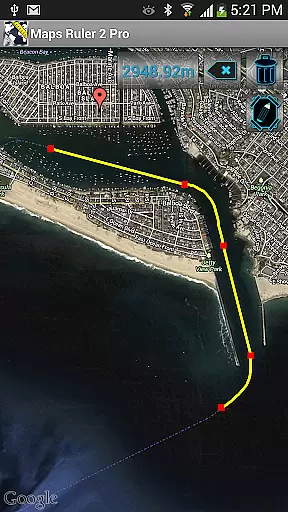
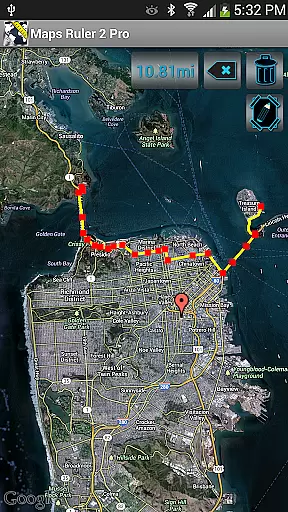
Maps Ruler Pro boasts an array of features that cater to various mapping needs. Its primary feature is the ability to calculate distances between multiple points with ease. This functionality is enhanced by the continuous path calculation mode, allowing users to draw paths as they would on paper, with measurements updating in real time.
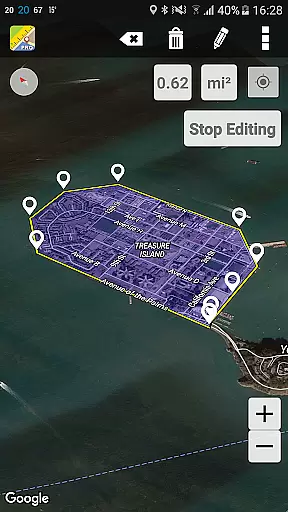
The app also includes a beta feature for calculating areas, which can be invaluable for tasks requiring surface measurement. Users can customize their experience by naming paths, saving them for future reference, and loading previous paths to continue their work seamlessly. Furthermore, the app supports multiple units of measurement, ensuring compatibility with different regional standards and personal preferences.
Additional features include the ability to convert units effortlessly between meters, kilometers, miles, feet, and fathoms. These comprehensive tools make Maps Ruler Pro an indispensable utility for anyone needing detailed geographic data at their fingertips.
Map accuracy is essential for any navigation or measurement tool, and Maps Ruler Pro excels in this area. The app provides precise calculations of distances between selected points on a map, ensuring users can rely on it for accurate measurements.
Whether you're calculating the shortest path to save energy during a hike or using it as a golf distance calculator, Maps Ruler Pro delivers reliable data. Its continuous path calculation feature allows users to draw paths on the map, receiving real-time distance updates that are crucial for planning and decision-making.
The app supports various units of measurement including meters, kilometers, miles, feet, and fathoms. This versatility ensures that users from different regions and with varying preferences can utilize the app effectively. With its high level of precision, Maps Ruler Pro becomes an indispensable tool for anyone needing exact measurements on the go.
Route planning is a core functionality of Maps Ruler Pro, enabling users to strategize their movements efficiently. By allowing the selection of multiple points, the app helps users find the shortest and most efficient routes, which is particularly useful for activities like hiking or cycling where conserving energy is vital.
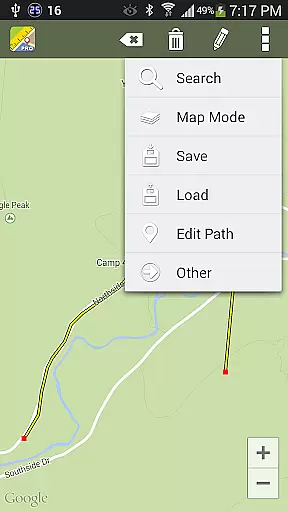
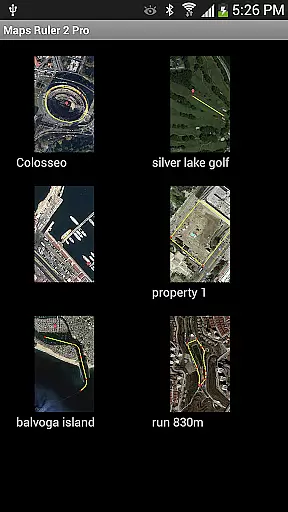
In addition to finding optimal paths, Maps Ruler Pro offers advanced features such as naming paths and saving/loading them for future reference. This proves invaluable for users who frequently travel the same routes or need to share specific paths with others, enhancing both convenience and collaboration.
Another standout aspect is the inclusion of an area calculation mode, currently in beta. This feature extends the app's utility beyond simple route planning, making it suitable for applications like land surveying or event planning. Overall, Maps Ruler Pro combines robust route planning capabilities with innovative extras to deliver a comprehensive navigation solution.
User-friendly interface
Continuous path drawing
Multiple unit conversions
Save and load paths
No ads
Beta features may lack polish
Limited to mapping functions
Area calculation not fully developed
Requires internet connection
Premium version cost

This app is military GPS coordinate systems helper. (MGRS, UTM & DMS Maps)
 4.80
4.80
Ride CTA, Metra & Pace: Manage your fares, buy Metra tickets, get arrivals.
3.00
LIRR and Metro-North tickets and trips
4.80
Drive safe with real-time speed camera radar, police, and traffic alerts
3.80
Truck Safe GPS Navigation & Maps: Parking, Fuel, Diesel, Weight Station
4.80
Gas Station & Fuel Rewards Points
3.70
GPS phone tracker, family locator, secure location sharing app
4.20
Get there with the Waymo Driver — The World’s Most Experienced Driver™
4.90
Navigation, weather, offline maps & tools for smarter, safer travel planning.
4.00
Explore with GPS Navigation with GPS offline, voice GPS, speed camera radar
4.60
Navigate with your watch and keep the phone in your pocket!
4.60
Voice GPS with driving directions, offline maps navigation GPS for safe travel
4.50
Instant diesel discounts - save big with each fill up!
4.40
Find radar maps, GPS coordinates, altitude, offline maps, location, travel route
4.40
Navigate seamlessly with Real-Time Traffic, Offline Maps, and Voice Navigation.
4.10
MapQuest is your go-to app for maps, GPS, voice navigation & live traffic.
3.80
Navigate via GPS Maps of GPS Voice Navigation, driving directions to find routes
3.60
Explore Earth with live GPS, satellite view & street navigation
3.60
Compass is an accurate compass and a great tool for any outdoor activities
4.3

User Reviews