

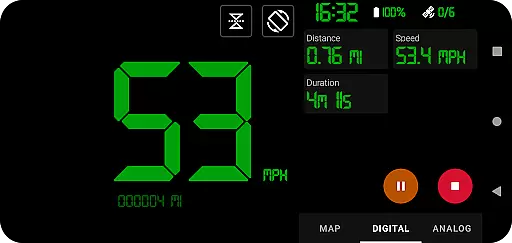
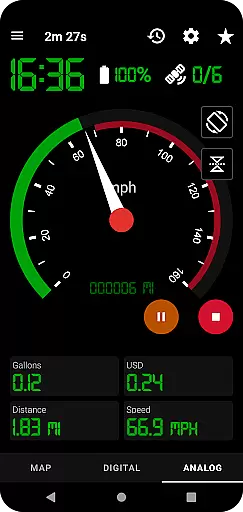
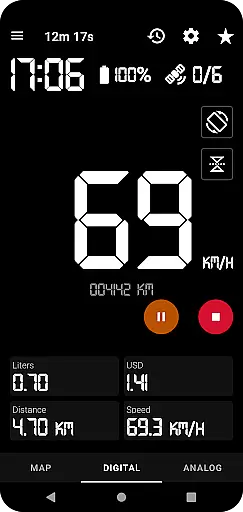
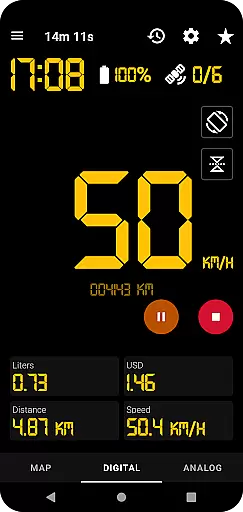
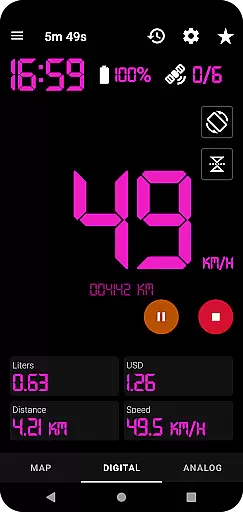
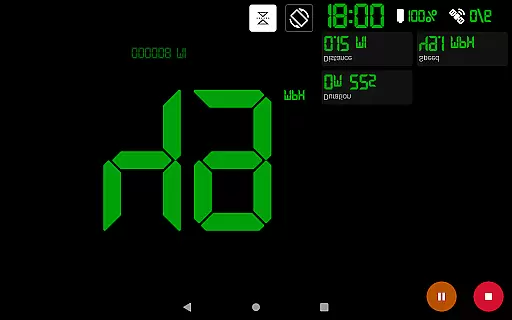
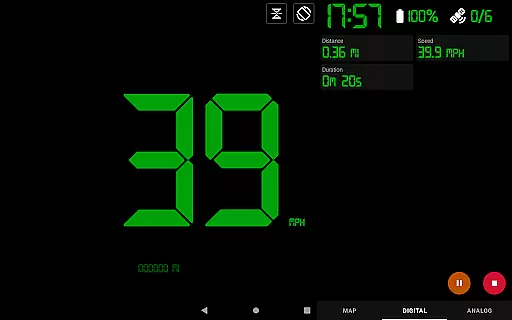
GPS Speedometer Pro is a comprehensive navigation and tracking application designed to monitor your speed, distance, and routes using your phone's built-in GPS. The app offers multiple display modes including analog, digital, and head-up display (HUD) options, making it versatile for various activities such as driving, running, or cycling. With its ability to operate in the background, users can multitask without interrupting their tracking sessions.
One of the standout features of GPS Speedometer Pro is its fuel cost estimation tool, which helps users manage travel expenses effectively. Additionally, the app provides an odometer, over-speed alerts, and the option to download tracked routes in .gpx format for third-party software integration. Whether you're commuting or engaging in outdoor activities, this app ensures accurate tracking and valuable insights into your journeys.
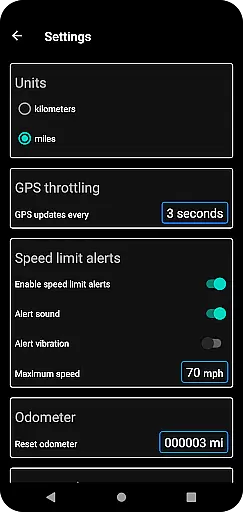
GPS Speedometer Pro boasts an array of advanced features tailored for both casual and professional use. The app supports multiple speedometer styles, including analog and digital displays, along with a head-up display (HUD) mode that enhances visibility during nighttime drives. Users can also access an odometer and receive over-speed alerts even when the app runs in the background, ensuring safety and compliance with speed limits.
Another remarkable feature is the ability to save and replay tracked routes within the app, allowing users to review their past journeys. The app also includes customizable map types, orientation settings, and unit preferences (kilometers vs. miles). With privacy being a top priority, GPS Speedometer Pro guarantees 100% user privacy by not requiring sign-ins and avoiding the collection of personally identifiable information.
Map accuracy is crucial for any navigation or tracking application, and GPS Speedometer Pro excels in this area. The app leverages your phone's built-in GPS to provide precise location data, ensuring that your routes are recorded with high fidelity.
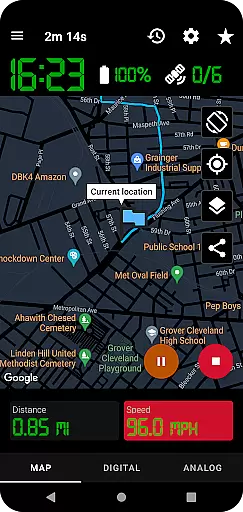
The app offers multiple map types including light, dark, and terrain views, allowing users to select the most suitable option for their environment. This versatility enhances the accuracy of the mapping experience, adapting to different lighting conditions and geographical terrains.
Users can also benefit from real-time tracking features that keep the map centered on their current location during movement. This ensures that the displayed map remains relevant and accurate throughout their journey, providing a reliable tool for both casual and professional use.
Effective route planning is essential for optimizing travel time and ensuring a smooth journey. GPS Speedometer Pro supports this through its comprehensive tracking capabilities, which include pausing, stopping, and resuming tracking at any time, allowing users to plan their routes flexibly.
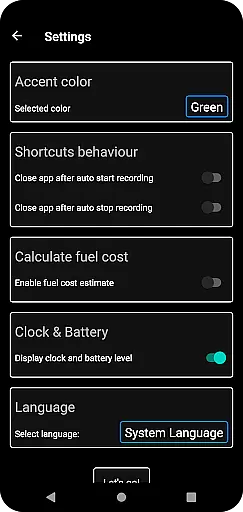
The app provides an odometer and fuel cost estimation feature, enabling users to make informed decisions about their travel plans. These tools help in calculating the most efficient paths by considering distance and fuel consumption, thus enhancing the overall route planning process.
Additionally, users can download their routes in .gpx file format, facilitating further analysis and integration with third-party software. This feature not only aids in reviewing past journeys but also assists in planning future trips by offering detailed insights into previously traveled paths.
User-friendly interface
Accurate GPS tracking
Customizable display options
Background operation support
Privacy-focused design
Limited offline functionality
Occasional GPS inaccuracies
No social sharing features
Premium version required for advanced tools
High battery consumption

Offline maps for phone and smart watch: topographic maps, satellite images...
 3.30
3.30
Easy, Moderate and difficult offroad adventures.
4.00
Find shortest way and save energy . Distance and area calculator.
4.70
Instant diesel discounts - save big with each fill up!
4.40
Find radar maps, GPS coordinates, altitude, offline maps, location, travel route
4.40
Your real-time window to the world. Explore anywhere, anytime.
3.30
Navigate seamlessly with Real-Time Traffic, Offline Maps, and Voice Navigation.
4.10
Lets explore the world's famous places by using Live Cams, GPS & Satellite View.
4.20
Use GPS Maps and GPS Voice Navigation to find your way and get directions
4.10
Navigate confidently with our precise Digital Compass app & Direction Compass!
4.70
Find trails, organize your locations and navigate with offline maps.
4.60
Complete offline 1:50k South Island topo map including DOC Hunting Permit Areas
4.60
The fastest and most convenient way to pay for parking on our lots.
4.40
CamSam PLUS - The speed and red light camera warning system!
4.40
Maps, Driving Directions & GPS navigation using directions app & GPS App
4.30
Get matched with a nearby driver — you’ll be on your way in minutes.
4.30
Get directions, Maps, GPS navigation & GPS Maps using GPS App
4.10
TACNAV-X: Precision MGRS navigation, built specifically for the military.
4.00
Navigate via GPS Maps of GPS Voice Navigation, driving directions to find routes
3.60

User Reviews