

Mgrs & Utm Map Pro is a comprehensive GPS and coordinate systems helper designed primarily for military personnel but equally beneficial for outdoor enthusiasts. The app provides advanced navigation features across various map layers, including Bicycle, Topographic, and Neighborhood maps. With support from satellite systems like GPS, GALILEO, and GLONASS, users can pinpoint their location with exceptional accuracy.
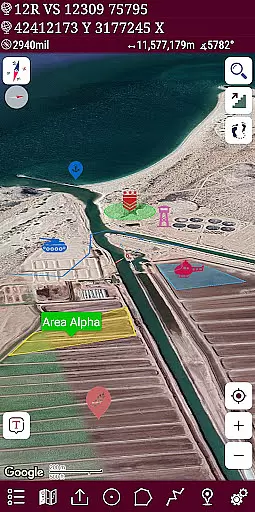
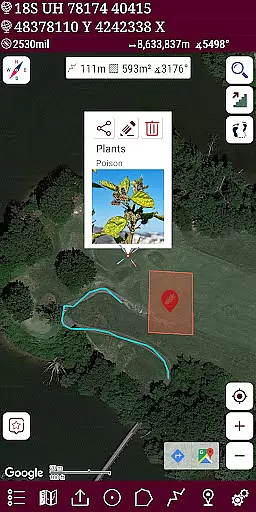
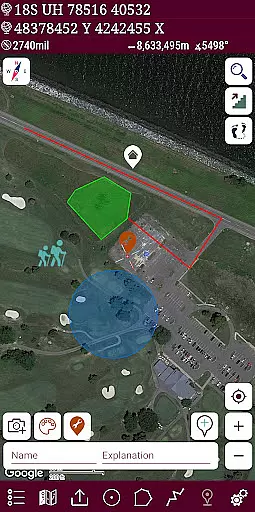
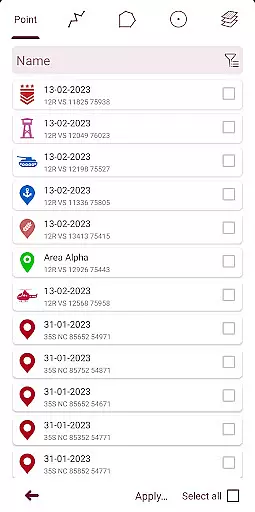
The application stands out with its professional-grade tools such as altitude profiling, address-based location search, and multiple layer creation for different activities. Users can draw and customize routes and areas, view markers in list format, and choose from a variety of colorful pointer icons. Additionally, the pro version offers an ad-free experience, making it ideal for mountaineering, trekking, geocaching, and other outdoor pursuits.
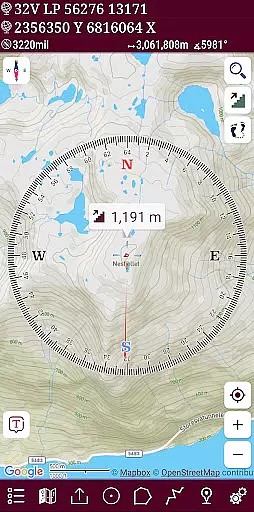
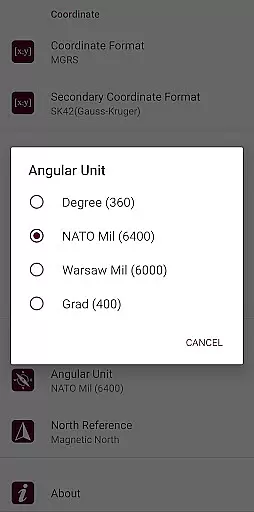
Mgrs & Utm Map Pro boasts a wide array of features tailored for both efficiency and precision. The app includes an easy-to-use compass with multiple display options, such as a map-integrated compass that shows your direction and a standalone physical compass with angular units in degrees, grad, and mil. Its Follow Mode ensures the map's center tracks your location as you move.
Users can measure distances and areas directly on the map, add or remove markers, and calculate total route distances. The app supports various coordinate formats including MGRS, UTM, and Latitude/Longitude, along with multiple map types like Road, Terrain, Satellite, and Hybrid. Additional functionalities include KML layer import/export, altitude display, and location sharing, all enhanced by distance unit options in meters and feet.
Map accuracy is a crucial feature for any navigation application, and Mgrs & Utm Map Pro excels in this area. The app supports various satellite navigation systems such as GPS, GALILEO, and GLONASS (GNSS), ensuring that users can pinpoint their location with precision on different map layers.
The application offers multiple map types including Road, Terrain, Satellite, Night Mode, and Hybrid views. This versatility allows users to select the most suitable map type for their specific activity, whether it's mountaineering, trekking, or off-road navigation. With these options, users can be confident in the reliability of the map data they are using.
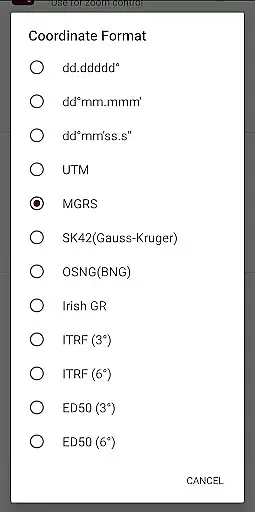
Moreover, the app provides extensive coordinate system support, including MGRS, UTM, Latitude/Longitude, SK42, British National Grid, Irish Grid Reference, ED50, and ITRF. This ensures that users can work with the coordinate system that best fits their needs, enhancing the overall accuracy of their geographical positioning.
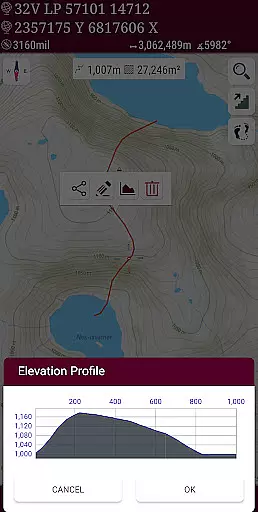
Route planning is an essential aspect of Mgrs & Utm Map Pro, designed to cater to both military personnel and outdoor enthusiasts. The pro version of the app includes advanced features like the ability to see the altitude profile of your route on a chart, which is invaluable for activities such as hiking and cross running.
Users can create different layers for various activities, draw multiple routes and areas, and even change their colors for better organization. The GPS recorder supports tracking multiple routes, making it easier to manage complex navigation tasks. These capabilities ensure that users can plan and execute their routes with confidence.
In addition, the app allows for distance and area measurement directly on the map. Users can add custom routes, calculate total distances, and measure areas in square meters. This functionality not only aids in meticulous route planning but also enhances the overall outdoor experience by providing precise measurements and data visualization.
Accurate GPS
Multiple map layers
Customizable routes
Comprehensive compass
Ad-free experience
Complex interface
Higher cost
Limited offline use
Fewer social features
Steep learning curve

Compass is an accurate compass and a great tool for any outdoor activities
 4.0
4.0
Offline maps for phone and smart watch: topographic maps, satellite images...
3.30
OpenCPN is a full featured ChartPlotter and Navigator for Android.
3.60
Instant diesel discounts - save big with each fill up!
4.40
Plan routes, share locations, and set custom alert zones
4.40
Drive safe with real-time speed camera radar, police, and traffic alerts
3.80
GPS Navigation: Get map directions and find the shortest routes to avoid delays!
4.00
Gas Station & Fuel Rewards Points
3.70
GPS navigation offers route finder, compass, translator, currency converter, etc
4.30
Find trails, organize your locations and navigate with offline maps.
4.60
Navigate with your watch and keep the phone in your pocket!
4.60
Navigate MTA, NJ Transit, MBTA, SEPTA, BART, MARTA, CTA & 900+ cities
4.60
Route tracker, Speedometer, Odometer, Fuel, HUD mode, save route as .GPX
4.40
ParkWhiz, an Arrive Mobility brand, part of the Arrive Network
4.30
Get real-time bus and train schedules for easy, hassle-free city transportation.
3.90
Explore Live Earth Map with 3D World Map & locate cites, mountains real time.
3.80
MapQuest is your go-to app for maps, GPS, voice navigation & live traffic.
3.80
Navigate via GPS Maps of GPS Voice Navigation, driving directions to find routes
3.60
Explore offline maps with radar, satellite view, and real-time alerts.
3.60

User Reviews