

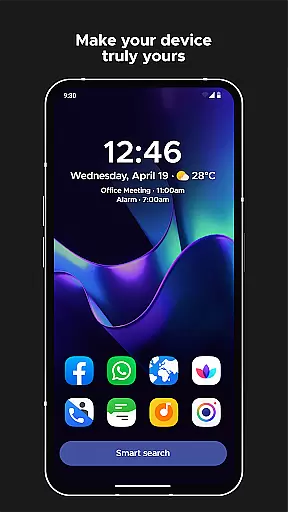
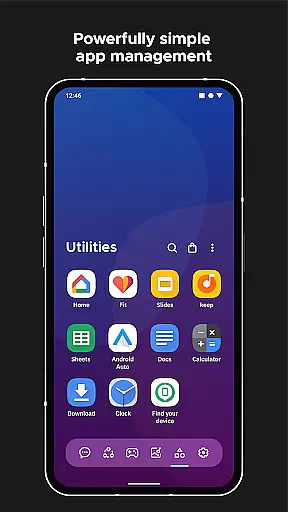
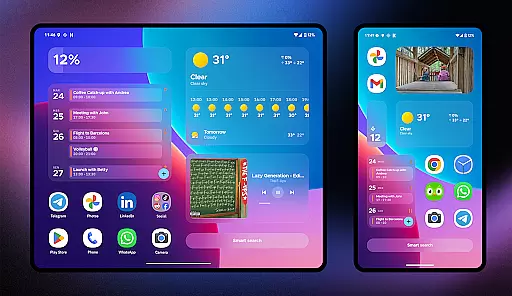
Smart Launcher 6 is a cutting-edge home screen replacement app designed to enhance the Android experience. It introduces an innovative interface that automatically organizes apps into categories, saving users from the hassle of manual sorting. The Ambient theme feature dynamically adjusts colors to match your wallpaper, ensuring a visually cohesive experience.
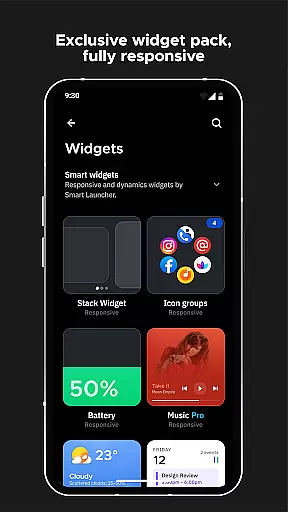
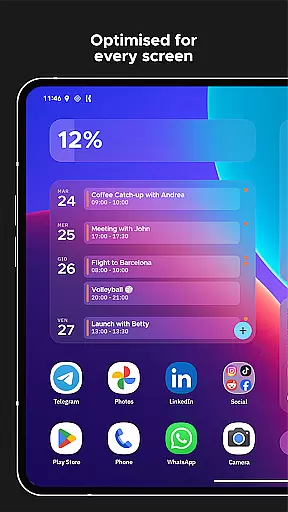
This launcher focuses on efficiency and ease of use, with a design optimized for one-handed operation. Key functionalities are positioned within easy reach at the bottom of the screen. Users benefit from responsive built-in widgets, adaptive icons, and a powerful search bar that extends beyond app launching to include web searches and calculations.
The application supports extensive customization options, gesture controls, and on-screen notifications. These features collectively contribute to a more streamlined and personalized Android experience, making daily device interactions faster and more intuitive.
Smart Launcher 6 distinguishes itself through several key features that redefine the home screen experience. Its automatic app sorting eliminates the need for manual organization by intelligently categorizing applications. This functionality has been recognized as an industry standard, influencing even iOS development.
The Ambient theme engine represents another significant advancement, automatically adjusting interface colors to complement your chosen wallpaper. This creates a seamless visual transition between wallpapers and UI elements. The launcher's one-handed optimization places essential interactive elements in the easily accessible bottom portion of the screen.
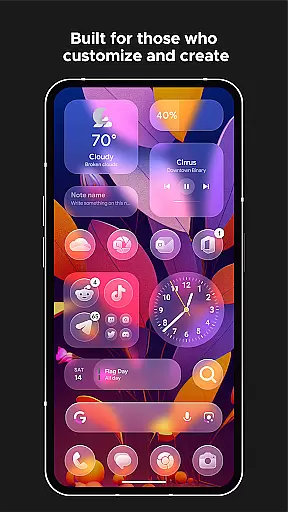
Additional notable features include a comprehensive set of responsive widgets, advanced customization options allowing modification of every UI color, and support for adaptive icons across all Android devices. The smart search functionality extends beyond basic app launching to include contact searching, web queries, and calculations. Gesture support and notification indicators further enhance usability while maintaining system resource efficiency.
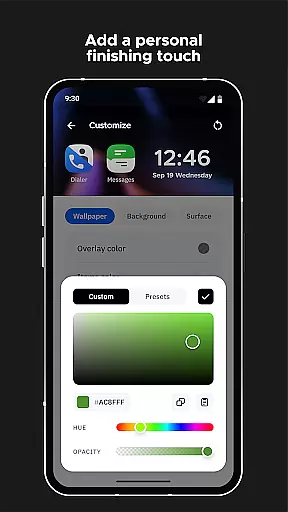
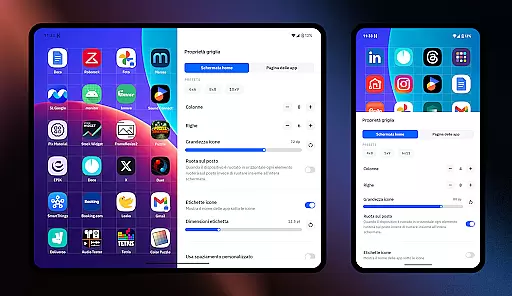
Smart Launcher 6 offers an extensive range of customization options that allow users to personalize their home screens like never before. With the ability to modify every single color in the theme, the launcher unlocks infinite possibilities for color combinations, ensuring your device truly reflects your personal style.
In addition to color customization, Smart Launcher supports adaptive icons. This feature, introduced with Android 8.0 Oreo, is available for any Android device using this launcher. Adaptive icons not only provide customizable shapes but also ensure beautiful and larger icons, enhancing visual appeal.
The flexibility extends to fonts as well. Users can choose from thousands of fonts available through Google Fonts, allowing them to change the typography on the home screen. This level of customization ensures that every aspect of your home screen is tailored to your preferences.
Overall, Smart Launcher's customization options empower users to create a unique and personalized smartphone experience. Whether it's through colors, icons, or fonts, you have the tools to design a home screen that is distinctly yours, making daily interactions more enjoyable and efficient.
Theme compatibility in Smart Launcher 6 ensures a seamless integration between your chosen wallpaper and the overall aesthetic of your home screen. The Ambient Theme feature automatically adjusts the theme colors to match your wallpaper, creating a cohesive and visually pleasing environment every time you change your background image.
This dynamic theming capability enhances user experience by maintaining consistency across visual elements. When you select a new wallpaper, Smart Launcher intelligently adapts its color scheme to complement the imagery, ensuring that all icons and widgets blend harmoniously with the backdrop.
Moreover, the launcher includes a highly efficient wallpaper picker that provides access to numerous sources of pictures. This tool simplifies the process of finding the perfect wallpaper while offering the option to back up your current choice before experimenting with new visuals.
By prioritizing theme compatibility, Smart Launcher 6 delivers a polished and professional look to your device's interface. This attention to detail elevates the overall user experience, making daily navigation not only functional but also aesthetically satisfying.
Automatic app categorization
Dynamic theme adaptation
One-handed optimization
Comprehensive customization
Advanced search capabilities
Premium version costly
Steeper learning curve
Occasional bugs
Feature overload possible
Device compatibility issues

3D, live, and moving wallpapers & themes in 4K and HD for your device.
 4.50
4.50
Over 28,000 high quality icons to bring color & homogeneity to your phone.
4.60
Icons made of colorful linear lines
4.60
Launcher OS™ Pro without ads help make your phone simple and pretty
4.30
Crystal-clear, square icon provides a sleek and sophisticated visual upgrade
4.00
300+ Stunning and well-designed widgets inspired by NOTHING.
4.70
Modern Glass Icon Pack with glossy icons, clean minimal theme & aesthetic style
4.0
set a new experience for the Android mobile phone
4.20
Create stunning widgets with Widget 2026: Aesthetic Widgets for Android!
4.60
Winter's Journey: digital watch face for Galaxy Watch & Wear OS
4.80
100+ Stylish Fonts, Emojis, Symbols keyboard for Instagram & TikTok!
4.80
Stunningly Different look with Line Icons and Neon Colors
4.60
A retro cartoon style watch face and a punch right in the face of the copyright
4.60
Themes - Widget & Wallpaper: Customize home screen, icon changer w unique themes
4.30
Romantic Kiss Stickers App. Start romantic messaging now!
4.30
More than 3000+ themes and 9000+ wallpapers for everybody!
4.10
Emoji Maker app - Design custom emojis and effortlessly blend them with Mixer
3.80
Adaptive Dot Style IconPack with Light & Dark Theme.
3.70
Struggling to find apps? Use this app to locate and open any app on your phone!
2.20

User Reviews