

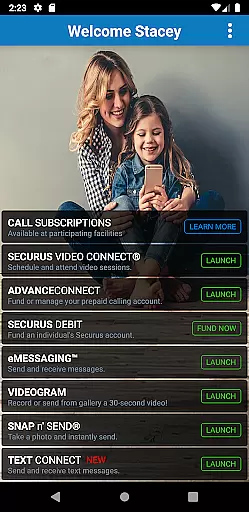
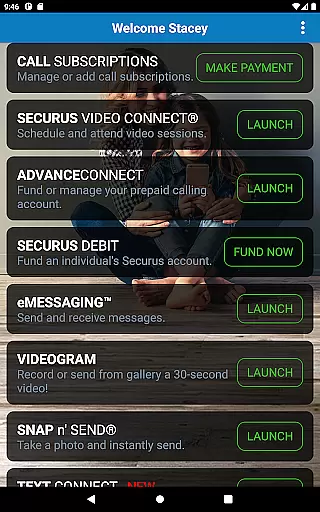
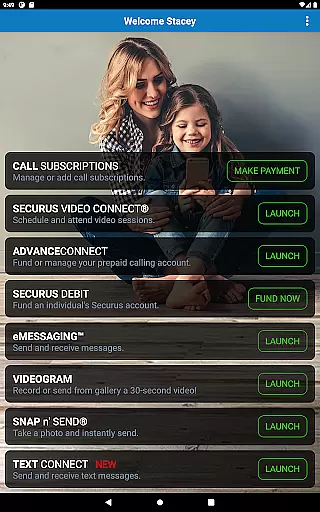
Securus Mobile is a comprehensive communication app designed specifically for staying connected with incarcerated individuals. The app offers multiple ways to maintain contact, including video calls, messaging services, and prepaid calling account management. With features like Video Connect, eMessaging, and Securus Text Connect, users can easily schedule virtual visits, send messages, and manage funds for communication services. Available exclusively on Android 11.0 or higher, this app ensures secure and convenient connections while providing essential account management tools.
The application's key strength lies in its ability to facilitate meaningful interactions through various digital channels. Users can create and manage their Securus Online accounts, sync video session details with personal calendars, and even test their internet connection quality before virtual meetings. Additionally, the app supports multimedia messaging and allows sending encouraging eCards alongside regular text messages. These capabilities make Securus Mobile an indispensable tool for families and friends looking to maintain regular contact with loved ones in correctional facilities.
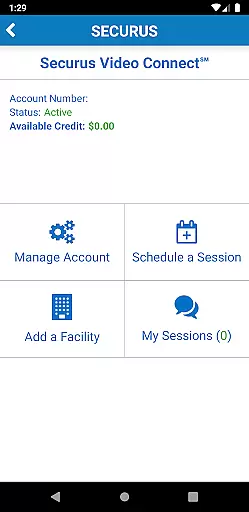
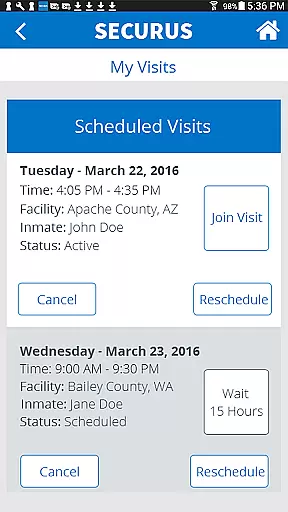
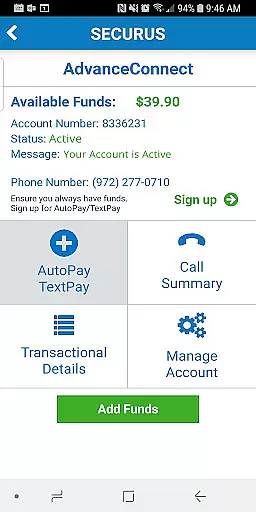
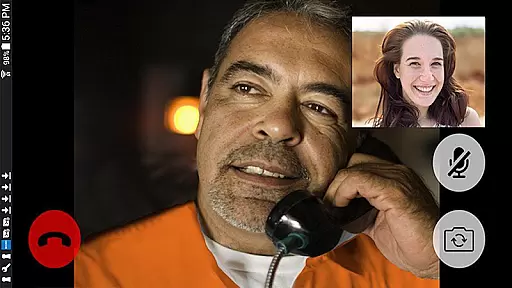
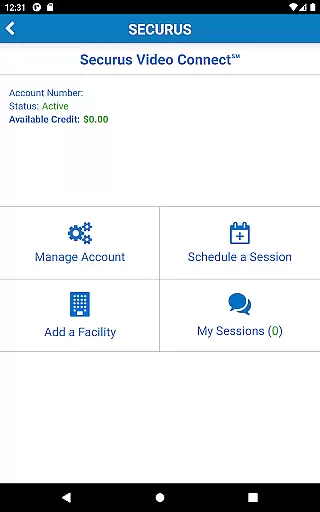
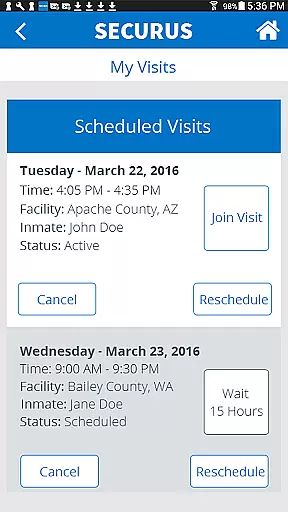
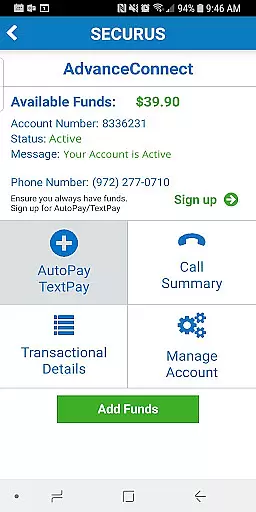
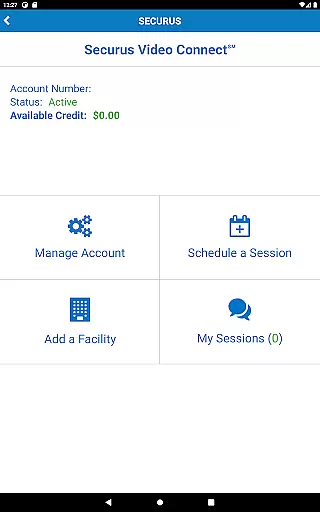
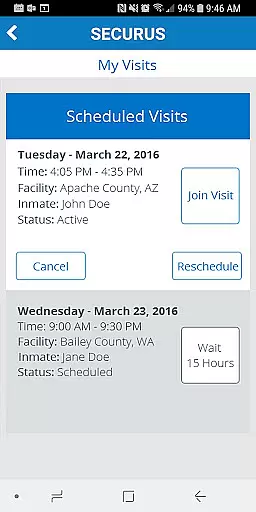
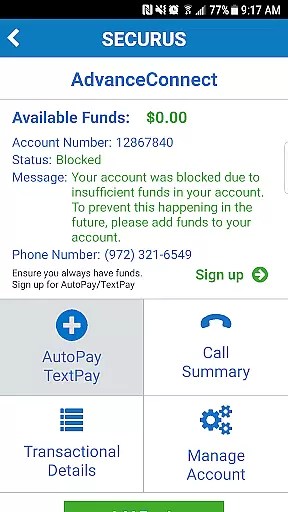
Securus Mobile stands out with its diverse range of communication features tailored for connecting with incarcerated individuals. The Video Connect feature enables users to schedule and conduct video sessions from anywhere with Wi-Fi or cellular data service. This functionality includes calendar integration, session notifications, and connection quality testing to ensure optimal video call experiences. The app also provides robust account management options, allowing users to control their AdvanceConnect funds, register phone numbers, and view detailed transaction histories.
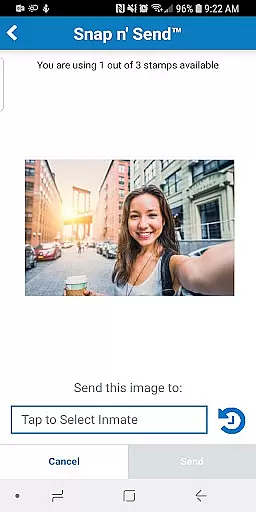
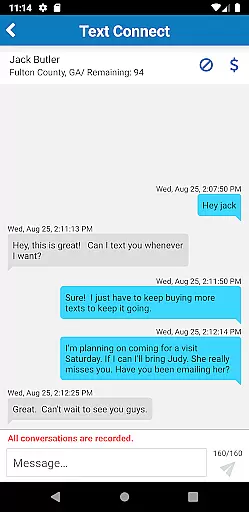
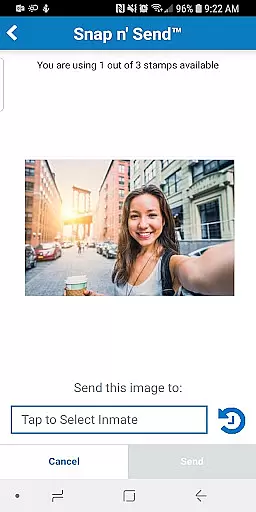
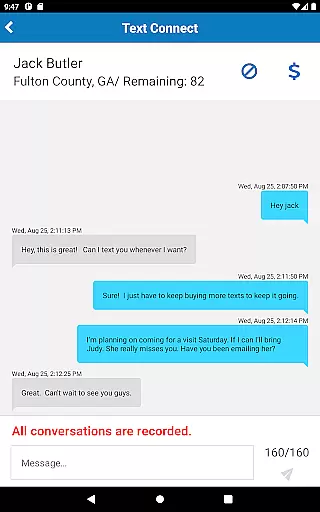
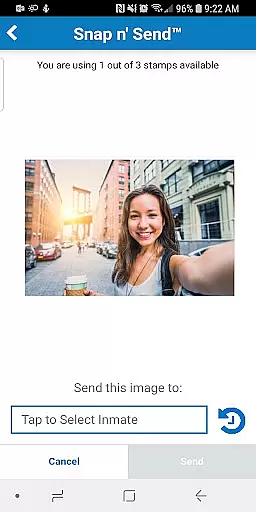
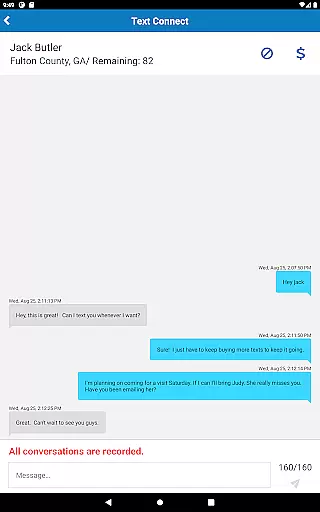
Another significant aspect of Securus Mobile is its comprehensive messaging services. Through eMessaging, users can purchase stamps to send text messages, photos, and 30-second VideoGrams. The Snap n' Send feature lets users quickly capture and share images, while multiple attachment options support richer communication experiences. Furthermore, the Securus Text Connect service facilitates real-time two-way texting with automatic recharge options and low balance alerts. These features collectively create a versatile platform that adapts to different communication preferences and facility-specific requirements.
Real-time messaging speed and reliability are crucial for maintaining seamless communication, especially in environments where timing is essential. Securus Mobile excels in this area by providing robust features that ensure messages are delivered promptly and consistently. The app's infrastructure is designed to handle high volumes of messages without delays, ensuring users can communicate without interruptions.
The Securus Mobile app incorporates advanced technologies to maintain reliable connections. Whether sending eMessages, VideoGrams, or using Securus Text Connect, the app ensures that all forms of communication are transmitted efficiently. This reliability is supported by a stable network architecture that minimizes downtime and maximizes message throughput, which is vital for users who depend on timely interactions.
For users, this means they can trust that their messages, including important notifications and personal communications, will be received as intended. The app also provides notifications for message delivery and read receipts, adding an extra layer of assurance. By prioritizing real-time messaging speed and reliability, Securus Mobile enhances user experience, making it easier to stay connected with incarcerated individuals through various communication methods.
Media sharing support is a significant feature of the Securus Mobile app, allowing users to share various types of media seamlessly. This functionality extends beyond simple text messages, enabling users to send photos, videos, and digital greeting cards known as eCards. Such comprehensive media sharing capabilities enhance the quality of communication by allowing more expressive and personalized interactions between users and incarcerated individuals.
The app supports multiple attachments, letting users attach up to five eCards and photos to a single message. This flexibility ensures that users can share a variety of content in one go, making conversations richer and more engaging. Additionally, features like Snap nu2019 Send allow users to capture new photos or select from their gallery, further simplifying the process of media sharing.
By integrating these media sharing features, Securus Mobile not only facilitates better communication but also helps maintain emotional connections. Users can send encouraging messages with attached photos or uplifting eCards, contributing to the well-being of both parties involved. Overall, the robust media sharing support in Securus Mobile significantly enriches the user experience, making it a valuable tool for staying connected in meaningful ways.
User-friendly interface
Multiple communication options
Secure account management
Real-time notifications
Calendar integration
Android 11+ requirement
Limited to specific facilities
Separate purchases per feature
Internet connection needed
Facility-dependent features






Adblock & VPN Browser: Blocks banners, pop-ups and video ads, fast downloader!
 4.60
4.60
Enjoy secure messaging & calling. Safe Messenger: group chats, calls, messages.
4.20
Our Black Friday sale is here. Unlock special discounts on Proton Mail now.
4.30
Block spam calls & scam - no more annoying calls with the call blocker function
4.30
This app enables the phone to receive and send FT8 traffic!
3.80
Experience real private browsing without tracking, surveillance, or censorship.
4.50
Federated instant messaging for your mobile device (Jabber, XMPP, Snikket)
4.10
BE PRIVATE
Anonymous. No Trace. Fast.
4.20
Useful. Social. Expressive.
4.70
Identify unknown numbers, block spam calls, customize calls with cool themes.
4.60
Messenger, an MMS & SMS messages app with Blockers, Driving mode & Private box
4.60
Faster version of Messages. Messenger for your contacts.
4.50
2nd Phone Number Line for Anonymous Texting, Calling, and Picture Messages
4.30
HD Video Meeting app is a fast & unlimited video conferencing app across world.
4.30
Messenger app for faster and simpler SMS text messaging, and personalized themes
4.10
Call & Text Anywhere With A Canadian Number.
3.60
Secure Messaging App to Enhance Messenger Texting Experience and Organize SMS.
3.50
At select facilities, you now have an easy way to video visit your loved ones!
3.30
Chat on the Jabber network (XMPP protocol); support for SMS and other gateways
2.10


User Reviews