

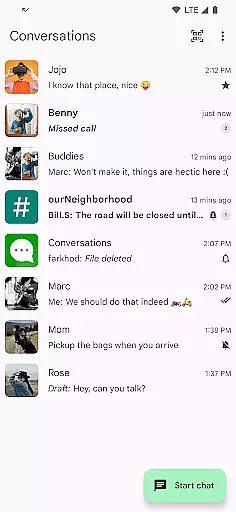
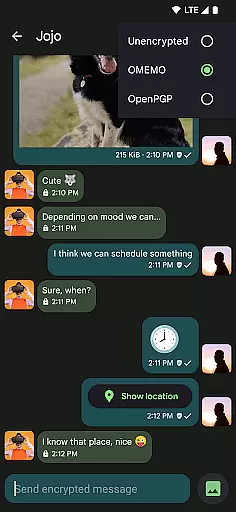
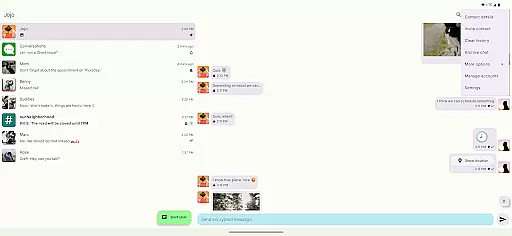
Conversations is a feature-rich Jabber/XMPP client for Android, designed to provide secure and reliable communication. The app supports end-to-end encryption by default, ensuring that your conversations remain private and secure. With built-in support for images, group chats, and location sharing, it offers versatile communication options.
The application stands out with its battery-friendly design and intuitive UI that follows Material Design 3 guidelines. It integrates seamlessly with desktop clients like Gajim and Dino, making it an ideal choice for users seeking a unified communication experience across devices. Whether you need encrypted audio and video calls or want to share files and voice messages, Conversations has got you covered.
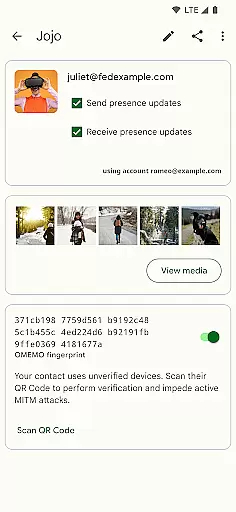
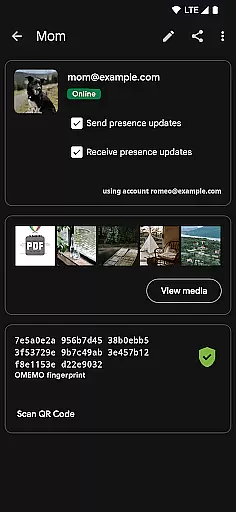
One of the key use cases for Conversations is in professional environments where secure messaging is crucial. Its advanced machine-in-the-middle detection and message moderation features for admins in public conferences make it suitable for enterprise use. By connecting to modern Jabber, XMPP, and Snikket servers, it ensures compatibility and security, providing true value to privacy-conscious users.
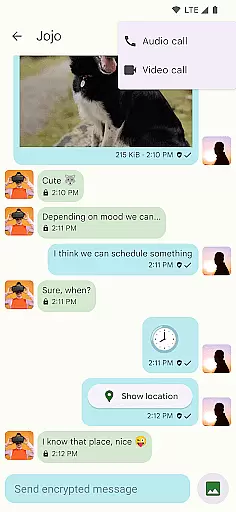
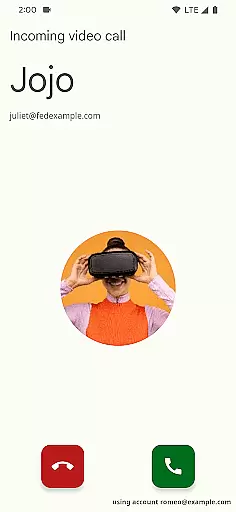
Conversations boasts an impressive array of features that cater to both security and usability. One of its standout functionalities is the support for end-to-end encryption through OMEMO or OpenPGP, ensuring that your communications are secure from prying eyes. The app also supports encrypted audio and video calls using DTLS-SRTP, offering a comprehensive secure communication solution.
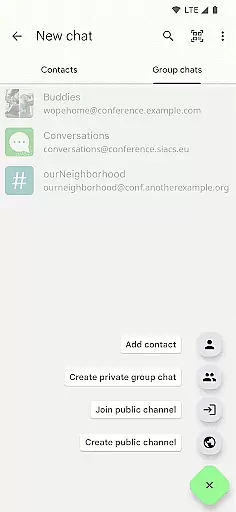
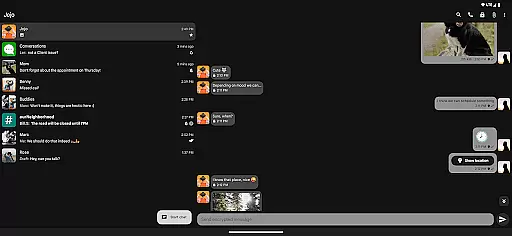
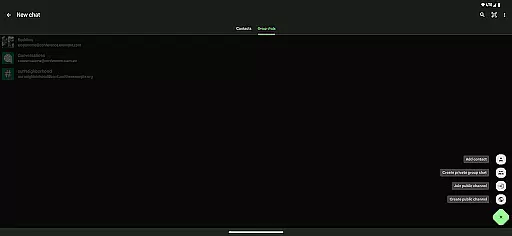
Beyond security, Conversations provides practical features such as sending and receiving images and other file types, sharing your location, and sending voice messages. Emoji reactions and read receipts enhance user interaction, while high-resolution contact photos (avatars) and an intuitive UI following Material Design 3 guidelines ensure a pleasant user experience. Advanced features like private group chats, public conferences, and message moderation for admins further extend its utility.
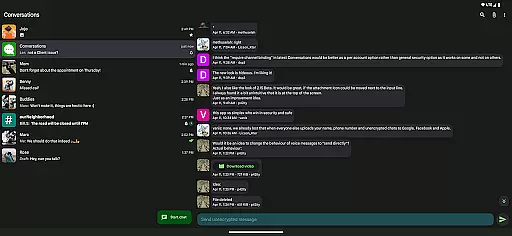
What sets Conversations apart is its commitment to user privacy and open standards. The app does not require a Google account or Firebase Cloud Messaging (FCM), minimizing data collection. Its address book integration, multiple account support (unified inbox), and very low impact on battery life make it a practical choice for everyday use. These features collectively offer significant value by combining robust security with user-friendly functionality.
Real-time messaging speed and reliability are crucial for any communication app, ensuring messages are delivered instantly and consistently. Conversations (Jabber / XMPP) excels in this area by leveraging the robust Jabber/XMPP protocol, which is renowned for its stability and speed.
The app supports end-to-end encryption with OMEMO or OpenPGP, guaranteeing that your communications remain private and secure without compromising on speed. This ensures that even as your messages are encrypted and decrypted, the performance remains smooth and fast.
Additionally, Conversations integrates seamlessly with desktop clients like Gajim and Dino, providing a unified experience across devices. This synchronization ensures that whether you're chatting on your phone or computer, the messaging speed and reliability remain consistently high.
With features such as message receipts indicating when your contact has read your message, Conversations offers users peace of mind knowing their messages are delivered and read promptly. This focus on real-time interaction makes it an excellent choice for reliable communication.
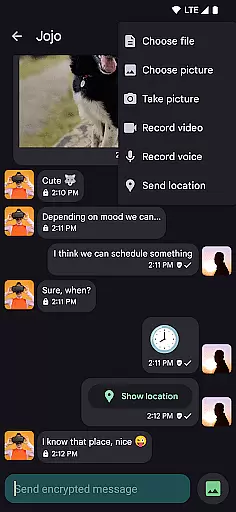
Media sharing support is essential for modern communication apps, allowing users to share images, files, and other media effortlessly. Conversations (Jabber / XMPP) provides comprehensive media sharing capabilities, enhancing user interaction and engagement.
Users can send and receive images and various types of files directly within the chat interface. The app's built-in support for file sharing ensures that exchanging documents, photos, or other media is straightforward and efficient. This feature is particularly beneficial for both personal and professional use cases.
In addition to file sharing, Conversations also supports encrypted audio and video calls using DTLS-SRTP, offering secure multimedia communication options. These advanced features ensure that all shared media is protected against unauthorized access, maintaining privacy and security.
Furthermore, the app allows users to share their locations and send voice messages, adding another layer of versatility to media sharing. By combining these functionalities with an intuitive UI that adheres to Android design guidelines, Conversations delivers a seamless and secure media sharing experience.
User-friendly interface
End-to-end encryption
Battery efficient
Multi-account support
Desktop synchronization
Requires compatible server
No iOS version
Advanced features complex
Limited server support
Occasional bugs

Messenger for SMS - texting message app, faster, simpler & safer, for you.
 4.70
4.70
Messenger app for faster and simpler SMS text messaging, and personalized themes
4.10
Quickly and easily identify and block unknown callers
3.70
Welcome to the future of phone service.
4.60
Simplify texting with Messages SMS, offline messaging, themes & smart tools!
4.30
Faster version of Messages. Messenger for your contacts.
4.50
A softphone app with seamless SIP calling and an intuitive VoIP dialer
3.50
Threema is the messenger with the most consistent focus on security and privacy.
4.00
Manage your mobile phone plan, check unlimited 5g data usage and track rewards
4.50
Use this Dialer app alone or as a TREK: Total Interface companion.
4.70
Enhance browsing with AI-powered features and Copilot.
4.70
Manage BoostMobile Account
4.60
Connect and browse the internet with a fast VPN proxy server and IP blocker.
4.50
Fast and mini browser with Ad Blocker,Video Downloader and Video Player
4.40
Fast and simple walkie talkie app
4.20
SMS Messenger is a lightning-fast messaging app.
4.20
A softphone with crystal clear SIP Calling & Reliable VoIP dialer
4.00
Call & Text Anywhere With A Canadian Number.
3.60
At select facilities, you now have an easy way to video visit your loved ones!
3.30

User Reviews