

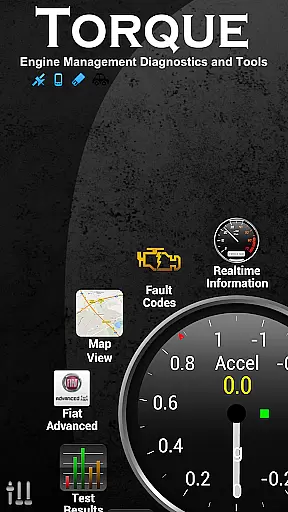
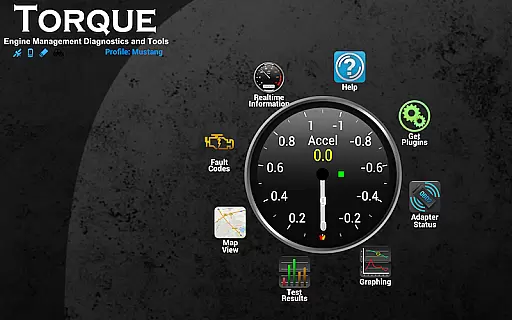
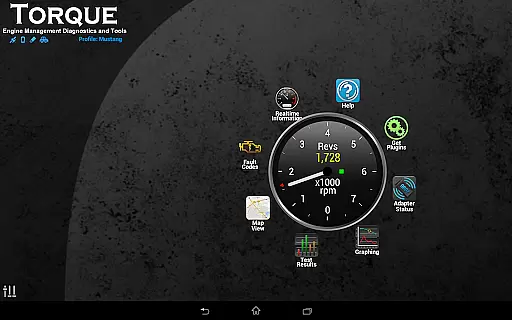
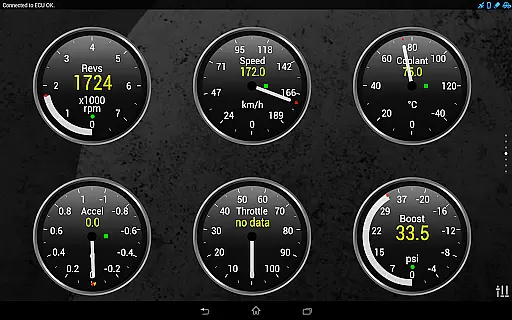
Torque Pro is a comprehensive vehicle diagnostics and performance monitoring tool designed for car enthusiasts and professionals alike. By connecting to your vehicle's OBD2 system through a Bluetooth adapter, it provides real-time data on engine performance, fault codes, and sensor readings.
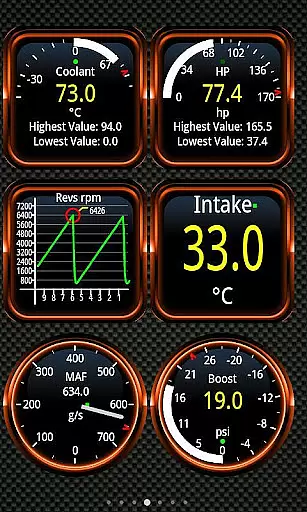
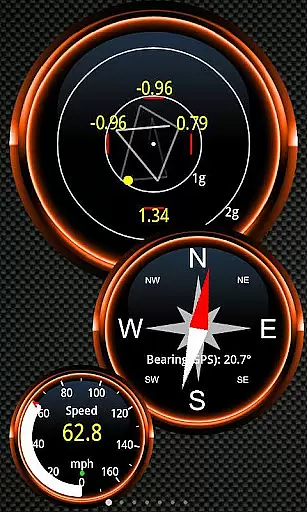
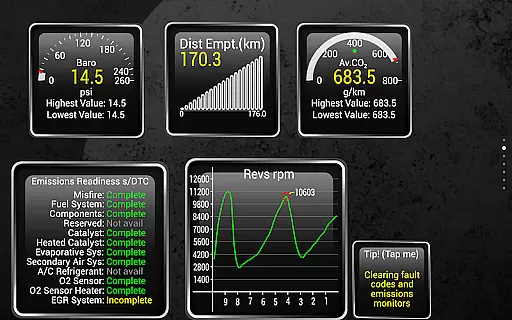
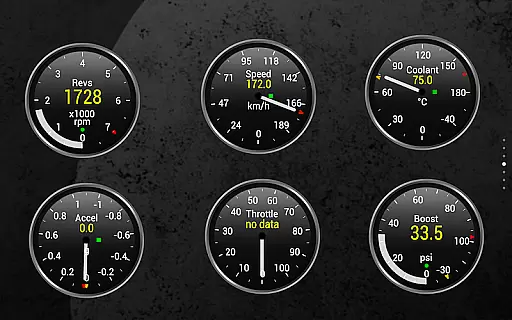
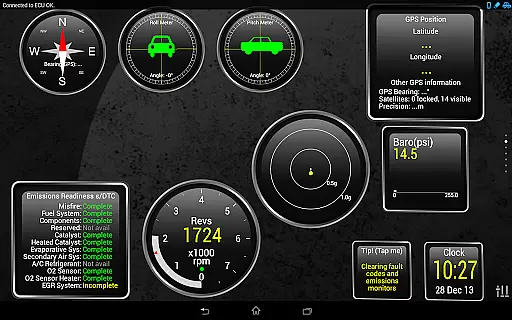
The app stands out with its customizable dashboard, allowing users to create personalized layouts with specific widgets and gauges. Whether you're tracking your vehicle's speed via GPS or analyzing horsepower and torque metrics, Torque Pro delivers accurate insights into your car's functioning.
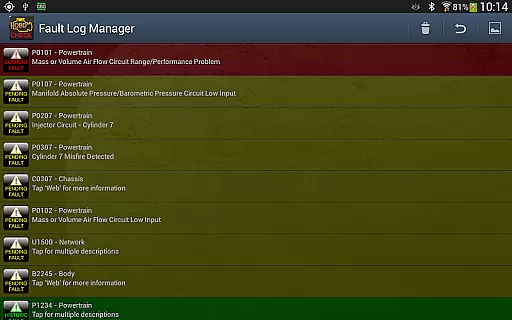
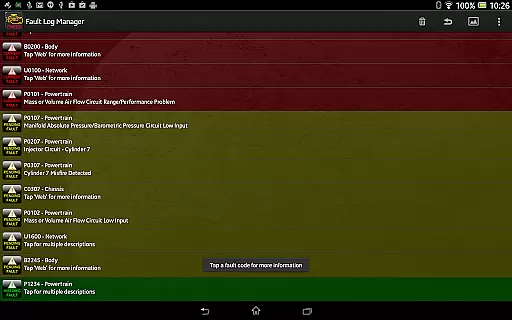
Useful for both everyday drivers and automotive professionals, Torque Pro helps in identifying issues before they become costly repairs. Its ability to reset fault codes and provide detailed diagnostic information makes it an essential tool for maintaining vehicle health.
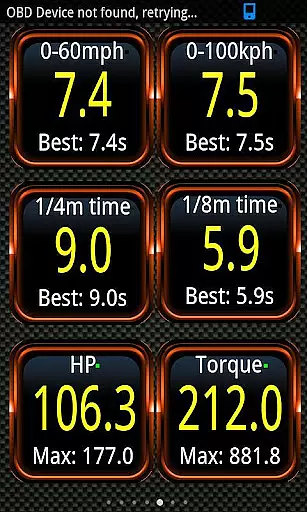
Torque Pro offers an extensive range of features that cater to various automotive needs. One standout capability is its dyno functionality, which measures horsepower and torque, providing valuable performance metrics for your vehicle.
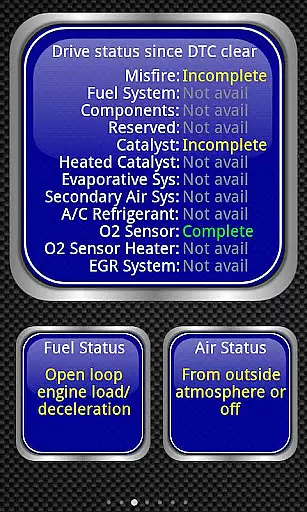
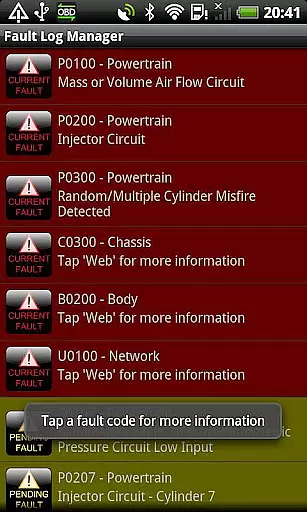
In addition to performance tracking, the app includes advanced diagnostic tools. Users can read and clear DTC fault codes, monitor transmission temperatures, and set alarms for critical conditions like overheating. The built-in CO2 emissions readout and MPG calculator help promote eco-friendly driving habits.
The app also supports third-party integrations through its AIDL API and Telnet interface, making it a versatile choice for developers and automotive professionals. With support for tablet devices and a wide range of vehicles, Torque Pro remains one of the most comprehensive OBD2 apps available.
Real-time messaging speed and reliability are crucial for any communication app, ensuring that users can exchange information seamlessly without delays or interruptions. Torque Pro (OBD 2 & Car) integrates these principles by providing instantaneous feedback on your vehicle's performance metrics.
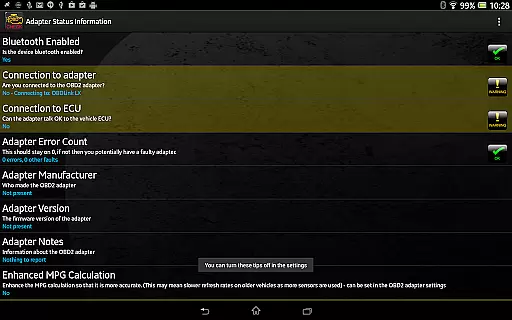
The application uses Bluetooth OBD2 adapters to connect with your caru2019s engine management system, delivering real-time data on various parameters such as speed, engine temperature, and fault codes. This immediate access to critical information allows drivers to make informed decisions quickly, enhancing both safety and efficiency.
For users, this means they can monitor their vehicle's health and performance in real time, receiving alerts and updates without noticeable lag. Whether you're diagnosing an issue or tracking your journey, the reliable transmission of data ensures that you have the most up-to-date and accurate information at your fingertips.
Overall, the emphasis on real-time messaging speed and reliability in Torque Pro not only improves user experience but also contributes significantly to vehicle maintenance and driving safety.
Media sharing support is a vital feature for modern applications, allowing users to share various types of content effortlessly. In Torque Pro (OBD 2 & Car), media sharing extends beyond traditional formats to include detailed vehicle performance logs and diagnostic reports.
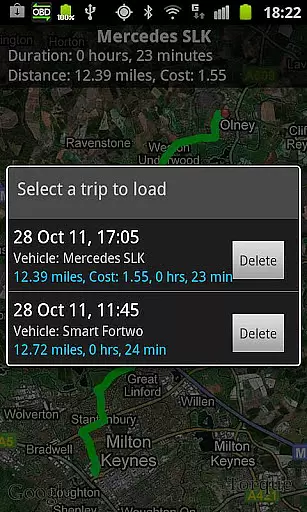
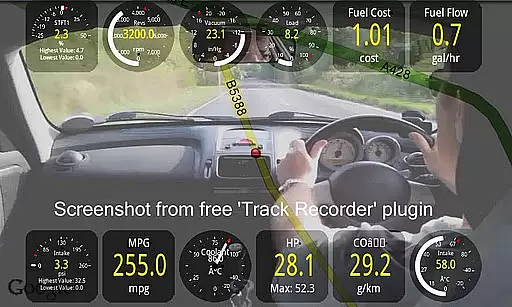
This functionality enables users to export and share GPS-tagged logs, engine performance data, and even video recordings of their journeys overlaid with OBDII data. Such capabilities are particularly useful for mechanics, car enthusiasts, or anyone looking to maintain a comprehensive record of their vehicle's history.
By supporting multiple file formats like CSV and KML, Torque Pro ensures compatibility with a wide range of systems and software, including Excel and OpenOffice. Users can easily send these files via email or upload them to web services for further analysis, making it simpler to collaborate with others or keep personal archives.
In summary, the robust media sharing support in Torque Pro enhances its utility by facilitating the exchange of valuable vehicle data, thereby empowering users to better understand and manage their cars' performance and maintenance needs.
Real-time diagnostics
Customizable dashboard
Extensive vehicle support
Detailed performance metrics
Third-party app integration
Requires separate adapter
Complex for beginners
Some features vehicle-specific
Occasional connection issues
Premium version costly

Tether to Windows, OS X, Linux PCs or Android tablets. No root. No tether fees.
 3.90
3.90
Phone Dialer with Caller ID, Address Book & Contacts Manager.
4.30
At select facilities, you now have an easy way to video visit your loved ones!
3.30
Messages is Private SMS Messenger 2023 with text message, instant messaging.
4.00
RemoteHams.com Android RCForb Client Pre-Release
4.30
Auto Reply SMS, Text Messaging, Away SMS Response, Busy SMS messages, Block Text
3.10
An app dedicated solely to marriage, not dating, and supported by a rigorous verification mechanism to ensure seriousness.
4.5
Say “hello” to privacy.
4.60
Useful. Social. Expressive.
4.70
We’re taking the yada yada out of wireless—now we’ve taken it out of your app.
4.70
Experience real private browsing without tracking, surveillance, or censorship.
4.50
An agentic AI browser for Android, built by Perplexity
4.50
Smart and simple anti-wiring application - IMSI-catchers catcher
4.40
Our Black Friday sale is here. Unlock special discounts on Proton Mail now.
4.30
SMS Messenger is a lightning-fast messaging app.
4.20
A customizable phone number in the cloud
4.20
This app enables the phone to receive and send FT8 traffic!
3.80
Secure Messaging App to Enhance Messenger Texting Experience and Organize SMS.
3.50
Official NDI app: turn your phone into a professional live-streaming IP camera.
3.20

User Reviews