

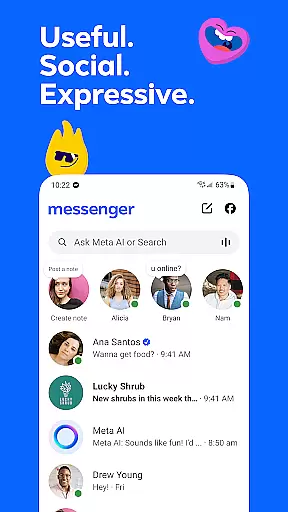
Messenger is a versatile communication app that allows users to connect with friends and family effortlessly. The app supports instant messaging, voice calls, and video calls, making it easy to stay in touch regardless of location. With features like Meta AI assistant, users can get instant answers to questions or receive help with various tasks.
One of Messenger's standout capabilities is its multimedia sharing options. Users can send high-definition photos, create shared albums, and even share large files directly within chats. Additionally, the app offers disappearing messages and customizable chat themes, allowing for both privacy and personalization. These features make Messenger suitable for both casual conversations and building communities around shared interests.
Messenger stands out with its comprehensive feature set tailored for modern communication needs. The app includes an AI assistant that provides instant responses to queries, assists with homework, and more. Multimedia sharing is enhanced through high-definition photo transmission and shared albums, which allow users to organize and reminisce over important moments.
The app also enables users to edit or unsend messages up to 15 minutes after sending, ensuring flexibility in communication. Disappearing messages add a layer of privacy, while broadcast channels let users engage with creators' content. Customizable themes and animated stickers further enhance user expression, making interactions lively and engaging.
Real-time messaging speed and reliability are crucial for maintaining seamless communication in today's fast-paced digital world. Messenger excels in this area by providing instant message delivery across devices, ensuring that you never miss an important conversation.
The app employs advanced synchronization technologies that keep your chat history consistent and up-to-date, regardless of whether you're switching between your phone, tablet, or desktop. This means you can pick up right where you left off, with all your messages accurately reflected across all your devices.
Messenger also prioritizes message delivery even under unstable network conditions. By optimizing data transmission protocols, the app ensures that your texts, photos, and files reach their destination quickly and reliably, no matter where you are.
This level of performance provides users with peace of mind, knowing that their communications are handled efficiently and securely. Whether it's a quick check-in with family or coordinating a large group project, Messenger's real-time capabilities ensure that every interaction is smooth and dependable.
Media sharing support is an essential feature for any modern messaging app, allowing users to express themselves beyond plain text. Messenger offers robust media sharing capabilities that make it easy to exchange photos, videos, and documents with friends and family.
The app supports high-definition image sharing, ensuring that your cherished memories are preserved in crisp detail. Whether you're sending vacation snapshots or important documents, Messenger maintains the quality of your media so recipients can enjoy the full experience.
Beyond just images, Messenger allows for the transfer of large files up to 100MB directly within chats. This includes Word documents, PDFs, Excel sheets, and more, making it a versatile tool for both personal and professional use.
Additionally, features like disappearing messages and Stories let you share moments temporarily, adding flexibility to how you communicate. These options provide creative ways to interact while maintaining control over your shared content's lifespan.
Instant AI assistance
High-definition media sharing
Customizable chat themes
Disappearing messages for privacy
Large file sharing capability
Limited Meta AI availability
Privacy concerns with metadata
Occasional connectivity issues
Heavy resource consumption
Complex interface for new users








BiP is a fast, secure, free messaging and HD video calling app!
 4.10
4.10
Messages is Private SMS Messenger 2023 with text message, instant messaging.
4.00
TeamSpeak - Secure Chat for Gaming & Business
3.10
FolderSync enables easy sync of files between cloud storage and Android devices.
4.60
Read OBD2 data and DTCs Create custom dashboards Enhanced diagnostics available
4.70
Threema is the messenger with the most consistent focus on security and privacy.
4.00
A browser that does more than load page, like keeping your privacy safe.
4.70
SMS Messenger is a lightning-fast messaging app.
4.20
Telegram is a messaging app with a focus on speed and security.
4.00
Enhance browsing with AI-powered features and Copilot.
4.70
HD Video Meeting app is a fast & unlimited video conferencing app across world.
4.30
Group Chat That’s Fun & Games
4.30
Messages: Fast, simple SMS app with scheduling and smart features.
4.00
WazzapMigrator: transfer your WhatsApp history from iPhone to Android
4.00
Fast Dialer & Contact Manager with Caller ID and Spam Protection
4.00 3.90
3.90
Tether to Windows, OS X, Linux PCs or Android tablets. No root. No tether fees.
3.90
Pure modern IRC experience for Android
3.70
Weargram is an unofficial Telegram Client for Wear OS.
3.50


User Reviews