

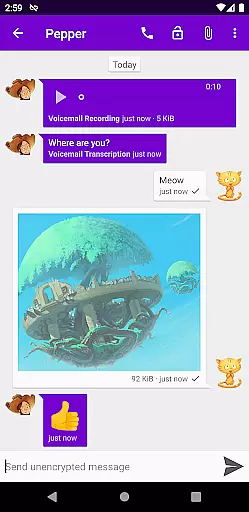
Cheogram is a communication app that connects users to a global network, emphasizing cross-platform interaction. It supports messaging with media and text, including animated content, and integrates seamlessly with the native Android Phone app when using telephony gateways.
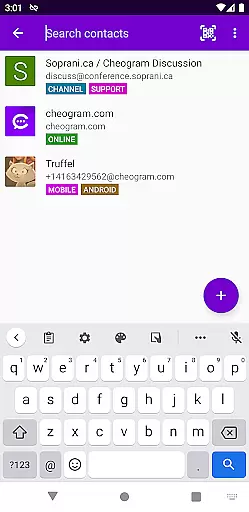
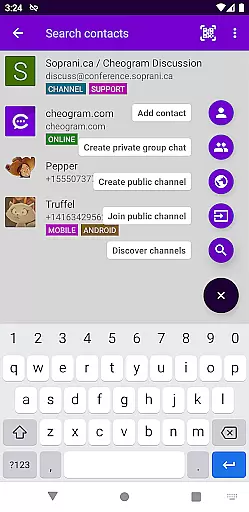
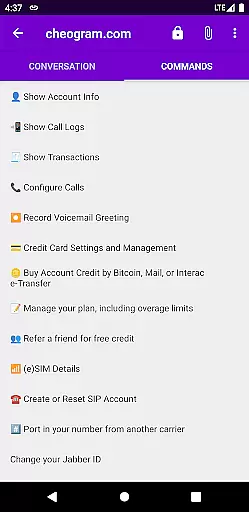
Key features include address book integration, tagging of contacts and channels, and a command UI for streamlined interactions. The app also offers lightweight threaded conversations and sticker packs, enhancing user engagement. With a free one-month trial of JMP.chat service included, Cheogram is ideal for users seeking versatile communication options.
Cheogram stands out with its robust feature set tailored for seamless communication. The app supports rich messaging with both media and text, displaying subject lines discreetly and showing links to known contacts by name.
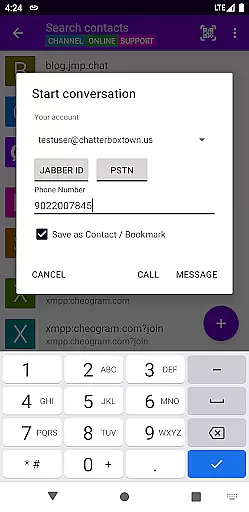
Integration capabilities are extensive, including compatibility with gateways' add contact flows and the native Android Phone app for phone network gateways. Users can tag contacts and channels, browse by tags, and utilize a command UI. Additionally, Cheogram offers lightweight threaded conversations and a variety of sticker packs, ensuring dynamic and engaging interactions.
Real-time messaging speed and reliability are crucial for any communication app, ensuring that messages are delivered instantly and consistently. Cheogram Android excels in this area by providing a seamless experience where users can send both media and text messages without delay.
The app's architecture is designed to handle high volumes of data efficiently, allowing for the unobtrusive display of subject lines and integration with gateways' add contact flows. This ensures that users receive their messages promptly, regardless of the network conditions.
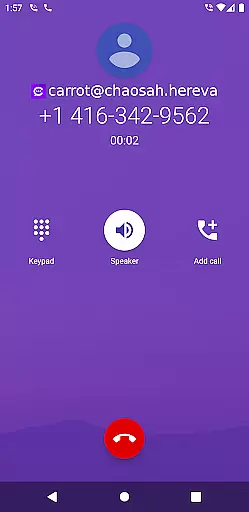
Moreover, Cheogram integrates with the native Android Phone app when using a gateway to the phone network, enhancing its messaging capabilities. Users benefit from reliable message delivery even when switching between different networks or experiencing varying internet speeds.
In summary, Cheogram Android offers a robust platform for real-time communication, making it an ideal choice for users who prioritize speed and reliability in their messaging experience.
Media sharing support is a vital feature for modern communication apps, enabling users to share various types of content effortlessly. Cheogram Android stands out by offering comprehensive media sharing capabilities, including animated media, which enhances user engagement and interaction.
The app allows users to send messages with both media and text, providing an enriched communication experience. Links to known contacts are shown with their names, adding a personal touch to interactions and making it easier to identify shared content.
Cheogram also supports sticker packs, giving users additional ways to express themselves creatively. The lightweight threaded conversations further enhance the media sharing experience by organizing discussions logically and maintaining context.
Overall, Cheogram Android's media sharing support ensures that users can communicate effectively and enjoyably, whether they're exchanging photos, videos, or other forms of digital content.
User-friendly interface
Extensive integration options
Rich media support
Free trial available
Lightweight conversations
Limited to Jabber services
No direct call feature
Requires external account
Interface may feel complex
Dependent on third-party art

Enables Plus features of Quick Search.
 4.0
4.0
Adblock & VPN Browser: Blocks banners, pop-ups and video ads, fast downloader!
4.60
Google's fast and secure browser
4.10
Message and video call your family and friends in HD!
3.80
Fast Dialer & Contact Manager with Caller ID and Spam Protection
4.00
Faster version of Messages. Messenger for your contacts.
4.50
Fun, free app that lets kids video call and message family and close friends.
3.80
Stay in touch with the people who matter most.
4.60
A browser that does more than load page, like keeping your privacy safe.
4.70
Use this Dialer app alone or as a TREK: Total Interface companion.
4.70
Messenger for SMS - texting message app, faster, simpler & safer, for you.
4.70
Read OBD2 data and DTCs Create custom dashboards Enhanced diagnostics available
4.70
Browse fast on Opera Mini, with Data Saving, News, Football Scores, and Download
4.60
Welcome to the future of phone service.
4.60
Call Blocker app: Identify unknown callers, block spam calls, fraud & robocalls
4.30
Simplify texting with Messages SMS, offline messaging, themes & smart tools!
4.30
Measure BHP, Torque & 0-60 Clear car OBD faults View engine data in Google Earth
4.00
Tether to Windows, OS X, Linux PCs or Android tablets. No root. No tether fees.
3.90
Pure modern IRC experience for Android
3.70
User Reviews