

Open Browser is a comprehensive mobile web browser designed for fast, secure, and convenient browsing. It combines essential features like private browsing, video downloading, real-time news updates, and weather forecasts into one lightweight app. The browser ensures smooth performance even on slower networks, making it ideal for users who need an all-in-one solution for their daily online activities.
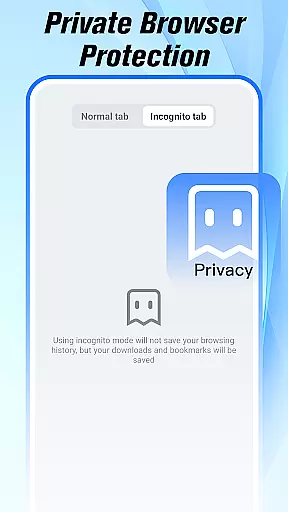
With its built-in Incognito Mode, Open Browser protects user privacy by not saving history, cookies, or cache during private sessions. Additionally, the integrated file manager allows easy organization of downloads, while the video player supports multiple formats for seamless streaming and offline viewing. These features make Open Browser a versatile tool for both casual browsing and more specific tasks like media consumption and file management.
Whether you're reading news, watching videos, checking weather, or managing files, Open Browser provides a streamlined experience without requiring you to switch between multiple apps. Its focus on speed, privacy, and functionality makes it a valuable tool for enhancing productivity and convenience in everyday web surfing.
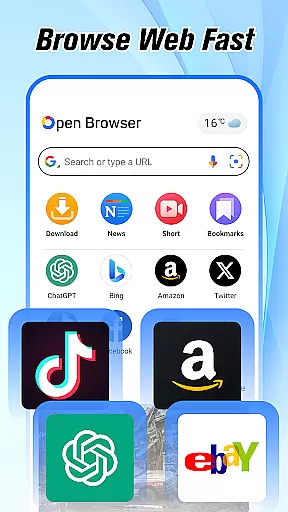
Open Browser stands out with its diverse range of features tailored for modern mobile users. One of its key strengths is the Fast & Smooth Browsing capability, which ensures quick page loading and efficient navigation, even under poor network conditions. This feature significantly reduces waiting times, providing a seamless experience for users who rely on speedy access to information.
Another notable feature is the Private Browsing Mode, which safeguards user data by disabling history, cookies, and cache storage during incognito sessions. This mode is particularly useful for those who prioritize security when visiting sensitive websites or conducting private searches. Furthermore, the browser's ability to Watch & Download Videos adds another layer of convenience, allowing users to stream content online or save it for offline use in various formats.
Open Browser also integrates practical tools such as Real-Time News Feed and Instant Weather Updates, ensuring that users stay informed about current events and local weather conditions without needing additional apps. Combined with its Simple File Management system, these features create a robust platform that caters to both entertainment and productivity needs, setting Open Browser apart from conventional mobile browsers.
At the heart of Open Browser lies its commitment to providing users with fast, accurate, and effective browsing capabilities. This mobile browser is engineered to load web pages swiftly even on slower networks, ensuring that users experience minimal waiting time while navigating through their favorite sites.
The app's core functions are designed for efficiency and ease of use. With features like private browsing mode, it ensures that user privacy is maintained by not saving history, cookies, or cache during an incognito session. This functionality is crucial for those who prioritize security and discretion when surfing the web.
Open Browser also excels in multimedia handling, allowing users to watch and download videos seamlessly. Its integrated video player supports multiple formats, making it versatile for various types of content consumption without needing additional applications.
By incorporating real-time news feeds and instant weather updates directly into the browser interface, Open Browser eliminates the need to switch between different apps throughout the day. These built-in features enhance productivity by centralizing essential information within a single platform.
Open Browser stands out with its simple yet intuitive interface that caters to both novice and experienced users alike. The design philosophy behind this tool emphasizes ease of navigation, ensuring that all key functionalities are easily accessible from the main screen.
With streamlined menus and clear icons, users can quickly locate features such as file management, video downloads, or incognito mode without any learning curve. This straightforward layout contributes significantly to a hassle-free browsing experience where focus remains on content rather than complex controls.
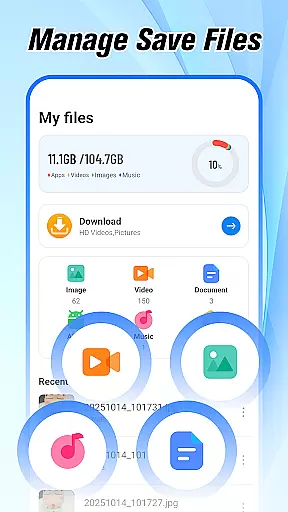
The inclusion of a built-in file manager further simplifies data organization by allowing direct access to images, documents, and videos from within the browser itself. Such integration reduces clutter across devices while promoting efficient workflow habits among regular users.
Overall, Open Browseru2019s dedication to maintaining an uncluttered but powerful UI makes it an ideal choice for anyone seeking a no-frills approach to mobile web surfing without compromising on essential tools needed for daily digital tasks.
Fast page loading
Private browsing
Video download
News integration
Lightweight design
Limited extensions
No desktop sync
Ads in free version
Few customization
Occasional bugs




pdf merge, word to pdf, jpg to pdf, edit pdf, convert to pdf and much more!
 4.20
4.20
A convenient photo, video, and file recovery tool.
4.00
Remote for Roku, Fire TV, Samsung TV, LG TV, Android TV, Chromecast and VIZIO TV
4.20
Carry a FTP server in your pocket and avoid USB cables for file transfer
4.20
Detect hidden spy camera with advanced scanning {{ Premium version }}
4.00
Monitor car performance in real time and troubleshoot malfunctions.
4.80
Connect wirelessly to your computer to watch movies, browse the web, play games
5.00
A simple app to back up and restore SMS & MMS messages and call logs.
4.10
Screen recorder with audio to record high-quality videos and take screenshots.
4.40
Best leveling tool for your Android device. Hang paintings like a pro.
4.90
Extremely fast, secure, and protects your privacy
4.80
ADB support Android 4.X-Android 13(Support wireless pair mode).No root required!
4.70
Connect instantly to a fast, encrypted VPN with one tap
4.60
App to pay for FUTO Keyboard
4.60
eXtended Permission Manager - a small app to manage permissions and AppOps
4.50
Forza Tuning Calculator App for Forza Horizon 5, Motorsport and Earlier Titles
4.40
Screen Mirroring with sound for Samsung TV, LG TV, Sony TV, Smart TV and Browser
4.20
Smart and comfortable browsing experience.
3.80
Clean the junk files on your device
3.40

User Reviews