

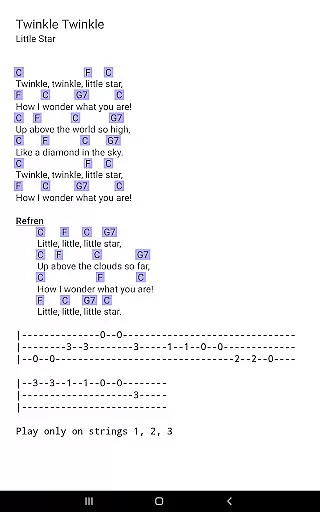
MobileSheets is a premier sheet music viewer designed specifically for Android tablets, offering musicians an efficient and versatile solution for managing and accessing their music library. With its comprehensive feature set, the app eliminates the need to carry physical sheet music, providing instant access to any score within seconds. The application supports multiple file types including PDFs, images, text files, and chord pro files, making it adaptable to various musician needs.
Beyond basic viewing, MobileSheets includes advanced functionalities such as hands-free page turning through Bluetooth or USB devices, automatic scrolling, and even face gestures. It also offers annotation tools, customizable audio playback with A-B looping, and metronome support. These features are complemented by smart buttons, bookmarks, and link points that enhance navigation and performance efficiency. Designed for 7" and larger tablets, MobileSheets is optimized for musicians who require quick, reliable, and feature-rich access to their sheet music.
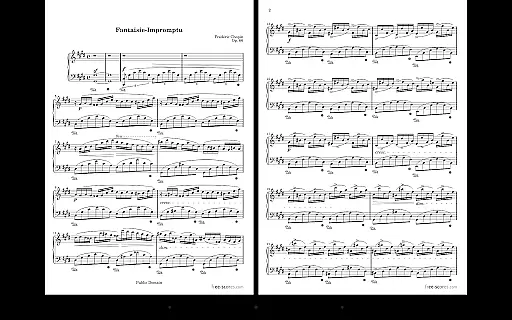
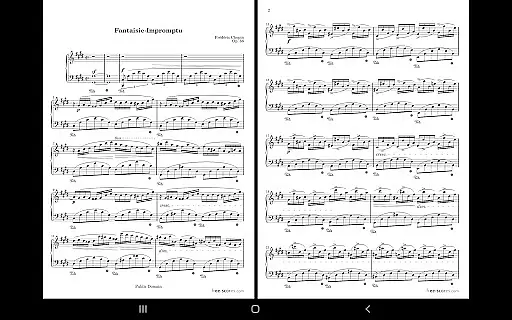
MobileSheets stands out with its extensive range of specialized features tailored for musicians. One of its core strengths is the multiple modes of operation, allowing users to view sheet music in side-by-side pages, half-page turns, or vertically scrolling formats. This flexibility ensures optimal readability based on individual preferences and performance environments. Additionally, the app supports hands-free functionality through Bluetooth pedals, automatic scrolling, and innovative face gesture controls, enabling uninterrupted play during performances.
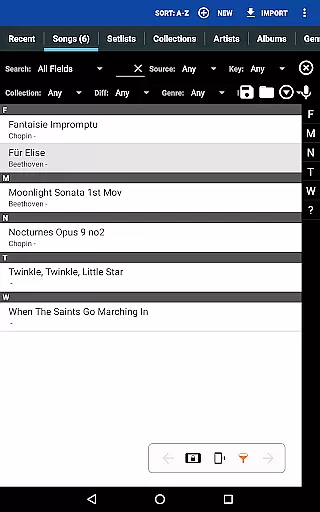
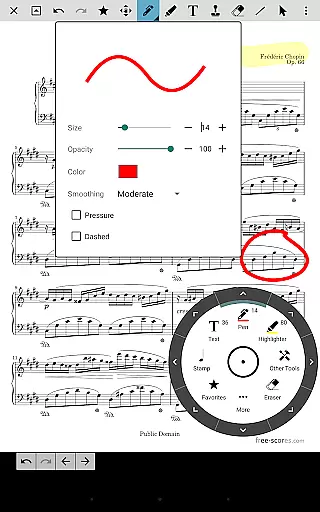
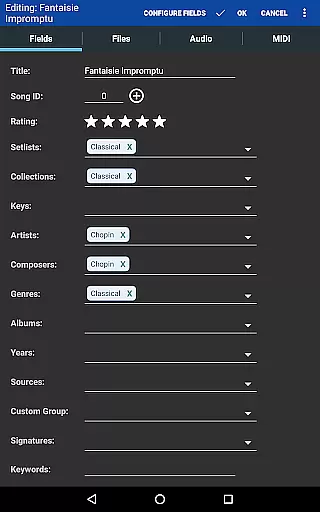
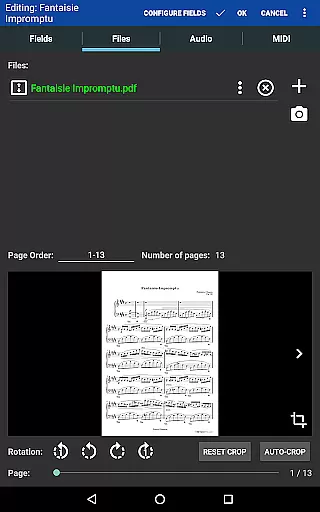
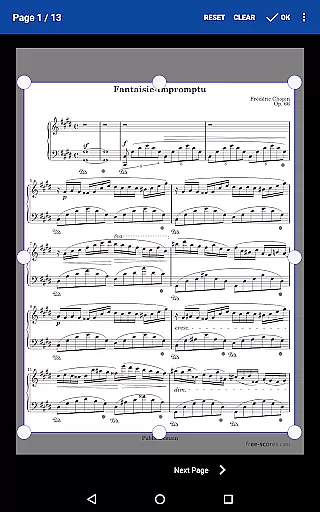
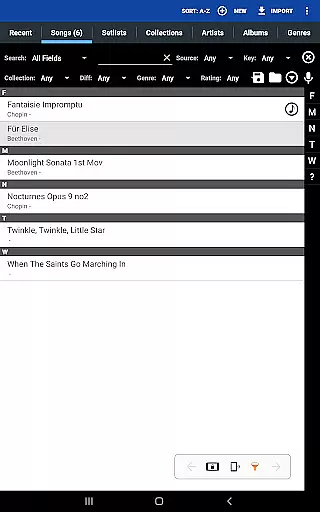
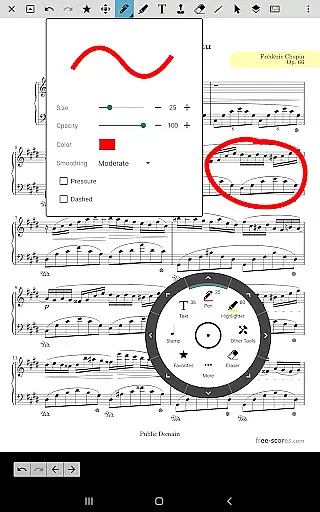
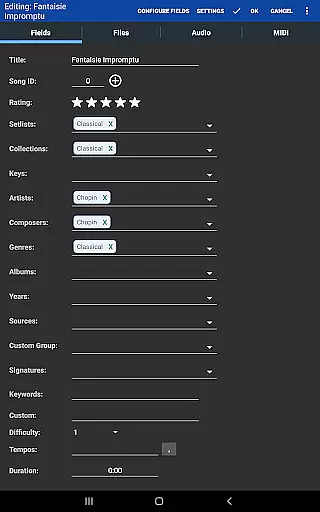
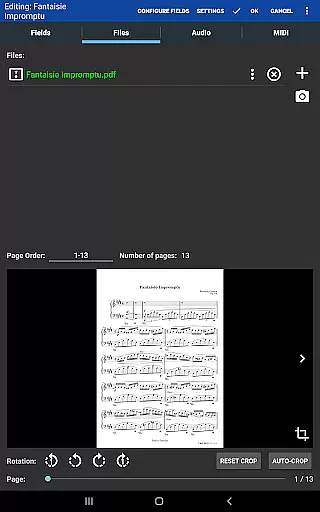
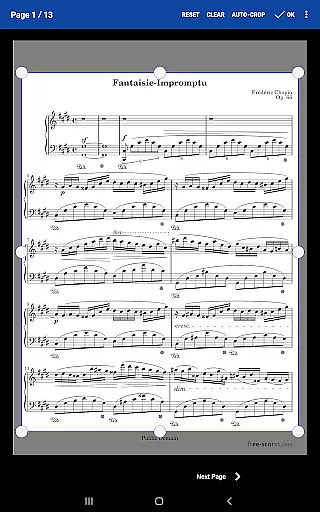
The app provides powerful organizational tools, including custom page ordering, setlists, collections, and comprehensive library management. Users can easily annotate scores with freeform drawing, shapes, text, and stamps, while the built-in audio player supports synchronized audio tracks with adjustable looping. Furthermore, MIDI device integration, transposition capabilities for chords, and manual cropping enhance the adaptability of the app. These features collectively empower musicians to streamline their workflow and focus on their craft without being hindered by cumbersome physical materials.
MobileSheets offers an extensive music library management system that supports a wide range of file types including PDFs, images, text files, and chord pro files. This versatility allows musicians to digitize their entire music collection, making it accessible from a single platform.
The application ensures copyright authenticity by allowing users to import and manage their legally acquired sheet music. By supporting direct linking to existing files on the device, MobileSheets respects the integrity and legal ownership of music scores while providing a convenient organizational structure.
With features like importing CSV index files to break up large PDF songbooks, musicians can efficiently organize vast collections of music. This functionality not only enhances accessibility but also preserves the original quality and legality of the content.
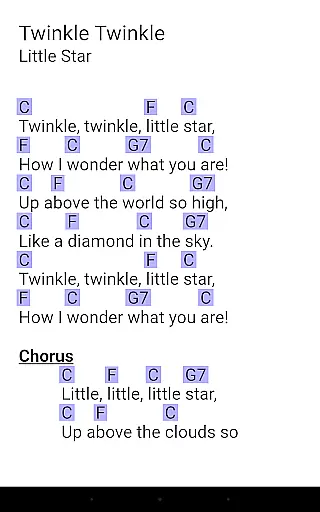
Furthermore, MobileSheets' ability to transpose chords in text and chord pro files adds a layer of adaptability without compromising the authenticity of the original compositions. This feature empowers musicians to customize their music while maintaining respect for copyright laws.
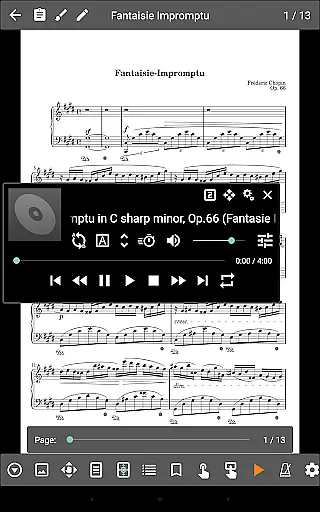
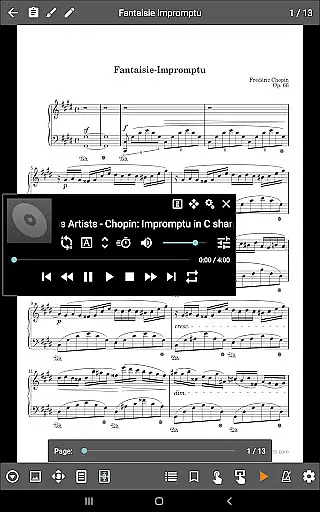
MobileSheets includes a custom audio player designed specifically for musicians who need to play audio tracks alongside their scores. The player supports advanced features such as A-B looping, which is crucial for practice sessions and mastering difficult passages.
The application provides multiple audio player sizes, allowing users to adjust the interface according to their preferences and device capabilities. This flexibility ensures optimal audio quality and user experience across different Android tablets.
While MobileSheets cannot play back PDFs, images, or text/chord pro files, its specialized audio playback features demonstrate a deep understanding of musicians' needs. The ability to precisely control audio playback enhances the practice and performance experience.
These audio quality options, combined with the application's other musician-focused tools, create a comprehensive environment for musical development and performance preparation. The result is a powerful tool that supports both auditory and visual learning styles.
User-friendly interface
Wide file compatibility
Hands-free functionality
Advanced annotation tools
Customizable organization
No built-in playback for PDFs
Optimized for larger tablets only
Companion app not included
Limited e-ink support
Requires manual setup for files

Offline and always ad-free - stream in the highest quality available.
 4.10
4.10
Taal player that lets you sing any Indian & Western song with Tabla & Tanpura
4.60
Time Trainer: accurate metronome w tools to help you develop your internal time!
4.20
Advanced 10-Band Audio Graphic Equalizer Sound Booster Pro
4.30
Super Sound Editor, Song Maker & Mixer, Vocal Remover, Voice Recorder & Changer!
4.60
Smart piano keyboard, Classical to Pop, Real-time multiplayer connection!
4.20
Full featured mp3 and audio player with Chromecast and Android Auto support.
4.40
One-tap booster for max volume - enjoy powerful sound with this audio booster
4.50
Customize Your Favorite Songs and Videos with booster.
4.70
24,000 free audio books and no ads!
4.90
Make songs with AI! Any genre, custom lyric, song generator for music creation!
4.80
Listen to live FM radio stations, sports, music and news on global radios online
4.70
Over 100 million tracks available for high quality streaming and download
4.60
Let your Android device with the sound effects you want
4.50
Play KORG’s revolutionary touch-based instrument on a variety of devices.
4.40
Your HD audio recorder on the go for music, meetings, ambience, animal sounds…
4.30
Time Guru will strengthen your internal sense of musical time via random muting.
4.30
The official Sonos app
4.10
Background pads for your band
3.80

User Reviews