

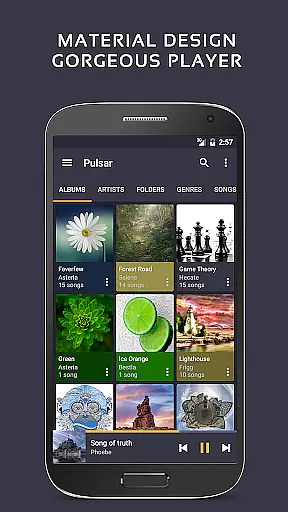
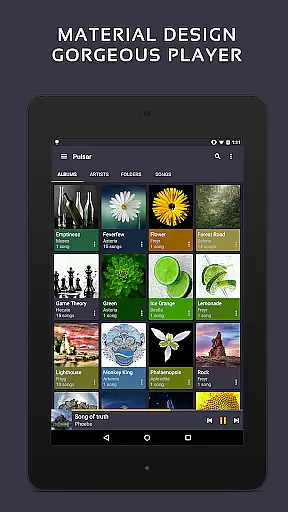
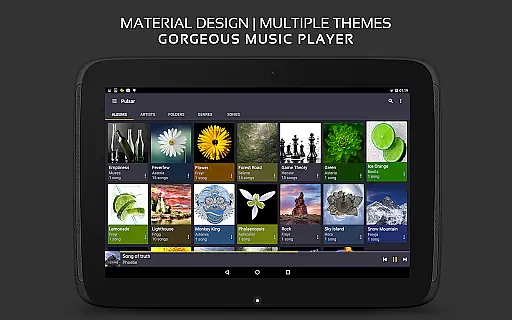
Pulsar Music Player Pro is a premium offline audio player designed for Android users who appreciate high-quality music playback without advertisements. The app adheres to material design guidelines, offering a visually appealing interface with smooth animations.
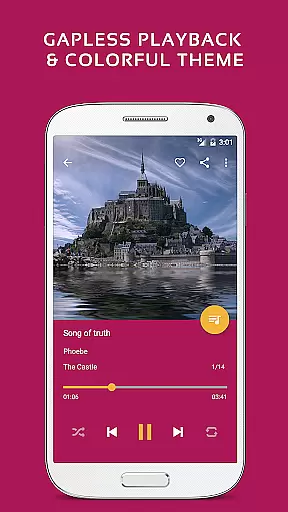
Key features include gapless playback, crossfade support, play speed adjustment, and tag editing. It also supports Chromecast, voice commands, Android Auto, and includes an equalizer with 5-band control and 9 presets. With ReplayGain volume normalization, sleep timer, and last.fm scrobbling, Pulsar caters to audiophiles seeking advanced audio functionalities.
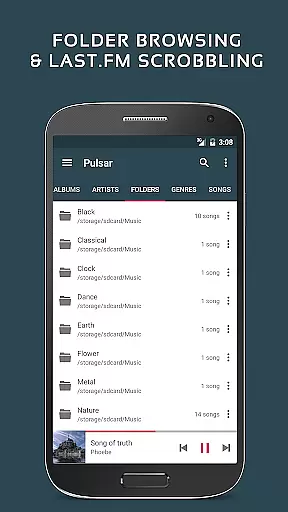
Ideal for organizing extensive music libraries, Pulsar allows playback by album, artist, folder, or genre. Its smart playlists, automatic image syncing, and fast search enhance user experience. The app's customization options extend to themes and sound balance adjustments, making it versatile for personalized listening sessions.
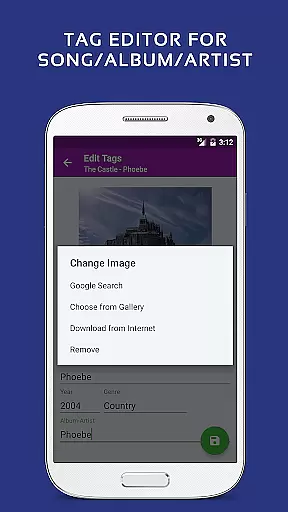
Pulsar Music Player Pro stands out with its comprehensive feature set tailored for music enthusiasts. The app provides gapless playback and crossfade support, ensuring uninterrupted listening experiences. Users can adjust play speeds and utilize the built-in metadata tag editor for mp3 files, enhancing personalization.
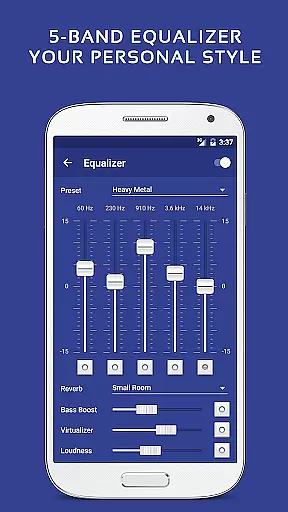
Advanced functionalities such as ReplayGain volume normalization and a 5-band equalizer controller with bass boost and reverb effects offer precise audio tuning. The music visualizer and lyrics display (both embedded and lrc file) enrich the auditory experience with visual elements.
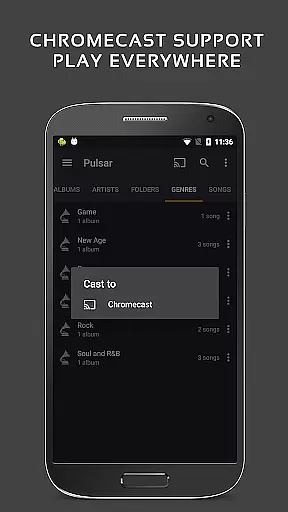
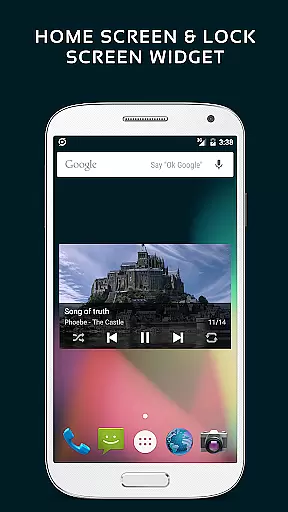
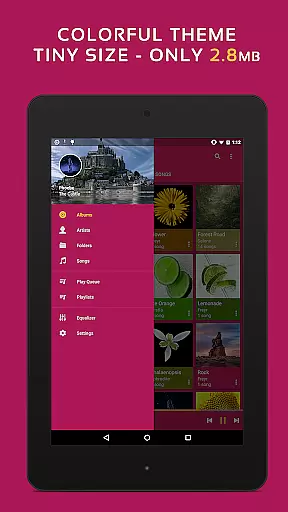
Integration capabilities are robust, supporting Chromecast, Google voice commands, and Android Auto. These features ensure seamless connectivity across devices. Additionally, the app offers 16 extra themes and theme customization options, providing users with a personalized interface that suits their style while maintaining functionality.
Pulsar Music Player Pro offers an extensive music library that supports a wide range of audio formats including MP3, AAC, FLAC, OGG, and WAV. This ensures users can enjoy their music collection without compatibility issues.
The application emphasizes copyright authenticity by allowing users to manage and play their legally acquired music files. It provides features like tag editing for MP3 and other formats, ensuring accurate metadata representation.
With support for offline playback and no advertisements, Pulsar respects both the user's ownership rights and listening experience. The app also integrates with services like Last.fm for scrobbling, enhancing its music tracking capabilities.
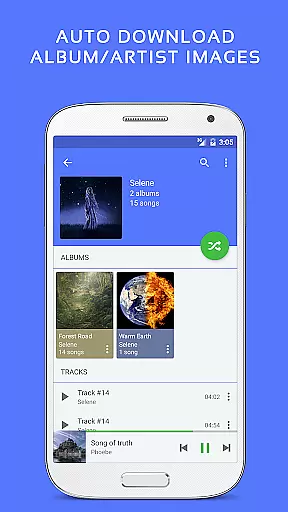
Users benefit from automatic syncing of album and artist images, ensuring their library remains visually up-to-date while maintaining the integrity of their music data.
Pulsar Music Player Pro excels in delivering high-quality audio experiences through advanced features such as gapless playback, crossfade support, and ReplayGain volume normalization. These functionalities ensure uninterrupted and balanced sound output.
The built-in 5-band equalizer controller with nine pre-built presets allows users to customize their listening experience according to personal preferences or specific audio tracks. Additional enhancements include bass boost and reverb effects.
For audiophiles who demand precision, Pulsar offers play speed adjustment and sound balance controls. These tools provide granular control over how music is played back, catering to discerning ears.
Furthermore, the app supports Chromecast, enabling high-fidelity streaming to external devices. Combined with Android Auto support, it guarantees superior audio quality across various listening environments.
Gapless playback
Crossfade support
Customizable themes
Equalizer with presets
No advertisements
Paid version only
Complex for beginners
Occasional bugs
Limited file support
Resource intensive

SqueezePlayer turns your Android phone or tablet into a SqueezeBox on its own!
 4.60
4.60
Equalizer, Bass Booster and Volume Booster (Eq & Bass) improve sound quality
4.30
The Cubase remote control app
3.60
10-Band Audio Equalizer, Sound / Bass Booster for Spotify Users & Music Players
4.40
Taal player that lets you sing any Indian & Western song with Tabla & Tanpura
4.60
Gorgeous UI, Powerful music Search and Equalizer, the great choice for you!
4.70
Ultimate Sonos Controller
4.70
Smart piano keyboard, Classical to Pop, Real-time multiplayer connection!
4.20
Offline Tunes, Unlimited Vibes
3.90
JBL PartyBox APP works with 110/310/710/120/320/520/Encore/Encore 2/Encore Ess 2
4.80
Your song collections with lyrics and chords on Android smartphones and tablets.
4.80
Listen to live FM radio stations, sports, music and news on global radios online
4.70
A complete sound package for the sound engineer or enthusiast
4.60
Fun & Easy Voice Changer – Record, Edit & Add Hilarious Effects!
4.50
Guzheng Master supports many playing techniques as an acoustic Guzheng
4.50
DJ Music Mixer - DJ Remix: remix songs, make beat music & record mix of DJ.
4.40
Next generation modular control surface
4.10
Learn to play the piano using falling notes!
3.80
Music Streaming suite for Ampache, Nextcloud Music and compatible backends.
4.1

User Reviews