

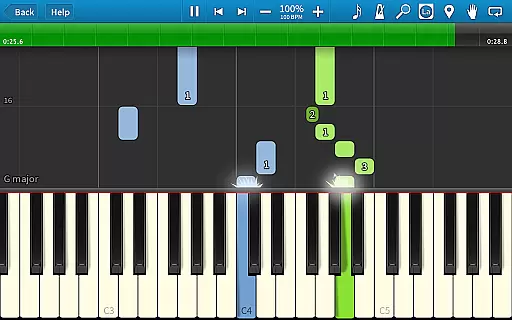
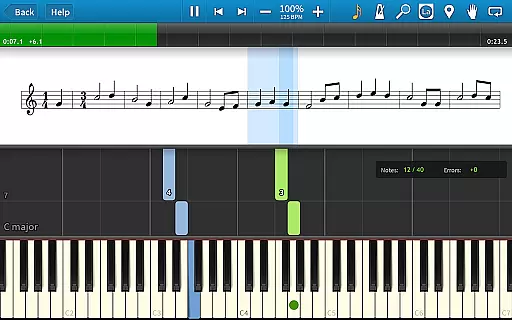
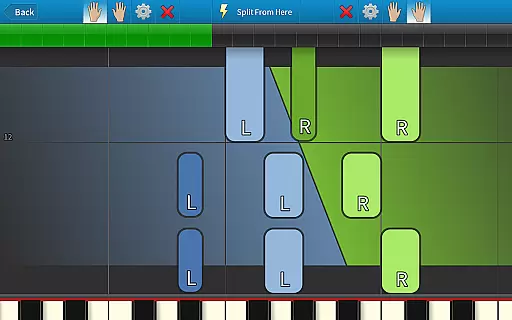
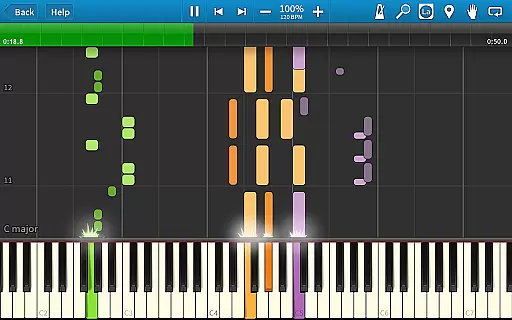
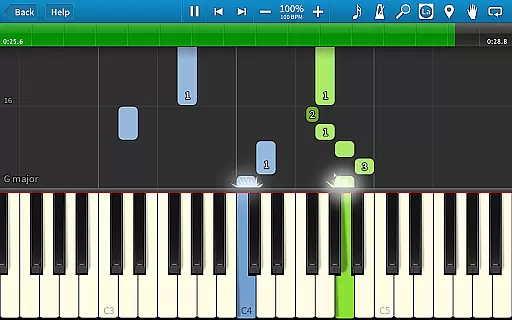
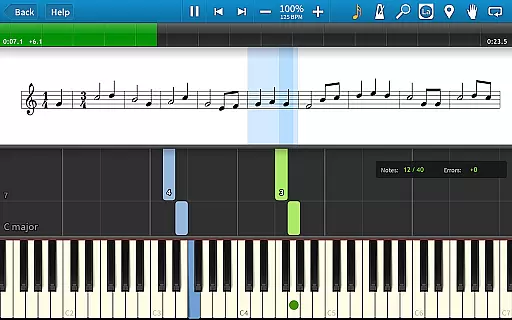
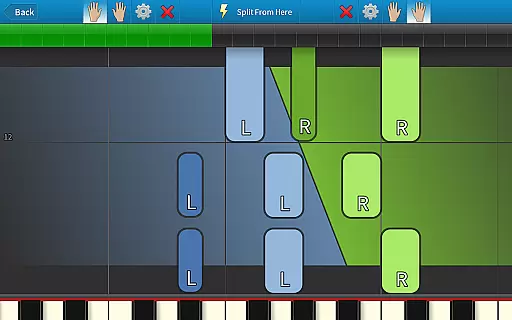
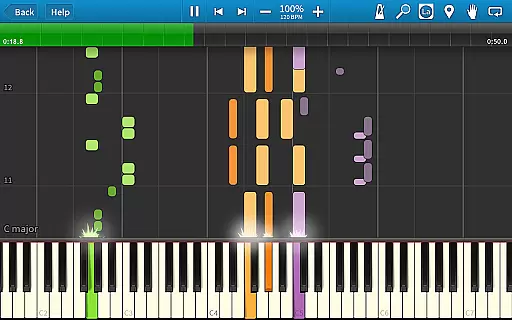
Synthesia is an innovative music learning application designed to help users play the piano without needing to read sheet music. The app offers a unique interactive experience by providing visual guidance through falling note blocks and optional traditional sheet music displays. Suitable for beginners and experienced musicians alike, Synthesia supports both hands separately or together, making it adaptable to various skill levels.
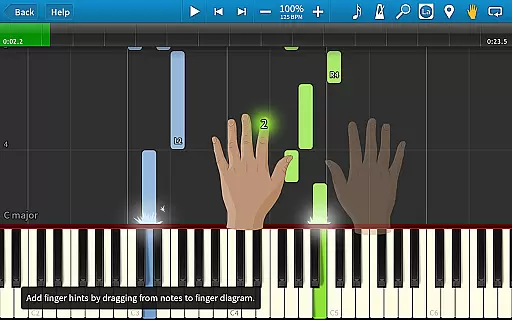
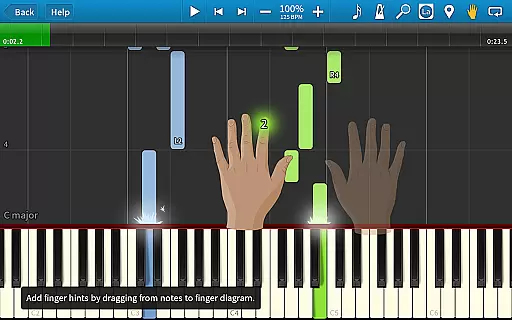
One of the standout features of Synthesia is its compatibility with digital pianos, allowing users to connect their own instruments and receive real-time feedback. With Melody Practice mode, the app waits until the correct note is played, ensuring accuracy and improvement over time. Additionally, the built-in metronome, loops, bookmarks, and finger hints included with every song make practice sessions more effective and enjoyable.
Whether you're practicing classical pieces or modern compositions, Synthesia provides a comprehensive learning tool that enhances musical skills while offering a fun and engaging experience. Its extensive library of songs and one-time purchase model ensures long-term value for users looking to advance their musical abilities.
Synthesia boasts a variety of features that cater to different learning styles and preferences. Users can choose between traditional sheet music, falling note blocks, or a combination of both, providing flexibility in how they learn. The app's compatibility with lighted keyboards adds another layer of interactivity, helping users hit the right notes with visual cues.
The app includes Melody Practice mode, which waits for the user to play the correct note before proceeding, fostering precision and confidence. Synthesia also offers a multi-track recorder, enabling users to record their performances and track progress over time. With over 150 included songs and support for any MIDI file, the app provides a vast repertoire for users to explore.
Additional features such as loops, bookmarks, and a built-in metronome enhance the learning experience by allowing users to focus on specific sections and maintain rhythm. These tools, combined with finger hints for each song, ensure that users develop proper technique and improve their overall musical proficiency.
When it comes to music learning applications like Synthesia, the size and variety of the music library play a crucial role in user engagement. This app offers an impressive collection of over 150 songs that cater to different skill levels and musical tastes.
Beyond the quantity, the app ensures the authenticity and legality of its music content. Each MIDI song included has been verified for proper licensing, giving users peace of mind when accessing and playing these tracks. This commitment to copyright compliance enhances the overall credibility of the platform.
Moreover, Synthesia allows musicians to import any MIDI file, effectively expanding the music library infinitely. This feature not only increases the app's versatility but also enables users to personalize their learning experience with their favorite songs.
The combination of a comprehensive built-in library and unlimited external content makes Synthesia suitable for both beginners and advanced players looking to expand their repertoire while ensuring all content is properly licensed and authorized.
Audio quality stands as a fundamental aspect of any music application, especially one focused on instrumental learning. Synthesia delivers exceptional sound quality through multiple features designed to enhance the learning experience.
The app supports high-quality audio output across all devices, ensuring that each note played sounds clear and true to the original instrument. This attention to audio detail helps users develop their musical ear more effectively compared to apps with lower quality sound reproduction.
Additionally, Synthesia offers various audio settings that allow users to customize their listening experience. These include adjustable tempo without affecting pitch, different soundfont options to change instrument timbre, and master volume control for optimal practice sessions.
For serious learners, the app includes professional-grade recording capabilities. The built-in multi-track recorder captures performances with studio-quality precision, enabling detailed analysis and improvement tracking. This combination of playback and recording quality establishes Synthesia as a valuable tool for musicians seeking authentic sound reproduction in their practice sessions.
User-friendly interface
Real-time feedback
Vast song library
One-time purchase
Multi-track recorder
Limited free version
Requires compatible hardware
No advanced theory lessons
Occasional bugs
Interface not customizable

DJ Music Mixer Pro is a real DJ controllers and DJ Music Studio to remix DJ.
 4.40
4.40
Advanced 10-Band Audio Graphic Equalizer Sound Booster Pro
4.30
Next generation modular control surface
4.10
Slow music down without changing pitch.
3.70
Learn the notes on the guitar fretboard fast with this easy and fun app
4.60
Sing, record, and create music together — enhanced by smart voice tools.
4.00
Turn Every Moment into Music
3.60
Customize Your Favorite Songs and Videos with booster.
4.70
Be a true music maker: create beats, mix and make music like a real DJ!
4.30
24,000 free audio books and no ads!
4.90
Record, Mix & Master with all n-Track effects, 64-bit audio and Stem Separation.
4.70
Manage your Sonos system directly from your home-screen!
4.40
Your HD audio recorder on the go for music, meetings, ambience, animal sounds…
4.30
Master Salsa Rhythm quickly and with a lot of fun!
4.30
No wifi music app. Mp3 offline. Tuner radio, young radio music. Music downloader
4.20
Sheet music reader, piano & music note player. Play music score & learn to read.
3.90
Background pads for your band
3.80
Simple mp3 and mp4 player with advanced features.
3.40
The Skullcandy App Experience
3.20


User Reviews