

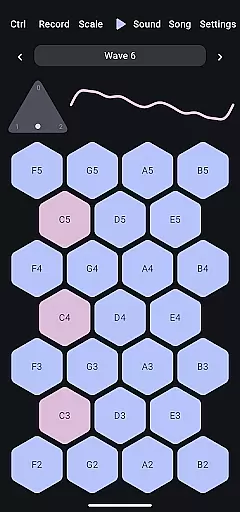
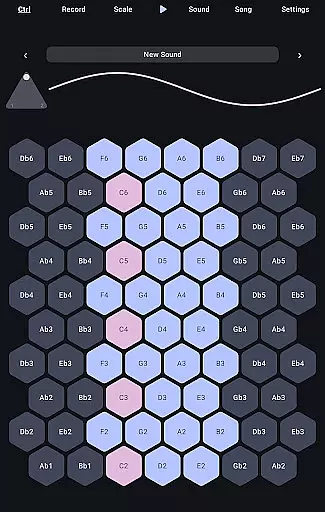
Wave 6 is a cutting-edge wavetable and additive synthesizer designed to transform your mobile device into a versatile musical instrument. This app allows musicians and enthusiasts alike to create, record, and perform music anywhere, anytime. With its ability to mix and morph between three customizable waveforms, Wave 6 empowers users to craft dynamic and organic sounds that range from smooth ambient tones to bold electronic leads.
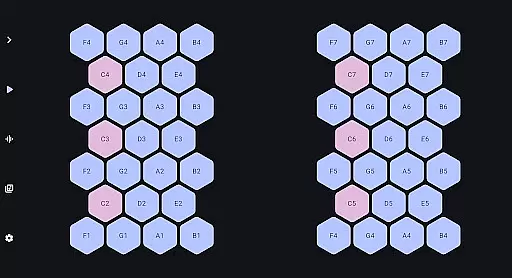
The app's intuitive interface makes it easy for users to compose songs, design unique textures, and even collaborate with friends in real-time. Whether you're an experienced musician or just starting out, Wave 6 provides the tools necessary to unleash your creativity and make music that moves with you.
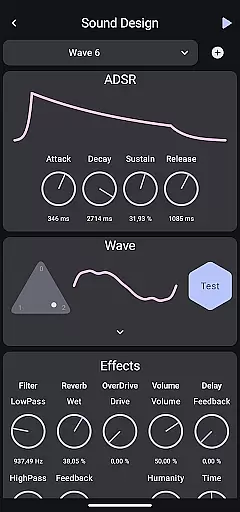
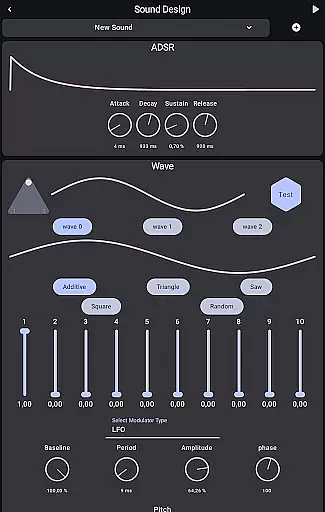
Wave 6 stands out with its powerful wavetable and additive synthesis capabilities. The app offers three fully customizable waveforms, enabling users to blend and shape sounds with precision. Its advanced modulation options allow for intricate sound design, while the built-in effects like reverb, delay, and distortion add depth and character to your creations.
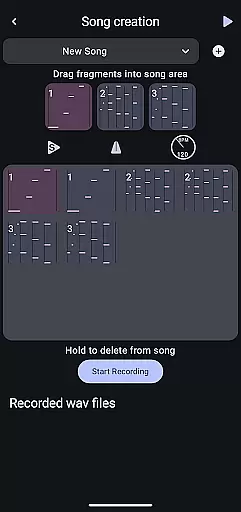
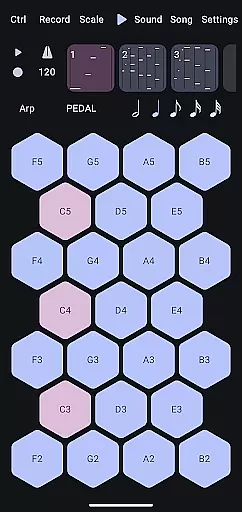
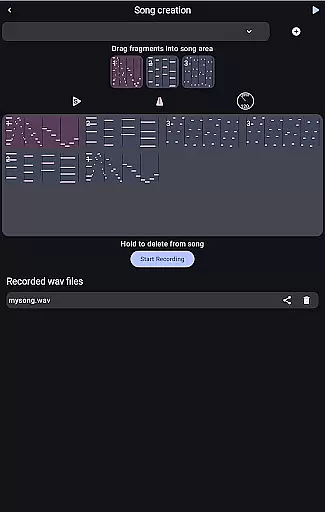
In addition to its robust synthesis engine, Wave 6 includes a comprehensive sequencer and arpeggiator for creating complex musical patterns. The app supports MIDI connectivity, allowing integration with external controllers and DAWs. With features like audio recording, export functionality, and real-time performance controls, Wave 6 caters to both studio production and live performances.
Wave 6 offers a versatile music creation platform that allows users to craft their own unique sounds. The app provides an extensive range of customizable waves, which serve as the building blocks for your musical creations.
With its wavetable and additive synthesis capabilities, Wave 6 ensures that all sounds generated are original and royalty-free. This means you can freely use any music you create without worrying about copyright issues, making it ideal for both personal and professional projects.
The app's vast array of sound design options empowers musicians to experiment with different textures and tones. Whether you're looking to produce smooth ambient tracks or bold electronic leads, Wave 6 gives you the tools to bring your ideas to life while maintaining full ownership of your work.
One of the standout features of Wave 6 is its exceptional audio quality options. The app supports high-fidelity sound production, ensuring that every note and tone you create meets professional standards.
Users can adjust various parameters to fine-tune their audio output. From bit depth to sample rate, Wave 6 provides precise control over how your music sounds. This level of detail guarantees that whether you're recording a simple melody or producing complex compositions, the final product will be crisp and clear.
Additionally, Wave 6's advanced processing capabilities minimize latency and distortion, allowing for real-time playback and performance. Musicians can confidently perform live or collaborate with others, knowing that the app delivers consistent, high-quality audio across all devices.
User-friendly interface
Powerful synthesis engine
Real-time collaboration
Wide range of effects
MIDI compatibility
Steep learning curve
High CPU usage
Limited free content
No cloud backup
Occasional bugs

 4.70
4.70
DJ Music Mixer Pro is a real DJ controllers and DJ Music Studio to remix DJ.
4.40
Visualize the guitar fretboard, master scales & play through changes like a pro!
4.50
Play your hearts out on TouchTunes jukeboxes & connect with fellow music lovers.
4.80
Let your Android device with the sound effects you want
4.50
Simple mp3 and mp4 player with advanced features.
3.40
Manage your Sonos system directly from your home-screen!
4.40
One-tap booster for max volume - enjoy powerful sound with this audio booster
4.50
Be a true music maker: create beats, mix and make music like a real DJ!
4.30
Make songs with AI! Any genre, custom lyric, song generator for music creation!
4.80
Brian Eno and Peter Chilvers’ acclaimed music app Bloom, radically reinvented.
4.80
Responsive piano with great sounds, graphics, and songs
4.80
Enhance the sound quality of your devices, listen to what you want
4.50
Formerly known as Spotistats! View your top tracks, artists, albums and more!
4.40
Your HD audio recorder on the go for music, meetings, ambience, animal sounds…
4.30
Advanced 10-Band Audio Graphic Equalizer Sound Booster Pro
4.30
Versatile MP3 recorder with auto-backup to Dropbox and Google Drive
4.10
The iconic iOS metronome app is now on Android.
3.70
Control your MIDI USB or Bluetooth devices in app and avoid some trampling
3.30

User Reviews