

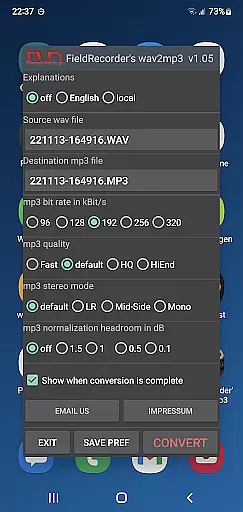
FieldRecorder's wav2mp3 is a streamlined audio conversion tool designed specifically for users who need to convert WAV files to MP3 format without any hassle. The app eliminates common frustrations such as intrusive ads, unnecessary rating prompts, and confusing options that often clutter similar applications. With its minimalist one-screen interface, users can effortlessly select source and destination files and initiate the conversion process with a single tap.
What sets this app apart is its commitment to user privacy and efficiency. It operates without collecting user data and maintains an incredibly small download size of under 1.3MB due to its native codebase. This makes it significantly lighter than comparable converter apps, which average around 20MB. Additionally, the app provides clear error messages when issues arise and even offers a full refund option if users are unsatisfied. Its seamless integration with the professional audio recorder app 'Field Recorder' further enhances its utility for advanced users.
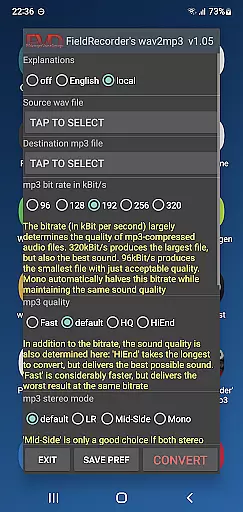
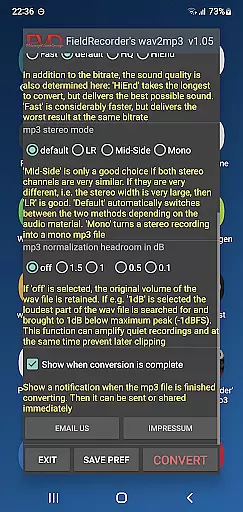
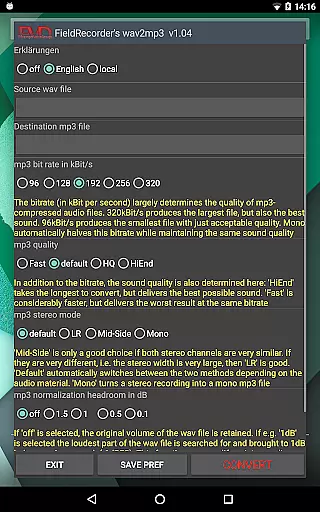
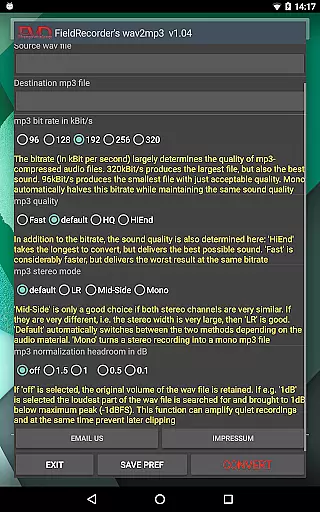
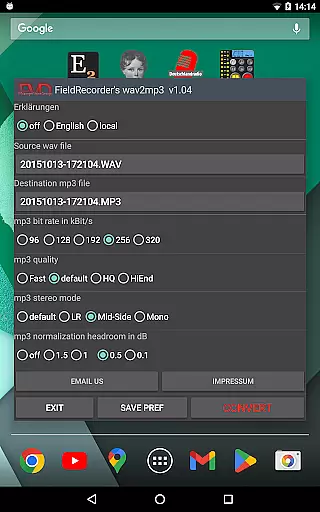
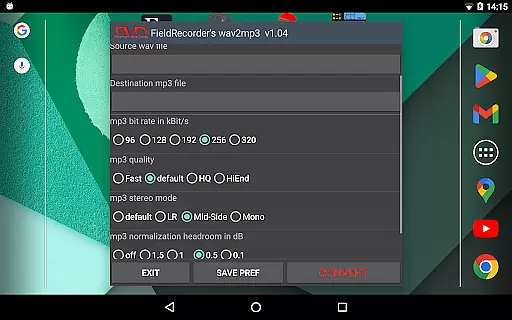
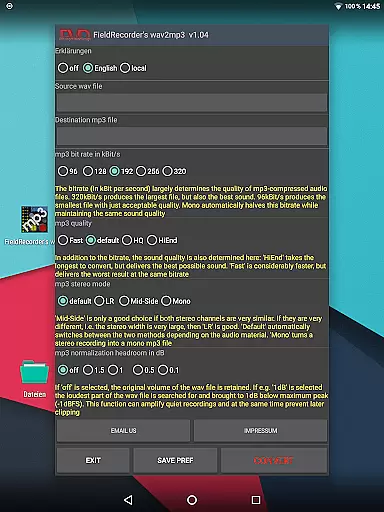
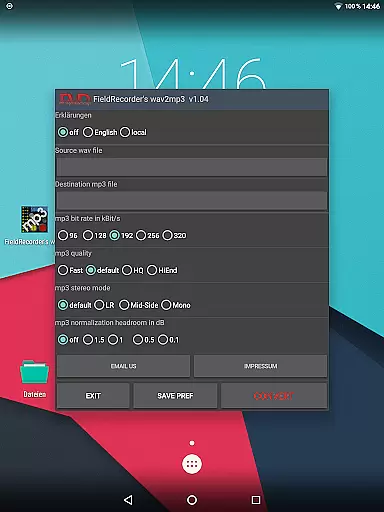
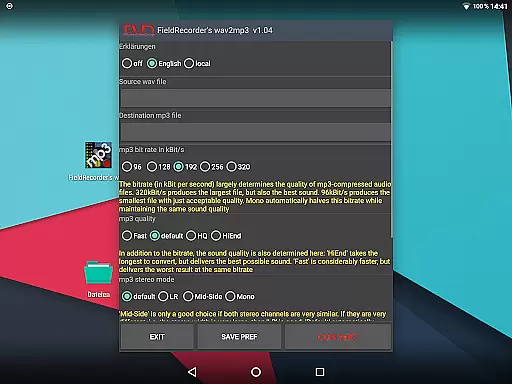
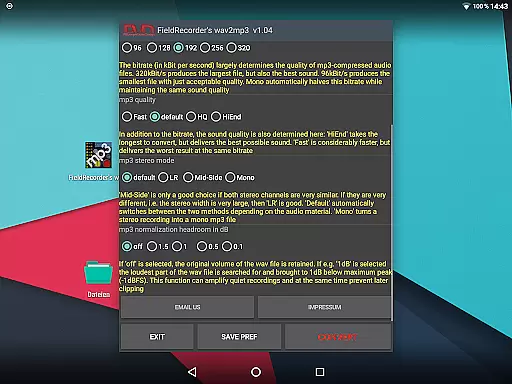
FieldRecorder's wav2mp3 offers several notable features that cater to both casual and advanced users. One standout aspect is its customizable options, allowing users to tailor the conversion process according to their preferences. For instance, users can choose from five commonly used bit rates, specify stereo encoding modes (LR, Mid-Side, or default), and adjust the complexity of the MP3 file creation to balance between speed and sound quality.
The app also supports multilingual explanatory texts, giving users the flexibility to view instructions in their preferred language or hide them entirely for a cleaner interface. Advanced settings include volume normalization, where users can decide whether to preserve the original file’s volume or maximize it while avoiding clipping. Furthermore, users can opt to receive notifications upon completion of the conversion, enabling immediate sharing or further processing of the MP3 file. These thoughtful features ensure a smooth, efficient, and personalized experience tailored to individual needs.
FieldRecorder's wav2mp3 focuses on providing a seamless conversion experience rather than offering an extensive music library. However, its ability to convert WAV files to MP3 format ensures that users can efficiently manage their audio content while maintaining copyright authenticity.
The app guarantees that the converted files retain the original quality and legal status, ensuring no unauthorized modifications are made during the process. This is crucial for users who need to manage large volumes of audio files without infringing on any legal rights.
By focusing on core functionality, FieldRecorder's wav2mp3 allows users to handle their audio libraries with confidence, knowing that their files remain authentic and compliant with copyright laws.
FieldRecorder's wav2mp3 offers several customizable options to ensure optimal audio quality in the converted MP3 files. Users can choose from five common bit rates, which are halved in mono mode, allowing for quick adjustments based on specific needs.
In addition to bit rate selection, users can specify the complexity of the MP3 encoding process. Higher complexity may increase processing time but can also enhance sound quality, providing flexibility for different use cases.
The app also includes stereo mode settings, allowing users to encode channels separately or together based on similarity. This feature, combined with volume normalization options, ensures that the final output meets professional standards while preventing clipping issues during playback.
Lightweight app size
No intrusive advertisements
User-friendly interface
Customizable conversion options
Strong focus on user privacy
Limited advanced features
No batch conversion support
Basic design aesthetics
Fewer updates compared to competitors
Paid app with no free version

 4.70
4.70
Enhance the sound quality of your devices, listen to what you want
4.50
The only true audiophile music player with Hi-Fi audio rendering and DSP engine
3.90
Learn to play the piano using falling notes!
3.80
Smart piano keyboard, Classical to Pop, Real-time multiplayer connection!
4.20
A complete sound package for the sound engineer or enthusiast
4.60
Play KORG’s revolutionary touch-based instrument on a variety of devices.
4.40
Offline Tunes, Unlimited Vibes
3.90
One-tap booster for max volume - enjoy powerful sound with this audio booster
4.50
Full-featured, High-Quality Groovebox Workstation, perfect for Live Performance!
4.80
JBL PartyBox APP works with 110/310/710/120/320/520/Encore/Encore 2/Encore Ess 2
4.80
Over 100 million tracks available for high quality streaming and download
4.60
Formerly known as Spotistats! View your top tracks, artists, albums and more!
4.40
Your HD audio recorder on the go for music, meetings, ambience, animal sounds…
4.30
Equalizer, Bass Booster and Volume Booster (Eq & Bass) improve sound quality
4.30
Enjoy singing any song, no matter how high or low it is
4.30
USB audio recording and playback finally possible on Android 3.1 or higher!
3.90
Slow music down without changing pitch.
3.70
Simple mp3 and mp4 player with advanced features.
3.40

User Reviews