

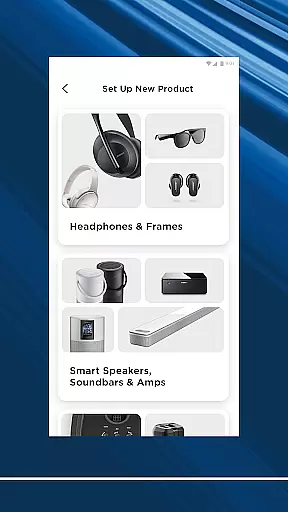
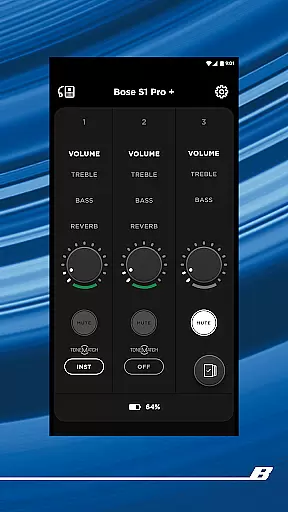
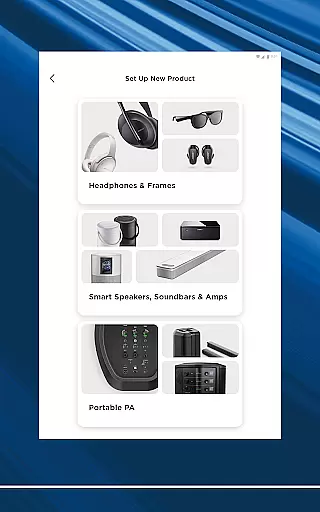
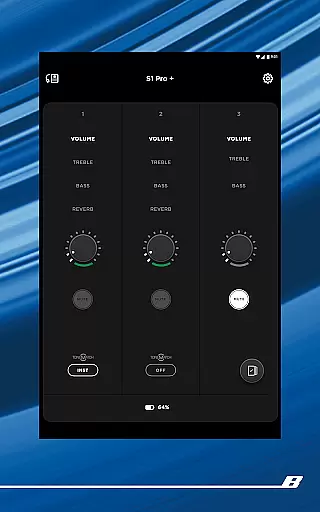
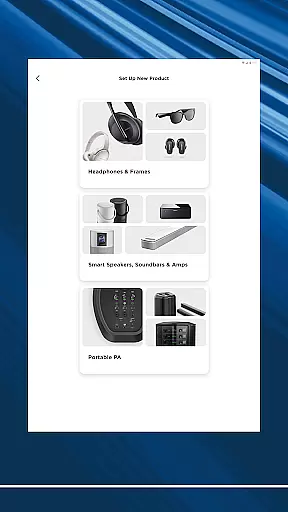
The Bose app is your ultimate control center for all Bose products, allowing seamless management of speakers, soundbars, headphones, and more from a single interface. Designed to enhance your listening experience, the app provides intuitive controls for noise cancellation, EQ settings, and audio modes.
Whether you're using QuietComfort headphones or OpenAudio products, the app offers personalized features like ActiveSense technology and Immersive Audio. You can easily set up devices, stream music across multiple rooms, and create custom presets for one-touch access to your favorite playlists.
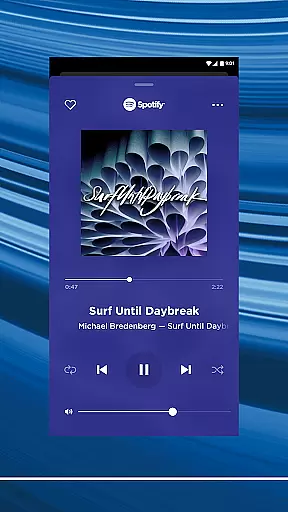
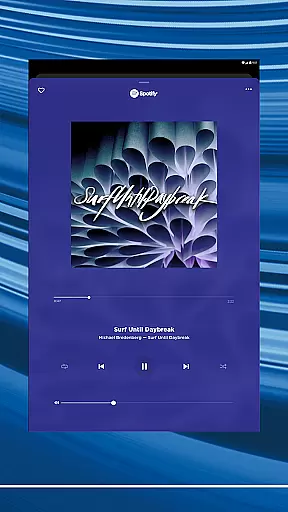
Compatible with popular streaming services such as Spotify, Pandora, and Amazon Music, the Bose app ensures quick access to all your favorite content in one place. Its user-friendly design makes it simple to control your audio environment from anywhere in your home.
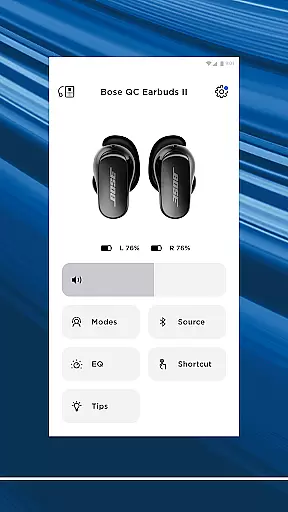
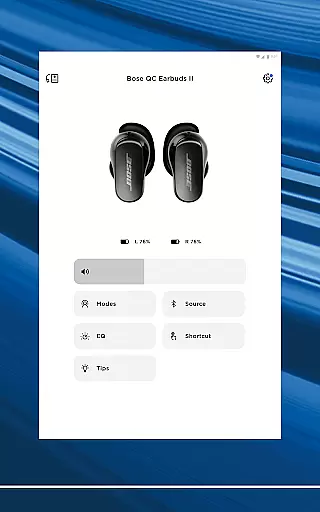
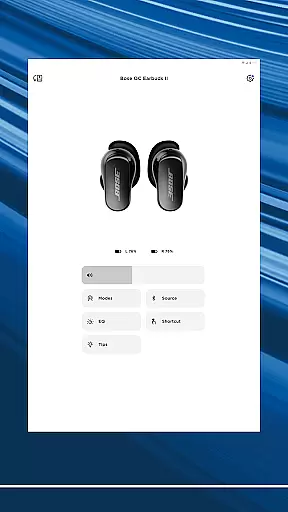
The Bose app stands out with its comprehensive feature set tailored for audiophiles. One key feature is its advanced noise cancellation control, which lets users toggle between Quiet Mode for full noise blocking and Aware Mode to hear surroundings while enjoying music.
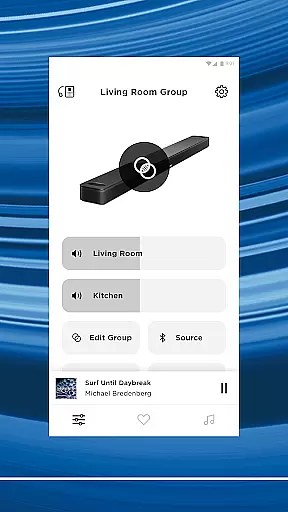
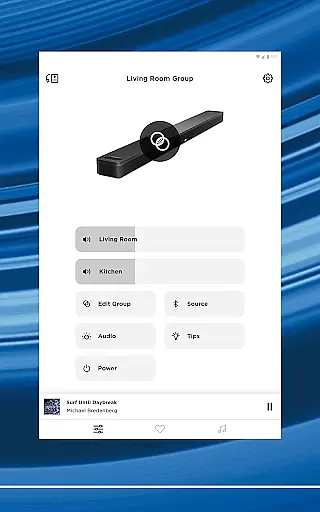
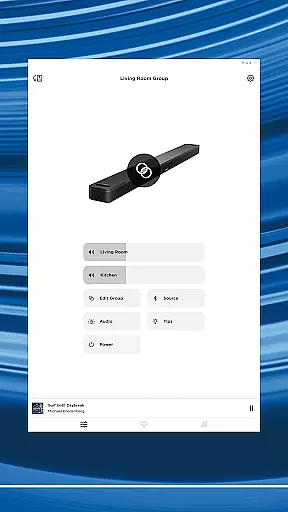
Another highlight is the ability to customize audio experiences through adjustable EQ settings and product-specific shortcuts. The app also supports multi-room audio setups, enabling users to play synchronized music throughout their home or different tracks in separate areas.
Integration with major streaming platforms like Spotify and Pandora enhances accessibility, while one-touch presets allow instant access to preferred stations. These features collectively deliver a versatile and immersive audio experience tailored to individual preferences.
When it comes to music streaming applications, the size and authenticity of the music library are crucial factors. The Bose app offers an extensive music library that includes popular tracks from various genres, ensuring users have access to their favorite songs and artists. This vast collection is sourced from reputable music services like Spotify, Pandora, Amazon Music, and more.
The app guarantees copyright authenticity by partnering with official music providers and respecting intellectual property rights. Users can trust that the music they enjoy is legally distributed and accurately represents the artists' work. This commitment to copyright compliance not only supports artists but also enhances the user experience by providing high-quality audio content.
Moreover, the Bose app's integration with these music platforms allows for seamless playback and discovery of new music. Whether you're a fan of classical symphonies or modern pop hits, the app ensures that your listening experience is both diverse and authentic. With regular updates and additions to its library, users can always find fresh content to enjoy.
Audio quality is a defining feature of any music application, and the Bose app excels in delivering superior sound experiences. It supports various audio quality options, allowing users to choose between standard and high-definition audio streams based on their preferences and network conditions. This flexibility ensures that listeners can enjoy their favorite tracks in the best possible quality without interruptions.
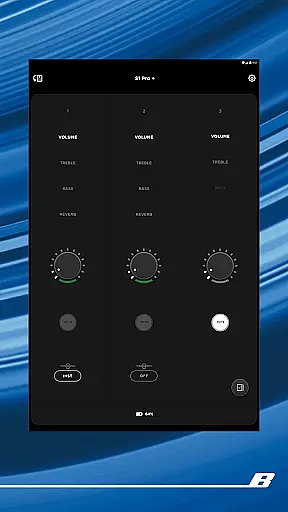
The app leverages advanced audio technologies to enhance sound clarity and depth. For instance, products like the QuietComfort series offer features such as Immersive Audio, which creates a rich and enveloping soundscape. By adjusting EQ settings within the app, users can further personalize their audio experience, balancing bass, treble, and midrange frequencies to suit their taste.
In addition to customizable audio settings, the Bose app provides ActiveSense technology in select products. This innovative feature adjusts ambient noise levels to a comfortable volume, ensuring that external sounds do not disrupt your listening session. As a result, users can immerse themselves fully in their music while still being aware of their surroundings when needed.
Seamless device integration
Advanced noise cancellation
Customizable audio settings
Multi-room audio support
User-friendly interface
Limited third-party compatibility
Occasional connectivity issues
Subscription required for some features
High device cost
Complex setup for beginners





Equalizer, Bass Booster and Volume Booster (Eq & Bass) improve sound quality
 4.30
4.30
Tune in to the greatest hits on UK Radio | The home of Capital, Smooth & Heart.
4.90
Control your MIDI USB or Bluetooth devices in app and avoid some trampling
3.30
JBL PartyBox APP works with 110/310/710/120/320/520/Encore/Encore 2/Encore Ess 2
4.80
Listen radio AM / FM Stations. Live AM / FM Radio App Station. Radio Com.
4.70
A complete sound package for the sound engineer or enthusiast
4.60
PowerAudio is a powerful offline music player.
4.20
Master Salsa Rhythm quickly and with a lot of fun!
4.30
Listen to offline music and sounds from all categories
4.70
Ultimate Sonos Controller
4.70
Gorgeous UI, Powerful music Search and Equalizer, the great choice for you!
4.70
The best music and audio player, with beautiful UI, music search and equalizer.
4.60
Super Sound Editor, Song Maker & Mixer, Vocal Remover, Voice Recorder & Changer!
4.60
Save hundreds of dollars for a physical strobe tuner and instead use this app.
4.50
Your HD audio recorder on the go for music, meetings, ambience, animal sounds…
4.30
Time Trainer: accurate metronome w tools to help you develop your internal time!
4.20
Sheet music reader, piano & music note player. Play music score & learn to read.
3.90
Background pads for your band
3.80
Powerful beat maker & DJ mixer to remix tracks, make music, & perform DJ mix
3.70


User Reviews