

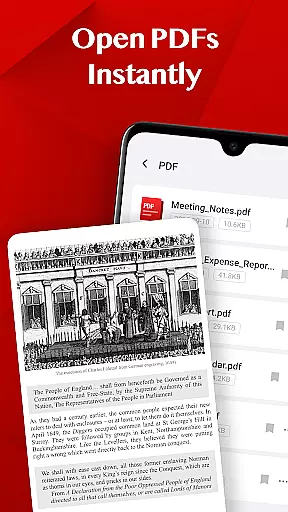
Turbo PDF is a lightweight and practical PDF reader designed for Android devices. With an intuitive interface, it allows users to open, read, and manage PDF files efficiently. Its core features include instant file opening, smooth scrolling and zooming, and easy document organization.
Designed for both phones and tablets, Turbo PDF ensures a seamless reading experience across devices. Whether you're reviewing work documents or studying e-books, the app's bookmarking and file management tools help keep your PDF library organized and accessible.
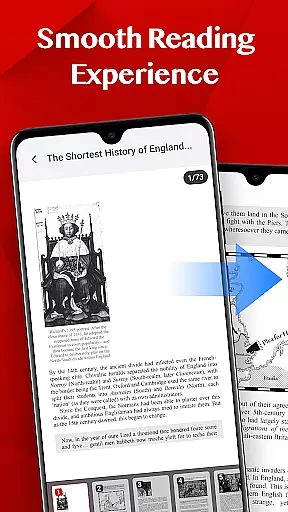
Turbo PDF offers a range of features that enhance the PDF reading and management experience. The app provides instant access to PDF files stored on your device, eliminating loading delays. Its smooth scrolling and responsive zoom make navigation effortless.
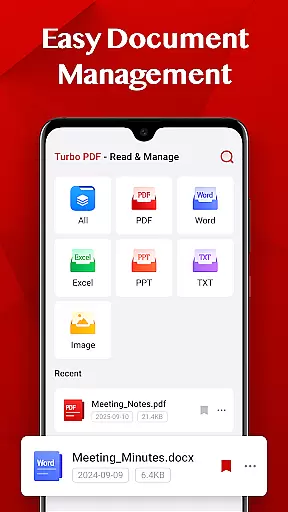
For document management, Turbo PDF includes options to share, delete, and bookmark files. These tools allow users to organize their PDFs effectively and retrieve important documents quickly. Additionally, the app supports Android 11 and above with secure permission handling for external storage access.
Collaborative work features are essential for modern business applications, enabling teams to work together efficiently regardless of location. Turbo PDF offers a streamlined approach to document collaboration by allowing users to share PDF files directly from the app. This functionality ensures that team members can quickly distribute important documents without switching between multiple applications.
The app's interface is designed to make file sharing intuitive and hassle-free. With just a few taps, users can send PDFs via email or other communication platforms, ensuring that everyone has access to the latest version of a document. This feature is particularly useful in professional environments where time-sensitive information needs to be disseminated quickly.
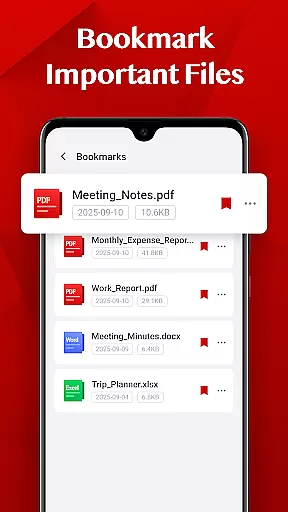
Turbo PDF also supports basic document management, allowing users to organize their files effectively. The ability to delete unnecessary documents or bookmark important ones helps maintain an organized workspace. These organizational tools contribute to better collaboration by ensuring that critical files are always easy to locate.
While Turbo PDF may not offer advanced real-time editing features, its focus on efficient document sharing and management makes it a valuable tool for collaborative work. By simplifying the process of distributing and organizing PDF files, it enhances team productivity and ensures smooth workflow across different departments.
Effective task management is crucial for maintaining productivity in any business setting. Turbo PDF provides essential tools that help users manage their document-related tasks more efficiently. The app's bookmarking feature allows users to mark key documents, making it easier to return to important files without wasting time searching through directories.
The application's smooth reading experience contributes to better task management by enabling users to navigate through lengthy PDFs with ease. Fluid scrolling and responsive zooming ensure that users can quickly find the information they need, which is particularly beneficial when working on complex projects that require frequent document consultation.
Turbo PDF's document management capabilities extend to basic file operations such as sharing and deleting. These functions help users keep their workspace organized and focused on current tasks. By providing quick access to necessary documents and tools for maintaining an orderly file system, the app supports more effective task completion.
While Turbo PDF may not include comprehensive project management features, its emphasis on efficient document handling and organization makes it a valuable asset for professionals who need to manage multiple document-based tasks throughout their workday.
Lightweight design
Smooth navigation
Easy file management
Bookmark functionality
Cross-device support
Limited advanced tools
No cloud integration
Basic UI design
Few customization options
Android-only

Find jobs and make money fast with JobStack.
 4.60
4.60
Measure distances, surfaces and draw plans in seconds with CamToPlan!
4.40
viewing and sharing PDFs and other files—anytime, anywhere!
4.1
Find work, shifts and gigs near you. Jobs lasting a few hours to a few months.
4.30
All document reader, pdf viewer app, read docs & excel files
3.80
Smarter career moves start here. AI job alerts, insights & the right tools.
4.20
Say hello to the mobile work experience built to help you thrive at work.
4.30
The app that lets you deliver with Amazon.
4.50
Make money as a delivery driver with DoorDash and work when you want as a Dasher
4.30
Find the right fit, faster.
4.70
Access to Paylocity, empowering employees with information they need 24/7.
4.70
Earn money with the driver & delivery partner app for Uber, UberEats & Postmates
4.60
Manage work life on the go
4.50
Drive and earn extra money
4.50
Collaborate seamlessly with Google Chat, part of Google Workspace
4.50
Work happy with AI Companion
4.10
On the go? Take FedEx with you.
4.00
Find part-time earning opportunities near you that pay within days.
3.20
Completed Course Lectures on how to use IBM Maximo in Maintenance issues
4.0

User Reviews