

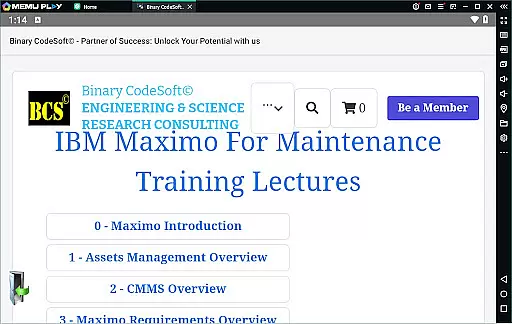
BCS©-Maximo Maintenance course is a comprehensive business application designed to educate users on maintenance operations and strategies using IBM Maximo. The app covers essential topics such as maintenance planning, scheduling, costs, and the impact of poor maintenance work. It also highlights why IBM Maximo is a preferred solution for asset management.
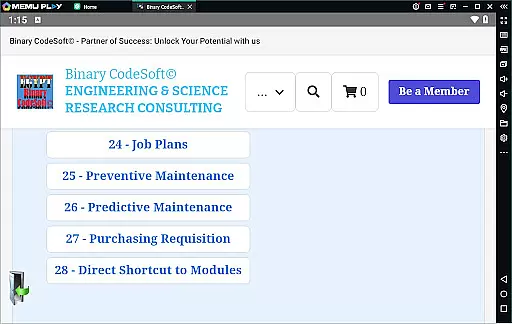
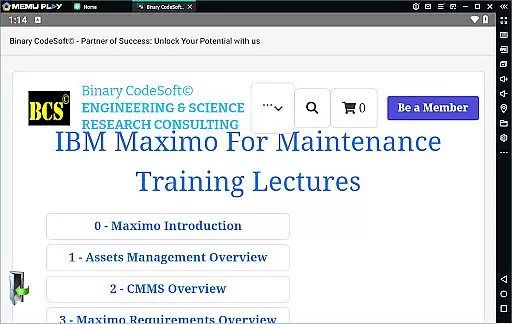
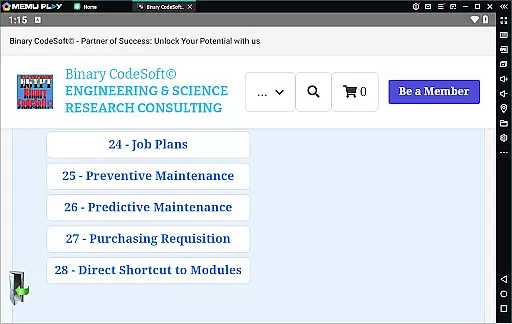
In addition to theoretical knowledge, this app provides practical insights into Maximo's features including asset management, CMMS overview, and new functionalities. Users will learn about work orders, job plans, preventive and predictive maintenance, and dynamic job planning. The app also teaches how to manage shutdown plans, create 7-day and monthly plans, handle child work orders, and export data to MS Excel or MS Project files.
This educational tool is ideal for maintenance professionals, asset managers, and anyone involved in operational efficiency who wants to leverage IBM Maximo for better maintenance practices and cost reduction.
The BCS©-Maximo Maintenance course offers an extensive range of features tailored for maintenance professionals. One key feature is its detailed introduction to various maintenance strategies and their associated costs, helping users understand the financial implications of maintenance decisions.
Another standout feature is the app's coverage of IBM Maximo's capabilities. This includes managing assets, understanding CMMS, implementing new features, and executing tasks like creating work orders, job plans, and preventive maintenance schedules. The app also supports advanced functionalities such as dynamic job plans, modifying job plans, and planning shutdowns.
Moreover, the app facilitates efficient data handling by allowing users to export data to MS Excel and MS Project files. With direct shortcuts to modules, keeping queries on top, executing tasks on multiple records, and providing planning tools, it ensures users stay ahead in their maintenance activities. These features collectively enable users to optimize their maintenance processes and improve overall operational efficiency.
In the realm of business applications, collaborative work features are essential for streamlining operations and enhancing team productivity. The BCSu00a9-Maximo Maintenance course offers comprehensive training on IBM Maximo, a powerful tool that supports collaboration in maintenance management. Through its robust platform, multiple users can simultaneously access and update maintenance records, ensuring everyone is on the same page.
The application provides tools for managing assets, creating work orders, and planning preventive maintenance, all of which can be shared across teams to ensure coordinated efforts. This collaborative environment not only improves communication but also reduces downtime and maintenance backlogs by enabling real-time updates and sharing of critical information.
Moreover, with features like dynamic job plans and child work orders, teams can break down complex tasks into manageable parts, assign responsibilities, and track progress collectively. This ensures that all team members are aware of their roles and deadlines, promoting accountability and efficiency within the organization.
Effective task management is pivotal for businesses aiming to optimize their maintenance operations. The BCSu00a9-Maximo Maintenance course equips users with skills to leverage IBM Maximo's advanced task management capabilities. By learning how to create and manage work orders, job plans, and preventive maintenance schedules, users can significantly enhance their ability to keep operations running smoothly.
This application allows for detailed task tracking, from initial request through completion, ensuring nothing falls through the cracks. Users can monitor the status of each task, receive notifications about upcoming or overdue maintenance activities, and generate reports to analyze performance trends over time.
Additionally, the course covers techniques for exporting data to MS Excel and MS Project files, facilitating further analysis and integration with other business systems. With these task management tools, businesses can improve their planning processes, reduce operational costs, and ultimately deliver better service to their clients.
Comprehensive content
User-friendly interface
Practical insights
Advanced planning tools
Data export capabilities
Limited interactive elements
No offline access
Requires prior knowledge
Occasional updates needed
Premium pricing


Zoom built for Chrome OS
 3.90
3.90
Earn crypto with secure cloud mining. Monitor, track & withdraw easily
4.40
FaxCover - Create fax cover pages. Works with any app or fax machine.
4.90
The All-in-One File Manager for Phone, TV, Watch, Cars, XR / VR, Chromebook
4.10
One marketplace. Hundreds of services. Unlimited possibilities. All on Fiverr.
4.40
We are a dynamic team of creatives people of design, marketing, web & apps
3.00
Mobile POS for any business: sales, invoices, retail, restaurants & appointments
4.60
The app that lets you deliver with Amazon.
4.50
ADP Mobile Solutions is an employee self service app
4.50
GoTo Mobile is a simple & secure calling, messaging & meetings solution
4.80
TurboScan turns your phone into a full-featured PDF document scanner.
4.80
Earn money with the driver & delivery partner app for Uber, UberEats & Postmates
4.60
All-in-one Mobile solutions for employees & managers to succeed at work
4.30
FX Plus adds media, networking, and cloud capabilities to FX File Explorer.
4.10
The Penny Puss app with DG penny finder
4.10
On the go? Take FedEx with you.
4.00
Simple, Fast & Lightweight
3.90
view, manage, and share every PDF file you have
3.60
Find part-time earning opportunities near you that pay within days.
3.20
User Reviews