

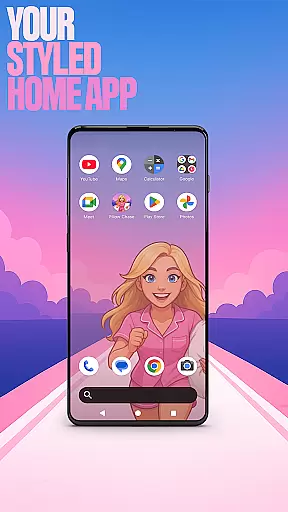
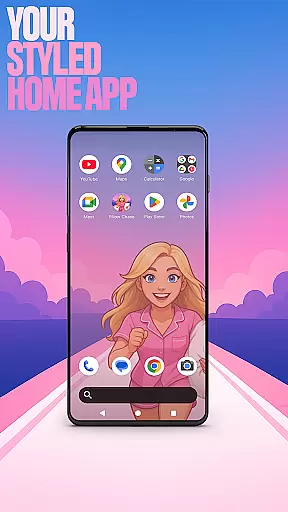
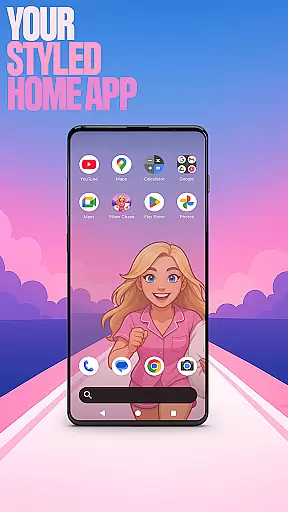
Pillow Chase Home App is a launcher app that allows users to create a personalized home screen experience. With this app, you can fully customize the layout of your home screen, create folders, and choose colors to make it truly your own. It offers a fresh style that keeps things exciting from the moment you start using it.
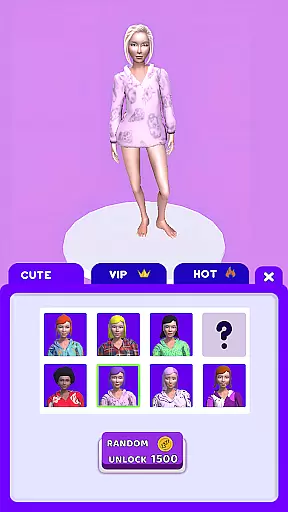
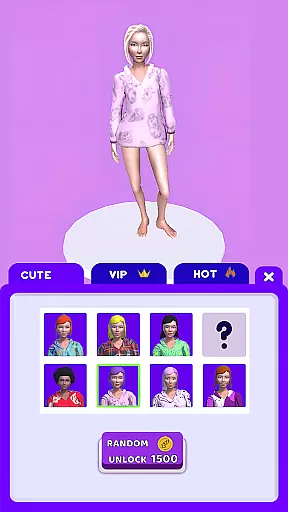
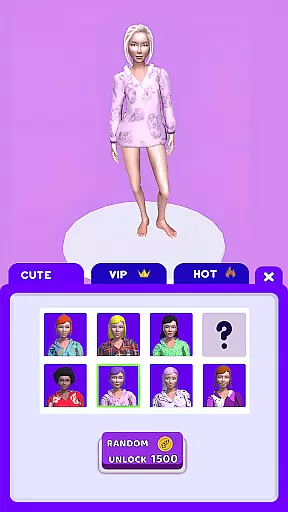
In addition to its customization features, Pillow Chase Home App also includes a fun game called Pillow Chase. In this game, you can run, dodge, and race your way to sweet dreams by collecting pillows, leaping over alarm clocks, and avoiding coffee cups that slow you down. It's fast, funny, and full of surprises, making it the perfect game for quick breaks and endless fun.
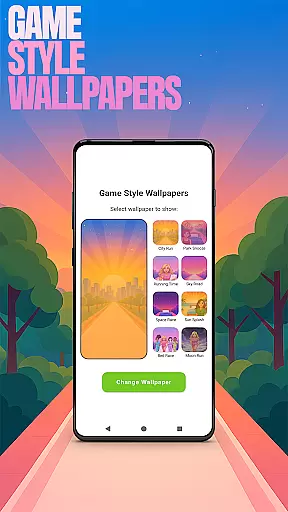
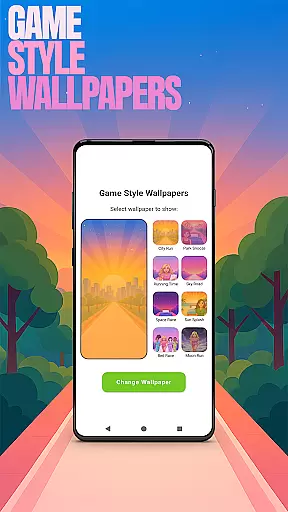
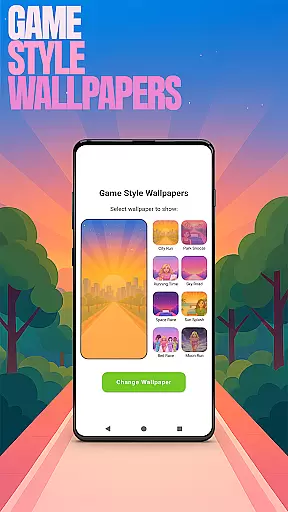
Pillow Chase Home App offers a range of features to enhance your home screen experience. One notable feature is the ability to add unique wallpapers inspired by the Pillow Chase game. By long-pressing on the home screen and selecting 'Game Style Wallpapers', you can choose from a variety of wallpapers to personalize your device.
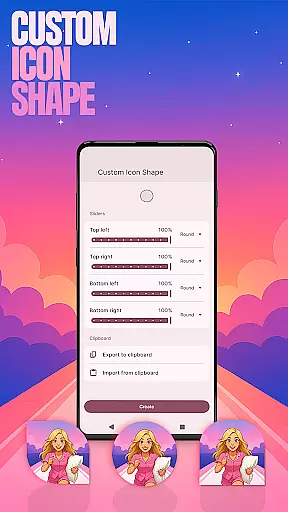
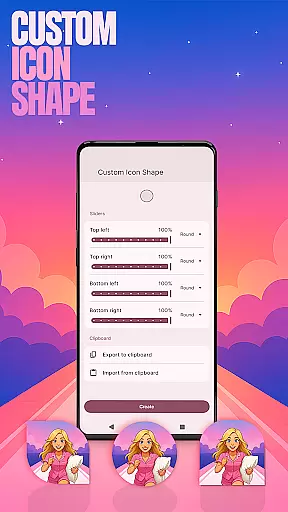
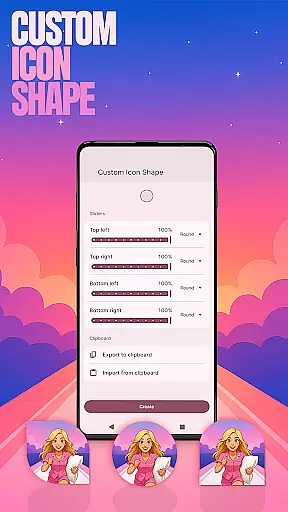
Another feature is the option to customize icon shapes. By long-pressing on the home screen and selecting 'Custom Icon Shape', you can personalize your device with fun icon shapes and custom icon looks. This allows you to give your home screen a unique and personalized touch.
Additionally, Pillow Chase Home App offers custom gestures. By swiping or tapping on the home screen, you can quickly open apps, settings, or the app drawer. This feature can be accessed by long-pressing on the home screen, clicking 'Home settings', and then selecting 'Gestures'.
Customization is at the heart of Pillow Chase Home App, offering users a wide array of options to personalize their home screen. This app allows for complete control over the layout, enabling users to arrange and design their digital space in a way that truly reflects their personal style.
The level of customization extends to creating folders, choosing colors, and even selecting unique wallpapers inspired by the Pillow Chase game. These features ensure that every element on the home screen can be tailored to the user's preferences, making the interface not just functional but also expressive.
Moreover, Pillow Chase Home App provides custom icon shapes and gesture controls, adding another layer of personal touch. Users can define specific gestures to open apps or settings swiftly, streamlining their interaction with the device while keeping the aesthetic and functional aspects aligned with their individual needs.
Pillow Chase Home App excels in theme compatibility, ensuring that all visual modifications and custom themes integrate seamlessly with the deviceu2019s operating system. This compatibility allows users to apply any chosen theme across their home screen without encountering inconsistencies or performance issues.
Users have access to various accent color options, which they can either select from presets or create themselves. This flexibility in adjusting the color scheme ensures that the visual theme of the device remains cohesive and matches the user's desired appearance perfectly.
In addition to color adjustments, the app supports hiding private apps and customizing icon shapes, which contribute to maintaining a uniform look and feel. These features collectively enhance the overall user experience by providing both privacy and personalization, all while preserving optimal theme compatibility.
Highly customizable
Unique wallpapers
Fun game included
Custom icon shapes
Quick access gestures
May change home screen layout
Limited to Android devices
Requires manual customization
Some features may not be intuitive
Previous layout not affected when switching back




Only for Wear OS devices!
 4.90
4.90
Transform your phone with Launcher iOS 26 - Smooth & elegant iOS experience
4.50
Ultimate Gallery Lock App - Hide Pictures, Videos and Lock Apps Instantly!
4.60
Unique Fonts, typefaces and stylish text. Fonts for Instagram, Whatsapp & others
4.20
Vibrant Adaptive Icons with Material You and Enhanced Monet Colors.
4.50
Design your screen with unique, vibrant clocks
3.80
Icons made of colorful linear lines
4.60
Yandex Browser — stylish and secure, with voice search and data compression
4.40
Struggling to find apps? Use this app to locate and open any app on your phone!
2.20
Add cute Shimeji pets to screen, interact with them and relax with cute motions
4.60
Over 28,000 high quality icons to bring color & homogeneity to your phone.
4.60
Choose your keyboard with RGB colors effect, themes, fonts, emojis.
4.60
Customizable screen pets that play, climb, and keep you company.
4.50 4.50
4.50
200+ Material Inspired Widgets
4.50
Fingerprint Lock Screen & Live Animations with 4K Wallpapers as Live Wallpaper
4.40
Run multiple accounts of the same app on a single device
4.10 3.50
3.50
Custom edge gestures for volume control, brightness, apps, and shortcuts.
4.5

User Reviews