

Lark Player is a versatile offline music and video player for Android, offering support for all major audio and video formats. This free app features a powerful equalizer, customizable sound effects, and an intuitive user interface that makes managing your media effortless.
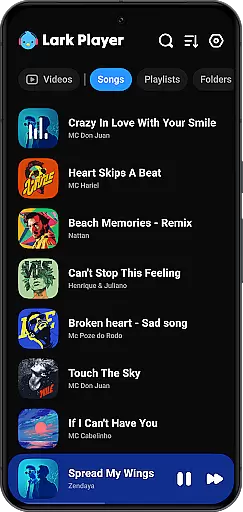
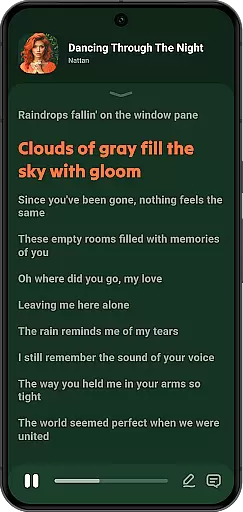
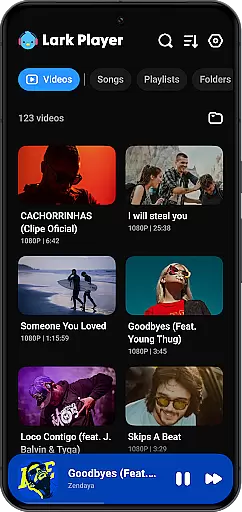
With dedicated modes for various music genres and advanced file management capabilities, Lark Player allows users to create playlists, browse by artist or album, and even match lyrics with songs. Its floating player option enables multitasking, while the sleep timer and background play feature enhance user convenience.
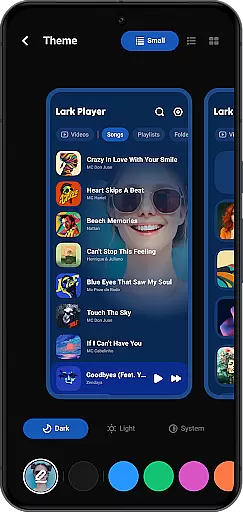
Whether you're commuting or relaxing at home, Lark Player provides a high-quality audio experience with bass enhancement, reverb settings, and more. The app's beautiful day/night themes and customizable options make it a top choice for Android users seeking a complete multimedia solution.
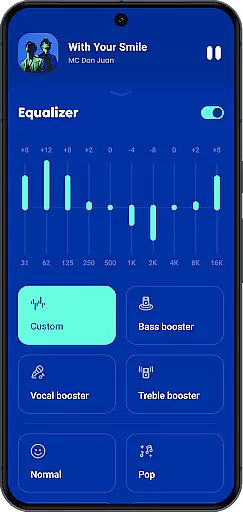
Lark Player stands out with its comprehensive format support, including MP3, MIDI, WAV, FLAC, AC3, AAC, M4A, ACC for audio, and MP4, 3GP, WEBM, MOV, MKV for video playback. The app's powerful equalizer offers preset modes for different music styles like Classical, Pop, Rock, and more, allowing users to tailor their listening experience.
Beyond basic playback, Lark Player provides advanced features such as file management, playlist creation, and lyric matching. Users can browse music by various categories, set custom ringtones, and use the sleep timer function. The floating video player enables seamless multitasking while enjoying media content.
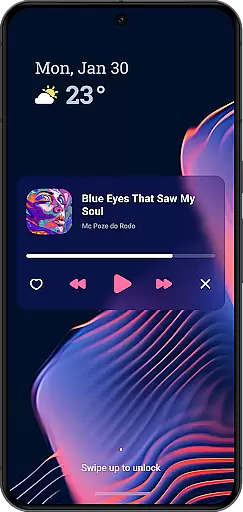
The app also supports sharing music via Bluetooth or social media platforms, converting videos to MP3, and playing music in the background. With its beautiful themes, notification bar controls, and customizable settings, Lark Player delivers both functionality and aesthetics for an enhanced user experience.
Lark Player offers an extensive music library that supports all major audio formats including MP3 MIDI WAV FLAC AC3 AAC M4A and more This ensures users have access to a wide variety of music genres and styles
The app emphasizes copyright authenticity by allowing users to play their legally owned offline music files This respects both the legal rights of content creators and the user's ownership of purchased music
With over 100 million users worldwide Lark Player has proven its reliability in providing a high-quality music experience while maintaining ethical standards in music playback
Users can enjoy peace of mind knowing they are accessing a platform that prioritizes legitimate music sources and provides tools to manage their personal audio collections effectively
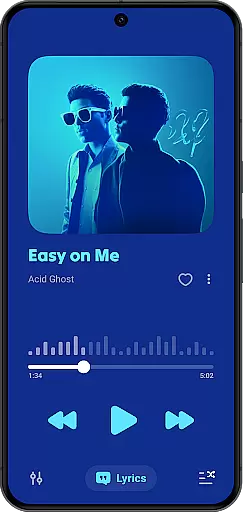
Lark Player stands out with its powerful equalizer that offers various preset modes such as Normal Classical Dance Flat Folk Heavy Metal Hip-hop Jazz Pop and Rock These options allow users to customize their listening experience according to different music genres
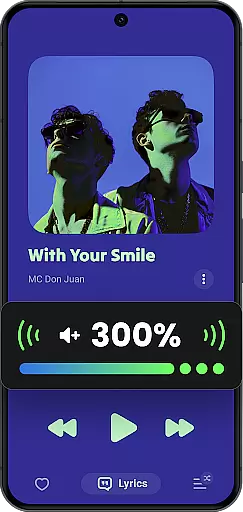
The player supports high-quality audio playback for both music and video files ensuring an enhanced auditory experience The equalizer includes advanced features like bass enhancement reverb settings and sound field adjustments
Users can play songs in shuffle order or loop mode using the MP3 player functionality The app maintains audio quality even when music is played in the background or through the notification bar
Additionally Lark Player enables users to set their favorite local music as ringtones without Wi-Fi further expanding the utility of its audio quality options beyond just playback
User-friendly interface
Wide format compatibility
Powerful equalizer
Customizable themes
Advanced file management
No built-in downloader
Limited editing tools
Ads may appear
Occasional bugs
Offline only

Taal player that lets you sing any Indian & Western song with Tabla & Tanpura
 4.60
4.60
Time Trainer: accurate metronome w tools to help you develop your internal time!
4.20
Simple & Intuitive Metronome
4.70
The ultimate media player for Android devices
3.90
The alternative folder based music player.
4.20
24,000 free audio books and no ads!
4.90
Get alarms that fit your lifestyle and wake up to the sounds you love.
4.80
Be a true music maker: create beats, mix and make music like a real DJ!
4.30
Play your music offline without limits
4.80
Tune in to the greatest hits on UK Radio | The home of Capital, Smooth & Heart.
4.90
Full-featured, High-Quality Groovebox Workstation, perfect for Live Performance!
4.80
JBL PartyBox APP works with 110/310/710/120/320/520/Encore/Encore 2/Encore Ess 2
4.80
More downloads than any other metronome. Includes drum machine & tempo trainer.
4.80
SqueezePlayer turns your Android phone or tablet into a SqueezeBox on its own!
4.60
Pay Once, no monthly payment
4.60
Advanced 10-Band Audio Graphic Equalizer Sound Booster Pro
4.30
Learn to play the piano using falling notes!
3.80
MilkDrop for Android TV
3.00
Music Streaming suite for Ampache, Nextcloud Music and compatible backends.
4.0


User Reviews